
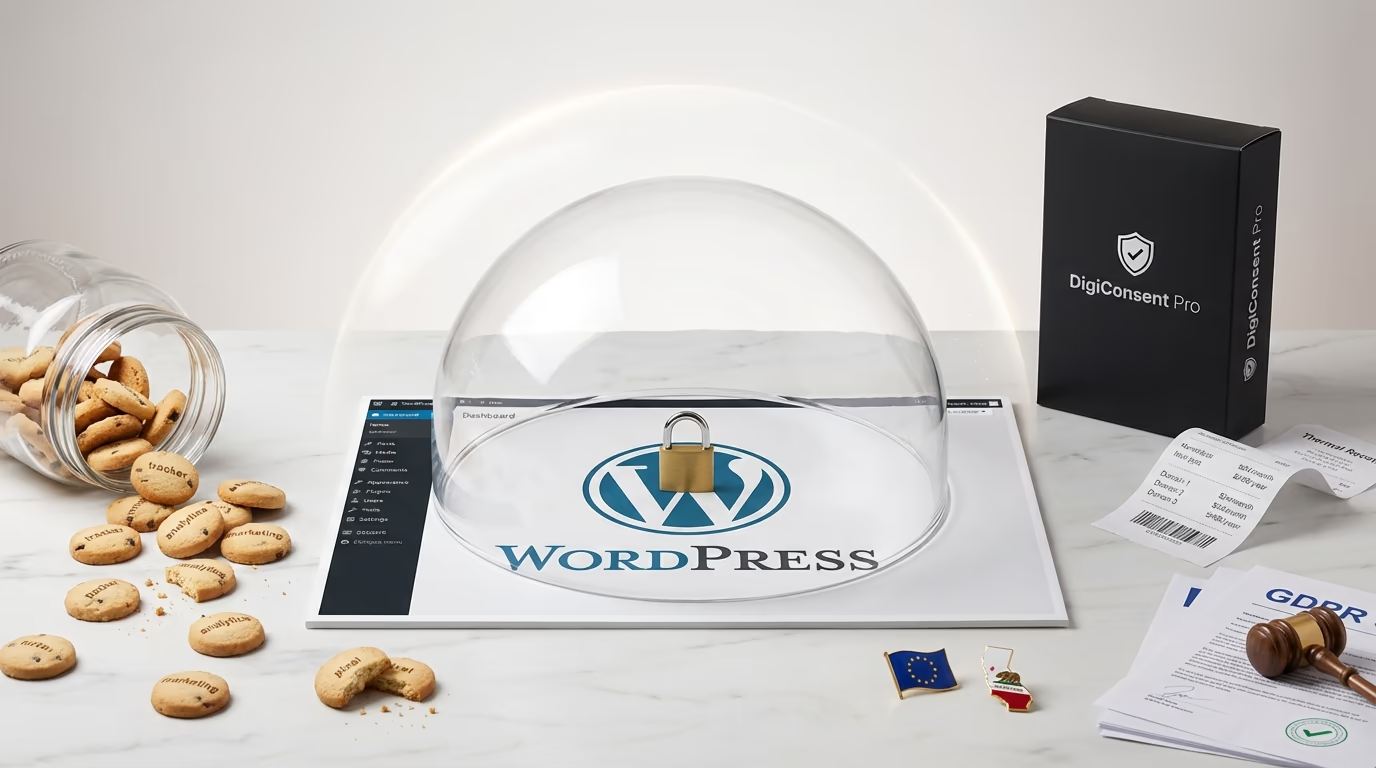
France’s data protection authority sent shockwaves through the tech industry when it fined Google €150 million and Meta €60 million for a deceptively simple violation: making cookie rejection harder than acceptance. Users needed just one click to accept cookies but three to five clicks to refuse them. That imbalance cost two of the world’s largest companies a combined €210 million in penalties.
If you’re running a WordPress site and searching for a Cookiebot alternative, you’re probably feeling the pressure from multiple directions. Privacy regulations have teeth now, with European authorities issuing over $3 billion in GDPR fines during just the first half of 2025. Google’s Consent Mode v2 became mandatory for EEA traffic in July 2025, breaking analytics for sites that weren’t prepared. And Cookiebot’s August 2025 pricing update left many agencies and site owners frustrated with per-domain fees that can quickly spiral into hundreds of dollars monthly.
Here’s the uncomfortable reality that most cookie consent tools won’t tell you: 79% of websites still load third-party trackers before users even interact with the consent banner. Your privacy compliance tool might actually be creating privacy violations. Many popular consent management platforms operate as SaaS products that send visitor data to external servers, creating exactly the kind of third-party data sharing that privacy regulations aim to prevent.
DigiConsent takes a fundamentally different approach. Built as a true WordPress plugin rather than a SaaS wrapper, it runs entirely on your server with zero external dependencies. Your consent data never leaves your WordPress database. No third-party scripts, no external API calls, no privacy-compromising cloud integrations. And instead of charging per-domain fees that punish agencies and multi-site owners, DigiConsent Pro costs $59 per year for a single site, significantly less than Cookiebot’s monthly charges that can exceed $400 annually for a medium-sized website.
Why WordPress Site Owners Are Looking for a Cookiebot Alternative

Cookiebot has been a reliable choice for cookie consent management since its launch, and it does many things well. The automatic cookie scanning catches scripts that other tools miss, and the platform handles GDPR, CCPA, and ePrivacy compliance out of the box. But over the past year, several factors have pushed WordPress users to explore alternatives.
The August 2025 pricing update hit many users hard. Cookiebot notified customers about changes taking effect, but the communication left some confused about the actual impact. Reviews on Trustpilot reflect widespread frustration, with users reporting that prices doubled from $15 to $30 per month for the same service. The platform currently sits at 2.1 stars across 184 Trustpilot reviews, with pricing complaints dominating recent feedback. One reviewer noted paying $30 per month for a consent banner, while alternatives charge $8, questioning whether the value justifies the cost.
The per-domain pricing model creates particular challenges for agencies and developers managing client sites. Each subdomain counts as a separate domain requiring its own subscription. If you’re running a main site, a blog subdomain, and a staging environment, that’s three separate charges. Cookiebot’s system automatically upgrades plans when your site exceeds page limits, which sounds convenient but leads to unexpected bills if you’re not monitoring page counts closely.
Technical issues also surface in user reviews. Some report the scanning method inflating subpage counts, resulting in higher charges than expected. Others describe support interactions as frustrating, with one user mentioning 20 emails before returning to square one. The WordPress plugin itself has 427 reviews and generally positive feedback for ease of installation, but billing and support concerns appear repeatedly in recent submissions.
None of this means Cookiebot is a bad product. For enterprises with existing workflows and dedicated compliance teams, it remains a solid choice. But for small businesses, freelancers, and agencies watching their budgets, the pricing structure makes exploring alternatives worthwhile.
DigiConsent vs Cookiebot: A Direct Feature Comparison
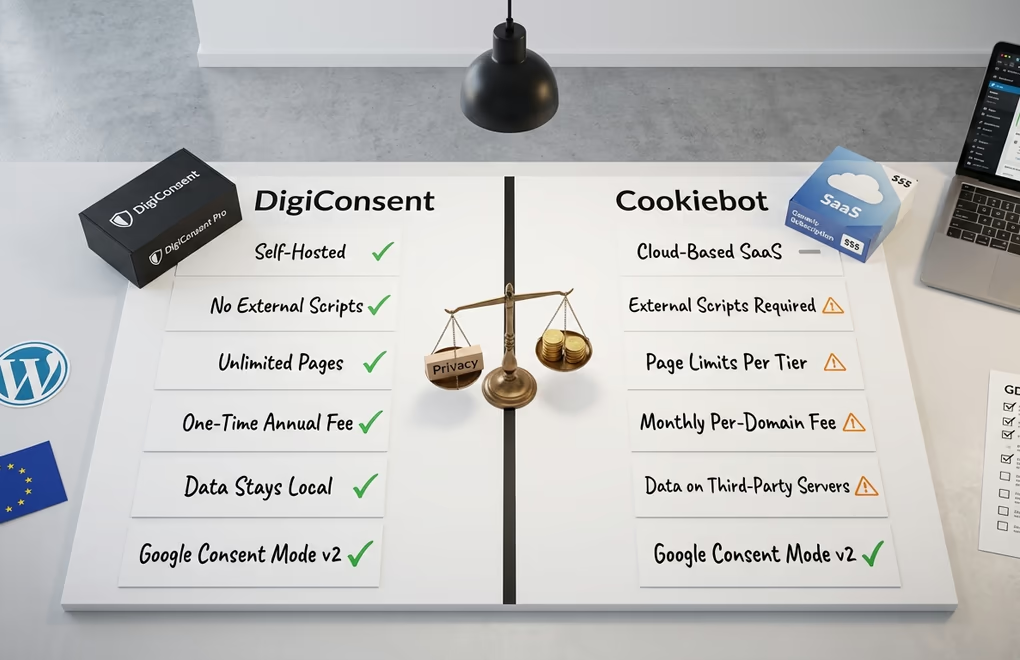
Both DigiConsent and Cookiebot aim to solve the same problem: helping WordPress sites collect valid consent while blocking scripts until users approve them. But they approach this goal from fundamentally different architectural philosophies, and those differences matter for your site’s performance, privacy posture, and long-term costs.
Banner Customization: DigiConsent offers multiple banner positions including bottom bar, top bar, and fullscreen overlay. You get complete color control for backgrounds, text, headings, and buttons with separate normal and hover states. Animation options include slide, fade, and zoom effects with adjustable speed settings. Cookiebot provides similar customization capabilities, though some users report that the free tier restricts certain styling options that require premium access.
Cookie Categories and Script Blocking: DigiConsent organizes cookies into four categories: Necessary, Analytics, Marketing, and Functional. Users can provide granular consent, choosing exactly which types of cookies to allow. The plugin includes quick setup templates for popular services like Google Analytics, Facebook Pixel, Hotjar, LinkedIn Insight Tag, TikTok Pixel, Google Maps, reCAPTCHA, Intercom, and Zendesk Chat. Cookiebot handles categories similarly and offers automatic cookie detection through its cloud-based scanning system.
Google Consent Mode v2: Both platforms support Google Consent Mode v2, which became mandatory for EEA traffic in July 2025. DigiConsent includes this support in its free tier, while Cookiebot also provides integration. The implementation quality matters enormously here since 67% of Consent Mode implementations have technical errors according to recent studies, with most defaulting to ‘granted’ before users actually choose, which creates immediate compliance violations.
Geolocation Targeting: DigiConsent Pro covers 195 countries with 99.9% accuracy using the MaxMind GeoLite2 database. This includes US state-level targeting for CCPA compliance, Canadian provinces, and Australian states. You can configure different consent behaviors per region, showing opt-in banners to EU visitors while displaying opt-out notices to US visitors where appropriate. Cookiebot offers geo-targeting as well, though the specific coverage and accuracy metrics aren’t as prominently documented.
Architecture: This is where the platforms diverge most significantly. DigiConsent runs entirely on your WordPress server. No external scripts load, no data leaves your database, and no third-party servers process your visitors’ consent decisions. Cookiebot operates as a SaaS platform where your consent data flows through their cloud infrastructure. For sites prioritizing data sovereignty and performance, this architectural difference shapes everything.
Consent Logging: Both platforms maintain consent logs for regulatory audits. DigiConsent stores these locally in your WordPress database with timestamps and device information, making export straightforward. You own this data completely. Cookiebot maintains logs on their servers, which means you’re dependent on their platform for audit documentation and may face data residency considerations depending on your jurisdiction.
The True Cost of Cookie Consent: 3-Year Pricing Analysis

Cookie consent seems like a simple checkbox requirement, but the costs compound significantly over time. Understanding the true investment helps you make an informed decision rather than chasing the cheapest monthly rate only to face unexpected charges later.
Cookiebot prices by subpage count and charges per domain monthly. Their current tiers break down as follows: Lite at $8 per month covers sites with up to 50 subpages, Small at $16 monthly handles up to 350 subpages, Medium at $34 monthly works for up to 3,500 subpages, Large at $56 monthly covers up to 7,000 subpages, and Extra Large at $96 monthly serves sites exceeding 7,000 subpages. The free tier limits you to a single domain with fewer than 50 pages and significantly reduced features.
For a typical small business website with around 300 pages, you’d need the Small plan at $16 monthly, totaling $192 annually or $576 over three years for a single domain. A medium-sized site with 2,000 pages requires the Medium plan at $34 monthly, reaching $408 annually or $1,224 over three years. An agency managing five client sites at the Medium tier would pay $170 monthly, $2,040 annually, or $6,120 over three years.
DigiConsent structures pricing around annual licenses rather than monthly billing with page limits. DigiConsent Pro costs $59 per year for a single site with full features including geolocation targeting, custom script injection, and priority support. The DigiBundle at $129 annually includes DigiConsent Pro along with DigiCommerce Pro, DigiBlocks Pro, and DigiFlash Pro for a single site. For agencies, the 10-site license costs $229 per year, and the 500-site license costs $529 annually.
The three-year comparison reveals substantial differences. A single medium site would cost $1,224 with Cookiebot versus $177 with DigiConsent Pro, a savings of $1,047. An agency with ten sites at Cookiebot’s Medium tier would spend $12,240 over three years compared to $687 for DigiConsent’s 10-site license, saving $11,553. These aren’t trivial differences for businesses watching their operational costs, especially when you consider that page counts often grow unexpectedly, triggering automatic Cookiebot upgrades.
The free tier comparison also favors DigiConsent. Cookiebot’s free plan restricts you to 50 pages on a single domain with limited customization and reduced features. DigiConsent’s free version includes full GDPR compliance functionality, complete banner customization, Google Consent Mode v2 support, consent logging, and analytics dashboard access with no page limits. You can run a comprehensive cookie consent solution at zero cost until you need Pro features like geolocation targeting or custom script injection.
Self-Hosted Privacy: Why Your Cookie Plugin Shouldn’t Track Users
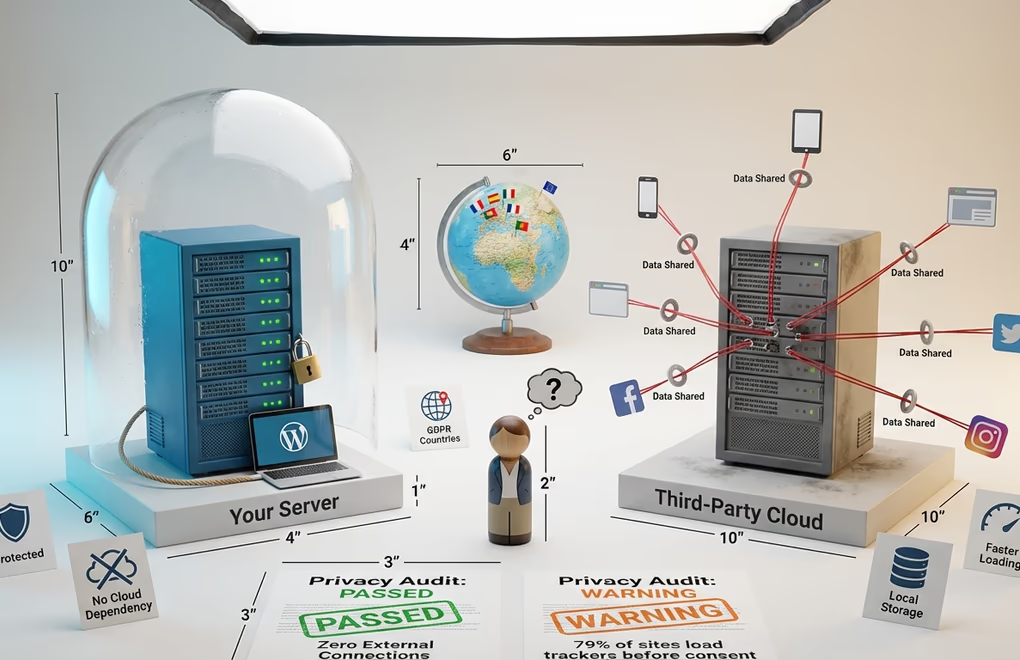
Here’s an irony that should bother anyone serious about privacy: many consent management platforms designed to protect user privacy actually compromise it. They load external scripts, send data to third-party servers, and create additional tracking vectors while asking users for permission about other trackers. Your privacy solution might be the privacy problem.
SaaS-based consent management platforms typically work by loading a JavaScript file from their servers, which then communicates back to their cloud infrastructure. This creates several concerns for privacy-conscious site owners. First, every visitor interaction passes through a third party’s servers, which means you’re sharing visitor data with the consent platform provider. Second, this external dependency adds latency as browsers must fetch resources from additional domains. Third, you become dependent on that provider’s infrastructure uptime and their compliance with regulations that may differ from yours.
DigiConsent eliminates these concerns through self-hosted architecture. The plugin runs entirely within your WordPress installation. Consent decisions are processed by your server and stored in your database. No external API calls occur during normal operation. The code is open source and auditable, so you can verify exactly what happens with visitor data. This approach aligns with the data minimization principles at the heart of GDPR and similar regulations.
Performance benefits follow naturally from this architecture. Without external scripts to load, your consent banner appears faster. There’s no waiting for third-party servers to respond, no additional DNS lookups, and no extra HTTP connections competing with your actual content. For sites already working to optimize Core Web Vitals and secure their WordPress installations, removing unnecessary external dependencies just makes sense.
Google Consent Mode v2: Getting Implementation Right
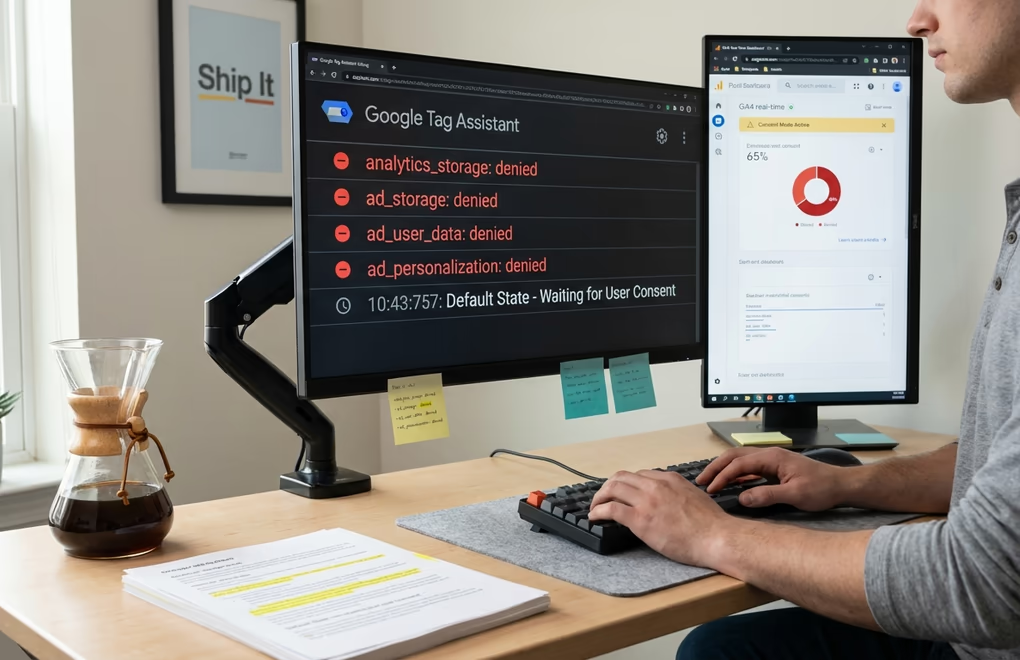
Google’s Consent Mode v2 became mandatory for EEA traffic on July 21, 2025, and many site owners discovered the hard way what happens when implementation goes wrong. Non-compliant websites saw their conversion tracking, remarketing, and audience segments disabled automatically. If you weren’t watching diagnostic warnings in Google Ads, the enforcement likely caught you off guard.
The technical requirements sound straightforward. Consent Mode v2 requires four parameters: analytics_storage, ad_storage, ad_user_data, and ad_personalization. Your consent management platform must communicate these values to Google based on user choices. When users decline consent, these parameters should be denied, triggering cookieless pings that feed Google’s behavioral modeling instead of standard tracking.
The most common and dangerous mistake is tags firing before consent, where marketing tools load automatically while consent is collected separately. This creates immediate compliance violations regardless of what your banner says. Other frequent issues include incorrect default consent states that either violate privacy by defaulting to granted in regulated jurisdictions or unnecessarily lose data by defaulting to denied everywhere.
The impact of poor implementation hits hard. After enabling Consent Mode v2, GA4 traffic reports can drop 50-95% depending on your consent rates and configuration. Small stores without sufficient traffic volume see the steepest drops because Google’s behavioral modeling requires 1,000+ daily events and 1,000+ daily consenting users to function effectively. Most small websites don’t meet these thresholds, meaning they get no modeling benefit to offset declined consents.
DigiConsent includes built-in Consent Mode v2 support in its free tier, with regional settings available in Pro. The implementation handles the four required parameters automatically based on user consent choices. When a visitor accepts analytics cookies, analytics_storage gets set to granted. When they accept marketing, ad_storage, ad_user_data, and ad_personalization update accordingly. The defaults start denied as regulations require, updating only when users actively consent.
Testing your implementation matters regardless of which platform you choose. Verify that tags don’t fire until consent is given by checking network requests before interacting with your banner. Confirm default states match your regulatory requirements, use Google Tag Assistant or similar tools to validate that consent signals propagate correctly to Google’s systems, and monitor your GA4 reports for unexpected data drops that might indicate configuration problems.
Compliance Beyond GDPR: Global Privacy Law Coverage

GDPR gets most of the attention, but it’s far from the only privacy regulation affecting websites. By 2026, more than twenty US states have comprehensive privacy regimes in place, with Indiana, Kentucky, and Rhode Island joining the list. Brazil’s LGPD carries fines up to 2% of revenue. South Africa’s POPIA has been actively enforced since 2021. The patchwork of regulations means your cookie consent solution needs to handle multiple legal frameworks simultaneously.
Both DigiConsent and Cookiebot support major regulations including GDPR for the EU, CCPA and CPRA for California, LGPD for Brazil, and the ePrivacy Directive. DigiConsent additionally covers VCDPA for Virginia and CPA for Colorado, which matters for sites with significant US traffic from those states. The key differentiator lies in how these regulations get applied through geolocation targeting.
GDPR requires explicit opt-in consent before any non-essential cookies load. CCPA takes a different approach, requiring disclosure and the ability to opt out but not necessarily prior consent. Showing a GDPR-style opt-in banner to California visitors creates unnecessary friction and likely reduces your analytics coverage without legal necessity. Showing a CCPA-style opt-out notice to German visitors violates GDPR.
DigiConsent Pro’s geolocation targeting addresses this by letting you configure different consent modes per region. EU visitors see opt-in banners as GDPR requires. US visitors can see opt-out notices where appropriate, or opt-in banners for states like California that increasingly lean toward stricter requirements. The 99.9% geolocation accuracy using MaxMind’s database ensures visitors are correctly categorized.
Compliance requirements aren’t getting simpler. Only 15% of websites currently meet minimum GDPR compliance requirements according to a study of 254,148 websites across 31 EU countries. Regulators have shifted from warnings to serious penalties, with Sweden’s Data Protection Authority recently targeting companies specifically for manipulative cookie banner designs. Sites running ecommerce operations face particular scrutiny given the volume of personal data they process.
Consent logging becomes critical for demonstrating compliance during audits or investigations. Both platforms maintain logs, but DigiConsent’s local storage means you control your audit trail completely. You can export consent records directly from your WordPress database without depending on a third party’s data retention policies or access procedures. For businesses handling security incidents or regulatory inquiries, owning this data simplifies documentation significantly.
Which Cookie Consent Solution Fits Your WordPress Site?
Choosing between DigiConsent and Cookiebot ultimately depends on your priorities, budget, and technical requirements. Neither solution is universally better; they serve different needs effectively.
DigiConsent makes sense if: You prioritize data sovereignty and want consent data staying in your WordPress database rather than flowing through third-party servers. You’re budget-conscious and the per-domain monthly pricing of SaaS solutions doesn’t work for your situation. You’re an agency or developer managing multiple client sites where DigiConsent’s flat annual pricing dramatically reduces costs. You want a genuinely free tier with full functionality rather than feature-gated trials. You’re building modern WordPress sites and prefer native plugins over SaaS wrappers.
Cookiebot makes sense if: You’re running an enterprise with established compliance workflows and changing tools would create more disruption than the cost savings justify. You need the automatic cookie scanning that catches scripts other tools miss, since DigiConsent relies on you configuring scripts manually. You have a dedicated compliance team comfortable with SaaS administration. You’re already deeply integrated with Cookiebot’s ecosystem and migration costs outweigh pricing concerns.
Before committing to either platform, consider testing DigiConsent’s free version on a staging site. The free tier includes Google Consent Mode v2 support, full banner customization, consent logging, and analytics without page limits or feature restrictions. You can evaluate how it handles your specific requirements before deciding whether Pro features like geolocation targeting and custom script injection justify the $59 annual investment.
The cookie consent space continues evolving rapidly. The EU is preparing updates aimed at reducing banner fatigue, potentially exempting some non-risk cookies from consent requirements. Browser-level privacy controls are expanding. Enforcement is intensifying globally. Whatever solution you choose, ensure it’s actively maintained and responsive to regulatory changes. DigiConsent comes from the team behind OceanWP, which has powered over 500,000 websites, suggesting the commitment and resources necessary for ongoing development.
What specific compliance challenges are you facing with your current cookie consent setup? The right Cookiebot alternative depends on your unique situation, and sometimes the best way forward becomes clearer once you’ve articulated exactly where current tools are falling short.





0 Comments on "DigiConsent vs Cookiebot: The Privacy-First WordPress Cookie Consent Alternative in 2026"