
WordPress powers 42.6% of all websites on the internet in 2026, according to W3Techs. That kind of dominance makes it the single largest target for cyberattacks, and finding the best WordPress security plugins has never been more critical. Patchstack’s 2026 State of WordPress Security report documented 11,334 new vulnerabilities in the WordPress ecosystem during 2025 alone, a 42% increase over the previous year. Wordfence blocks roughly 55 million exploit attempts and 65 million brute force attacks every single day.
The threat landscape has shifted dramatically this year. AI-driven botnets have pushed brute force attacks up by 45%, and the median time between a vulnerability being disclosed and the first mass exploitation attempt has collapsed to just five hours. That’s not a window most humans can manually respond to. Traditional hosting defenses aren’t keeping up either, with Patchstack’s data showing they block only 12% of known WordPress exploits. Plugins account for 91% to 97% of all WordPress vulnerabilities, which means the software you install to extend your site’s functionality is also the most likely entry point for attackers.
So which security plugin actually protects your site? I’ve spent weeks testing ten of the most popular options, comparing their firewalls, malware scanners, login protection features, and real-world performance impact. Some of these plugins have been around for over a decade, while others take a fundamentally different approach to WordPress security that’s worth paying attention to. This guide covers what each plugin does well, where it falls short, and which one makes sense for your specific situation, whether you’re running a personal blog, a digital product store, or managing dozens of client sites.
One important note before we get into the comparisons: no single plugin can make WordPress bulletproof. Security is layers, and a good plugin is just one of those layers alongside strong passwords, regular updates, proper hosting, and smart configuration. If you want the full picture, our guide on 20 best practices to secure your WordPress site covers the foundational steps you should take regardless of which plugin you choose.
What to Look for in a WordPress Security Plugin
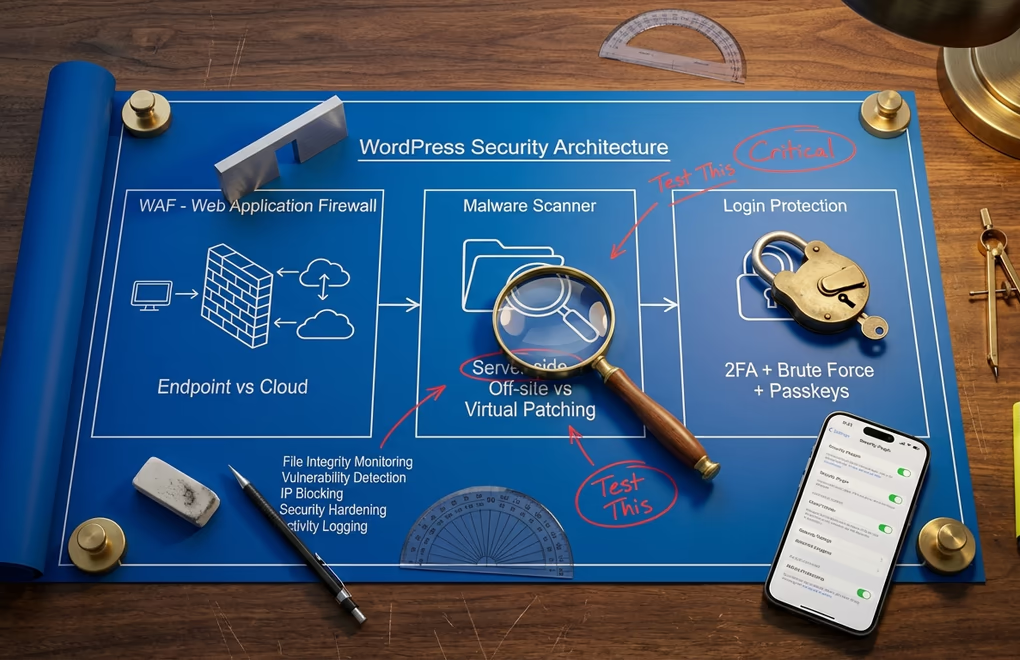
Not all security plugins approach protection the same way, and understanding the core components helps you evaluate which one actually fits your needs. The best WordPress security plugins should cover at least three critical areas: a web application firewall, malware scanning, and login protection. Beyond those basics, features like two-factor authentication, file integrity monitoring, and vulnerability detection add meaningful layers of defense.
A web application firewall (WAF) filters malicious traffic before it reaches your site. Some plugins run the firewall at the server level (endpoint firewalls like Wordfence), while others filter traffic through cloud servers before it hits your hosting (cloud-based firewalls like Sucuri). Each approach has tradeoffs: endpoint firewalls can inspect encrypted traffic and won’t miss anything, but they consume your server’s resources. Cloud firewalls reduce server load and can absorb DDoS attacks, but require DNS changes and can occasionally block legitimate traffic.
Malware scanning is where plugins diverge the most. Some scan files on your server (Wordfence, Shield Security), others copy your files to external servers for analysis (MalCare), and a newer category skips scanning entirely in favor of virtual patching to block exploits before they can deliver malware (Patchstack). The scanning approach matters for both accuracy and server performance, especially on shared hosting where resource limits are tight.
Performance impact is the factor most comparison articles ignore entirely. A security plugin that slows your site down by 300ms is actively hurting your SEO and conversions. If you’ve spent time optimizing your WordPress site speed, the last thing you want is a security plugin undoing that work. I paid close attention to this during testing, and the differences between plugins are significant.
10 Best WordPress Security Plugins for 2026
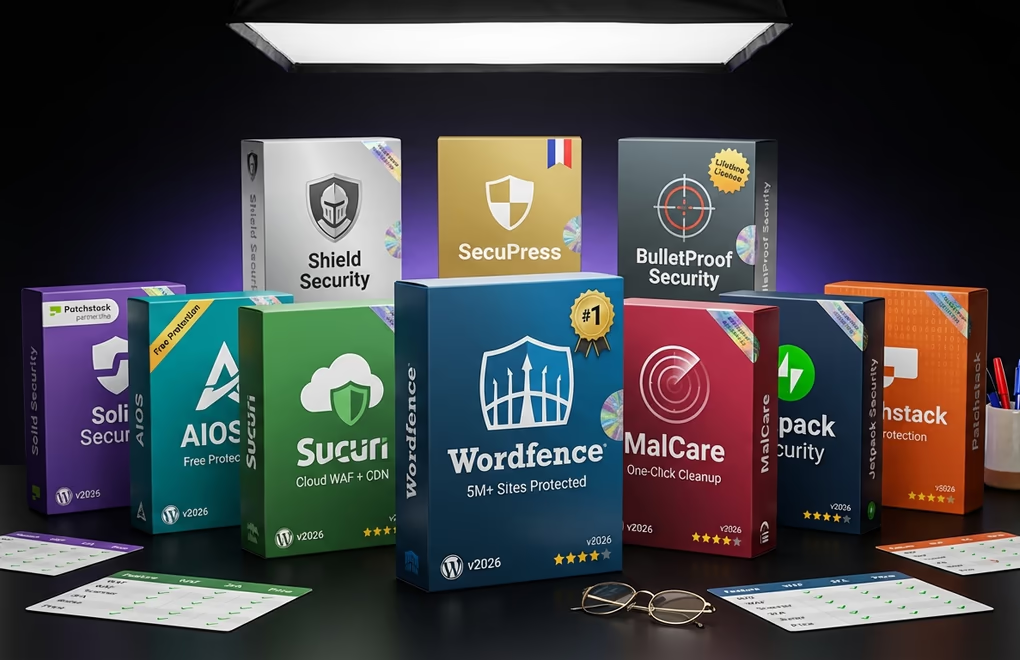
1. Wordfence Security – Best Overall Protection
Wordfence remains the most widely used WordPress security plugin with over 5 million active installations and a 4.7-star rating from nearly 4,825 reviews. There’s a reason it dominates: the free version alone offers more protection than many competitors’ paid tiers. You get an endpoint firewall, a comprehensive malware scanner that checks core files, themes, and plugins against WordPress.org repository versions, plus brute force protection and free two-factor authentication.
The catch with the free tier is the 30-day delay on firewall rules and malware signatures. When a new vulnerability drops and attackers start exploiting it within five hours, that delay matters. Wordfence Premium ($149/year) eliminates the delay with real-time threat intelligence, adds country blocking, and includes a premium IP blocklist that blocks over 40,000 known threat actors. They also offer Care ($590/year) with professional audits and Response ($1,250/year) with 24/7 incident response and a one-hour SLA.
On the downside, Wordfence runs everything on your server. Full malware scans can spike CPU usage noticeably on shared hosting plans, and the live traffic monitoring feature generates database writes that some performance-conscious site owners disable. If you’re running a lightweight theme like DigiFlash and have carefully optimized your site, you’ll want to schedule scans during low-traffic hours to minimize the performance impact.
Best for: Site owners who want comprehensive, battle-tested protection with an excellent free tier. The go-to choice if you only install one security plugin.
2. Sucuri Security – Best Cloud-Based Firewall
Sucuri takes a fundamentally different approach from Wordfence. Instead of running security on your server, Sucuri’s paid platform routes all traffic through their cloud-based WAF before it reaches your hosting. This means malicious requests get filtered out at the network edge, your server never sees them, and as a bonus you get a global CDN that can improve load times by 70% or more. The free WordPress plugin provides security auditing, file integrity monitoring, remote malware scanning, and post-hack hardening tools, but the real value is in the platform.
Pricing starts at $199.99/year for the Basic platform plan, which includes the cloud WAF, CDN, and unlimited malware removal. That last point is significant: Wordfence charges $490 per malware cleanup incident, while Sucuri includes unlimited cleanups on every paid plan. If you’ve ever dealt with a hacked WordPress site, you know how quickly those remediation costs add up. The Pro ($299.99/year) and Business ($499.99/year) tiers add faster response times and more advanced features.
The drawback? Sucuri’s free plugin doesn’t include the firewall at all. Without the paid platform, you’re getting monitoring and hardening tools, but not active protection. The plugin itself has a 4.2-star rating from 383 reviews on WordPress.org, and with around 600,000 to 700,000 active installations it’s far less ubiquitous than Wordfence. Setup also requires DNS changes to route traffic through their servers, which adds complexity compared to plugins that just work after activation.
Best for: Business sites that want zero server performance impact, built-in CDN, and the peace of mind of unlimited malware cleanups.
3. MalCare – Best for Automated Malware Removal
MalCare’s standout feature is its off-site scanning engine. Instead of running malware scans on your server and eating up CPU and memory, MalCare copies your site files to its own servers for analysis using over 100 intelligent detection signals. Your hosting performance stays completely untouched during scans. With over 200,000 active installations and a 4.3-star rating from 519 reviews, it has built a solid reputation particularly among site owners who’ve been burned by the performance overhead of server-side scanners.
The free version detects malware but won’t remove it, which can feel frustrating when you know something’s wrong and the plugin is essentially telling you to open your wallet to fix it. The Plus plan ($149/year) unlocks one-click automatic malware removal, bot protection, and daily backups. Higher tiers include Prime ($199/year) with faster alerts, Pro ($299/year) with sandbox testing, and Max ($499/year) tailored for WooCommerce stores with high-frequency scanning.
MalCare’s one-click cleanup is genuinely impressive when it works. You don’t need to hand over FTP credentials or wait for a support team to manually clean files. The plugin handles it automatically, which is a massive advantage when you’re dealing with an active infection and every minute counts. The downside is that the firewall component isn’t as robust as Wordfence’s or Sucuri’s, and the vulnerability database isn’t as extensive as Patchstack’s.
Best for: Site owners who prioritize zero-performance-impact scanning and want automated malware removal without hiring a security team.
4. Solid Security – Best Patchstack Integration
Formerly known as iThemes Security, Solid Security (by SolidWP) has undergone a significant transformation. The biggest change is its partnership with Patchstack, which brings virtual patching directly into the plugin. When a vulnerability is discovered in any WordPress plugin or theme, Patchstack creates a firewall rule that blocks the specific exploit, and Solid Security Pro deploys that patch automatically, even before the original plugin developer releases a fix. Given that 46% of WordPress vulnerabilities had no official patch at disclosure time in 2025, this feature alone justifies the Pro upgrade for many sites.
Solid Security has between 700,000 and 800,000 active installations with a 4.6-star rating from nearly 4,000 reviews. The free version covers brute force protection, two-factor authentication, file change detection, and basic hardening. Solid Security Pro costs $99/year and adds the Patchstack virtual patching, scheduled malware scanning, user security checks, and passwordless login with passkeys. The Solid Suite bundle ($199/year) includes backups and centralized management for agencies.
The passkeys and biometric login support is worth highlighting, because it represents where WordPress authentication is headed. Instead of typing passwords, users can authenticate with fingerprint or face recognition. With 2FA adoption on WordPress sites jumping from 15% to over 60% between 2024 and 2026, passwordless authentication feels like the natural next step.
Best for: Site owners who want proactive vulnerability protection through virtual patching, plus modern authentication features like passkeys.
5. All-In-One Security (AIOS) – Best Free Option
AIOS has over 1 million active installations and a 4.7-star rating, making it one of the highest-rated security plugins on WordPress.org. It’s maintained by Team Updraft, the same people behind the enormously popular UpdraftPlus backup plugin, which gives it credibility in the reliability department. The free version is genuinely generous: login lockdown after failed attempts, user registration protection, database security, file system security, .htaccess and wp-config.php backup and restoration, IP blacklisting, a basic firewall, and comment spam protection.
Premium starts at just $70/year, making AIOS the most affordable paid security plugin on this list. That gets you malware scanning, uptime monitoring, response time monitoring, and priority email support. It’s a fraction of what Wordfence ($149), Sucuri ($199.99), or MalCare ($149) charge, which makes it especially attractive for bloggers and small sites working with tight budgets.
Where AIOS falls short is in advanced threat detection. It doesn’t have real-time threat intelligence feeds, virtual patching, or the deep malware scanning capabilities that Wordfence and MalCare offer. It’s a hardening and prevention plugin first, a detection plugin second. For many sites, that’s perfectly adequate, but if you’re running an ecommerce store or handling sensitive user data, you’ll probably want something with deeper scanning capabilities.
Best for: Budget-conscious site owners who want solid hardening and login protection without paying premium prices.
6. Patchstack – Best for Vulnerability-First Defense
Patchstack represents a genuinely different philosophy to WordPress security. Instead of scanning for malware after it’s already on your site, Patchstack focuses on preventing the exploit that delivers it. Their virtual patching technology maintains over 12,000 individual protection rules that block specific exploit traffic targeting known vulnerabilities in WordPress plugins and themes. When a new CVE is published, Patchstack typically has a virtual patch deployed within hours.
The free version provides vulnerability detection and management, alerting you when installed plugins or themes have known security issues. It’s a useful monitoring tool on its own. Paid plans start at $5 per site per month for advanced features including the virtual patching engine, community IP blocklist, custom protection rules, and detailed security reports. For developers and agencies managing multiple sites, the Developer plan covers up to 25 sites at around $79 to $99 per month.
With a 4.9-star rating on WordPress.org (the highest of any plugin on this list), Patchstack has earned serious credibility in the WordPress security community. Their annual State of WordPress Security whitepaper is widely cited by other security companies and publications. The limitation is that Patchstack isn’t a traditional all-in-one security plugin. It doesn’t do malware scanning or login protection, so you’d typically pair it with another plugin or use it through its integration with Solid Security Pro.
Best for: Developers, agencies, and anyone who wants to stop exploits before they happen rather than clean up after the fact.
7. Jetpack Security – Best for the Automattic Ecosystem
Jetpack is a Swiss Army knife with 5 million+ active installations, though its security features are just one piece of a much larger plugin. The free Jetpack Protect module (also available as a standalone plugin with 100,000+ installs) uses the WPScan vulnerability database, which tracks over 64,782 known WordPress vulnerabilities, to scan your site for outdated or insecure plugins and themes. Brute force protection and downtime monitoring are also included for free.
The Jetpack Security bundle runs around $300/year and adds real-time cloud backups (with one-click restore), automated malware scanning with fixes, spam protection via Akismet, and a WAF. VaultPress Backup alone costs $59.40/year if you only want the backup component. One advantage Jetpack has over dedicated security plugins is that its backups are truly real-time, capturing every database change as it happens rather than on a daily schedule. For sites where data changes frequently, like forums or ecommerce stores, that’s a meaningful difference.
The downsides are well-documented. Jetpack’s 3.8-star rating from 2,380 reviews reflects frustration with bloat, since you’re getting far more than just security features. Many users feel they’re paying for modules they don’t use. And while the WPScan database is excellent for vulnerability detection, Jetpack’s malware scanner isn’t as thorough as Wordfence’s file-by-file comparison approach.
Best for: Sites already using Jetpack’s other features (CDN, social sharing, analytics) who want to consolidate security into the same platform.
8. Shield Security – Best User Interface
Shield Security doesn’t get the attention that Wordfence and Sucuri command, but it quietly maintains a 4.8-star rating from over 1,032 reviews, and it was last updated on March 5, 2026, proving active maintenance. The plugin’s dashboard is remarkably clean compared to the information overload you’ll find in Wordfence or the sparse interface of Sucuri’s free plugin. Everything is organized logically, and the setup wizard walks new users through each security module without overwhelming them.
Shield Pro offers advanced malware scanning with automatic removal, a WAF, bot blocking, spam protection, and detailed activity logging. Pricing starts at $129/year for one site, scaling up to $859/year for 100 sites. A standout feature for agencies is the master-site sync capability, which lets you manage security settings across all client sites from a single dashboard. That centralized control becomes incredibly valuable once you’re managing more than a handful of WordPress installations.
Best for: Users who want a well-designed security plugin that’s easy to configure, especially agencies needing multi-site management.
9. SecuPress – Best Value for Agencies
SecuPress is a French-built security plugin from the WP Marmite team that has earned a dedicated following despite its more modest 40,000+ active installations. The Pro version starts at around $69.99/year for a single site, but the pricing drops dramatically at volume, going as low as $5.78 per site for agencies managing large portfolios. That aggressive volume pricing makes it one of the most cost-effective choices for freelancers and agencies who build and maintain WordPress sites for clients.
The free version includes a malware scanner, firewall, and brute force protection. SecuPress Pro adds security alerts, deeper malware analysis, country IP blocking, and scheduled security tasks. One thing I appreciate about SecuPress is the security grade it assigns your site after scanning, which gives you a quick visual benchmark that’s easy to communicate to non-technical clients. The plugin received its most recent update in January 2026.
The trade-off is a smaller user community and ecosystem compared to Wordfence or Sucuri. With a 4.1-star rating from 108 reviews, the sample size is small. Documentation and community support are less extensive, so if you run into edge cases you might find fewer Stack Overflow threads or forum posts to help troubleshoot.
Best for: Agencies and freelancers managing multiple client sites who need affordable, per-site security with a professional reporting interface.
10. BulletProof Security – Best Lifetime Deal
BulletProof Security takes an old-school approach that some experienced WordPress administrators actually prefer. Instead of the application-level filtering that most plugins use, BulletProof writes protection rules directly into your .htaccess file at the server level. This means malicious requests get blocked before PHP even loads, which is inherently faster and more resource-efficient than plugins that hook into WordPress to filter traffic.
The pricing model is the real headline: $69.95 one-time payment for a lifetime license covering unlimited sites. No annual renewals, no per-site fees, no subscription. In a market where every competitor charges $70 to $300 per year, this is genuinely unusual. The Pro version adds the full MScan malware scanner, AutoRestore and quarantine functionality, real-time file monitoring, database monitoring, and automatic fixing of over 100 known plugin conflicts.
The interface won’t win any design awards, and the plugin’s last update was December 2025. With around 30,000 active installations and a 4.8-star rating from 674 reviews, it has a small but loyal user base. The .htaccess approach also means it doesn’t work well on NGINX servers without manual configuration, which limits its appeal for modern hosting setups. But if you’re running Apache, managing several sites, and want to pay once and never think about security licensing again, BulletProof is genuinely hard to beat on value.
Best for: Technically savvy site owners on Apache hosting who want lifetime protection at a one-time cost.
WordPress Security Plugins Compared at a Glance
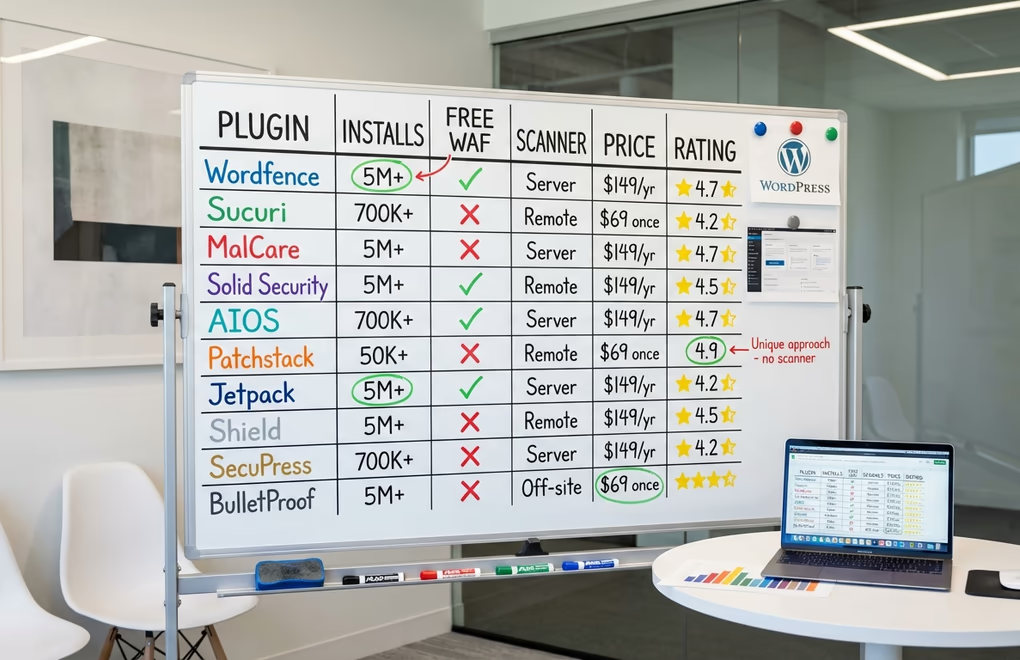
Here’s how all ten plugins stack up across the features that matter most. Pricing reflects 2026 rates for a single site.
Wordfence – Active installs: 5M+ | Free WAF: Yes (30-day delay) | Malware scanner: Server-side | 2FA: Free | Premium: $149/year | Rating: 4.7/5
Sucuri – Active installs: 700K+ | Free WAF: No (paid only) | Malware scanner: Remote | 2FA: No | Premium: $199.99/year | Rating: 4.2/5
MalCare – Active installs: 200K+ | Free WAF: Basic | Malware scanner: Off-site | 2FA: No | Premium: $149/year | Rating: 4.3/5
Solid Security – Active installs: 800K+ | Free WAF: No | Malware scanner: Scheduled (Pro) | 2FA: Free | Premium: $99/year | Rating: 4.6/5
AIOS – Active installs: 1M+ | Free WAF: Basic | Malware scanner: Premium only | 2FA: No | Premium: $70/year | Rating: 4.7/5
Patchstack – Active installs: 40K+ | Free WAF: No | Malware scanner: No | 2FA: Yes | Premium: $60/year | Rating: 4.9/5
Jetpack Security – Active installs: 5M+ | Free WAF: No | Malware scanner: Paid only | 2FA: No | Premium: ~$300/year | Rating: 3.8/5
Shield Security – Active installs: 50K+ | Free WAF: Basic | Malware scanner: Pro only | 2FA: Free | Premium: $129/year | Rating: 4.8/5
SecuPress – Active installs: 40K+ | Free WAF: Basic | Malware scanner: Free | 2FA: Pro only | Premium: $69.99/year | Rating: 4.1/5
BulletProof Security – Active installs: 30K+ | Free WAF: .htaccess-based | Malware scanner: Pro only | 2FA: No | Premium: $69.95 one-time | Rating: 4.8/5
A few things jump out from this comparison. Wordfence is the only plugin offering a full WAF and 2FA for free. AIOS and Solid Security both offer free two-factor authentication, but their firewalls are more limited. Sucuri’s real value only appears at the paid tier, where you get the cloud WAF and CDN together. And Patchstack occupies a unique position as the only plugin focused entirely on vulnerability prevention rather than malware detection.
How to Choose the Right Security Plugin for Your WordPress Site
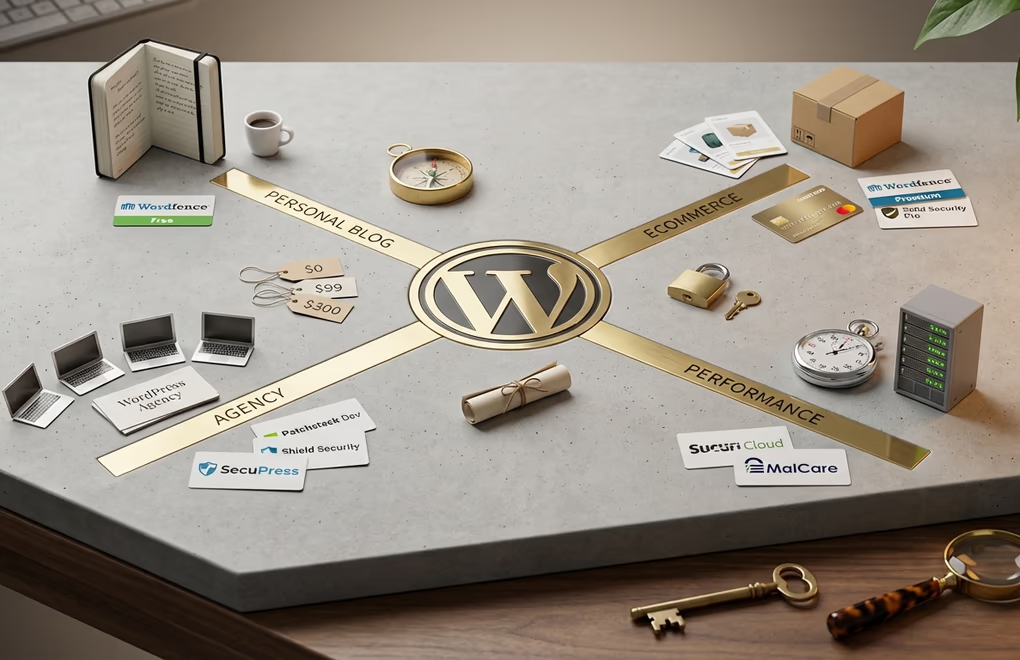
The right security plugin depends on your site type, technical comfort level, and budget. There’s no single best answer, so here’s how to narrow it down based on your actual situation.
If you’re running a personal blog or small content site, Wordfence Free or AIOS Free will cover you well. Both provide meaningful protection without costing anything. Wordfence gives you the stronger firewall, while AIOS offers a broader range of hardening features. Either one paired with strong passwords and regular updates will keep most attackers out. If you’re starting a new WordPress blog, Wordfence Free is the single best first security decision you can make.
If you’re running an ecommerce store or membership site, step up to a paid option. Your site handles customer data and payment information, which makes you a higher-value target and raises the stakes of a breach. Wordfence Premium or Solid Security Pro are strong choices here. The real-time firewall rules and virtual patching capabilities mean you’re protected against new vulnerabilities within hours of disclosure, not weeks. If you’re selling digital products through DigiCommerce, securing your checkout flow and customer accounts should be a top priority.
If you’re an agency managing client sites, the calculation changes entirely. You need scalable pricing, centralized management, and the ability to demonstrate security to clients. Patchstack’s Developer plan, Shield Security’s master-site sync, or SecuPress’s volume pricing all address this need differently. Patchstack gives you the strongest vulnerability prevention, Shield offers the best multi-site dashboard, and SecuPress wins on raw per-site cost.
If performance is your top concern, Sucuri’s cloud WAF or MalCare’s off-site scanning are the way to go. Both handle the heavy lifting away from your server. This matters most on shared hosting plans where resource limits are tight, and it matters if you’ve invested in site speed optimization. Running a fast FSE theme like DigiFlash with a CDN setup won’t help much if your security plugin is eating up server resources on every page load.
Don’t forget that your theme and plugin choices affect your overall security posture too. Lightweight, well-coded themes with minimal JavaScript dependencies present a smaller attack surface than bloated multipurpose themes shipping hundreds of files. Similarly, using a single comprehensive blocks plugin instead of stacking five or six different ones reduces the number of potential vulnerability entry points on your site.
Frequently Asked Questions About WordPress Security Plugins
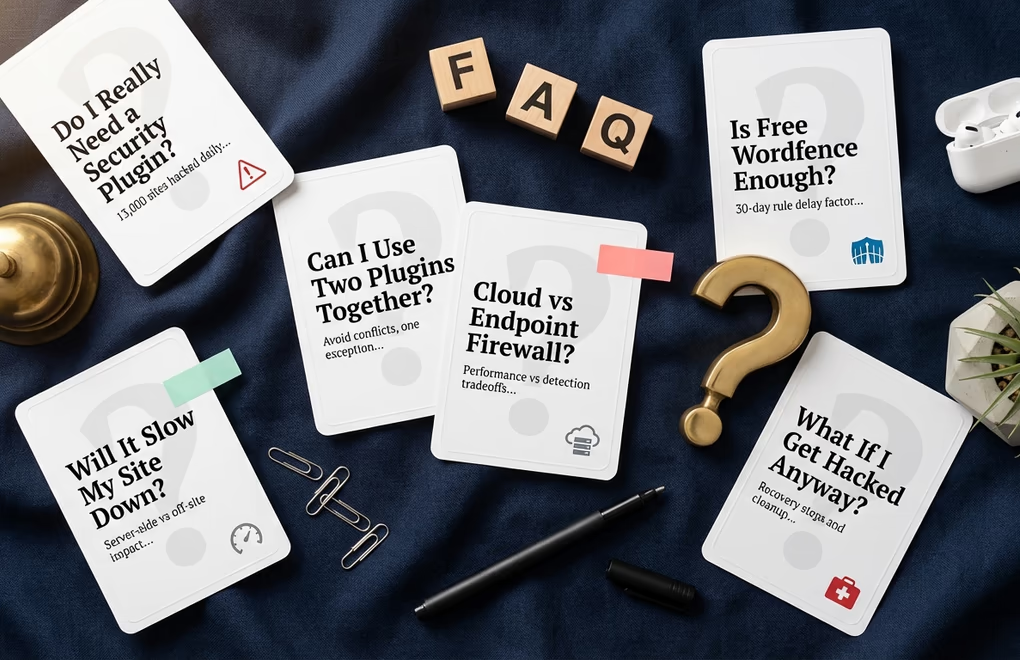
Do I really need a WordPress security plugin?
With roughly 13,000 WordPress sites hacked every day and 90,000 attacks per minute targeting the platform, the answer is almost certainly yes. WordPress core itself is reasonably secure when kept updated, but the plugin and theme ecosystem introduces significant risk. Unless you’re running a completely static site with no plugins and no login page, a security plugin provides protection that WordPress doesn’t include out of the box.
Can I use two security plugins at the same time?
Generally, you should avoid running two full-featured security plugins simultaneously. Their firewalls and scanners can conflict, leading to false positives, performance degradation, and even lockouts. The one exception is pairing a specialized plugin like Patchstack (which focuses only on vulnerability patching) with a general security plugin like Wordfence or AIOS. Since Patchstack doesn’t overlap with traditional malware scanning or login protection, the combination works well.
Is the free version of Wordfence good enough?
For personal blogs and small sites, Wordfence Free provides excellent protection. The 30-day delay on firewall rules means you won’t have real-time protection against brand-new vulnerabilities, which is a meaningful gap given that exploits now appear within five hours of disclosure. If your site generates revenue, handles customer data, or can’t afford downtime, the Premium upgrade at $149/year is a worthwhile investment for real-time threat intelligence alone.
What’s the difference between a cloud firewall and an endpoint firewall?
A cloud firewall (Sucuri, Cloudflare) filters traffic before it reaches your server, reducing server load and providing DDoS protection. An endpoint firewall (Wordfence) runs on your server and inspects traffic at the application level, which means it can see decrypted HTTPS traffic and catch more sophisticated attacks. Cloud firewalls are better for performance, while endpoint firewalls tend to catch more targeted threats. Some site owners use both, running Cloudflare’s free DNS-level protection alongside Wordfence’s endpoint firewall for defense in depth.
Will a security plugin slow down my WordPress site?
It depends on the plugin. Server-side scanners like Wordfence use CPU and memory during scans, which can noticeably slow shared hosting environments. Cloud-based options like Sucuri and off-site scanners like MalCare have minimal impact on your server’s performance. The key is scheduling scans during low-traffic hours and choosing a plugin that matches your hosting resources. On a solid VPS or managed WordPress host, even Wordfence’s server-side scanning rarely causes noticeable slowdowns.
What should I do if my site gets hacked despite having a security plugin?
First, don’t panic. Roughly 30,000 websites get hacked every day, and most recover fully. If you have MalCare’s paid plan, use its one-click malware removal. If you’re on Sucuri’s platform, contact their team for unlimited cleanup. For Wordfence users, either use the scanner to identify and remove infected files manually or pay $490 for their professional cleanup service. We’ve written a complete WordPress hacked recovery guide that walks you through the full cleanup process step by step.
Pick Your Plugin, Then Build Your Security Stack
The best WordPress security plugins in 2026 give you real protection against real threats, but they’re only one piece of the puzzle. Wordfence remains the strongest all-around choice with its unmatched free tier. Sucuri wins if you want cloud-based filtering with zero server impact. MalCare is the best at automated cleanup. Solid Security’s Patchstack integration addresses the five-hour exploit window that defines today’s threat landscape. And AIOS proves you don’t need to spend a fortune to meaningfully harden your site.
Whichever plugin you choose, pair it with the fundamentals: keep WordPress core, themes, and plugins updated, use strong unique passwords with two-factor authentication, choose a hosting provider with server-level security, and maintain regular offsite backups. A security plugin handles the threats you can’t see coming, but good habits prevent the ones you can. What security setup are you running on your WordPress site? Drop a comment and let us know which plugin you trust.




0 Comments on "Best WordPress Security Plugins in 2026: 10 Options Tested and Compared"