
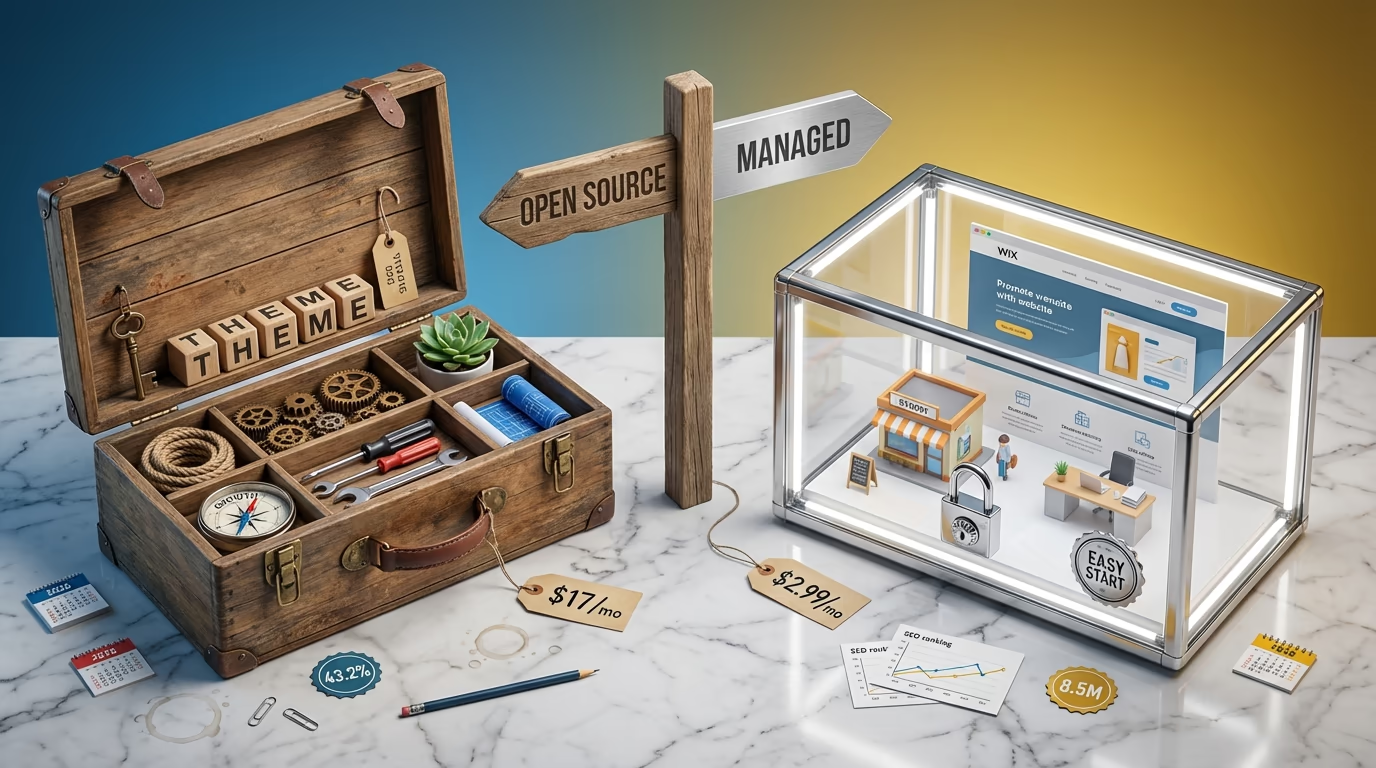
The platform you choose determines your website’s ceiling before you write a single word of content. WordPress powers 43.2% of all websites on the internet, according to W3Techs. Wix claims over 263 million registered users but only 8.5 million live websites. Those numbers tell a story most comparison articles ignore: one platform dominates serious web publishing while the other excels at getting beginners online quickly.
Most WordPress vs Wix comparisons oversimplify the decision into ease versus power. That framing misses what actually matters for your specific situation. A local bakery needs something completely different from an affiliate marketing site. A portfolio showcasing photography work has different requirements than an online course platform. The right choice depends on where you want to be in three years, not just what feels comfortable today.
I’ve built sites on both platforms over the past decade. Wix genuinely improved since its early days when SEO professionals dismissed it entirely. WordPress evolved too, adding the Gutenberg block editor and full site editing capabilities that make it more accessible than ever. Both platforms released significant updates in 2025 that shifted the competition between them. WordPress 6.9 shipped in December 2025 with improved editor stability and new developer tools. Wix launched its AI Visibility Overview in July 2025, becoming the first CMS to offer native AI search optimization tools.
This comparison covers everything that actually influences the decision: ownership models, real costs over multiple years, SEO capabilities, ecommerce features, security considerations, and long-term flexibility. You’ll understand exactly which platform fits your goals by the end, whether that means building something simple today or creating a foundation for serious growth.
What Makes WordPress and Wix Fundamentally Different

WordPress is open-source software you download and install on web hosting you control. Wix is a proprietary website builder where your site lives on their servers under their rules. This distinction shapes everything else about both platforms: pricing structure, customization options, data ownership, and what happens if you want to leave.
The self-hosted nature of WordPress means you pick your own hosting provider, install security plugins, manage updates, and handle backups. That sounds like work because it is work, but it also means complete control. You can modify any file, install any plugin, switch themes whenever you want, and move your entire site to a different host if you find a better deal. Your content belongs to you in every meaningful sense.
Wix handles all the technical complexity behind the scenes. Hosting, security updates, server maintenance, SSL certificates, and performance optimization happen automatically without you thinking about them. The trade-off is significant though: you’re building on rented land. Wix can change pricing, modify features, or adjust terms of service at any time. If you decide to leave, exporting your content proves difficult and sometimes impossible depending on what you’ve built.
WordPress holds 62.8% of the entire CMS market, that dominance created an ecosystem of over 60,000 free plugins and 30,000 themes. Developers build for WordPress first because the audience is massive. Wix has approximately 500 apps in its marketplace, and while quality control tends to be higher since Wix vets everything, your options remain limited compared to WordPress.
The target audiences differ accordingly. Wix works well for small business owners who need a professional-looking website without technical hassles, local service providers, portfolio sites, and simple brochure websites. WordPress suits bloggers serious about growing traffic, businesses planning to scale, anyone who needs custom functionality, and site owners who prioritize SEO performance and long-term flexibility over initial convenience.
Ease of Use and Learning Curve Compared

Wix wins the ease of use category without much debate. The platform built its entire reputation on letting anyone create a website regardless of technical skill. Everything happens in your browser through a true drag-and-drop interface where you can move elements anywhere on the page. No software installation, no hosting configuration, no database setup required.
Wix’s AI website builder, powered by technology Wix developed since 2016 and enhanced with OpenAI integration, takes simplicity even further. Answer a few questions about your business and the system generates a complete website with layouts, suggested text, and images matched to your industry. The entire process takes minutes rather than hours. You can then customize everything through the visual editor or start from one of over 900 professionally designed templates.
WordPress requires more initial setup. You need to choose a hosting provider, install WordPress (most hosts offer one-click installation now), select a theme, and configure basic settings. The Gutenberg block editor introduced in WordPress 5.0 improved the content creation experience significantly by letting you build pages using modular blocks for paragraphs, images, galleries, buttons, and more. The approach provides structure that helps maintain consistent, responsive designs. If you want to understand how Gutenberg compares to page builders, the trade-offs center on flexibility versus performance.
Page builders like Elementor, Beaver Builder, and Breakdance narrow the gap considerably. These WordPress plugins provide visual editing experiences similar to Wix with drag-and-drop functionality, real-time previews, and pre-built templates. Elementor alone powers millions of WordPress sites and offers what many describe as Wix-like design ease combined with WordPress flexibility. The learning curve exists but it’s not as steep as WordPress skeptics often claim.
Time to launch differs significantly. A complete beginner can have a Wix site live within an hour or two. WordPress takes longer for someone starting from zero, typically a few hours to a day depending on how much customization you want. That initial time investment pays dividends later though. WordPress skills transfer between projects and the knowledge compounds over time in ways Wix skills don’t.
Design Flexibility and Customization Options

Wix offers over 900 professionally designed templates across dozens of categories. Each template looks polished and includes sample content, color schemes, galleries, and built-in business features. The catch: once you select a template and start building, you cannot switch to a different one without starting over completely. Your content doesn’t transfer between Wix templates. This limitation forces you to choose carefully upfront or accept significant rework if your needs change.
WordPress provides access to over 30,000 themes when counting both free options from WordPress.org and premium themes from marketplaces like ThemeForest. More importantly, you can switch themes on a live WordPress site while preserving all your content. Posts, pages, media, and settings remain intact. Only the visual presentation changes. This flexibility means your design can evolve as your business grows without rebuilding from scratch. Modern block themes for full site editing make this even smoother by using standardized block patterns.
Custom code access separates the platforms dramatically. Wix allows limited code additions through their Velo development platform but restricts what you can modify. WordPress gives complete access to every file. Developers can customize themes, create child themes, write custom plugins, modify core functionality through hooks and filters, and essentially build anything imaginable. That openness explains why WordPress powers everything from simple blogs to enterprise platforms like the official websites for Sony Music, The White House, and BBC America.
Design limitations matter most when you outgrow your initial vision. A Wix site that worked perfectly for a solo consultant becomes constraining when that consultant hires a team and needs member directories, client portals, or complex booking systems. WordPress can accommodate that growth through plugins and custom development. Wix forces you into workarounds or platform migration.
SEO Capabilities for Ranking on Google

Both platforms cover fundamental SEO requirements: custom meta titles, meta descriptions, alt tags for images, XML sitemaps, and SSL certificates. Wix improved significantly in this area over the years and now includes all the essential features needed to rank a website. Their SEO Wiz tool guides beginners through optimization steps in a friendly, checklist-driven format.
Wix made a notable move in July 2025 by launching AI Visibility Overview, becoming the first CMS to offer native tools for tracking visibility across AI search engines like ChatGPT, Claude, Gemini, and Perplexity. This feature lets you monitor how often your site gets cited in AI-generated responses, track brand sentiment across language models, and benchmark your visibility against competitors. The Generative Engine Optimization angle positions Wix well for the evolving search environment where AI assistants increasingly influence discovery.
WordPress offers deeper SEO control through plugins. Rank Math and Yoast SEO provide granular optimization options including advanced schema markup, redirect management, internal linking suggestions, content analysis, XML sitemap customization, and integration with Google Search Console. The choice between Rank Math and Yoast comes down to preferences since both deliver professional-grade SEO capabilities. These plugins offer features Wix simply cannot match, particularly for sites publishing content at scale or targeting competitive keywords.
Page speed affects both rankings and user experience. WordPress sites with proper optimization typically load faster than Wix sites. A well-configured WordPress site can achieve sub-two-second load times while Wix sites often average three to four seconds. The difference comes from WordPress allowing complete control over hosting infrastructure, caching strategies, image optimization, and code efficiency. Wix handles optimization automatically which provides consistency but caps performance potential.
For serious SEO efforts, especially content-heavy sites or businesses in competitive niches, WordPress provides advantages that compound over time. URL structure control, ability to implement advanced technical SEO, schema flexibility, and performance tuning capabilities matter when rankings directly impact revenue. Wix works adequately for local businesses targeting less competitive terms but hits ceilings quickly for ambitious SEO strategies.
Ecommerce Features and Selling Online

Wix ecommerce works well for small stores. The Core plan at $29 per month unlocks online selling with abandoned cart recovery and checkout discounts. Upgrading to the $39 Business plan adds automatic sales tax calculations, advanced shipping options, and multi-currency support. Everything integrates smoothly since Wix built their ecommerce features into the core platform rather than bolting them on as an afterthought.
WooCommerce dominates WordPress ecommerce and holds approximately 33% of the global ecommerce market according to 2025 data from StoreLeads. The plugin is free to install but the ecosystem becomes complex quickly. You’ll likely need payment gateway plugins, shipping calculators, tax tools, and various extensions to match what Wix includes by default. The tradeoff is unlimited scalability: WooCommerce stores can grow from ten products to ten thousand without changing platforms.
WordPress offers alternatives to WooCommerce for specific use cases. Specialized plugins handle different ecommerce needs better than one-size-fits-all solutions. Digital product sellers might prefer Easy Digital Downloads or DigiCommerce. Course creators often choose LearnDash or LifterLMS. Membership sites work better with MemberPress or Restrict Content Pro. This specialization means you can match your tools precisely to your business model rather than forcing everything through a general-purpose system.
Payment processing costs stay similar across platforms. Both Wix and WordPress stores typically pay around 2.9% plus $0.30 per transaction through standard processors like Stripe or PayPal. Neither platform charges additional transaction fees on top of processor fees, which distinguishes both from Shopify’s approach. The cost difference comes from monthly fees and plugin expenses rather than per-sale charges.
Choose Wix for ecommerce if you’re selling fewer than 100 products, want everything managed in one place, and prioritize simplicity over customization. Choose WordPress if you need advanced inventory management, complex shipping rules, subscription products, variable pricing, or integration with external systems like ERPs or custom fulfillment workflows.
Real Pricing Breakdown for Both Platforms

Wix pricing appears straightforward but hidden costs add up. The Light plan starts at $17 per month, Core costs $29, Business runs $39, and Business Elite reaches $159 monthly. All prices require annual billing to get advertised rates. Monthly billing increases costs significantly. Every plan includes hosting, SSL, and a free domain for the first year, but that domain renews around $17 annually afterward.
Additional Wix expenses catch many users off guard. Professional email costs $6 per month per mailbox since Wix doesn’t include email with website plans. Third-party apps for advanced features like product reviews, loyalty programs, or real-time shipping calculators add another $5 to $30 monthly depending on what you need. A realistic Wix budget for a business site with email and a few essential apps runs $50 to $80 per month, not the $17 advertised.
WordPress costs vary dramatically based on choices. Shared hosting from providers like Hostinger starts around $2.99 per month for introductory terms and renews at $10 to $12. Bluehost offers similar pricing with $2.95 introductory rates jumping to $9.99 on renewal. SiteGround costs more at $2.99 initially but renews at $17.99. These entry-level plans work fine for new sites with modest traffic.
A complete WordPress setup for a basic business site costs approximately $50 to $150 for year one: $36 to $120 for annual hosting, $10 to $15 for a domain, and possibly $0 to $60 for a premium theme. Many excellent free themes exist though, and the official WordPress plugin repository provides thousands of free plugins covering most functionality needs. Year two costs drop since you’ve already purchased themes and only pay hosting renewal plus domain renewal.
Over three years, WordPress typically costs less than Wix for equivalent functionality. A Wix Business plan runs approximately $1,400 over three years before apps and email. WordPress on quality shared hosting with a premium theme and a few paid plugins might total $400 to $600 for the same period. The savings compound further if you run multiple sites since WordPress hosting often allows unlimited sites while Wix charges per site.
Security, Maintenance, and Support
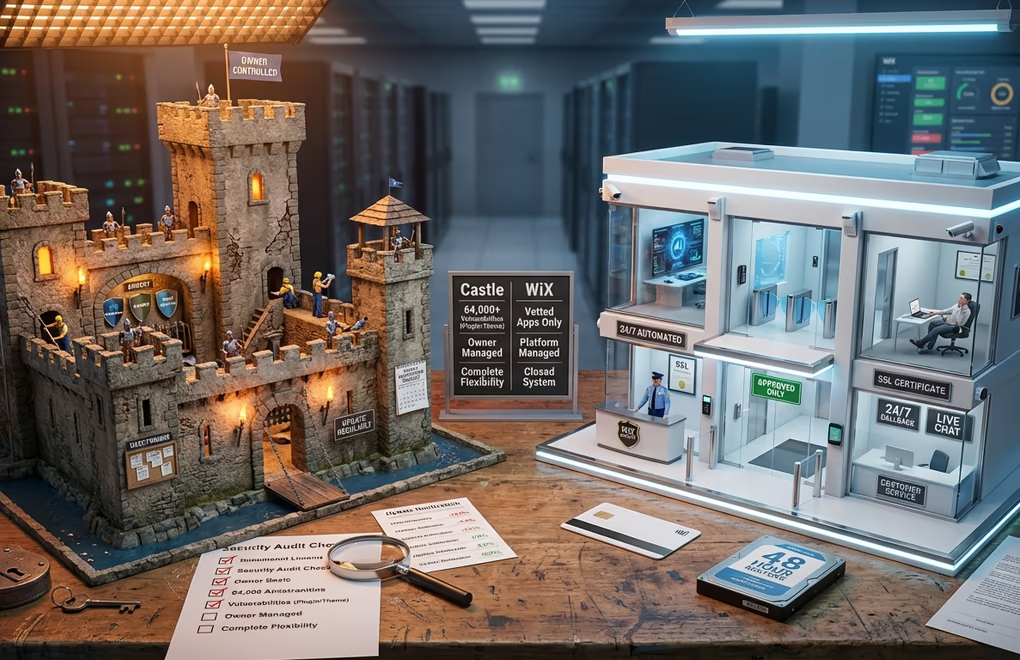
Wix handles security automatically as part of the managed platform approach. Updates happen behind the scenes, SSL certificates configure themselves, and server security remains Wix’s responsibility. Users cannot install code that bypasses their security measures since Wix vets all apps in their marketplace. This closed system approach provides peace of mind for non-technical users who don’t want to think about security at all.
WordPress security requires active management. Security databases track over 64,000 vulnerabilities across the WordPress ecosystem according to 2025 data from WP Security Ninja. Most vulnerabilities exist in plugins and themes rather than WordPress core, but the open nature of the platform means you’re responsible for keeping everything updated, choosing reputable plugins, and implementing security measures. Plugins like Wordfence, or Sucuri add protection layers that every WordPress site should implement.
Support differs significantly between platforms. Wix provides 24/7 callback support for English speakers, live chat during business hours, email support, and a comprehensive help center with video tutorials. You’re talking to people employed by Wix who understand the platform thoroughly. WordPress being open-source means no official support exists. You rely on hosting provider support, community forums, documentation, and potentially paid developers or agencies for complex issues.
Maintenance workload favors Wix for hands-off operation. WordPress sites need regular updates for core software, themes, and plugins, ideally weekly or at minimum monthly. Backups should run automatically through plugins or hosting features. Performance monitoring helps catch issues before they affect visitors. Many WordPress users outsource this to maintenance services or managed WordPress hosts that handle updates automatically, adding to ongoing costs but reducing personal time investment.
Data Ownership and Future Flexibility

Wix severely limits what you can take with you if you decide to leave. You can export blog posts and some product data, but page designs, site structure, and most content remain locked in their proprietary format. Moving from Wix to another platform essentially means rebuilding your site from scratch while copying text content manually. This creates significant platform lock-in that becomes more painful the longer you use Wix and the more content you create.
WordPress provides complete data portability. Export tools create XML files containing all posts, pages, comments, and custom fields. Database backups capture everything including settings and configurations. Moving a WordPress site to a different host takes minutes with migration plugins. You can even convert WordPress sites to static HTML if needed. Your content remains yours in practical terms, not just legal ones.
Platform lock-in matters more than most people realize when choosing between WordPress and Wix. Business needs change over time. What works for a startup might not suit a growing company. The platform you can’t easily leave becomes a constraint on your future options. WordPress’s openness preserves flexibility indefinitely while Wix’s convenience today creates switching costs tomorrow.
Consider where you want to be in three to five years. If your website will likely stay simple and serve basic business presence needs, Wix’s lock-in matters less. If growth, content marketing, advanced features, or eventual business sale are possibilities, WordPress’s portability provides insurance against future constraints you can’t predict today.
Making the Right Choice for Your Website
Choose Wix if you need a website quickly without technical learning, your site will remain relatively simple, you value convenience over control, and you don’t anticipate significant growth or complex feature needs. Local businesses, personal portfolios, simple service provider sites, and hobbyist projects often fit Wix well. The platform delivers professional results fast when those results don’t need to evolve dramatically over time.
Choose WordPress if SEO performance matters significantly to your business, you’re building something intended to grow, you want complete ownership of your content and data, cost efficiency over multiple years factors into your decision, or you need features Wix simply cannot provide. Bloggers, content marketers, ecommerce businesses beyond hobby scale, membership sites, and anyone building something meant to last should strongly consider WordPress despite the steeper learning curve.
The WordPress vs Wix decision ultimately comes down to your priorities and timeline. Wix optimizes for today’s convenience while WordPress optimizes for tomorrow’s possibilities. Neither choice is wrong in absolute terms, but one choice is almost certainly better for your specific situation. What matters is matching the platform to your actual goals rather than choosing based on marketing messages or what worked for someone with completely different needs.



0 Comments on "WordPress vs Wix in 2026: The Complete Comparison for Serious Website Owners"