
WordPress themes have changed dramatically over the past few years. The old way of building sites with PHP templates and complex customizer options is giving way to something far more powerful: block themes built specifically for Full Site Editing. Been putting off the switch? Not sure which theme to choose? Now’s the time to pay attention.
Block themes represent the biggest architectural shift in WordPress since Gutenberg launched in 2018. Instead of relying on PHP templates that execute on every page load, block themes use pre-compiled HTML templates and JSON configuration files. The result? Dramatically faster sites, complete visual control over every element, and most importantly, zero code required.
Most people don’t realize this: only about 900 of the 12,000+ themes on WordPress.org are true block themes. That means 93% of available themes still use the classic architecture from nearly two decades ago. And while classic themes work fine, they’re missing out on the performance optimizations and editing capabilities that modern WordPress offers.
This guide covers the best WordPress block themes available in 2026. You’ll learn what makes block themes different, which ones deliver the best performance, and how to choose the right theme for your specific needs. Whether you’re building a business site, blog, or online store, there’s a block theme here that will transform how you work with WordPress.
What Makes Block Themes Different From Classic Themes
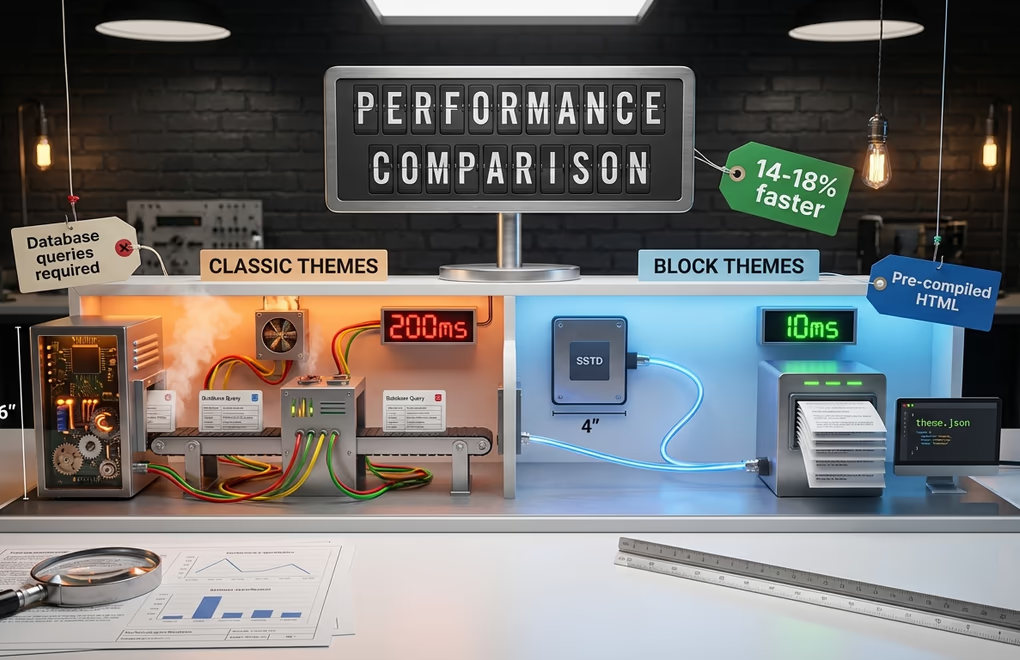
The fundamental difference between block themes and classic themes comes down to architecture. Classic themes use PHP template files that execute code on every page request. Your server processes functions, queries the database for settings, and generates HTML dynamically. Block themes flip this model entirely, fundamentally changing how WordPress processes and delivers your pages to visitors.
With block themes, templates are pre-compiled HTML files. The configuration lives in a single theme.json file instead of scattered across database entries. According to WordPress core performance data, sites using block themes load 14-18% faster than those running classic themes. Independent testing shows even more dramatic results, with some developers reporting 4-second improvements in load times after converting from classic to block architecture.
Speed matters! But it’s not the only advantage, block themes give you true visual editing capabilities through the Site Editor. You can customize headers, footers, sidebars, archive pages, and post templates without writing a single line of code. Everything you change appears exactly as visitors will see it. No more switching between the customizer and frontend to check your work.
Block themes also handle assets more intelligently; they use conditional loading, meaning CSS and JavaScript only load for blocks actually present on the page. A classic theme might include a comprehensive stylesheet covering dozens of features you’ll never use. A well-built block theme loads only what’s needed, keeping page weight minimal and Core Web Vitals scores high.
The theme.json configuration file deserves special mention. This single file controls your entire design system: colors, typography, spacing, and layout options. Changes apply globally and instantly. Want to update your primary color across every button, link, and accent on your site? One edit in theme.json and it’s done. This centralized approach eliminates the inconsistency problems that plagued classic themes.
DigiFlash: The Fastest WordPress Block Theme Available
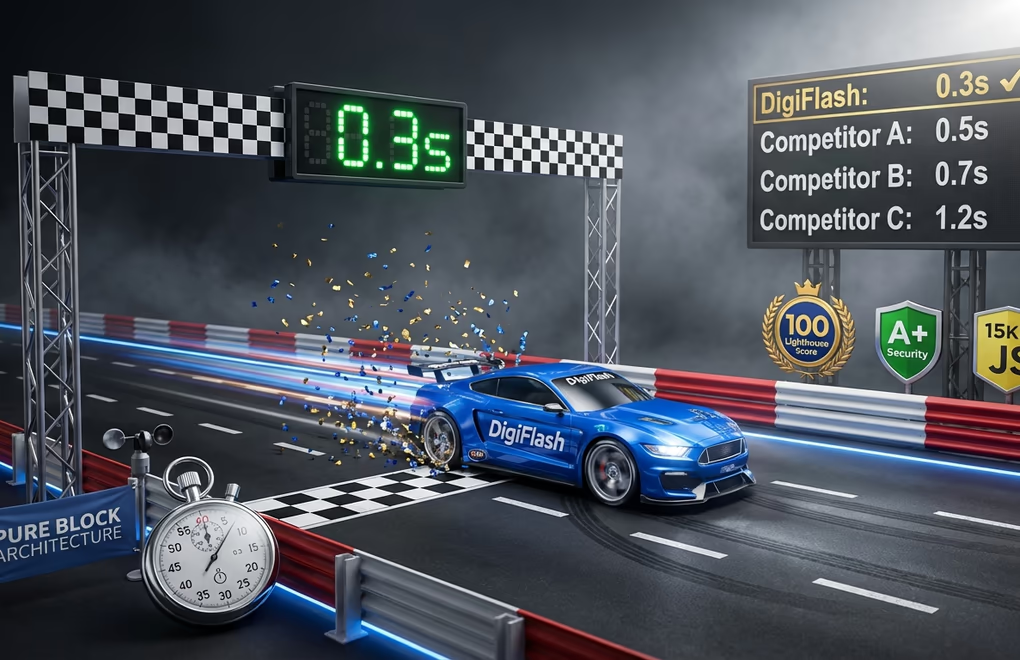
When it comes to raw performance, DigiFlash stands in a category of its own. This theme was built from the ground up exclusively for Full Site Editing, with zero legacy code or backward compatibility compromises. The results speak for themselves. Perfect 100 Lighthouse score. 0.3-second load times. A+ security rating.
How does DigiFlash achieve speeds that other themes can only dream about? The secret lies in its pure block architecture. Traditional themes, even many modern ones, still process PHP templates on every page load. DigiFlash eliminates this overhead entirely, stripping away every unnecessary processing step that slows down traditional themes. Templates are pre-compiled HTML, not executed code. Theme settings load from JSON configuration files instead of database queries. The difference is staggering: HTML template processing takes roughly 10 milliseconds compared to 200 milliseconds for PHP execution.
DigiFlash ships with zero JavaScript by default. Not minimal JavaScript, NONE! While jQuery-dependent themes load 150KB+ of scripts and even “lightweight” themes include 15-30KB, DigiFlash starts with a completely clean slate. No render-blocking scripts, no parsing overhead, pure HTML and CSS delivering instant interactivity. When you do need custom functionality, DigiFlash Pro’s Code Snippets lets you add JavaScript, CSS, HTML, or PHP exactly where you need it, targeting specific pages or post types. You get the performance benefits of zero bloat by default, with the flexibility to add precisely the code your project requires.
The theme includes 60+ professional block patterns covering every common design need. Hero sections, feature showcases, testimonials, pricing tables, contact forms, FAQ accordions, team layouts. They’re all there, ready to drop into your pages with one click. Each pattern is optimized for performance, using clean markup without unnecessary wrapper elements.
Block compatibility is another area where DigiFlash excels. It works perfectly with all WordPress core blocks, DigiBlocks for advanced layouts, WooCommerce blocks for ecommerce, and popular third-party block plugins like CoBlocks, Stackable, and GenerateBlocks. Whatever blocks you prefer, DigiFlash handles them, no performance penalties, no compatibility headaches, it just works.
Why DigiFlash Beats Astra, Kadence, and GeneratePress
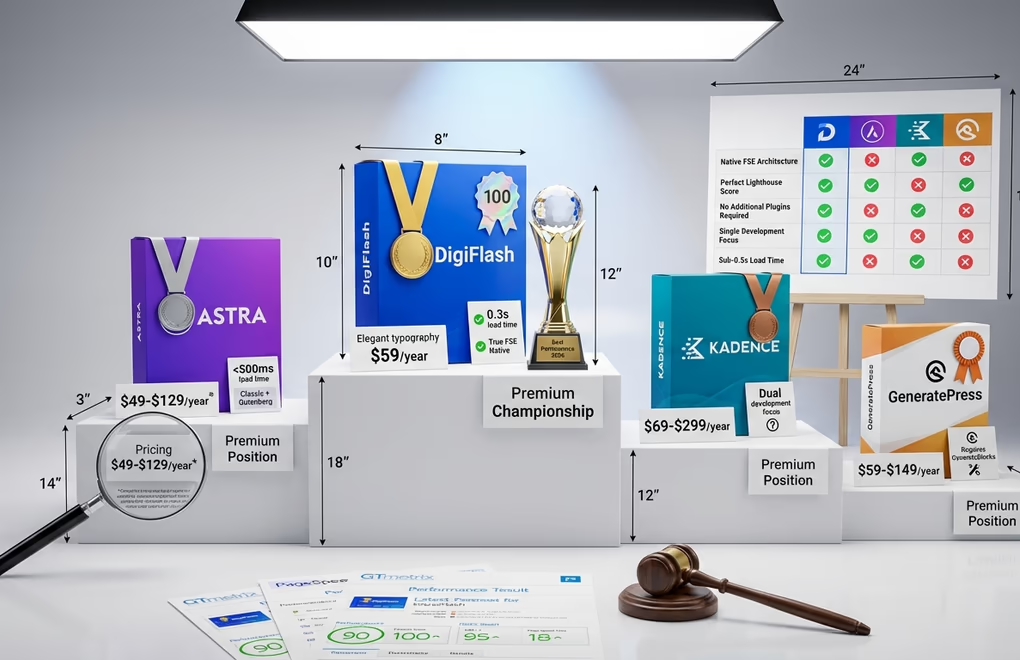
Themes like Astra, Kadence, and GeneratePress have dominated the WordPress market for years. They’re excellent products with proven track records. But they share a fundamental limitation: they’re classic themes with Gutenberg compatibility bolted on, not true block themes built for FSE from the ground up.
Astra claims to load in under 500ms with a page size of less than 55KB. Those are respectable numbers. But DigiFlash loads in 0.3 seconds with a perfect 100 Lighthouse score, not just a PageSpeed score in the high 90s. Astra Pro starts at $49/year, but accessing their Essential Toolkit with premium templates costs $129/year. DigiFlash delivers more FSE-focused features at $59/year.
Kadence offers strong performance and their Express plan starts at $69/year. The Ultimate plan jumps to $299/year. But Kadence has explicitly stated they don’t believe FSE block themes will be for everyone and plan to continue developing for both classic and block systems. This split focus means neither architecture gets their full attention. DigiFlash commits entirely to FSE, pouring all development resources into making the block editing experience as polished and performant as possible, ensuring every feature is optimized specifically for the modern block-based workflow that represents WordPress’s future.
GeneratePress is known for being lightweight at just 30KB. GP Premium costs $59/year, but GeneratePress One (which includes GenerateBlocks Pro) costs $149/year. The theme requires GenerateBlocks for full site building capability because it’s not a native FSE theme. DigiFlash needs nothing else, no additional plugins, no companion products, complete site editing works out of the box.
The architecture difference matters more than most people realize, and it shows up clearly in real-world performance testing. Classic themes process PHP files and query databases on every page load. Even optimized classic themes add overhead that pure block themes eliminate entirely. When you test DigiFlash against these established players on Google PageSpeed Insights or GTmetrix, running identical content through each theme’s architecture, the performance gap becomes undeniably clear in ways that raw specification sheets simply cannot convey. DigiFlash consistently achieves perfect scores while classic themes typically land in the high 80s to low 90s.
Unlimited Templates, Headers, and Footers for Maximum Flexibility
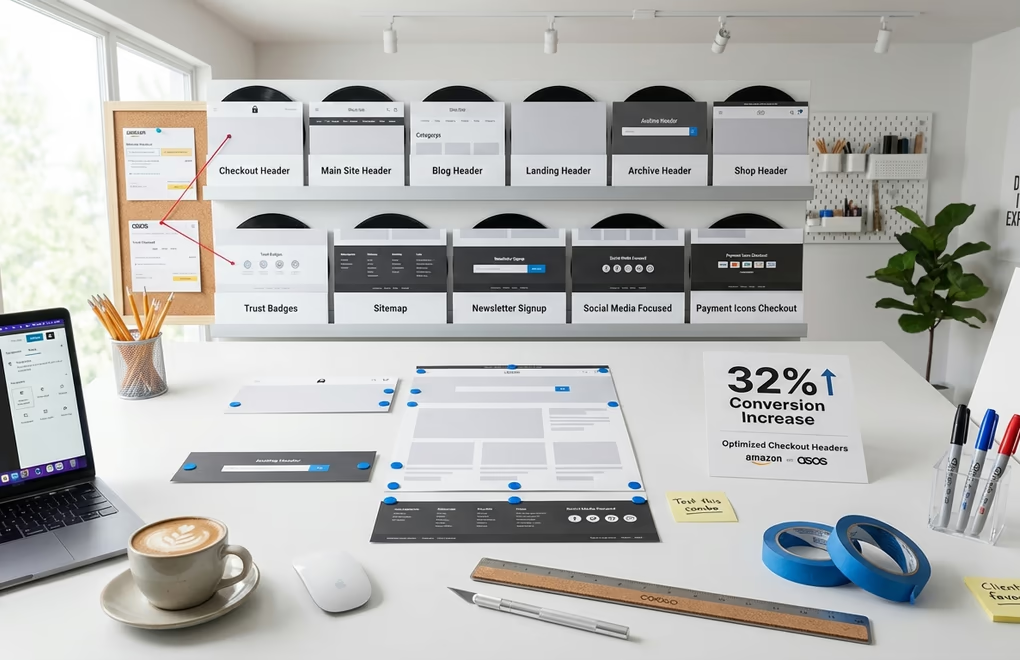
One of the most powerful features of DigiFlash is its complete template system. You’re not limited to a single header and footer design. You can create unlimited variations for different parts of your site, each tailored to specific purposes. This capability is transformative, it fundamentally changes how you approach conversion optimization and user experience design.
Consider your checkout page, conversion research consistently shows that minimal, distraction-free checkout experiences dramatically reduce cart abandonment. Amazon, despite having one of the most recognizable navigation systems in ecommerce, removes their entire navigation bar on checkout pages. ASOS uses a minimalist header with just a trust signal. WooCommerce itself defaults to a simplified header on checkout pages specifically because it increases conversions.
With DigiFlash, creating a minimal checkout header takes minutes. You build a new header template part containing just your logo and perhaps a security badge. Then you create a custom checkout template that uses this minimal header instead of your standard navigation-heavy version. The footer can follow the same pattern, displaying only essential trust elements and payment icons.
Studies show that optimizing your checkout page can increase conversion rates by over 32%. A clean layout with minimum distractions keeps shoppers focused on completing their purchase rather than clicking away to browse other pages. DigiFlash makes implementing these proven conversion tactics straightforward, whether you’re using WooCommerce or DigiCommerce for selling digital products.
The template system extends well beyond checkout optimization. You might want a different header for your blog that emphasizes your content categories. Landing pages might need headers with no navigation at all, focusing visitors entirely on your call to action. Archive pages might benefit from a header with prominent search functionality. DigiFlash supports all of these scenarios through its visual template editor.
Creating these variations requires no coding knowledge. Everything happens visually in the Site Editor, you design your header variation using blocks, save it as a template part, then assign it to specific templates. The process is intuitive, even WordPress beginners pick it up quickly because the entire workflow feels natural if you’ve used Gutenberg for content creation.
The Global Styles system complements this template flexibility beautifully. You can define your site-wide design system with consistent color schemes, typography settings, and spacing values. Every change you make syncs instantly across your entire site through CSS custom properties, ensuring complete visual consistency. Update your primary brand color once, and every button, link, and accent updates automatically. This centralized approach eliminates the scattered, inconsistent styling that plagued classic themes where colors and fonts were defined in dozens of different places.
A True No-Code Theme: Build Professional Sites Without Agencies
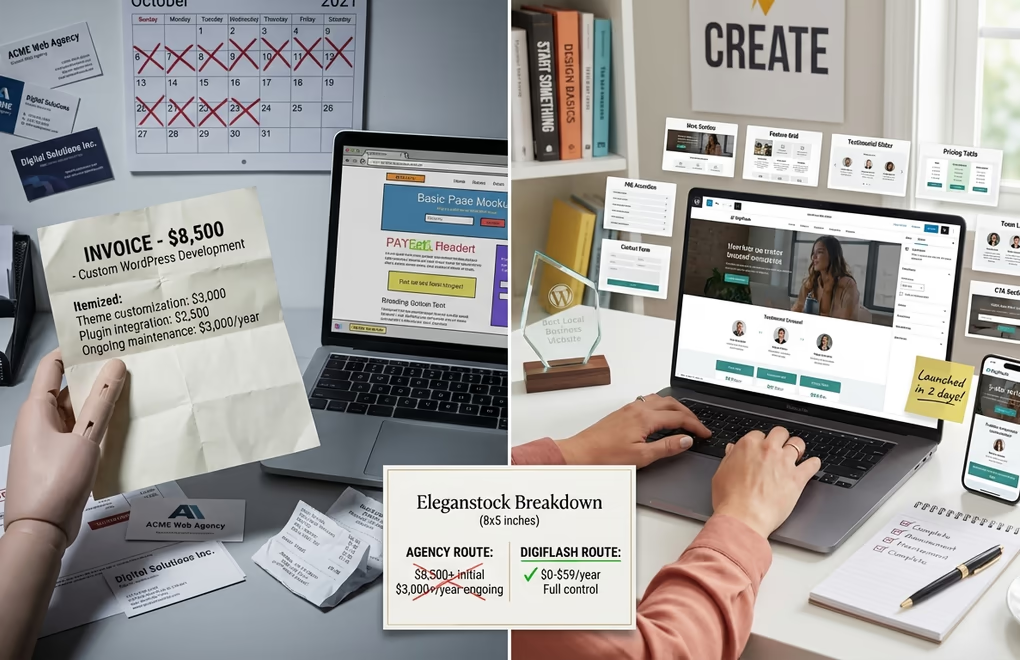
DigiFlash represents a fundamental shift in what’s possible without technical expertise. Traditional WordPress development required either coding knowledge or hiring expensive agencies. Even with page builders, you often needed developers for custom functionality. DigiFlash eliminates these barriers entirely.
Everything in DigiFlash is visually editable. Headers, footers, page templates, archive layouts, single post designs, 404 pages, search results. Every single element of your site can be customized through the WordPress Site Editor. You see exactly what your visitors will see as you make changes, no previewing, no switching between admin and frontend, no guessing.
The 60+ included patterns give you professional starting points for every common section type. Need a pricing table? Drop in the pricing pattern and customize the text. Want a testimonial? It’s there. Hero sections with video backgrounds? Multiple options ready to use. Each pattern was designed by professionals who understand what actually converts visitors into customers, not just what looks pretty in a portfolio.
This accessibility matters a lot! Agency rates for custom WordPress development typically start at $100/hour. A basic custom theme can cost anywhere from $3,000 to $10,000, and that’s before you factor in ongoing maintenance, security updates, and the inevitable feature requests that come after launch. With DigiFlash, business owners can build equally professional sites themselves. The learning curve is minimal because you’re using WordPress’s native editor, not learning a proprietary system.
DigiFlash is perfect for any type of website. Business sites, portfolios, blogs, membership sites, online stores. The template system and block patterns support them all. WooCommerce integration means your product pages, cart, and checkout work flawlessly. DigiCommerce users get the same excellent compatibility for selling digital products, courses, and services with conversion-optimized checkout flows.
DigiFlash Pro: Eliminate the Need for Child Themes
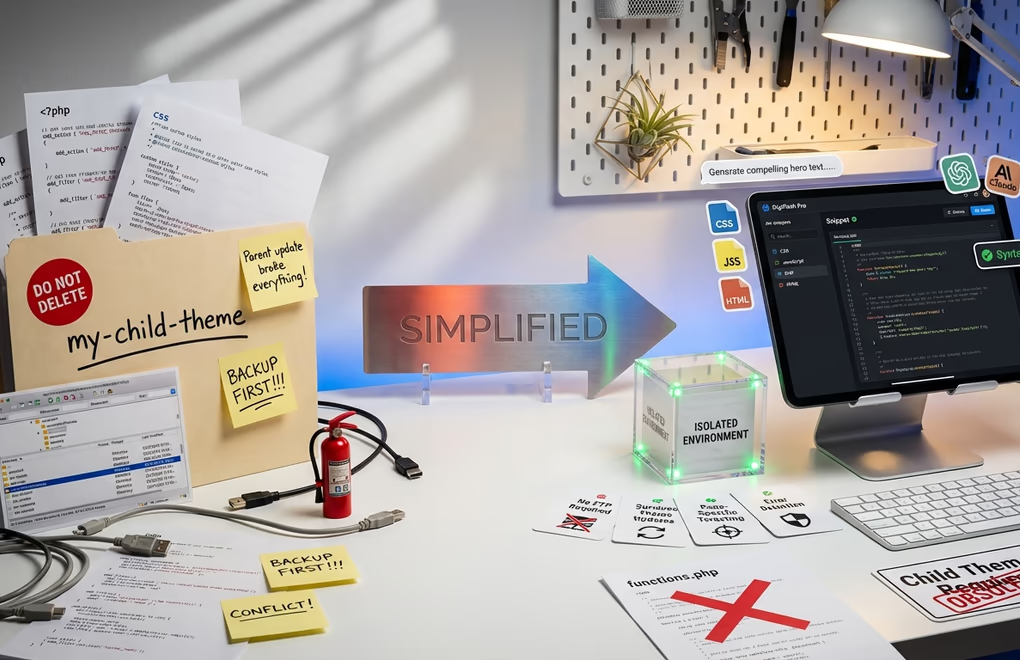
Child themes have been a necessary evil in WordPress for years. Whenever you needed custom CSS, PHP functions, or JavaScript modifications, the standard advice was to create a child theme, otherwise, your customizations would be wiped out by theme updates. DigiFlash Pro solves this problem elegantly.
The Code Snippets Manager lets you add custom CSS, JavaScript, HTML, and PHP directly within WordPress without creating a child theme or accessing files via FTP. The built-in code editor includes syntax validation and error detection, catching mistakes before they break your site. Ever locked yourself out of WordPress by adding broken code to functions.php? Frustrating, terrifying, even. DigiFlash Pro’s safeguards prevent that entirely.
Child themes come with real drawbacks that many users don’t consider. They add performance overhead. WordPress checks two directories instead of one—every – single – request. Parent theme updates can break child theme customizations if structural changes occur. Managing child themes requires development knowledge that most site owners lack. And child theme maintenance becomes a long-term burden as both parent and child need attention.
DigiFlash Pro eliminates all of these issues. PHP snippets run in a secure, isolated environment with automatic error detection. If something goes wrong, it won’t take down your entire site. You can target specific pages, post types, archives, or user roles, giving you granular control over where code executes. Your customizations survive theme updates because they’re stored independently.
The AI Content Generator integrates directly with ChatGPT or Claude models to help you create professional content faster. Need compelling hero text? Product descriptions? About page copy? The AI assistance lives right inside your WordPress dashboard, generating content that matches your brand voice. This feature alone can save hours on every project.
DigiFlash Pro dramatically expands your pattern library from 16 to 68 professional designs. That’s 52 additional Pro-exclusive patterns covering advanced layouts, specialized sections, and premium design elements. Combined with WordPress’s built-in pattern syncing feature for creating and reusing your own custom patterns, you have a comprehensive toolkit for building consistent, professional sites efficiently.
DigiBundle: Save Thousands Compared to Agency Costs
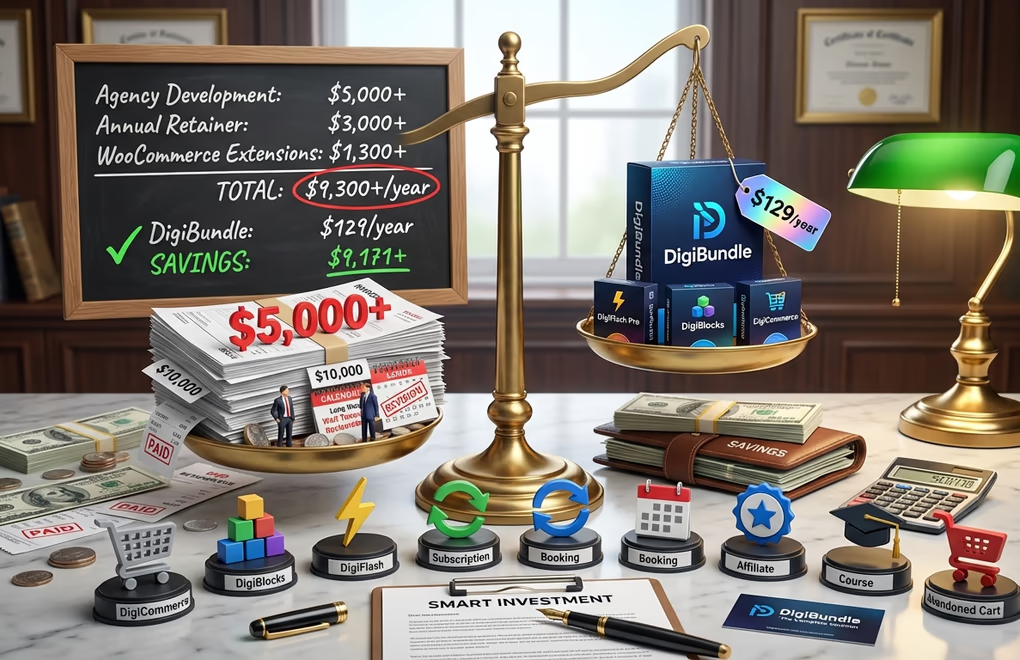
For users who want the complete toolkit, the DigiBundle at $129/year delivers exceptional value. This package combines DigiFlash Pro with DigiBlocks Pro, DigiCommerce Pro, DigiConsent Pro, and other tools in the Digi ecosystem. You get everything needed to build professional websites without hiring developers or purchasing multiple separate subscriptions.
Consider what you’d pay for equivalent functionality elsewhere. Astra’s Business Toolkit costs $249/year. Kadence’s Ultimate plan costs $299/year. Adding WooCommerce extensions for subscriptions, bookings, or affiliate marketing adds hundreds more annually. Hiring an agency to build a custom ecommerce site typically costs $5,000-$20,000 minimum.
The DigiBundle includes DigiCommerce Pro with all add-ons: subscriptions, licensing, booking system, affiliate program, abandoned cart recovery, course builder, and more. These features would cost over $1,300 annually if purchased as individual WooCommerce extensions. DigiCommerce delivers them all in a single, integrated package optimized for digital products and services.
DigiBlocks Pro provides 35+ advanced blocks that extend WordPress’s native capabilities. Theme builder blocks like Navigation, Breadcrumbs, Table of Contents, and Related Posts. Dynamic content blocks including Posts, Author Box, and Social Share. Full ecommerce integration with dedicated blocks for both DigiCommerce and WooCommerce, covering everything from product galleries to cart icons. Everything integrates perfectly with DigiFlash’s performance optimization, ensuring that the advanced functionality you add never compromises the lightning-fast load times that make DigiFlash stand out from every other theme on the market.
The math is straightforward. Actually, it’s compelling. A small business spending $129/year on DigiBundle instead of $5,000+ on agency development saves enough in the first year to fund their entire marketing budget. The savings compound over time since you’re not paying ongoing agency retainers for updates and changes. You control your own site completely, no middlemen, no waiting for agency availability, no surprise invoices.
Other Top WordPress Block Themes Worth Considering
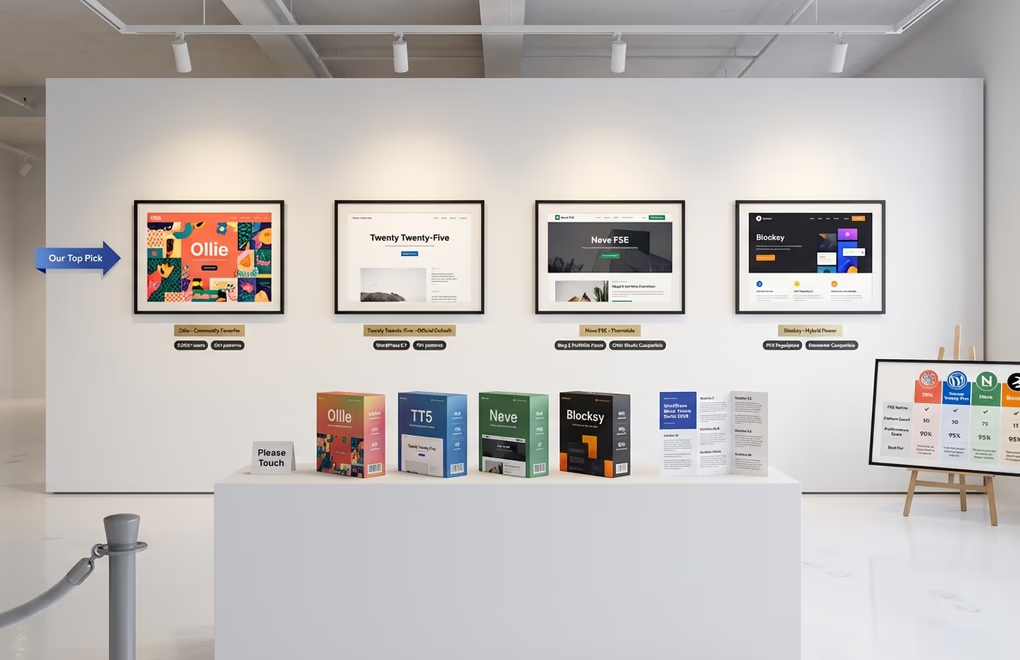
While DigiFlash leads in performance and flexibility, several other block themes deserve recognition. Each has strengths that might align with specific project requirements.
Ollie has quickly become a favorite in the block theme community, with over 5,000 active users. It includes 50+ beautifully crafted patterns, 7 style variations, 9 typography presets, and unlimited color combinations. Performance is excellent, scoring 100% on Core Web Vitals without requiring optimization plugins. The Ollie team built this theme as a true no-code solution, fully integrated with WordPress’s native site editor.
Twenty Twenty-Five is the new default WordPress theme, released with WordPress 6.7. It features more than 70 patterns and 9 style variations with unique color palettes and typography settings. The default style uses the Manrope font, with 8 additional fonts available. For users who want an official, well-supported option that’s guaranteed compatible with future WordPress releases, Twenty Twenty-Five is a solid choice.
Neve FSE comes from Themeisle, the team behind the popular classic Neve theme. This FSE version includes four predefined footer layouts and three header variations, plus Cover and List layouts for archive pages. It’s particularly strong for blogs, small businesses, and portfolios. The theme works best with the Otter Blocks plugin for full functionality.
Blocksy occupies an interesting position. Despite the name suggesting a block theme, it’s actually a classic theme with exceptional Gutenberg integration. Blocksy uses a Webpack build pipeline that loads code only for features you’re using, achieving a 95% Google PageSpeed score and 100% GTmetrix performance. If you need compatibility with traditional page builders like Elementor alongside strong block editor support, Blocksy bridges both worlds.
How to Choose the Right Block Theme for Your Project
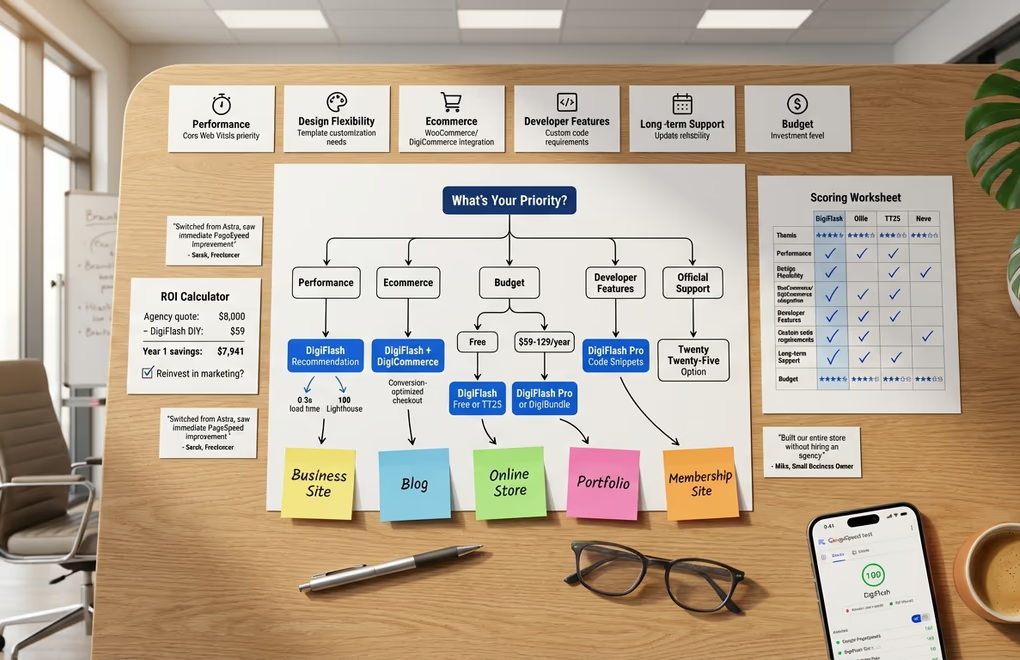
Selecting a block theme involves weighing several factors against your specific requirements. Performance matters, but it’s not the only consideration. Your choice of Gutenberg blocks plugin matters just as much, since it determines what design elements you can build beyond the theme’s defaults.
Performance requirements: If Core Web Vitals and loading speed are your top priorities, DigiFlash’s pure block architecture delivers unmatched results. Its 0.3-second load times and perfect Lighthouse scores make it ideal for sites where every millisecond counts. This matters especially for ecommerce. Slow pages kill sales, every additional second of load time costs you conversions, and those losses compound across thousands of visitors into substantial revenue you’ll never see.
Design flexibility: Consider how much control you need over your site’s appearance. DigiFlash excels here with unlimited template variations, 60+ patterns, and complete visual editing of every site element. You can create conversion-optimized checkout pages with minimal headers, landing pages with no navigation, and blog layouts with prominent category emphasis.
Ecommerce integration: For online stores, native WooCommerce and DigiCommerce block support is essential. DigiFlash includes full compatibility with both platforms. Combined with its unlimited template system, you can create distraction-free checkout experiences that maximize conversions while maintaining beautiful product displays throughout your store.
Developer features: If you regularly add custom code to sites, DigiFlash Pro’s Code Snippets Manager eliminates the need for child themes and FTP access. The secure execution environment and page targeting options make it significantly safer and more flexible than traditional approaches.
Long-term support: Themes need regular updates to maintain compatibility with WordPress core and address security issues. DigiFlash comes from the team behind OceanWP, a theme trusted by over 500,000 websites. This track record means ongoing development and support you can rely on.
Budget considerations: DigiFlash Free includes the complete template system and 16+ patterns. Upgrading to Pro adds the code snippets manager, AI content generator, and 52+ pro patterns for $59/year. The DigiBundle at $129/year includes the complete Digi ecosystem. Compare this to Kadence Ultimate at $299/year or Astra Business Toolkit at $249/year.
Build Your Next Website With DigiFlash
Block themes aren’t just the future of WordPress anymore, they’re the present. With only 7% of WordPress.org themes using modern block architecture, early adopters gain significant advantages in performance, flexibility, and user experience. The sites you build with block themes today will be better positioned for whatever WordPress releases next.
DigiFlash stands out as the top choice for anyone serious about building professional WordPress websites. Its 0.3-second load times, perfect Lighthouse scores, and unlimited template flexibility set a new standard for what WordPress themes can achieve. The ability to create custom headers and footers for specific pages, like minimal checkout designs that boost conversions by 32% or more, demonstrates the practical power of true Full Site Editing.
Download DigiFlash today, explore the Site Editor, and experience firsthand how much easier and faster WordPress development has become. Your visitors will notice the speed, and your conversion rates will improve. And you’ll wonder why you waited so long to make the switch to block themes.




0 Comments on "Best WordPress Block Themes for Full Site Editing in 2026"