
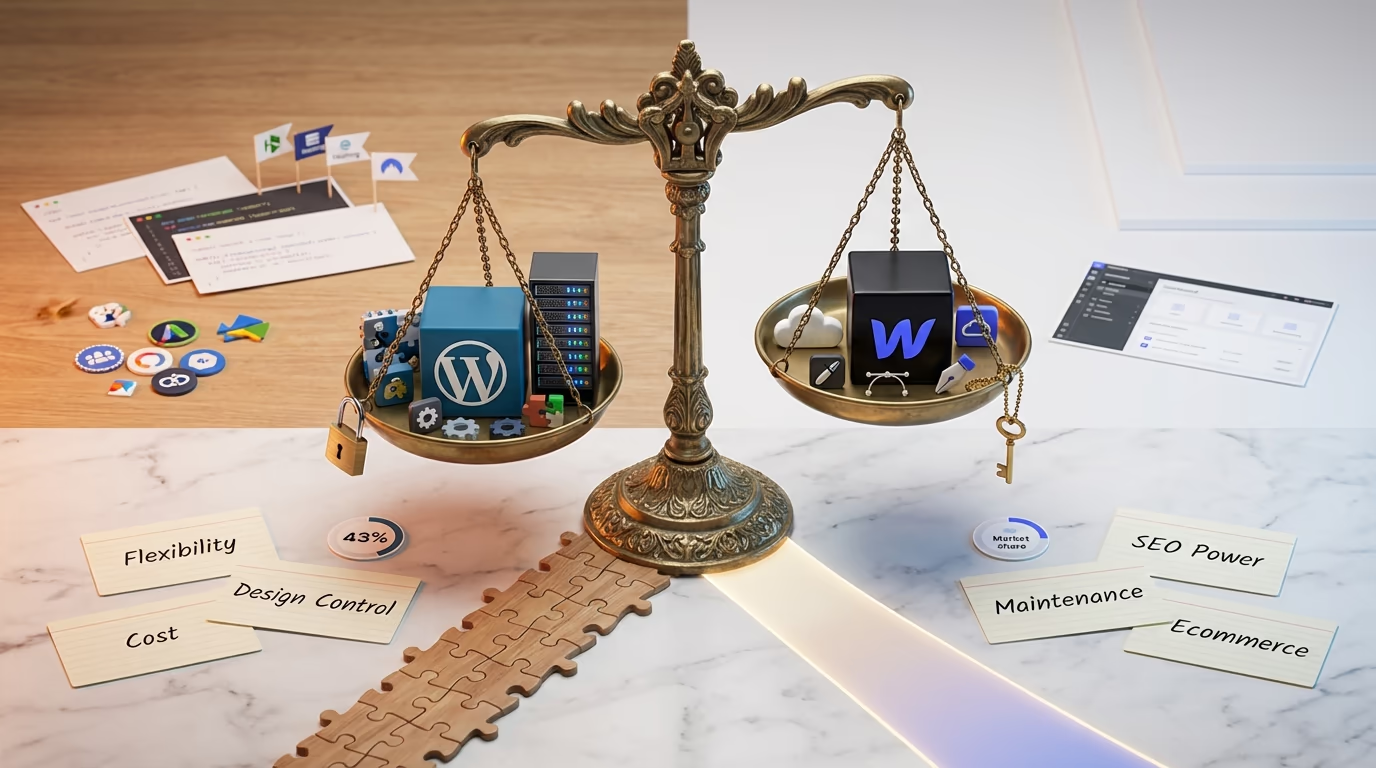
Choosing between WordPress and Webflow feels like picking sides in a debate that’s been raging for years. One platform powers over 43% of websites on the internet. The other has built a passionate following among designers who swear it changed how they work. Both camps make compelling arguments, and honestly, both platforms deliver real results for the right projects.
I’ve built sites on both platforms, and the WordPress vs Webflow question doesn’t have a simple answer. It depends on what you’re building, who’s maintaining it, and where you see your website in three years. A freelance designer creating portfolio sites has completely different needs than a business owner planning to scale an ecommerce operation. The platform that works brilliantly for one scenario might create headaches in another.
This guide breaks down everything you need to make an informed decision. We’ll compare pricing honestly, look at real performance differences, examine SEO capabilities, and explore what each platform does best. By the end, you’ll know exactly which platform fits your specific situation. No generic advice, just practical insights from actually using both systems.
What Sets WordPress and Webflow Apart
WordPress and Webflow represent fundamentally different philosophies about how websites should be built and maintained. Understanding these core differences explains why each platform attracts such different users and why switching between them isn’t always straightforward.
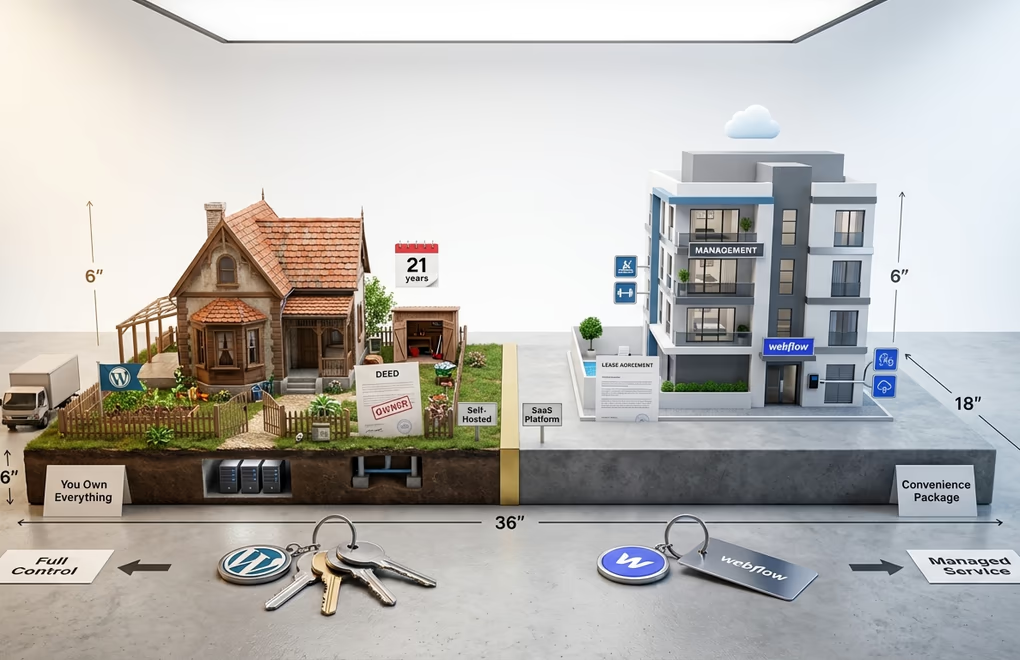
WordPress is open-source software that you install on your own hosting. You own everything: your files, your database, your content. If you decide to move hosts tomorrow, you pack up your site and go. This self-hosted model means you’re responsible for updates, security, and performance optimization. It also means nobody can shut down your site or change pricing on you unexpectedly. After 21 years of development, WordPress has evolved into a mature ecosystem with solutions for virtually any website need.
Webflow takes the opposite approach. It’s a software-as-a-service platform where everything runs on their servers. You design in their visual editor, host on their infrastructure, and pay monthly fees to keep your site running. The trade-off is convenience: automatic updates, built-in security, managed hosting. You don’t worry about server configurations or plugin conflicts. Webflow handles the technical infrastructure while you focus on design and content.
The ownership question matters more than people realize. With WordPress, you’re building on land you own. With Webflow, you’re renting space in someone else’s building. Both arrangements work, but they come with different long-term implications for your business and your content.
Ease of Use and Learning Curve
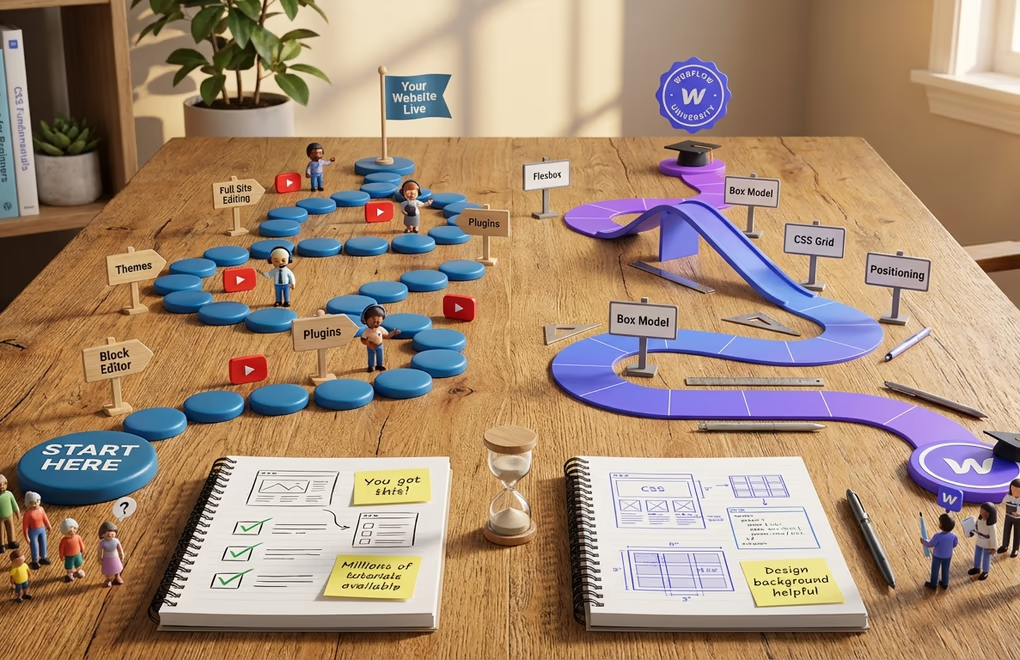
People often assume Webflow is easier because it’s a visual builder. That assumption falls apart quickly once you actually try both platforms. Webflow’s interface looks intuitive, but it’s built for people who understand web design concepts like flexbox, the box model, and CSS positioning. If those terms mean nothing to you, Webflow’s learning curve will feel steep.
WordPress with Gutenberg and Full Site Editing has closed the usability gap significantly. The block editor lets you build pages visually by stacking and arranging content blocks. Headers, paragraphs, images, galleries, and buttons all snap together without touching code. Recent updates have added AI-powered features for content suggestions and layout recommendations, making the experience even smoother for beginners.
For complete beginners who just want a website up quickly, WordPress actually wins on ease of use. Pick a block theme, customize colors and fonts in the site editor, add your content, and you’re live. The millions of tutorials, YouTube videos, and community forums mean help is always a search away. Webflow’s community is growing but can’t match WordPress’s decades of accumulated learning resources.
Now, for designers who already understand CSS and want pixel-perfect control without writing code, Webflow’s visual editor is genuinely impressive. You can create complex layouts, custom animations, and responsive designs all within the interface. It translates visual decisions into clean code automatically. If you’re coming from a design background with Figma or Sketch experience, Webflow will feel familiar in ways WordPress might not.
The ongoing content management experience also differs. WordPress’s block editor makes updating blog posts and pages straightforward for anyone on your team. Webflow’s editor mode works well, but non-designers sometimes find it overwhelming with all the styling options visible. For sites where multiple team members need to add content regularly, WordPress typically requires less training.
Design Flexibility and Customization
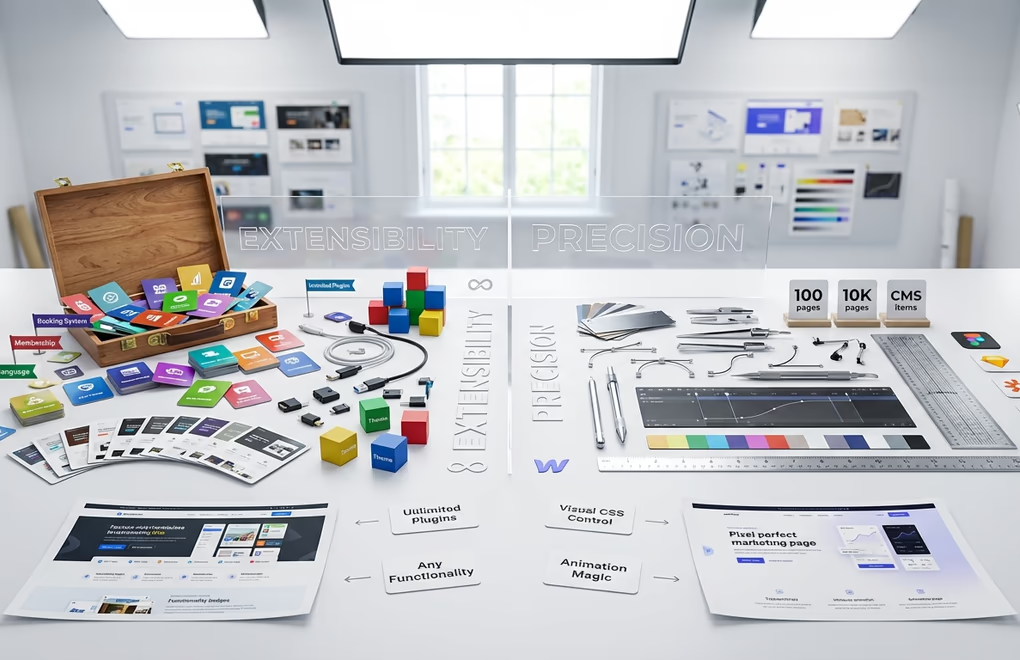
This is where Webflow genuinely shines, and I want to give credit where it’s due. Webflow’s visual editor provides remarkable design control. Every element on the page can be styled precisely. Margins, padding, typography, colors, animations, and interactions are all adjustable through visual controls. You’re essentially designing with CSS but through a graphical interface instead of code.
For agencies building custom marketing sites where every pixel matters and the design is completely unique, Webflow delivers. The animation capabilities are particularly impressive. Scroll-triggered effects, hover states, and complex interactions that would require JavaScript in WordPress can be created visually in Webflow. If your primary goal is creating a stunning, one-of-a-kind marketing site, Webflow’s design tools are hard to beat.
WordPress approaches design differently. You start with a theme that provides the foundation, then customize from there. The theme ecosystem is massive, with thousands of options ranging from free community themes to premium designs. Block themes now allow complete visual customization through the Site Editor, including headers, footers, and template layouts. You’re not locked into a theme’s original design anymore.
Where WordPress pulls ahead is extensibility. Need a booking system? There’s a plugin. Want membership areas? Covered. Require multi-language support? Multiple solutions exist. The plugin ecosystem means you can add almost any functionality imaginable. Webflow’s integrations are growing, but they rely heavily on third-party services connected through Zapier or custom code embeds. Complex functionality often requires stepping outside Webflow’s native capabilities.
Webflow also has structural limits that matter for larger sites. There’s a 150 static page limit and 10,000 CMS item limit per project. For most marketing sites and small blogs, these limits won’t matter. But if you’re planning a large content site, news publication, or extensive product catalog, these constraints become real obstacles.
Performance and Speed Comparison

Webflow sites are fast out of the box. The platform hosts on Amazon Web Services with a global CDN, automatically optimizes images, and generates clean, efficient code. You don’t need to configure caching plugins or optimize databases. Webflow handles performance optimization as part of the service. Core Web Vitals scores are typically excellent without any extra effort.
WordPress performance depends on your setup. A poorly configured WordPress site with cheap hosting, a bloated theme, and too many plugins will be slow. That’s just reality. But a properly optimized WordPress site on quality managed hosting can match or beat Webflow’s speeds. The difference is that WordPress requires you to make good choices, while Webflow makes those choices for you.
Modern managed WordPress hosts like Kinsta, WP Engine, and Cloudways deliver sub-second load times with built-in caching, CDN integration, and automatic optimizations. Pair that with a lightweight theme and sensible plugin choices, and WordPress performs beautifully. You can check our guide on optimizing your WordPress site speed for specific techniques that make a real difference.
The performance gap that existed five years ago has largely closed. Both platforms can deliver fast, well-optimized websites in 2026. Webflow gets you there with less effort. WordPress gives you more control over exactly how performance is optimized, but requires some technical awareness to get right.
SEO Capabilities Head-to-Head
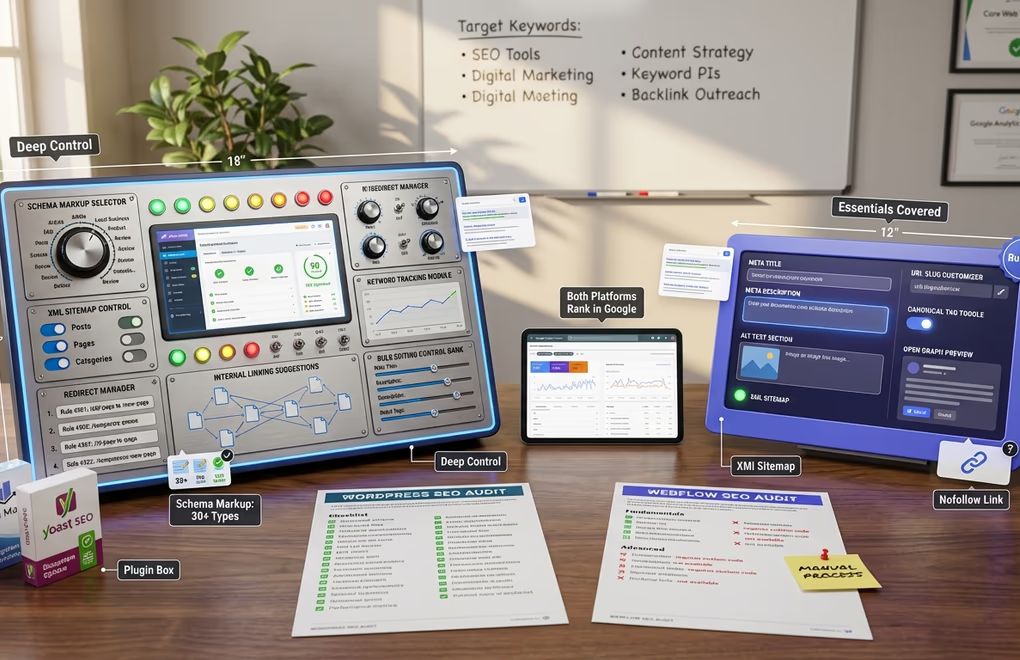
Both platforms can rank well in search engines. The technical SEO foundations are solid on both sides. But WordPress offers significantly more SEO control and flexibility, which matters if organic search is a priority for your business.
Webflow includes built-in SEO tools for the essentials. You can edit meta titles and descriptions, set alt text for images, customize URL slugs, configure canonical tags, and manage Open Graph settings. The automatic XML sitemap generation works well. For basic on-page SEO, Webflow covers the fundamentals without needing any additional tools.
WordPress with plugins like Rank Math or Yoast SEO goes much deeper. You get content analysis that scores your posts in real-time, schema markup with dozens of structured data types, advanced XML sitemap controls, redirect managers, internal linking suggestions, and keyword tracking. The breadth of SEO functionality available through WordPress plugins is unmatched by any closed platform.
Webflow has some notable SEO limitations that frustrated users often mention. Adding nofollow attributes to links isn’t straightforward in the visual editor. Bulk editing meta information across many pages requires tedious manual work. Advanced schema implementations often need custom code embeds. For content-heavy sites pursuing aggressive SEO strategies, these limitations add friction.
The blogging experience also favors WordPress. The Gutenberg editor makes writing and formatting long-form content natural. Categories, tags, author profiles, and archives work exactly as you’d expect. Webflow’s CMS handles blogs, but the editing experience feels less refined for writers who publish frequently. If content marketing and SEO-driven blogging are central to your strategy, WordPress provides a smoother workflow.
Pricing and Total Cost of Ownership
Webflow’s pricing is straightforward but adds up.
- Site plans range from $14 per month for basic sites to $39 per month for business sites when billed annually.
- Ecommerce plans run from $29 to $212 monthly.
These prices include hosting, SSL, and the platform itself. What you see is mostly what you pay, though adding team members or exceeding bandwidth limits increases costs.
WordPress itself is free, the costs come from hosting, domain registration, and optional premium themes or plugins.
- Quality shared hosting starts around $5 to $10 monthly.
- Managed WordPress hosting with better performance runs $20 to $50 monthly.
- Domain registration costs $10 to $20 per year.
- Premium themes are typically one-time purchases of $50 to $100 or even free.
- Most essential plugins have free versions that work perfectly well.
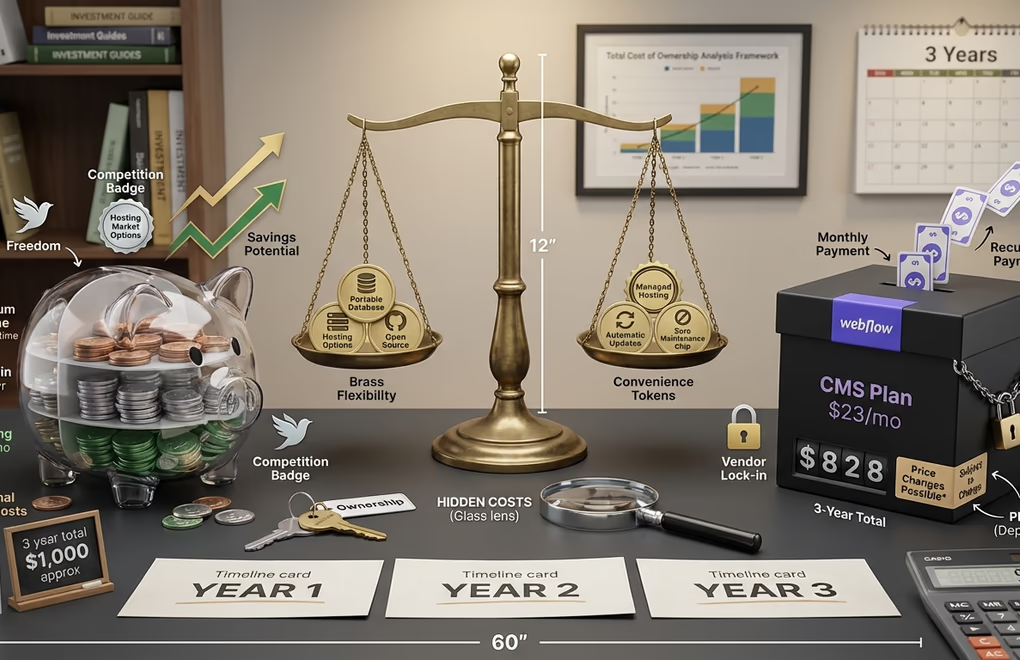
Over three years, the cost differences become significant. A Webflow CMS site at $23 monthly totals $828 over three years. A comparable WordPress setup with quality managed hosting at $25 monthly, a premium theme, and a domain costs roughly $1000 over the same period. The costs are similar in this comparison, but WordPress offers more flexibility in how you allocate that budget.
The real savings with WordPress come from avoiding platform lock-in. If Webflow raises prices, you either pay more or face a painful migration. With WordPress, you can switch hosts anytime, competition keeps hosting prices reasonable. A single vendor’s pricing decisions never trap you. That long-term flexibility has real value that doesn’t show up in monthly cost comparisons.
Ecommerce and Online Store Capabilities
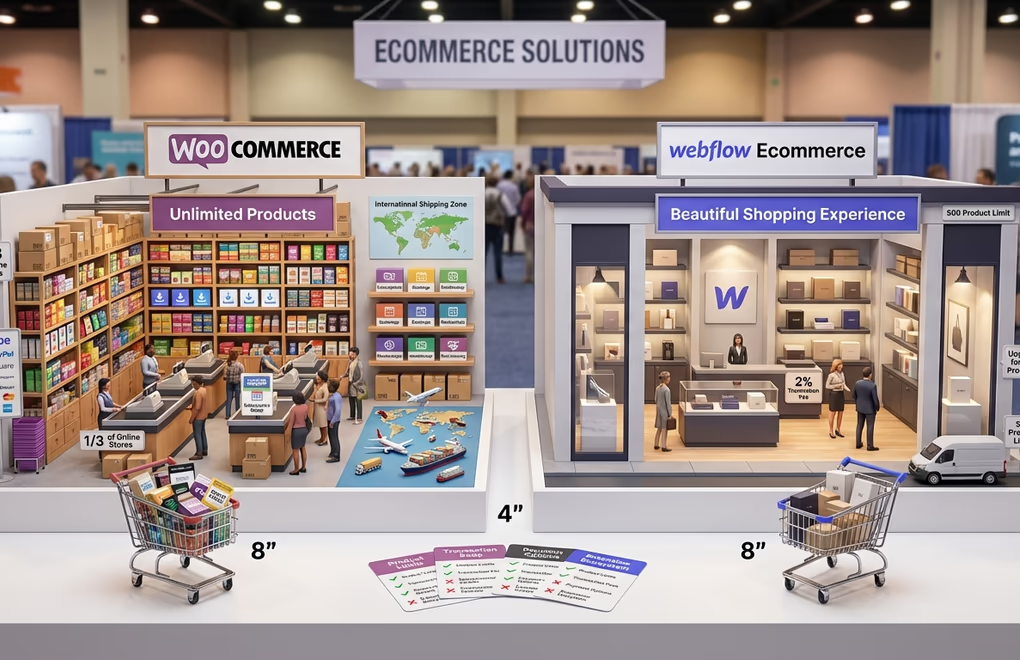
Ecommerce is where WordPress pulls decisively ahead. WooCommerce powers over a third of all online stores globally because it handles complex selling scenarios that other platforms can’t match. Unlimited products, sophisticated shipping rules, extensive payment gateway options, and thousands of extensions make WooCommerce the choice for serious ecommerce operations.
Webflow Ecommerce creates beautiful stores with excellent design control. If aesthetics matter more than advanced functionality, Webflow delivers visually stunning shopping experiences. The checkout flow is smooth, product pages look great, and the built-in cart works reliably. For small product catalogs where presentation is everything, Webflow works well.
The limitations appear quickly though. Webflow’s Standard ecommerce plan caps you at 500 products and charges a 2% transaction fee on every sale. Even the Advanced plan limits you to 15,000 products. Complex product variations, subscription billing, and advanced inventory management require workarounds or third-party services. If you’re planning to scale an ecommerce business, these constraints become expensive obstacles.
For selling digital products, WordPress offers specialized solutions that handle licensing, file protection, and delivery seamlessly. WooCommerce or DigiCommerce’s extension ecosystem includes tools for subscriptions, bookings, memberships, and virtually any selling model you can imagine. That flexibility doesn’t exist in Webflow’s more constrained environment.
Maintenance, Security, and Long-Term Management

This is Webflow’s strongest practical advantage, and it deserves honest acknowledgment. With Webflow, you never update plugins, patch security vulnerabilities, or worry about hosting configurations. The platform handles everything automatically. Your site stays current, secure, and functional without any maintenance effort from you. For busy business owners who want their website to just work, this hands-off approach has genuine appeal.
WordPress requires ongoing attention. Core updates, theme updates, and plugin updates need to be applied regularly, security best practices really matter, and backups should be configured and tested. This isn’t overwhelming work, but it’s not zero either. Managed WordPress hosting automates much of this, and good security plugins handle the rest, but you remain responsible for keeping things running smoothly.
The trade-off is control versus convenience. Webflow’s managed approach means you trust their decisions about platform direction. When they deprecated their native Logic and User Accounts features in late 2024, users had to scramble for third-party alternatives. You absolutely don’t control the roadmap. WordPress’s open-source nature means the community drives development, and no single company can make unilateral decisions that affect your site.
Data ownership matters here too. With WordPress, you have complete access to your database, files, and content. You can export everything, migrate anywhere, and maintain full control. Webflow lets you export your site’s code, but migrating away means rebuilding in a new system. The convenience of a managed platform comes with reduced portability and vendor dependence.
Which Platform Fits Your Project Best
After examining both platforms across every major category, the pattern is clear. WordPress offers more flexibility, better long-term value, stronger ecommerce capabilities, and superior SEO tools. For most website projects, WordPress is the better choice. That’s not a slight against Webflow; it’s just an honest assessment of what each platform delivers.
Choose WordPress when you’re building content-heavy blogs or news sites, running ecommerce stores of any significant size, need membership or community features, want maximum control over your data and hosting, plan to scale your site significantly over time, or prefer paying for services separately rather than bundled platform fees.
Choose Webflow when design is the absolute priority and you have the skills to leverage its visual editor, you’re building marketing sites for clients who won’t maintain them, you want zero maintenance responsibility and don’t mind the ongoing costs, your site will stay relatively small with limited content needs, or you’re a designer who finds WordPress’s approach frustrating.
Webflow is a genuinely good platform for the right projects. Agencies building polished marketing sites for clients love it. Designers who understand CSS concepts find its visual approach intuitive and powerful. The hands-off maintenance model works perfectly for certain business situations. Dismissing Webflow entirely would be unfair and inaccurate.
But for the broader range of website needs, from simple blogs to complex ecommerce operations, from content marketing sites to membership platforms, WordPress handles more scenarios with less compromise. The ecosystem is deeper, the flexibility is greater, and the long-term costs are more predictable. That’s why WordPress powers 43% of the web while Webflow serves a smaller, specialized audience.
In your opinion, who wins between WordPress vs Webflow? If you’ve used both, I’d like to hear which one worked better for your specific situation.





0 Comments on "WordPress vs Webflow in 2026: The Complete Platform Comparison Guide"