
The WordPress 7.0 AI features landing on April 9, 2026 represent something the platform has never had before: native AI infrastructure baked directly into core. Not a plugin you install on top. Not a third-party integration you piece together. Actual, built-in plumbing that lets any WordPress site connect to AI providers like OpenAI, Anthropic Claude, and Google Gemini through a single, standardized interface.
If you’ve been paying attention to the WordPress AI ecosystem over the past year, you know it’s been a mess of overlapping plugin SDKs, redundant settings pages, and conflicting approaches to the same problem. Every AI plugin ships its own API client, its own key management, its own connection logic. Your site ends up with three different plugins all wrapping the same OpenAI SDK, each storing API keys in different database tables. WordPress 7.0 AI features fix that fragmentation by giving developers and plugin authors a shared foundation to build on.
In this guide, we’ll walk through every WordPress 7.0 AI feature shipping in the April release, from the WP AI Client and Connectors UI to the Abilities API and official provider plugins. You’ll learn what each piece does, how they fit together, and exactly how to prepare your site before upgrade day. We’ve been testing every beta since February, and there’s a lot to unpack.
The WP AI Client: WordPress Gets a Universal AI Engine
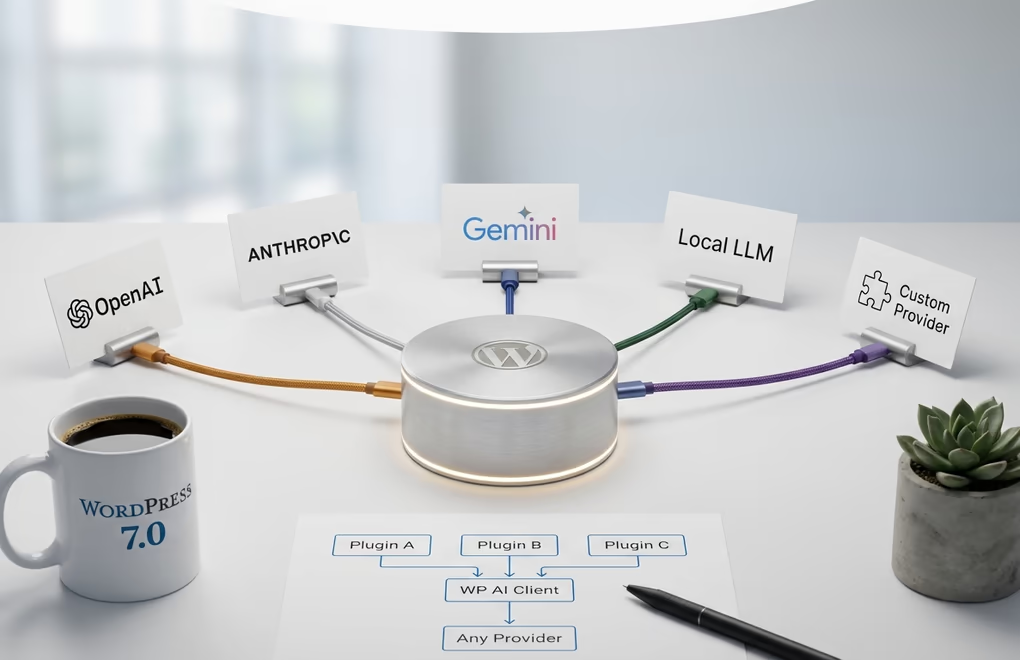
The centerpiece of WordPress 7.0’s AI strategy is the WP AI Client, a provider-agnostic API that standardizes how WordPress communicates with AI models. It does for AI what the REST API did for external integrations: instead of every plugin reinventing the wheel, there’s now a shared layer that smooths over the differences between OpenAI’s API, Anthropic’s API, Google’s Gemini API, and whatever comes next. Under the hood, it ships with a PHP API and prompt builder, a provider and model abstraction layer, REST and JavaScript APIs for frontend interactions, credentials management integrated into wp-admin, and access controls via WordPress filters. Developers write their AI logic once, and it works regardless of which provider the site owner has configured. If a site switches from OpenAI to Claude tomorrow, every plugin using the WP AI Client automatically follows.
One thing worth understanding right away: the WP AI Client is infrastructure, not a feature you’ll interact with directly. No AI providers come bundled with WordPress 7.0, no API credentials are pre-configured, and no AI calls happen by default. Your site won’t suddenly start pinging OpenAI’s servers after the update. You still need to install a provider plugin and enter your API key before anything AI-related activates. This was a deliberate choice by the core team to keep WordPress privacy-respecting and opt-in by default.
So what does this actually change?
For plugin developers, it’s a massive win. Before 7.0, building an AI-powered plugin meant bundling your own API client library, creating a settings page for API key storage, handling authentication and rate limiting yourself, and managing credentials securely in the database. That’s a lot of boilerplate that has nothing to do with your plugin’s actual value. The WP AI Client eliminates all of it – you focus on what your plugin does with AI, and WordPress handles the connection layer.
The practical impact for site owners? Fewer conflicts between plugins, better performance since you won’t have duplicate SDKs loaded, and a single place to manage all your AI credentials. If you’re already using Gutenberg block plugins that include AI features, expect updates that leverage the WP AI Client for smoother, lighter integrations.
The Connectors UI: One Dashboard to Manage All AI Providers
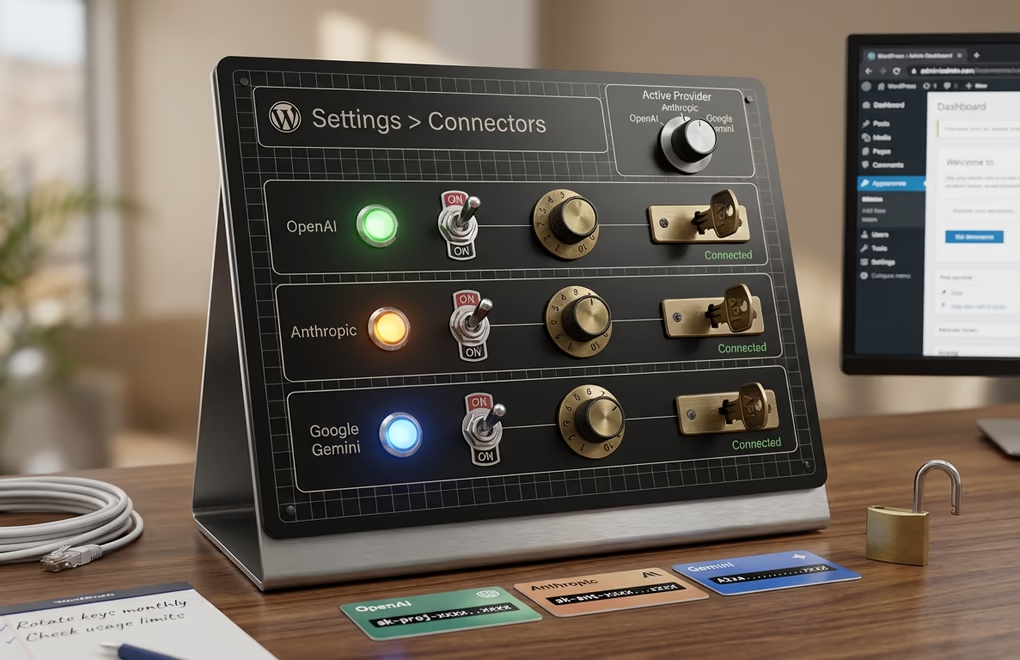
Alongside the WP AI Client, WordPress 7.0 introduces a brand new dashboard page at Settings > Connectors, first shipped in Beta 2 back in February. It acts as a centralized credential manager. Instead of entering your OpenAI API key in one plugin’s settings, your Anthropic key in another, and your Gemini key in a third, you enter each key once in Settings > Connectors and every plugin that uses the WP AI Client automatically picks up those credentials. Add, delete, or rotate keys from a single screen.
Three default providers ship with the Connectors page: OpenAI, Anthropic, and Google Gemini. But the system is extensible. As of Beta 4 (released March 10, 2026), the Connectors screen dynamically pulls additional providers from the WP AI Client registry, so if a plugin registers a custom AI provider – a local LLM, a specialized service, anything – it shows up in Connectors automatically without any extra UI work. Under the hood, it’s built on an extensible, route-based architecture using @wordpress/components and @wordpress/admin-ui route components. Plugins can hook into the page via the connections-wp-admin-init hook and registration APIs, expanding its functionality beyond just AI providers. The WordPress core team clearly designed this with future expansion in mind, and you could see it eventually managing connections to CRMs, analytics platforms, and other external services.
For agencies running multiple WordPress sites, this is particularly welcome. Instead of training clients on where to find API key settings across different plugins, you point them to one place. It also makes security audits simpler since you can see exactly which external services a site connects to from a single dashboard page.
The Abilities API: Making WordPress Readable by AI Agents
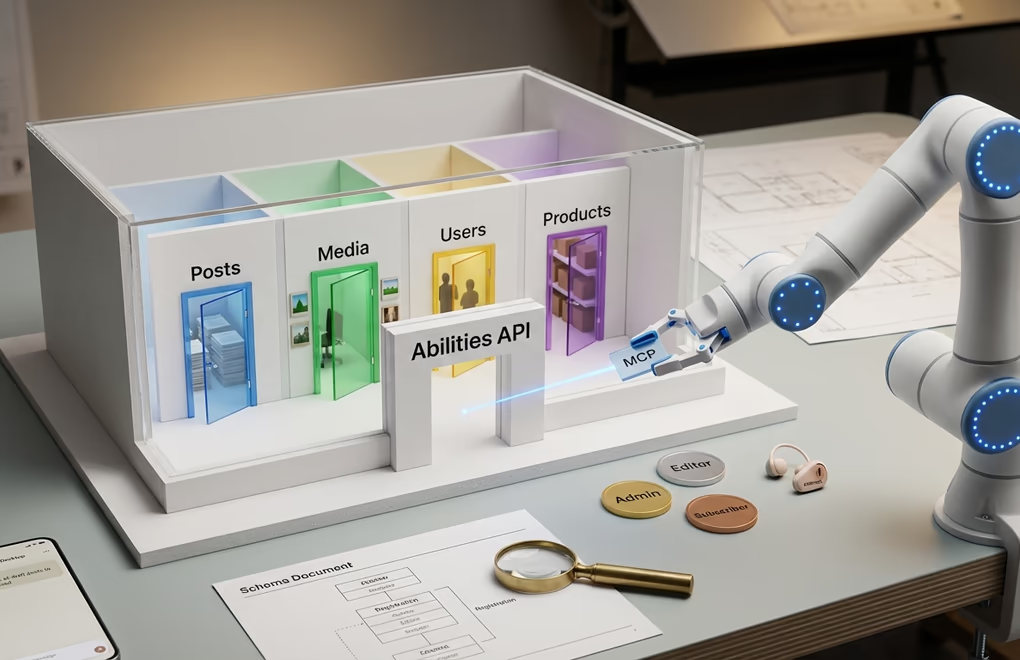
While the WP AI Client handles outbound communication to AI providers, the Abilities API handles the other direction: it lets AI agents understand and interact with your WordPress site. Originally introduced in WordPress 6.9, the Abilities API becomes far more powerful in 7.0 when combined with the WP AI Client and the MCP Adapter.
Here’s a concrete example. Say you register an ability called my-plugin/site-info that returns basic site information. You define a category (“site-information”), provide a description the AI can read, specify the input/output JSON schemas, and attach a permission callback like current_user_can('manage_options'). An AI agent connected to your site can discover this ability, understand it returns site information, verify it has permission, and call it automatically.
The security model here deserves attention. Every ability is gated by WordPress’s existing permission system, so an AI agent can only do what the authenticated user is allowed to do. An editor-level agent can create and publish posts but can’t install plugins. A subscriber-level agent can read content but can’t modify it. This is important because it means you don’t need an entirely new security framework for AI access, WordPress’s battle-tested role and capability system handles it.
The real magic happens when the Abilities API connects to the WordPress MCP Adapter, which bridges registered abilities to the Model Context Protocol standard. MCP is the open protocol Anthropic created for connecting AI systems to external tools, and it’s quickly becoming the industry standard. With the MCP Adapter, your WordPress site becomes an intelligent server that AI agents in Claude Desktop, VS Code, Cursor, or any MCP-compatible tool can connect to directly. You could tell Claude to “update all draft posts from last week to published” and it would discover the right abilities, check permissions, and execute the task across your site.
For store owners running a plugin like DigiCommerce, the implications are significant – AI agents could manage product catalogs, process order queries, and handle routine admin tasks through natural language instead of manual dashboard clicking. And for anyone already exploring WordPress AI chatbots, the Abilities API provides the foundation for much deeper integrations than what’s been possible before.
Official AI Provider Plugins: OpenAI, Anthropic, and Google Gemini
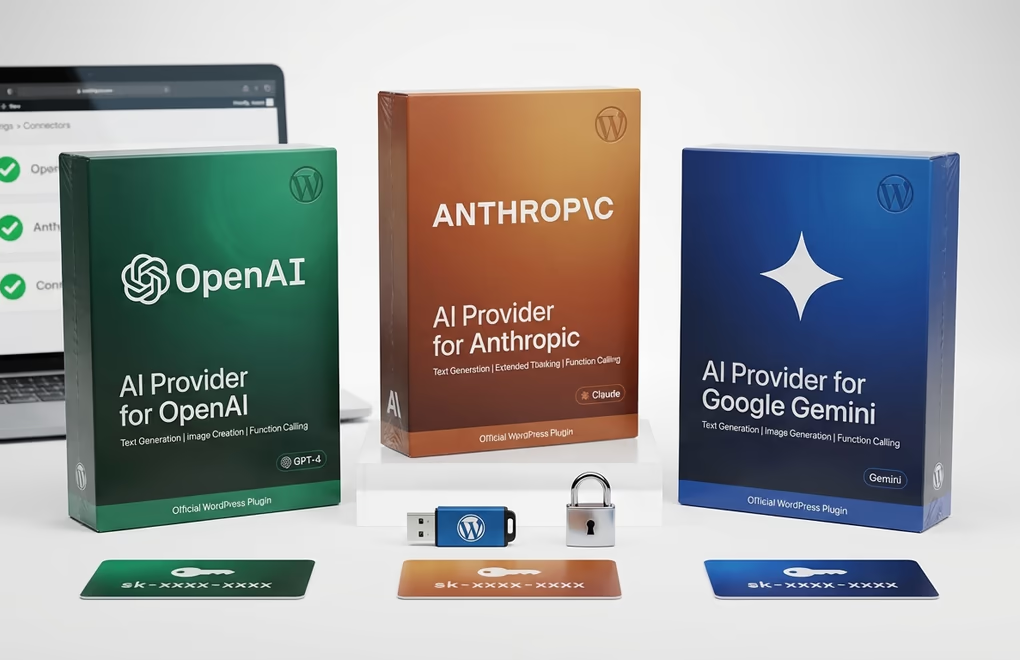
No AI providers are bundled into core itself.
The actual provider connections come through three official plugins available on WordPress.org, which keeps core lightweight while giving you flexibility over which AI services you want to use.
The AI Provider for Anthropic connects Claude’s models to your WordPress site with text generation, extended thinking capabilities for complex reasoning tasks, and function calling. Claude’s extended thinking is particularly interesting for WordPress use cases that involve analyzing existing content or generating detailed technical documentation. The AI Provider for Google Gemini rounds out the trio with text generation, image generation via Google’s Imagen models, and function calling support – if you’re already embedded in Google’s ecosystem through Workspace or Cloud, Gemini might be your most cost-effective choice.
All three plugins require PHP 7.4 or higher and your respective API key. On WordPress 6.9, you also need the separate PHP AI Client SDK plugin installed, but on 7.0 the SDK is built into core, so setup becomes straightforward: install the provider plugin, go to Settings > Connectors, enter your key, and you’re connected. You can install multiple provider plugins simultaneously if you want to use different models for different tasks. And these are first-party WordPress plugins maintained by the core team, not third-party wrappers that might go unmaintained in six months. For sites that need AI-powered SEO, content generation, or image creation, having officially supported providers dramatically reduces the risk of compatibility issues down the road.
AI Experiments Plugin: The Features You Can Use Right Now

While the WP AI Client and Connectors UI provide the foundation, the AI Experiments plugin is where you can see WordPress 7.0 AI features in action today. Version 0.4.1 (released March 6, 2026) packs nine experimental AI features you can toggle on individually, and it’s designed to preview what’s coming in core once these features mature.
The two biggest additions in version 0.4.0 are image generation and Generate Review Notes. Image generation now works directly in the post editor and Media Library, not just for featured images like before. Type a text prompt, get an image, edit the prompt, create variations, and insert the result directly into your content blocks. It’s the kind of workflow that previously required jumping between WordPress and an external tool like DALL-E’s web interface or Midjourney.
Generate Review Notes is arguably more useful for day-to-day content work. The AI analyzes your content block by block and provides feedback across five categories: accessibility, grammar, readability, spelling, and SEO. Notes get attached to individual blocks for iterative refinement, so you’re not just getting a generic “your article needs improvement” message. You get specific, actionable feedback tied to the exact paragraph or heading that needs attention.
The existing features from earlier versions remain solid too: alt text generation for accessibility, content summarization for excerpts, title suggestions for headlines, and the Abilities Explorer for browsing registered AI capabilities on your site.
Looking ahead, version 0.5.0 is already planned with onboarding flows for WordPress 7.0’s “Try AI” callout, image editing experiments like erase/replace, canvas expansion, and background removal, plus category and tag suggestions, typeahead word suggestions, and AI-powered comment moderation. The pace of development here is aggressive, and if you’re running a blog built with AI content creation tools, the AI Experiments plugin is the best way to test what WordPress itself is building natively before it graduates to core.
What Existing AI Plugins Should Expect (and What Might Break)
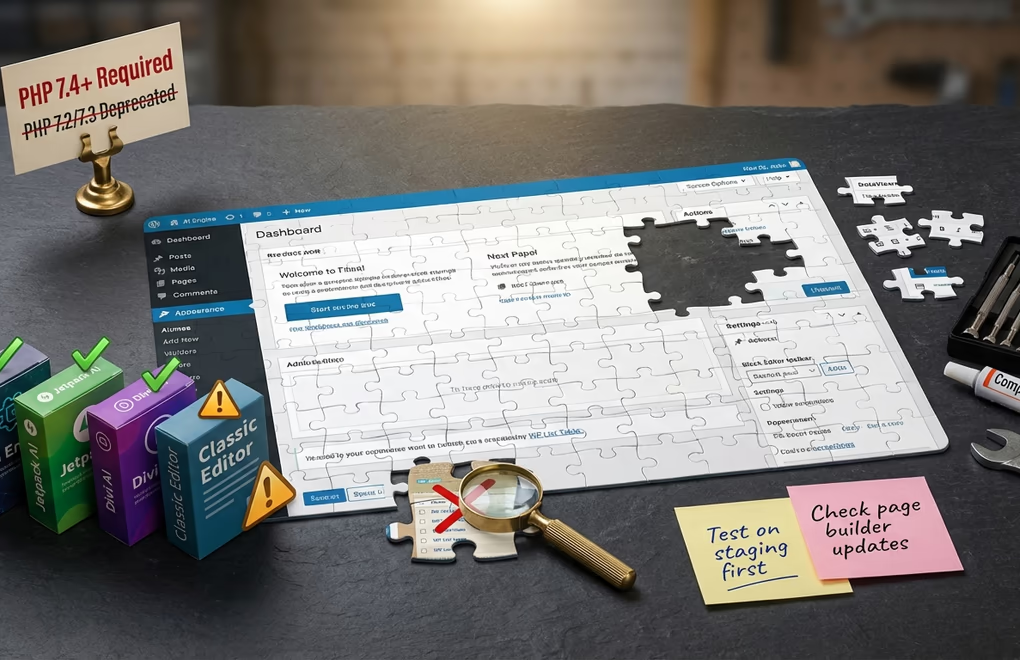
If you’re using AI plugins like AI Engine, Jetpack AI, or Divi AI, you’re probably wondering how WordPress 7.0’s native AI infrastructure affects them. The short answer is that it shouldn’t break anything immediately, but it will reshape the plugin landscape over the next six to twelve months. Well-maintained plugins will likely transition to using the WP AI Client as their backend, which means lighter resource usage and better compatibility. AI Engine, for instance, has already added MCP server capabilities, suggesting the team is aligned with where core is heading. Plugins that tightly bundle their own AI SDKs without any abstraction layer will need more work to adapt, though they’ll still function since WordPress 7.0 doesn’t remove or block existing approaches.
The bigger concern with 7.0 compatibility isn’t actually the AI layer. It’s everything else in the update. WordPress 7.0 drops support for PHP 7.2 and 7.3, with PHP 7.4.0 as the new minimum (PHP 8.2 or 8.3 recommended). It requires MariaDB 10.6+ or MySQL 8.0+. The admin interface is getting a visual refresh that replaces WP List Table with DataViews on posts, pages, and media screens, which means plugins injecting custom admin CSS or modifying list views through WP List Table hooks could break.
Page builders are the highest-risk category. Elementor, Divi, Beaver Builder, and Bricks all need to release 7.0-compatible updates before launch day. The new real-time collaboration feature is incompatible with the Classic Editor plugin entirely. If you’re still running Classic Editor, you’ll need to weigh whether the WordPress 7.0 AI features justify finally making the switch to the block editor. For a detailed breakdown of all the new features beyond AI, check our WordPress 7.0 release date and features guide.
For theme developers, the transition is smoother. Modern FSE themes like DigiFlash that are built on WordPress’s native block editor with JSON-based configuration through theme.json are already aligned with 7.0’s architecture. Traditional PHP-heavy themes will still work, but they won’t benefit as naturally from the new AI content features that integrate through the block editor interface.
How to Prepare Your Site for WordPress 7.0 AI Features
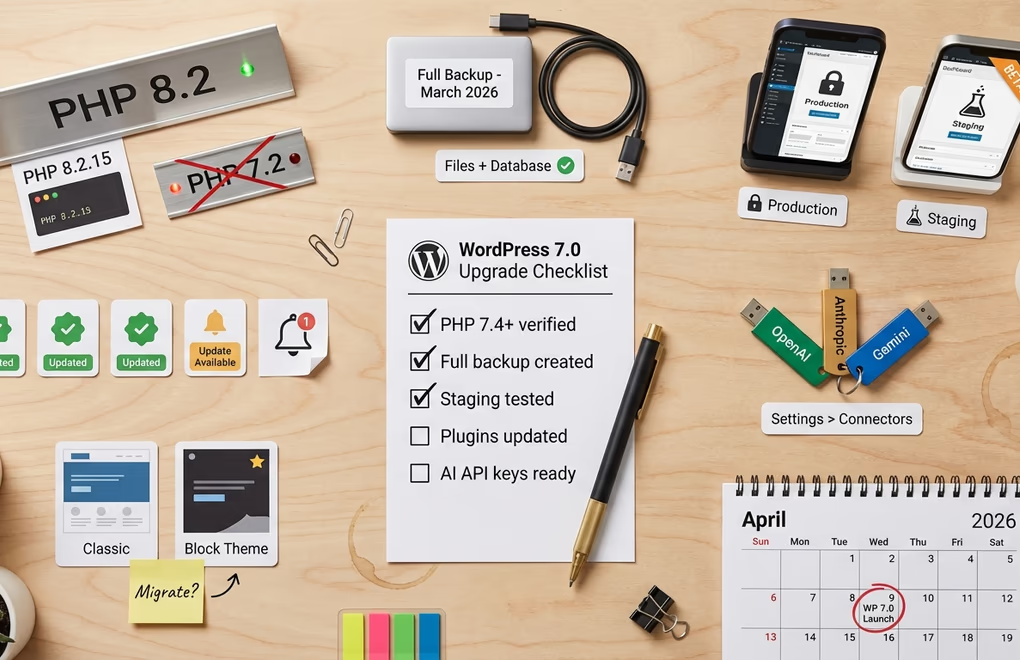
With less than a month until the April 9 release, now is the time to get your site ready. Here’s what you should do between now and launch day, whether you plan to use the AI features immediately or just want a smooth upgrade.
Check your PHP version first. This is the most common blocker. WordPress 7.0 requires PHP 7.4.0 minimum, and the core team recommends PHP 8.2 or 8.3 for optimal performance and security. Sites running PHP 7.2 or 7.3 will be blocked from updating entirely. Log into your hosting control panel or run php -v via SSH to check. Most managed WordPress hosts like Cloudways, Kinsta, and SiteGround let you switch PHP versions in their dashboards with a single click.
Create a full backup before anything else. Use a backup plugin like UpdraftPlus or your host’s built-in backup system. Make sure both your files and database are covered, and verify you can actually restore from the backup. An untested backup is barely better than no backup at all.
Test on a staging site. Don’t upgrade your production site on day one. Set up a staging environment, run the update there, and check every critical page and plugin. Pay special attention to plugins that modify admin list views since the DataViews migration is the most likely source of visual breakage. If you’re using a page builder, wait for the builder’s team to confirm 7.0 compatibility before upgrading.
Update all plugins and themes to their latest versions. Plugin authors have had access to 7.0 betas since February 19, so most actively maintained plugins should have compatible versions ready by launch. Check changelogs for mentions of “WordPress 7.0 compatibility” or “DataViews support.”
Get your AI API keys ready. If you want to use the WordPress 7.0 AI features on day one, create accounts and generate API keys now. OpenAI charges based on usage with no minimum; Anthropic offers a similar pay-per-token model; Google Gemini provides a generous free tier for lower-volume sites. Having your keys ready means you can install a provider plugin, head to Settings > Connectors, and start experimenting within minutes of upgrading.
Consider your theme architecture. If you’re still on a classic PHP theme, the WordPress 7.0 AI features will work, but you’ll get a richer experience with a modern block theme. The AI content suggestions, image generation, and review notes all integrate through the block editor. Block themes like DigiFlash that use Full Site Editing give you the deepest integration with these new capabilities while maintaining excellent performance scores. If you’ve been thinking about migrating to a WordPress block theme, the 7.0 update is a natural transition point.
The WordPress 7.0 Release Timeline: Key Dates to Watch
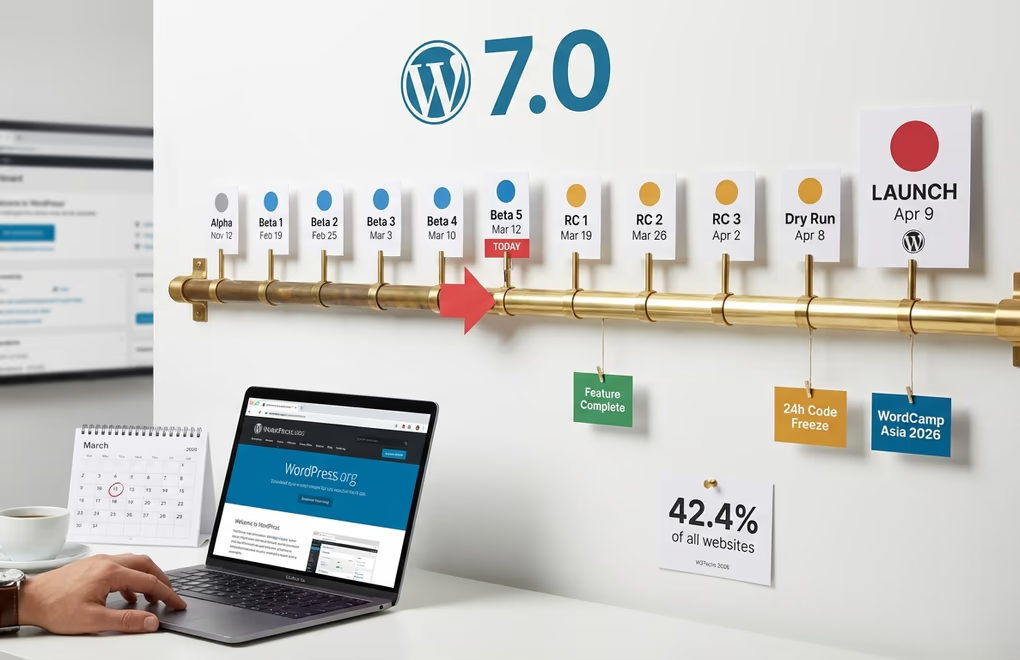
WordPress 7.0 has been in active development since alpha began on November 12, 2025. The beta cycle started February 19, 2026, and here’s the complete remaining schedule leading up to launch.
Beta 4 shipped on March 10, 2026, with 49 updates and fixes since Beta 3 – 14 editor improvements and 35 core fixes – along with all 10 security patches from WordPress 6.9.2. The schedule was extended from four betas to five, with Beta 5 releasing on March 12, 2026, which signals the core team is being careful about getting the AI infrastructure right rather than rushing it. Release Candidate 1 arrives March 19, which is when core considers the release feature-complete and shifts focus to bug fixes only. RC 2 follows on March 26, RC 3 on April 2, and then a dry run with a 24-hour code freeze on April 8 before the general release drops April 9, 2026, timed to coincide with WordCamp Asia 2026 Contributor Day.
If you want to test the WordPress 7.0 AI features before launch, you have several options. The WordPress Beta Tester plugin (set to Bleeding Edge > Beta/RC Only) is the simplest approach. You can also download the beta ZIP directly from WordPress.org, use WP-CLI with wp core update --version=7.0-beta5, or test in your browser instantly through WordPress Playground at playground.wordpress.net without installing anything. The Playground option is perfect for kicking the tires without putting any real site at risk.
WordPress currently powers 42.4% of all websites on the internet according to W3Techs, roughly 9x the market share of its nearest competitor Shopify. When WordPress adds native AI capabilities, it doesn’t just affect the WordPress ecosystem. It shifts the baseline expectation for what a CMS should offer. That’s what makes this release different from a typical version bump.
WordPress AI Just Became a Platform, Not a Plugin
WordPress 7.0 doesn’t ship with a magical “write my blog post” button, and that’s actually the point. What it ships is something more valuable: a standardized, secure, extensible foundation that makes every AI tool on the platform work better. The WP AI Client eliminates duplicate SDKs, the Connectors UI centralizes credential management, the Abilities API makes your site’s functionality discoverable by AI agents, and the official provider plugins give you first-party connections to OpenAI, Anthropic, and Google Gemini. The practical steps are clear: check your PHP version (7.4+ minimum, 8.2+ recommended), back up your site, test on staging, update your plugins and themes, and get your AI API keys ready if you want to experiment on day one. The release drops April 9, 2026, with RC 1 coming March 19 for those who want an earlier preview of the final product.
What WordPress 7.0 AI features are you most looking forward to trying? Are you planning to upgrade on day one, or will you wait a few weeks for the dust to settle? We’d love to hear your approach in the comments.



0 Comments on "WordPress 7.0 AI Features: Everything You Need to Know Before the April Release"