
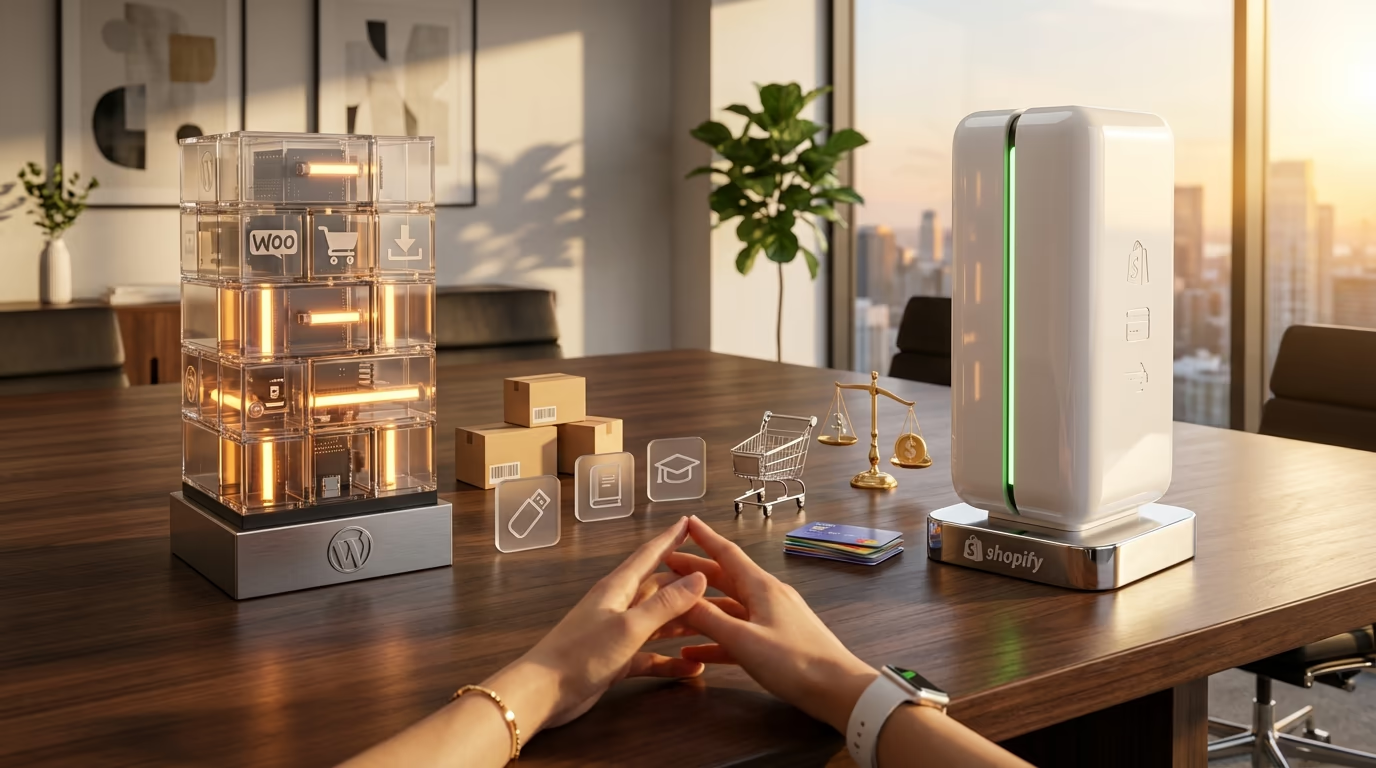
The WordPress vs Shopify debate keeps entrepreneurs awake at night… maybe not but you see what I mean. You’ve got a product to sell, customers waiting, and two platforms pulling you in opposite directions. WordPress powers 43.2% of all websites on the internet. Shopify processes billions in transactions every year. Both claim to be the best choice for your online store. So which one actually deserves your business?
Here’s what most comparison articles won’t tell you: the right answer depends entirely on what you’re selling. Physical products with inventory and shipping? That’s one calculation. Digital downloads, online courses, or services? Completely different math. The platform that saves your competitor thousands of dollars might drain your budget dry.
This isn’t a surface-level feature comparison, you’ll find genuine cost projections, honest assessments of each platform’s weaknesses, and clear recommendations based on your specific business model. Whether you’re launching your first store or migrating from a platform that isn’t working, this guide will help you make a decision you won’t regret in twelve months.
The stakes are real. Choose wrong and you’re looking at expensive migrations, lost SEO rankings, and months of rebuilding. Choose right and you’ve got a foundation that scales with your business for years. Let’s figure out which platform that is for you.
Platform Architecture: How WordPress and Shopify Actually Work

Understanding the fundamental difference between these platforms saves you from making expensive mistakes. Shopify operates as a Software-as-a-Service platform, which means everything lives on their servers. You pay monthly, they handle hosting, security updates, and server maintenance. Your store exists within Shopify’s ecosystem, subject to their rules and limitations.
WordPress takes the opposite approach. It’s open-source software you install on your own hosting. You own everything: the code, the database, the content. This self-hosted model gives you complete control but also complete responsibility. WordPress itself doesn’t include ecommerce features, so you’ll need plugins to transform it into an online store.
For physical products with inventory management, shipping calculations, and warehouse logistics, WooCommerce remains the dominant WordPress solution. Over 4.5 million active stores run on WooCommerce in 2025, making it the world’s most popular ecommerce plugin. It handles product variations, stock tracking, weight-based shipping rates, and integrates with fulfillment services like ShipStation and Shippo.
But here’s what trips up many entrepreneurs: WooCommerce was architected for physical goods. If you’re selling digital products, online courses, software licenses, or services, you’re paying for features you’ll never use while missing capabilities you desperately need. That’s where purpose-built solutions like DigiCommerce come in. It includes subscriptions, course delivery, booking systems, software licensing, and affiliate programs right out of the box. Setup takes minutes rather than hours, and you’re not loading shipping calculators and inventory trackers that slow down your site for no reason.
Shopify handles both physical and digital products on one platform, though its architecture clearly favors physical goods. The dashboard centers around inventory, shipping zones, and fulfillment workflows. Digital product delivery works but feels like an afterthought compared to the robust physical product features.
The Real Cost of WordPress vs Shopify (2026 Pricing Breakdown)

Pricing comparisons between WordPress vs Shopify get complicated fast because you’re comparing apples to orchards. Shopify bundles everything into predictable monthly fees. WordPress splits costs across hosting, themes, plugins, and potentially developer time. Neither approach is inherently cheaper, but one will cost you less depending on your specific needs.
Shopify’s pricing structure breaks down like this: Basic costs $39 per month ($29 with annual billing), the Grow plan runs $105 per month ($79 annually), and Advanced hits $399 per month ($299 annually). Enterprise merchants looking at Shopify Plus start at $2,300 per month. Every plan includes hosting, SSL certificates, and 24/7 support. Transaction fees add 2.9% plus 30 cents per sale on Basic when using Shopify Payments. Choose a third-party payment processor and Shopify tacks on an additional 2% fee.
WordPress costs require more calculation. Quality shared hosting from providers like Bluehost starts around $2.99 per month for the first term, then jumps to $9.99 on renewal. Performance-focused managed WordPress hosting from Kinsta begins at $35 per month. Add a domain name at $10 to $15 annually. Premium themes range from free to $200 or more. So far, WordPress looks cheaper.
Then the plugin costs hit. WooCommerce itself is free, but essential extensions add up quickly. Want subscription functionality? That’s $279 per year. Bookings? Another $249. Software licensing for digital products? Add $179. Payment gateway fees mirror Shopify at 2.9% plus 30 cents through Stripe or WooPayments, but WordPress never charges additional transaction fees regardless of which processor you choose. A fully-featured WooCommerce store for digital products can easily cost $1,000 or more annually in extensions alone. Our detailed plugin pricing comparison breaks down these costs further.
This is where DigiCommerce changes the economics entirely for digital sellers. At $59 per year, you get subscriptions, software licensing, course delivery, booking systems, affiliate tracking, and cart recovery included. No extension stacking, no compatibility headaches, no annual renewal shock when five different plugins all want payment in the same month. For a complete comparison of what you get versus WooCommerce’s fragmented approach, see our WooCommerce vs DigiCommerce breakdown.
Ease of Use: Getting Your Store Online

Shopify wins the ease-of-use battle decisively, and it’s not particularly close. You sign up, follow the setup wizard, add your first product, connect a payment method, and you’re selling. The entire process takes less than an hour for most people. No hosting to configure, no plugins to research, no theme files to modify. Shopify’s interface guides you through every step with clear instructions and helpful tooltips.
WordPress demands more from you upfront. You’ll need to select a hosting provider, install WordPress (many hosts offer one-click installation), choose and configure a theme, install your ecommerce plugin, set up payment gateways, configure tax settings, and establish shipping zones if selling physical products. The learning curve is steeper, and the process typically takes a full day for beginners. Technical issues can extend this to several days.
Your technical comfort level matters here. If the phrase ‘install a plugin’ makes you nervous, Shopify removes that anxiety entirely. If you’ve managed a WordPress blog before or feel comfortable learning new software, the WordPress ecosystem opens up far more possibilities.
Design and Customization: Themes, Templates, and Creative Freedom

Shopify’s theme store offers around 150 themes, split between free options and premium designs costing up to $300. Every theme works reliably with Shopify’s core features and receives regular updates. The theme editor lets you adjust colors, fonts, and layout sections without touching code. It’s limited compared to WordPress, but what’s there works smoothly.
WordPress operates on an entirely different scale. The official theme directory contains thousands of free themes, and marketplaces like ThemeForest add thousands more premium options. The recent block theme revolution has transformed WordPress design capabilities. Full Site Editing now lets you customize headers, footers, templates, and page layouts visually without code. You can modify virtually anything about your site’s appearance.
This flexibility comes with a catch. Not all WordPress themes play nicely with ecommerce plugins. A theme that looks perfect for your blog might create layout issues when you add product pages. WooCommerce compatibility varies widely across themes, and some require specific child themes or custom CSS to display products properly. Always verify ecommerce compatibility before committing to a theme.
Shopify enforces a rigid URL structure that you cannot change: products live at /products/product-name, collections at /collections/collection-name. WordPress gives you complete control over URL structures, letting you create cleaner paths that can benefit SEO and user experience.
Ecommerce Features: What Each Platform Does Best
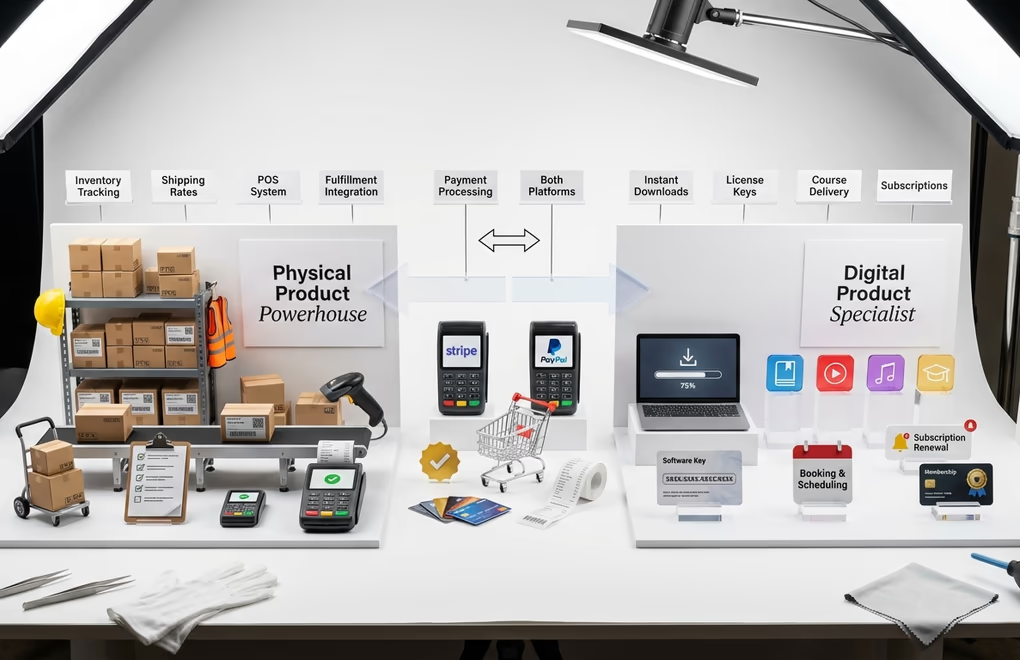
Shopify excels at physical product sales. Inventory tracking works flawlessly across multiple locations. Shipping rate calculations integrate with major carriers automatically. The point-of-sale system syncs online and in-person sales seamlessly. Fulfillment integrations with services like Amazon FBA and third-party logistics providers connect in clicks rather than hours. If you’re shipping boxes to customers, Shopify has refined this workflow over years of development.
WooCommerce matches most of Shopify’s physical product capabilities through its extension ecosystem. You can find plugins for multi-location inventory, real-time shipping rates, and fulfillment service integrations. The difference lies in the integration experience. Shopify features work together because they’re built by one team. WooCommerce extensions come from dozens of different developers with varying code quality and update schedules. Check our guide to the best WordPress ecommerce plugins for tested recommendations.
For digital products, services, and courses, WordPress pulls ahead with specialized solutions. DigiCommerce delivers features that neither Shopify nor WooCommerce include natively: built-in LMS for course creators, appointment booking for service providers, software license key generation for developers, and subscription management for membership sites. Everything integrates because it’s designed as a unified system rather than bolted together from separate extensions.
Payment processing options differ between platforms. Shopify Payments keeps things simple but penalizes you for using alternatives. WordPress gives you freedom to choose any payment gateway without platform fees on top of processor fees. Both support major options like Stripe, PayPal, and Apple Pay.
SEO and Marketing: Which Platform Helps You Grow?

Search engine optimization determines whether customers find your store or your competitor’s. Both platforms can rank well in Google, but they approach SEO from opposite directions.
Shopify handles technical SEO automatically. Fast servers, global CDN, automatic SSL certificates, mobile-responsive themes, and clean code contribute to solid Core Web Vitals scores without any configuration. The 2025 updates added AI-generated metadata suggestions and personalized SEO recommendations in the dashboard. You don’t need to understand technical SEO to benefit from these foundations.
WordPress gives you deeper SEO control through plugins like Rank Math and Yoast SEO. You can customize every aspect of on-page optimization: meta titles, descriptions, schema markup, XML sitemaps, canonical URLs, and internal linking suggestions. Advanced users can edit robots.txt and .htaccess files directly. This granular control lets WordPress sites achieve exceptional SEO results when properly optimized. For help choosing between the two leading SEO plugins, see our Rank Math vs Yoast SEO comparison.
Content marketing separates WordPress from every competitor. WordPress began as blogging software, and that heritage shows. Creating articles, guides, and resources that attract organic traffic feels natural. Shopify added blogging features, but they remain basic compared to WordPress’s publishing capabilities. If content marketing forms a significant part of your growth strategy, WordPress provides superior tools.
Security and Maintenance: The Hidden Time Investment

Security often gets overlooked in platform comparisons until something goes wrong. Shopify handles security entirely, so you never think about it. Every store receives SSL encryption, PCI DSS Level 1 compliance for payment processing, automatic backups, and continuous security monitoring. Updates deploy silently in the background. You focus on selling while Shopify’s security team handles threats.
WordPress security falls on your shoulders. You’re responsible for keeping WordPress core, themes, and plugins updated. You need security plugins like Wordfence or Sucuri. You should configure backups through your hosting provider or a dedicated backup plugin. Poorly maintained WordPress sites get hacked regularly, but well-maintained sites with quality hosting can be just as secure as Shopify. Our guide on WordPress security best practices covers everything you need to know.
The time investment matters. Expect to spend three to five hours monthly on WordPress maintenance: applying updates, checking for conflicts, reviewing security logs, and managing backups. Shopify requires essentially zero maintenance time. That monthly time difference adds up across a year, especially if your hourly rate is high.
Scalability: Which Platform Grows With Your Business?

Both platforms can handle significant growth, but they scale differently. Shopify Plus serves enterprise merchants processing millions in annual revenue, with over 44,000 Plus stores operating in 2025. The infrastructure handles traffic spikes automatically, and you never worry about server capacity. Moving from Basic to Plus involves upgrading your plan rather than rebuilding your store.
WordPress scalability depends on your hosting infrastructure. Cheap shared hosting struggles with traffic surges and large product catalogs. Managed WordPress hosts like Kinsta or WP Engine handle enterprise-level loads with proper caching, CDN integration, and database optimization. You’re responsible for scaling your infrastructure as your business grows, which requires more technical knowledge but offers more control over performance.
Platform migrations become painful at scale. Moving thousands of products, customer accounts, order history, and SEO equity from one platform to another risks significant disruption. Choose the platform you can grow with rather than planning to switch later. Migration costs, both monetary and in lost rankings, exceed initial setup costs by a wide margin.
WordPress vs Shopify for Digital Products, Services, and Courses

This section matters most if you’re not shipping physical boxes. Ebooks, templates, software, music, photography, online courses, consulting services, coaching sessions, and memberships all fall into the digital category. The WordPress vs. Shopify comparison looks completely different for these sellers.
Shopify can sell digital products, but the experience feels bolted on. You’ll need apps for advanced digital delivery features, course hosting requires third-party integrations, and the interface constantly reminds you it was built for physical inventory. Service providers and consultants find the product-centric structure awkward for selling their time and expertise.
WooCommerce handles digital products but inherits the same architectural problem. The core plugin assumes physical products, so you’re disabling inventory tracking, hiding shipping fields, and working around features designed for boxes rather than bytes. Essential digital features require paid extensions: $279 for subscriptions, $179 for software licensing, and a separate LMS plugin entirely for courses.
DigiCommerce exists specifically because of this gap. Built from scratch for digital products, services, and courses, it includes everything digital sellers need without the physical product overhead. Subscription management handles recurring billing automatically. The built-in LMS lets you create and sell courses without separate plugins. Software licensing generates and validates license keys for your digital products. Booking systems let service providers sell appointments directly. The full comparison against WooCommerce shows exactly what you gain by choosing a purpose-built solution.
Setup takes minutes because the interface focuses only on what matters for digital sales. No wading through shipping zone configurations. No disabling inventory tracking you’ll never use. Just upload your product, set your price, and start selling. The streamlined checkout converts better because it removes friction that physical product stores require but digital stores don’t.
Which Platform Should You Choose in 2026?
After analyzing both platforms across pricing, features, ease of use, and specific use cases, clear patterns emerge. Your business model determines the right choice more than any universal recommendation.
Choose Shopify if you sell physical products and want the simplest path to a professional store. If inventory management, shipping logistics, and point-of-sale integration matter to your business, Shopify delivers these features better than any alternative. The platform works best for merchants who value their time over customization options and prefer predictable monthly costs over variable expenses.
Choose WordPress with WooCommerce if you sell physical products but need deeper customization, stronger content marketing capabilities, or want to avoid platform lock-in. You’ll invest more time upfront and ongoing, but you gain complete control over your store and eliminate monthly platform fees beyond hosting costs.
Choose WordPress with DigiCommerce if you sell digital products, online courses, software, or services. The purpose-built architecture eliminates the friction of platforms designed for physical goods. You get everything you need included: subscriptions, licensing, course delivery, bookings, and affiliate programs at a fraction of WooCommerce’s extension costs. Setup takes minutes rather than hours, and your site performs better because it’s not loading unnecessary physical product features.
Some businesses benefit from hybrid approaches: WordPress handling content and SEO with Shopify’s buy button embedded for transactions. This lets you leverage WordPress’s superior blogging while outsourcing checkout complexity to Shopify. It’s more complicated to set up but can provide the best of both worlds for specific situations.
The WordPress vs. Shopify decision ultimately comes down to what you’re selling and how much control you want. Physical products with zero technical interest? Shopify. Digital products or services? WordPress with DigiCommerce. Physical products with content marketing ambitions? WordPress with WooCommerce. Make the choice that fits your business today while leaving room for where you want to be in three years.





0 Comments on "WordPress vs Shopify: The Ultimate Comparison for Ecommerce in 2026"