
A WordPress redirect plugin handles one job that matters more than most site owners realize. It makes sure visitors and search engines reach the right page, even after URLs change. If you’ve ever restructured your site, switched your permalink settings, or deleted old posts, you’ve probably left broken links behind without knowing it. Those broken links send real visitors to dead ends and tell Google your site isn’t well maintained.
Fixing this doesn’t require editing server configuration files by hand. A redirect plugin gives you a simple interface where you enter the old URL and the new destination, and WordPress forwards every visitor to the correct page automatically, before they notice anything changed.
After testing the most popular options on a live WordPress install, here’s what stands out in 2026. Redirection by John Godley remains the strongest free option, with regex support, 404 logging, and zero premium upsells. Rank Math’s built-in redirect manager gives you a capable option if you’re already running Rank Math Pro for SEO, though it requires their paid tier at $7.99 per month. And if you want server-level redirects that fire before WordPress even loads, AIOSEO Pro delivers that at $199.50 per year.
The right WordPress redirect plugin depends on what you’re redirecting and how many rules you need to manage. A small blog with a few moved posts needs a different tool than a 500-page site running a full domain migration. Here is how the seven options compare at a glance, before we get into what each one does well and where it falls short.
| Plugin | Price | Key strength | Best for |
|---|---|---|---|
| Redirection | Free | Regex plus 404 log, no upsell | Most sites on a budget |
| Simple 301 Redirects | Free | Wildcards, very lightweight | A handful of moved URLs |
| 404 to 301 | Free | Auto-catches every 404 | A post-migration safety net |
| 301 Redirects | Free | 301, 302 and 307 with basic 404 log | Simple managed redirects |
| Rank Math Pro | $95.88/yr | Redirects inside your SEO suite | Existing Rank Math users |
| AIOSEO Pro | $199.50/yr | Server-level redirect speed | High-traffic sites, big rule sets |
| Pretty Links | $99.60/yr | Cloaks and tracks affiliate links | Affiliate marketers |
Why Does Your WordPress Site Need a Redirect Plugin?

URLs break more often than you’d expect, and each broken link creates two problems at once. Visitors hit a dead end and leave, and Google gradually drops the page from search results because its crawler can’t reach it either. These broken links accumulate silently, and by the time you notice the traffic drop, dozens of dead URLs may be scattered across your site.
The most common trigger is a permalink change. WordPress lets you restructure your URL format at any time, from date-based to post-name for example, but it doesn’t create redirects automatically when you do. Every inbound link pointing to the old format, whether from another website, a social media post, or your own internal linking, stops working the moment you save the new permalink structure. The same thing happens when you delete a post, merge two articles into one, rename a slug, or move content to a different section of your site.
A redirect forwards anyone visiting the old URL to the correct new one, instantly and transparently. The visitor sees the right page, and search engines transfer most of the old URL’s ranking signals to the new address. Without that redirect, those signals evaporate over time and every backlink to the old URL loses its value.
Three redirect types handle nearly every scenario you’ll encounter. A 301 redirect is permanent and tells browsers and search engines that the old URL has moved for good, so they should update their index. A 302 redirect is temporary, which is useful when you’re running A/B tests or routing traffic during scheduled maintenance. A 307 is the HTTP/1.1 version of 302 that preserves the original request method, which matters when you’re redirecting form submissions or API endpoints where the POST data needs to arrive intact.
You can add redirects manually by editing your site’s .htaccess file, but that carries real risk. A single typo can take your entire site offline, and the file gives you no logging, no error tracking, and no visual way to manage hundreds of rules. A redirect plugin gives you a clean dashboard, 404 monitoring, import and export, and usually regex support, without touching server configuration directly.
Which Free WordPress Redirect Plugins Work Best?

Four free plugins cover the vast majority of redirect needs, and the best one for your site depends on whether you need advanced features like regex matching or just want the simplest path from old URL to new URL.
Redirection by John Godley has earned its position as the most installed free redirect plugin for WordPress. It’s fully open-source, genuinely free with no premium tier or feature gates, and it has been actively maintained for over ten years. You get a clean interface for creating 301, 302, and 307 redirects, a built-in 404 error log that shows you exactly which broken URLs visitors are hitting, conditional redirect rules based on login status or referrer, and full regex support for pattern-based redirects. Redirection also imports and exports rules in CSV, JSON, and Apache .htaccess format, which makes it straightforward to migrate between hosts or merge lists from different sources. The one downside is that on sites with thousands of active redirects and heavy logging, it adds measurable database load, since every hit and 404 writes a log entry to your database.
Simple 301 Redirects does exactly what the name suggests and nothing more. You enter the source path and the destination URL, and the plugin creates a 301 redirect. It supports wildcards for matching multiple URLs with one rule and lets you import or export rules via CSV. There’s no 404 logging, no conditional rules, and no regex, which keeps the plugin extremely lightweight with minimal server overhead. If you have fifteen old URLs that need to point somewhere new and you don’t want to think about redirects again, this is the right choice.
404 to 301 takes a different approach entirely. Instead of letting you create individual redirect rules, it automatically redirects every 404 error on your site to a URL of your choosing, typically your homepage or a custom landing page. It logs the 404 hits so you can review them later, and it sends optional email notifications when new broken URLs appear. This plugin works well as a temporary safety net after a migration, but it shouldn’t replace specific redirect rules for your most important pages because a blanket homepage redirect doesn’t pass targeted SEO signals to the right destination.
301 Redirects sits in the middle ground between Simple 301 Redirects and the full-featured Redirection plugin. The free version gives you a clean admin interface for managing 301, 302, and 307 redirects with basic 404 logging included. A pro version starting at $49 per year adds analytics integration and more advanced rule management, but the free tier handles the needs of most small to mid-sized WordPress sites that want straightforward redirect management without extra complexity.
How Do Premium Redirect Features Compare?

When free plugins aren’t enough, usually because you need server-level performance, advanced analytics, or affiliate link management, premium options fill the gap. The differences come down to whether you want redirects as part of a broader SEO toolkit or as a standalone tool.
AIOSEO Pro at $199.50 per year handles redirects at the server level, which means the redirect fires before WordPress fully loads. On a standard plugin-level redirect, the server has to boot PHP, load WordPress core, run the plugin, match the redirect rule, and then send the response. Server-level redirects skip most of that chain, which makes a real difference when you have hundreds of redirect rules or a high-traffic site where every millisecond of response time matters. AIOSEO Pro also includes automatic redirect creation when you change a post slug, full-site redirect support for moving between domain names, and an integrated 404 log tied to its broader SEO analytics. The trade-off is that you’re paying for a complete SEO suite where redirects are one module among many, so the price feels steep if redirects are the only feature you actually need.
Rank Math Pro starting at $7.99 per month (about $95.88 per year) includes a redirect manager alongside its SEO features. If you’ve read our Rank Math versus Yoast SEO comparison, you know that Rank Math packs more features into its ecosystem than most competing SEO plugins. The redirect module supports 301, 302, 307, 410 (gone), and 451 (unavailable for legal reasons) redirect types, regex pattern matching, automatic redirects when you change post slugs, and a 404 monitor that logs broken URLs with their source information. The interface integrates directly into the WordPress admin alongside your other SEO settings, so you manage everything from one place without switching between plugin dashboards.
PrettyLinks at $99.60 per year approaches redirects from the affiliate marketing side. Its primary purpose is creating branded short links, like yourdomain.com/go/product-name, that cloak affiliate URLs behind clean and trustworthy paths. It tracks click counts for each link, supports automatic keyword linking where the plugin replaces specific words in your content with affiliate links, and includes link rotation for split-testing different destinations. PrettyLinks isn’t really a replacement for a traditional redirect plugin because it won’t help you manage 404 errors or handle a site migration, but it solves a specific problem for WordPress sites that earn revenue from affiliate partnerships.
For a site running performance-optimized WordPress, server-level redirects in AIOSEO Pro offer a genuine speed advantage that grows as your rule count climbs into the hundreds or thousands.
Should You Use Your SEO Plugin for Redirects Instead?
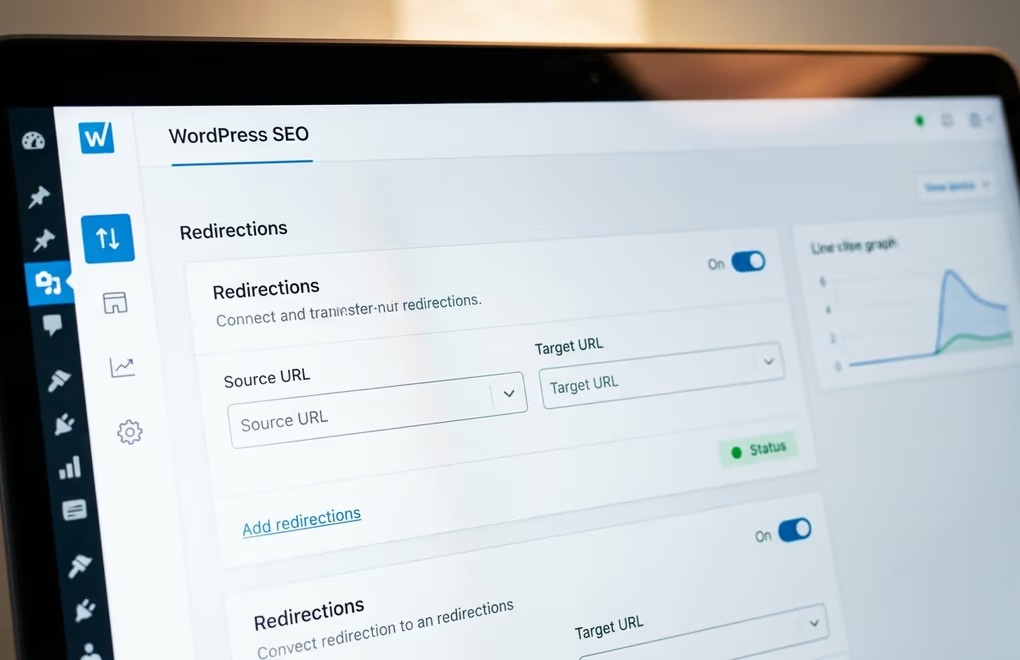
Most modern SEO plugins include some form of redirect management, which raises a fair question. Do you actually need a separate redirect plugin if you already run Rank Math, Yoast, or AIOSEO for on-page optimization?
The answer depends on what “some form of redirect management” actually means in practice for each plugin. Rank Math’s free tier includes a simple 404 monitor that logs broken URLs, but it doesn’t let you create redirects from that log. You need Rank Math Pro at $7.99 per month to get the full redirect manager with regex support and automatic slug-change redirects. Yoast SEO follows a similar pattern, where redirects require Yoast Premium at $99 per year and give you basic redirect rules tied to deleted posts and changed URLs. AIOSEO gates its redirect module behind the Pro plan at $199.50 per year, but adds the server-level performance advantage that neither Rank Math nor Yoast offer.
If you already pay for one of these premium SEO plans, using its built-in redirect manager is often the smartest move. You avoid adding another plugin, since each one adds database queries and possible conflicts, and the rules live alongside your SEO settings in one dashboard. Rank Math Pro in particular offers a redirect interface that competes with standalone plugins on features, including regex, multiple redirect types, and automatic redirects for changed slugs.
The case for a separate, dedicated redirect plugin comes down to three scenarios. First, if you run the free version of your SEO plugin and won’t upgrade, Redirection gives you more capability at zero cost than most SEO plugins offer in their paid tiers. Second, a migration with hundreds or thousands of URL changes needs a dedicated tool like Redirection for the bulk import, logging, and testing that SEO modules built for one-off rules handle poorly. Third, if you need server-level performance your SEO plugin doesn’t offer, that justifies AIOSEO Pro or carefully managed .htaccess rules.
How Do You Avoid Redirect Chains and Performance Problems?
Setting up redirects is the easy part. Keeping them clean as your site evolves is where most sites run into real trouble, because rules accumulate and interact in ways that are hard to spot without deliberate auditing.
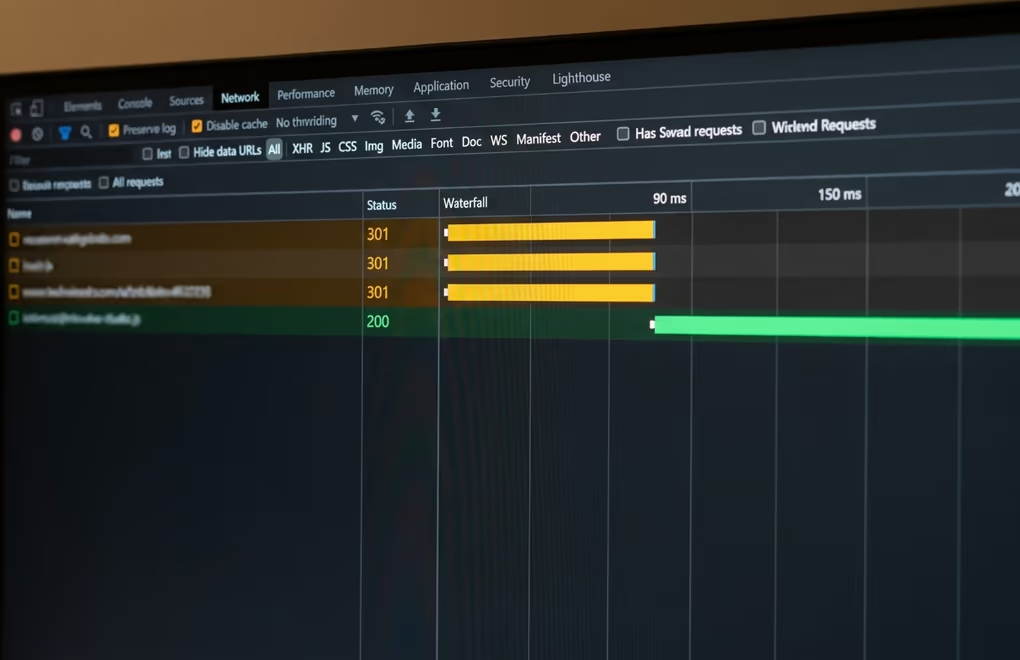
A redirect chain forms when URL A redirects to URL B, which then redirects to URL C. It builds up naturally when you move a page, create a redirect, then move it again later and point the intermediate URL somewhere new instead of updating the original rule. Every hop adds latency, and search engines may stop following the chain after two or three redirects, so the final page never receives the link equity from the original URL even though the redirect technically works.
The fix is straightforward, since you always redirect to the final destination and never to another redirect. When you move a page that already has a redirect pointing to it, edit that original rule to target the new URL rather than stacking a second rule on top. In the Redirection plugin, that means changing the existing rule’s target rather than adding a new entry. A quick audit every few months catches chains before they stack up and cause ranking issues.
Redirect loops happen when URL A redirects to B and B redirects back to A, which creates an infinite cycle. Browsers detect these and show an error page, most commonly “ERR_TOO_MANY_REDIRECTS,” and both URLs become effectively unreachable for visitors and search engines alike. Loops usually stem from conflicting redirect rules where two different plugins, or a plugin and an .htaccess rule, both try to redirect the same URL in different directions. Use your browser’s developer tools and open the Network tab to trace the redirect sequence, identify which rule is creating the loop, and remove the conflicting entry.
On the performance side, plugin-level redirects run after PHP and WordPress core have loaded, which typically adds 50 to 200 milliseconds depending on your host. For sites with fewer than a hundred rules, that overhead is barely noticeable. On a high-traffic site with thousands of active rules, the database lookup on every request adds up and slows your server response time. Server-level redirects through AIOSEO Pro or .htaccess bypass the WordPress stack and process at the web server level.
Here’s a common regex pattern you can use in Redirection or Rank Math to redirect an entire category of old URLs to their new location. Set the source to /old-category/(.*) and the target to /new-category/$1, which catches any URL starting with the old path and sends it to the same slug under the new path, preserving everything after the slash. That’s one rule instead of dozens of individual redirects, and it automatically handles any indexed pages under the old path that you might not even know about.
Pick the Right Plugin and Stop Losing Traffic
Choosing a WordPress redirect plugin doesn’t need to be complicated. All seven options on this page work, and none will break your site if you follow basic redirect hygiene. The real risk is doing nothing and leaving broken URLs unfixed while traffic and rankings quietly erode in the background.
If cost matters most, install Redirection for a genuinely full-featured redirect manager, free and backed by more than a decade of development. If you already pay for Rank Math Pro or AIOSEO Pro, skip the extra plugin and use the redirect manager built into your SEO toolkit. And if site speed is the priority on a large rule set, server-level redirects through AIOSEO Pro or careful .htaccess rules give you the best raw performance.
Whatever you choose, set it up today rather than putting it off. Every day a 404 sits unfixed is a day you’re losing visitors who wanted your content and sending Google the signal that your site has gaps worth penalizing. A five-minute redirect saves months of traffic recovery work down the line.
