

The plugin is free. Your costs aren’t. This distinction trips up thousands of WordPress users every year when they decide to sell digital products on WordPress. They download a free plugin, set up their store, make their first sale, and then watch as fees quietly eat into their margins from every direction.
I’ve spent the past month digging into the actual costs of running a digital product store on WordPress, not the marketing page prices, not the introductory offers, the real numbers you’ll pay over one, two, and three years of operation. The results surprised me, and they’ll probably surprise you too.
Whether you’re selling ebooks, online courses, software, templates, or any other downloadable product, choosing the right platform comes down to more than features, it comes down to math, and the math varies dramatically depending on your sales volume, the features you actually need, and how long you plan to run your business. This guide breaks down every cost you’ll encounter when you sell digital products on WordPress, from the obvious plugin fees to the transaction costs that silently compound with every sale.
Understanding the True Cost to Sell Digital Products on WordPress
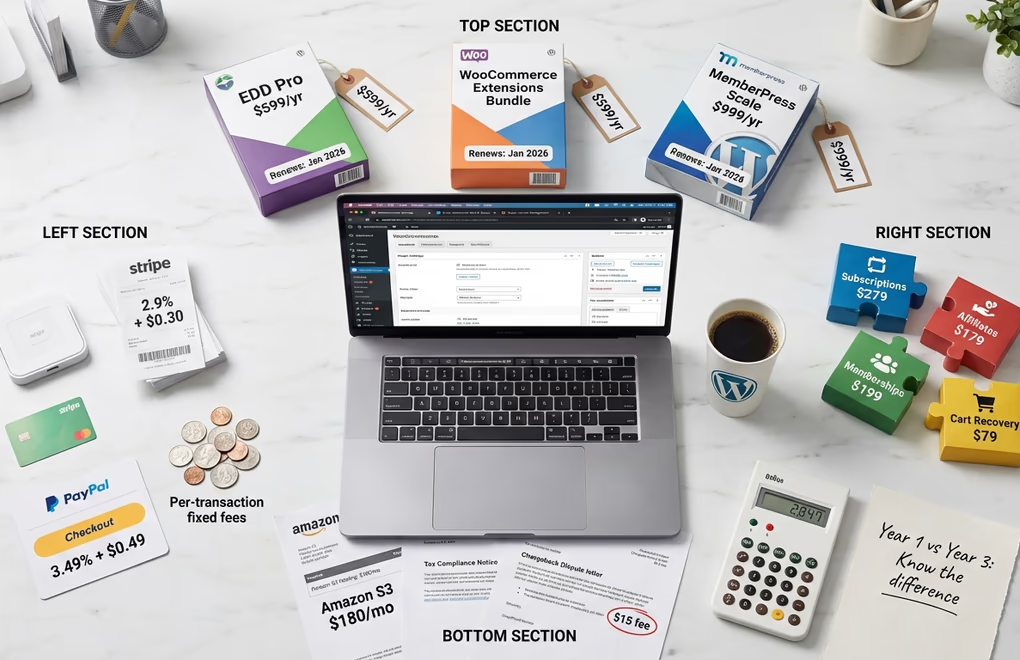
Before comparing specific plugins, you need to understand the cost categories that apply to every WordPress digital store. Missing any of these in your calculations leads to budget surprises down the road. Some costs are fixed regardless of your sales volume, others scale directly with revenue. Knowing the difference helps you project expenses accurately as your business grows.
Plugin licensing fees represent your most visible cost. Most WordPress eCommerce plugins use annual subscription pricing, meaning you pay every year to maintain access to updates and support. Some offer lifetime deals, but these are increasingly rare. The advertised price often reflects a first-year discount, with renewals jumping 50% to 200% higher. Easy Digital Downloads, for example, shows introductory pricing on their sales page but clearly states that all renewals are at full price.
Payment processor fees hit every transaction you make. Stripe charges 2.9% + $0.30 per successful card charge for domestic transactions, with an additional 1.5% for international cards. PayPal’s standard rate sits at 3.49% + $0.49 for checkout transactions. These fees apply regardless of which WordPress plugin you choose. They’re unavoidable unless you accept only bank transfers or cryptocurrency.
Extension and add-on costs often catch store owners off guard. The base plugin might handle basic digital downloads, but features like subscriptions, software licensing, affiliate programs, and abandoned cart recovery typically require separate paid extensions. WooCommerce’s extension marketplace contains hundreds of paid add-ons, each with its own annual renewal. Building a full-featured digital store often requires stacking multiple extensions, and those costs add up quickly.
Platform transaction fees represent an additional percentage that some platforms take from each sale on top of payment processor fees. MemberPress’s Launch plan charges 4.9% per transaction and Gumroad takes 10% plus $0.50 per sale. These platform fees compound with Stripe or PayPal fees, significantly impacting your margins on lower-priced products.
Easy Digital Downloads Pricing Breakdown
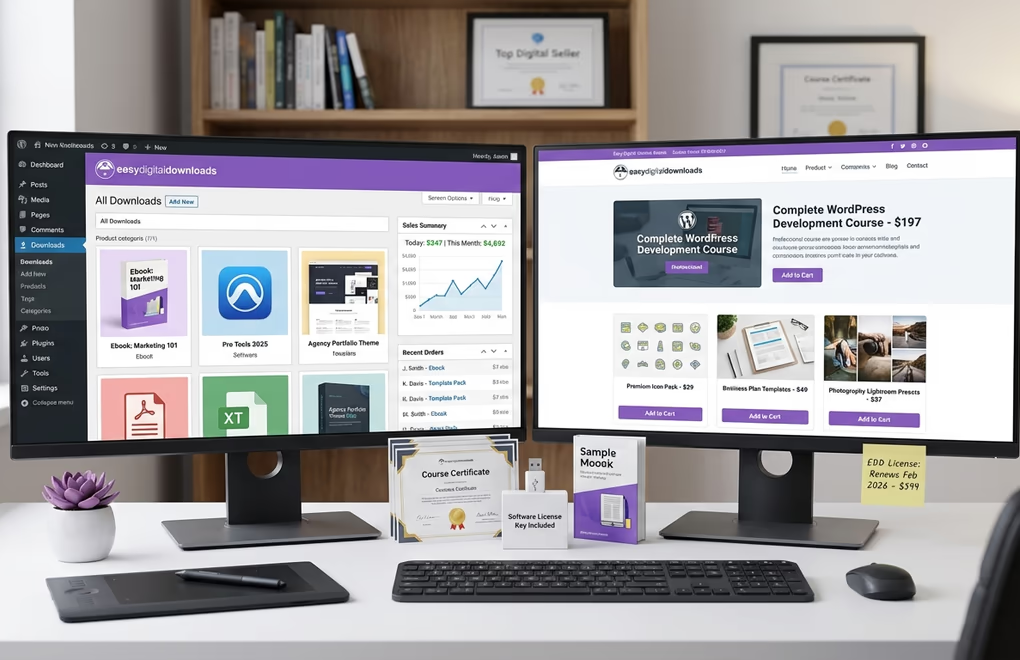
Easy Digital Downloads has established itself as the go-to WordPress plugin specifically designed for selling digital products. Unlike WooCommerce, which handles both physical and digital goods, EDD focuses exclusively on downloadable products, software, and digital services. This specialization shows in its feature set, but the pricing structure requires careful analysis if you’re going to understand your true long-term costs.
EDD offers four paid tiers, each with introductory pricing that increases significantly upon renewal. The Personal plan starts at $79/year (regularly $199/year) and covers one site with unlimited products, email marketing tools, subscriptions, and five payment methods including Stripe, PayPal, Square, Apple Pay, and Google Pay. The Extended plan costs $139/year (regularly $399/year) and adds content restriction, product bundles, custom pricing options, and multi-currency support.
The Professional plan at $209/year (regularly $599/year) includes software licensing, vendor management for multi-author stores, recommended products, and wish lists across two sites. For those who want everything, the All Access Pass runs $299/year (regularly $999/year) covering three sites with every feature including advanced reporting, fraud prevention, customer messaging, and version control for software products.
This is where the math gets interesting. If you sign up for the Personal plan today at $79, your second year renewal jumps to $199. Over three years, you’ll pay $79 + $199 + $199 = $477 total for a plan that looked like it would cost $237 when you first signed up. The All Access Pass follows the same pattern: $299 year one, then $999 for years two and three, totaling $2,297 over three years.
The good news: EDD charges zero transaction fees on any plan. Your only per-sale costs come from your payment processor. This makes EDD particularly cost-effective for high-volume stores where transaction fees would otherwise compound into significant amounts. A store doing $10,000/month in sales saves hundreds compared to platforms charging additional percentage fees.
WooCommerce: The Hidden Cost Champion

WooCommerce powers approximately 38% of all online stores, making it the most popular eCommerce platform worldwide. The core plugin is free and open source. This $0 price tag attracts millions of users, but the reality of selling digital products through WooCommerce looks very different once you start adding the extensions you’ll need for a professional digital store.
The base WooCommerce plugin handles basic digital downloads out of the box. You can upload files, mark products as downloadable and virtual, and accept payments through WooPayments. But the moment you need subscriptions, memberships, software licensing, or advanced marketing features, you’re shopping in the extension marketplace where costs escalate rapidly.
WooCommerce Subscriptions costs $279/year for recurring billing functionality. WooCommerce Memberships adds another $199/year for content restriction and member-only products. Need an affiliate program? The Affiliate For WooCommerce extension runs $179/year. WooCommerce Bookings for appointment-based services costs $249/year. Abandoned cart recovery starts at $79/year from various developers.
A typical digital product store wanting subscriptions, memberships, and an affiliate program would pay: $279 + $199 + $179 = $657/year in extensions alone. Add WooPayments’ transaction fee of 2.9% + $0.30 per transaction (with an additional 1% for international cards), and your costs grow with every sale. On $5,000 monthly revenue, payment processing alone runs approximately $175/month or $2,100/year.
WooCommerce’s strength lies in its flexibility and massive ecosystem. If you need a specific feature, there’s a good chance someone has already built an extension for it. The weakness is cost fragmentation. You’re managing multiple licenses, multiple renewal dates, and potential compatibility issues when extensions update at different times.
MemberPress: Membership-First Pricing Model
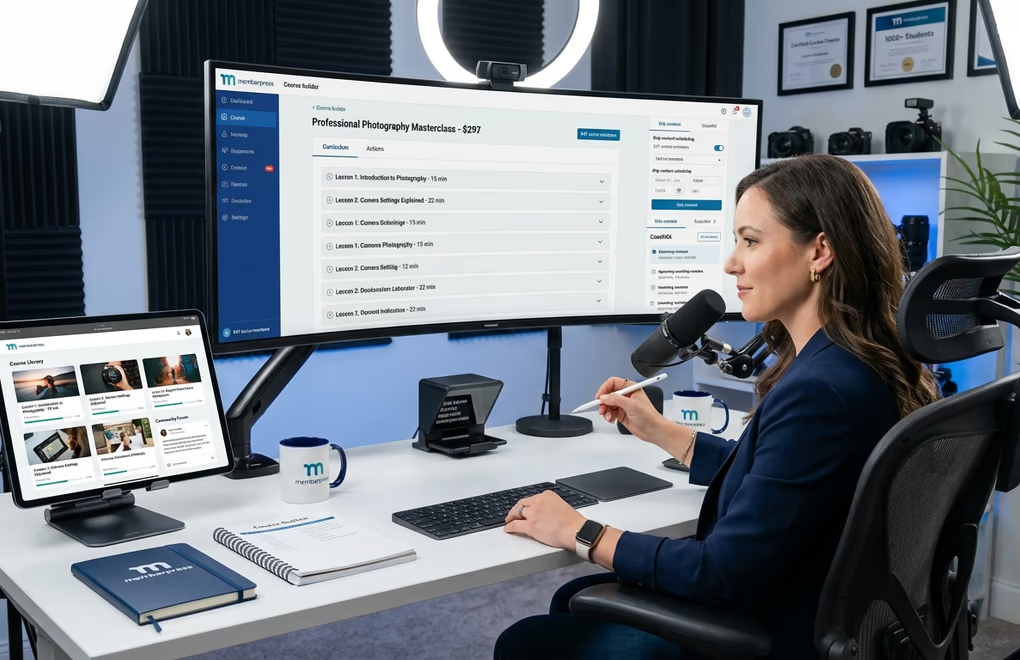
MemberPress positions itself as a membership and course platform rather than a general digital product store. If you’re selling access to content libraries, online courses, or community memberships, this specialization works in your favor. The pricing structure, however, includes a catch that’ll affect your margins on every sale.
The Launch plan costs $199.50/year (normally $399) and includes the ReadyLaunch site builder, unlimited courses and lessons, and drag-and-drop curriculum building. It also carries a 4.9% transaction fee on every sale. This fee stacks on top of your payment processor fees. A $50 course sale through the Launch plan loses $2.45 to MemberPress plus approximately $1.75 to Stripe, totaling $4.20 or 8.4% of your sale price.
The Growth plan at $244.65/year (normally $699) eliminates the transaction fee entirely and adds ClubSuite for forums and member directories, CoachKit for coaching programs, advanced LMS features with quizzes and certificates, content dripping, and multiple payment gateway support. The Scale plan costs $299.70/year (normally $999) and includes Easy Affiliate for running your own affiliate program, automation engine, REST API access, gradebook features, and corporate accounts.
The transaction fee on the Launch plan creates a break-even calculation. At what sales volume does upgrading to Growth make financial sense? If you sell $5,000/year in courses through Launch, you pay $245 in MemberPress transaction fees. The Growth plan costs $45 more annually but eliminates those fees. Upgrade at around $4,500 in annual sales and the Growth plan pays for itself.
DigiCommerce: The All-Inclusive Alternative

DigiCommerce takes a different approach to pricing. Rather than charging separately for subscriptions, licensing, bookings, and affiliates, everything comes bundled in a single $59/year Pro license. No introductory pricing tricks, no feature-gated tiers, no transaction fees beyond your payment processor. The straightforward pricing eliminates the cost calculation complexity that plagues other platforms.
The Pro plan includes digital product management with automatic secure delivery, optimized checkout with guest checkout support, Stripe and PayPal integration, booking and appointment scheduling, a complete course builder with lessons, quizzes, and certificates, subscription billing, software license key management, an affiliate program system, abandoned cart recovery, coupon management, and Amazon S3 integration for large file delivery. These features would cost over $1,300 annually if purchased as separate WooCommerce extensions.
As I explored in our article on why DigiCommerce excels for digital products, the platform was built specifically for digital commerce rather than adapted from physical product systems. This focus shows in features like the conversion-optimized checkout flow, which the developers claim is engineered to reduce cart abandonment compared to general-purpose eCommerce checkouts.
The three-year cost comparison makes the value clear. DigiCommerce Pro: $59 × 3 = $177 total. Easy Digital Downloads Professional (after introductory pricing): $209 + $599 + $599 = $1,407 total. WooCommerce with Subscriptions, Memberships, and Affiliates: $657 × 3 = $1,971 total. The savings compound over time, leaving more revenue in your pocket rather than going to plugin vendors.
Hosted Platform Comparison: Gumroad, Sellfy, and SendOwl
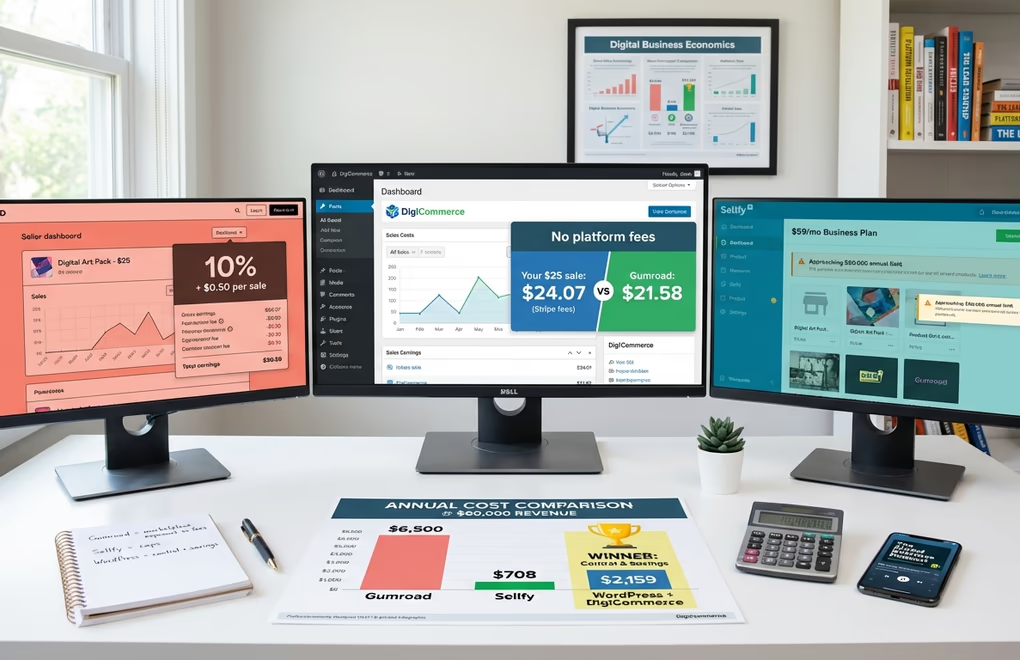
Some creators consider hosted platforms instead of WordPress solutions. These platforms handle hosting, security, and payment processing in exchange for higher fees or monthly subscriptions. Understanding their cost structure helps you figure out whether WordPress offers better value for your situation.
Gumroad charges no monthly fee but takes 10% plus $0.50 per transaction for direct sales. If customers find you through Gumroad’s discover marketplace, the fee jumps to 30% per transaction. On a $20 ebook sale, Gumroad keeps $2.50 from direct sales or $6.00 from marketplace sales. At $5,000 monthly revenue from direct sales, you’re paying $750/month or $9,000/year to Gumroad alone, before payment processor fees. That’s quite a lot!
Sellfy uses a subscription model with sales caps. The Starter plan costs $22/month when paid annually ($264/year) and limits you to $10,000 in annual sales. Exceed that cap and you either upgrade or pay a 2% overage fee. The Business plan at $59/month annually ($708/year) raises the cap to $50,000. Premium at $119/month annually ($1,428/year) allows up to $200,000 in sales. Sellfy charges no platform transaction fees, but payment processor fees (Stripe or PayPal) still apply.
SendOwl charges $39/month for the Starter plan (limited to $10,000 annual sales and 20 products), $87/month for Standard ($36,000 sales cap, 100 products), and $159/month for Pro ($100,000 sales cap, unlimited products). SendOwl’s advantage is zero transaction fees on all plans. At $87/month, you’re paying $1,044/year regardless of sales volume within your cap.
WordPress solutions become more economical as your sales grow. A store doing $60,000/year in sales would pay: Gumroad approximately $6,500 in fees, Sellfy $708 (Business plan), SendOwl $1,044 (Standard plan), or DigiCommerce $59 plus around $2,100 in Stripe fees. The WordPress option with DigiCommerce totals $2,159 compared to Gumroad’s $6,500. That’s a $4,341 annual difference that compounds every year you stay in business.
Payment Processor Fees: The Unavoidable Cost
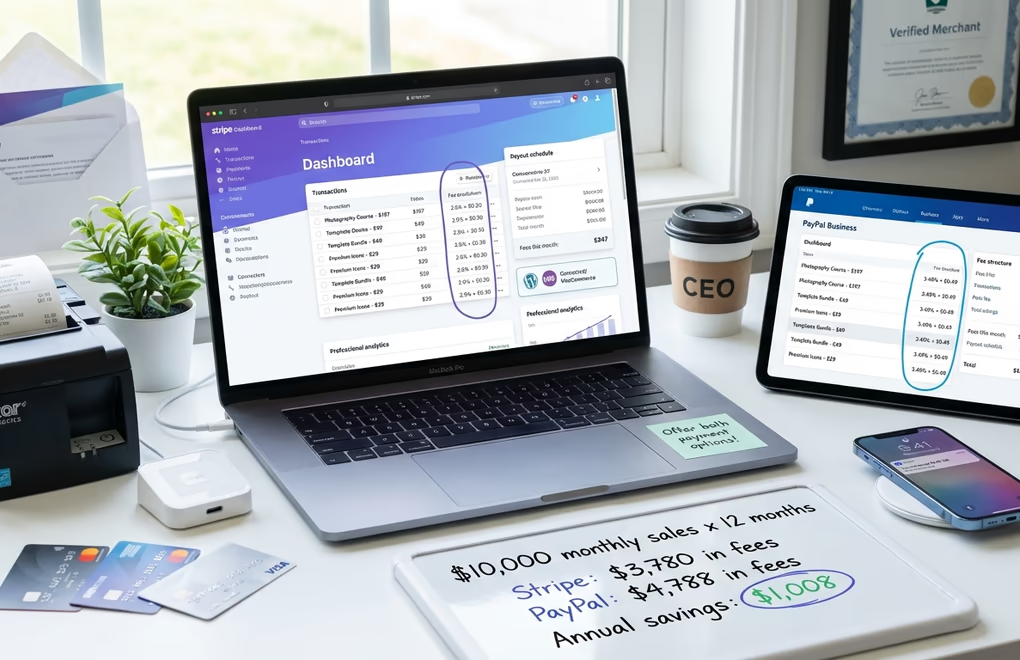
Every platform, WordPress or hosted, requires a payment processor. These fees apply universally and represent your baseline transaction cost. Choosing the right processor and understanding fee structures helps you minimize this unavoidable expense.
Stripe remains the most popular choice for WordPress digital stores. Standard pricing is 2.9% + $0.30 per successful domestic card charge. International cards add 1.5% to the percentage fee. Manually entered card payments (phone orders, for example) cost 3.4% + $0.30. ACH direct debit transfers cost 0.8% with a $5 maximum, making them attractive for high-value transactions. Stripe charges no monthly fees, setup fees, or cancellation fees. Chargebacks incur a $15 dispute fee.
PayPal charges 3.49% + $0.49 for standard checkout transactions, making it more expensive than Stripe for most digital product sales. The fixed fee of $0.49 versus Stripe’s $0.30 particularly impacts low-priced products. A $5 ebook loses $0.67 to PayPal fees versus $0.45 to Stripe. International transactions add 1.5% to PayPal’s rate. Alternative payment method transactions through PayPal cost 2.89% + fixed fee.
For stores processing over $100,000 monthly, Stripe offers custom pricing negotiations. High-volume merchants often secure rates around 2.2% + $0.30 or better. PayPal also offers volume discounts but requires application and approval. Most digital product creators won’t reach these thresholds immediately, but if you’re planning for growth, you’ll want a processor that scales with your business.
A practical tip: offer both Stripe and PayPal at checkout. Some customers strongly prefer PayPal’s buyer protection. Others want to pay directly with their credit card through Stripe. Offering both captures sales you’d otherwise lose to payment preference friction. The speed optimization techniques we’ve covered can help ensure your checkout loads quickly regardless of which payment option customers choose.
Real Cost Scenarios: $1K, $5K, and $10K Monthly Revenue
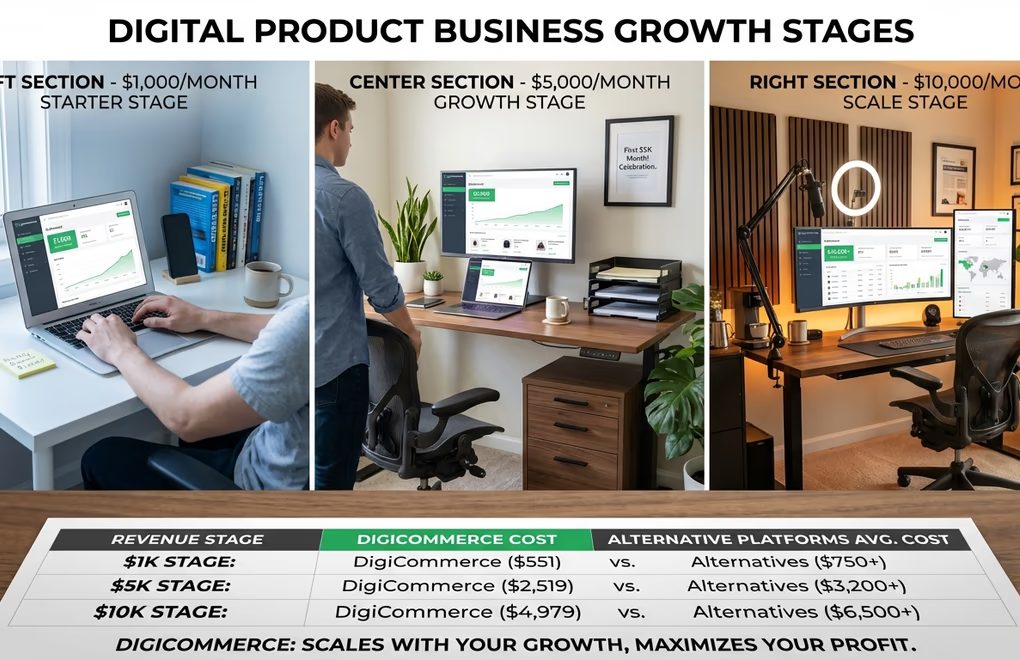
Abstract pricing comparisons only tell part of the story. Let’s look at real annual costs at three revenue levels, assuming $25 average transactions (typical for ebooks, templates, and small courses) with Stripe as the payment processor.
At $1,000/month revenue, the differences are minimal. Most solutions land between $550-850 annually when you factor in Stripe’s fees. DigiCommerce Pro and EDD Personal are the most affordable at around $550-570. The outlier is Gumroad at roughly $1,440 — their 10% cut hurts even at modest volumes.
At $5,000/month revenue, the gap widens. Self-hosted solutions like DigiCommerce Pro, EDD, and MemberPress cluster between $2,500-2,900 annually. WooCommerce with a full extension stack pushes past $3,100. Gumroad? Now you’re losing $7,200/year to platform fees.
At $10,000/month revenue, the pattern becomes clear. Self-hosted options with Stripe stay in the $5,000-5,600 range regardless of which plugin you choose. The real story is Gumroad: at $14,400/year in fees, you’re paying nearly three times what you’d spend on any WordPress-based solution.
The takeaway: platform transaction fees compound quickly. A 10% cut that seems reasonable at launch becomes a significant expense as you scale. Self-hosted solutions cost more upfront in time and complexity, but the math favors them decisively once you’re past a few thousand dollars in monthly revenue.
The pattern becomes clear: at every revenue level, platforms without additional transaction fees outperform those that charge percentage-based platform fees. DigiCommerce’s $59 flat annual cost provides the lowest plugin expense at any scale, with savings that increase as your revenue grows. Security also matters more as you scale. Our guide on securing your WordPress site covers essential practices for protecting customer payment data.
Hidden Costs Most Comparisons Miss

Beyond plugin licenses and transaction fees, several costs fly under the radar during platform selection. Accounting for these prevents budget surprises and helps you build realistic financial projections. You don’t want to discover hidden costs six months into your business.
Renewal price increases represent the most significant hidden cost. EDD’s introductory pricing saves 60% in year one, but renewals at full price mean your costs more than double in year two. MemberPress shows similar patterns with introductory discounts of 50% or more. You shouldn’t just look at the entry price when comparing platforms. Always calculate your three-year cost.
Chargeback and dispute fees affect every store eventually. Stripe charges $15 per disputed transaction regardless of outcome. PayPal charges $20 for US merchants. Digital products face higher chargeback rates than physical goods because customers can’t return them the way they’d return a shirt, and some try to get refunds through their card issuer instead of contacting you. Budget for 1-2% of transactions resulting in disputes as your store grows.
Currency conversion fees apply when selling internationally. Stripe adds 1% for currency conversion when the charge currency differs from your payout currency. If you price in USD but accept payments from European customers paying in EUR, both the international card fee (1.5%) and conversion fee (1%) apply, pushing your effective rate to 5.4% + $0.30. Pricing in local currencies through multi-currency features can reduce but not eliminate these costs.
File hosting and delivery costs grow with product size and download volume. WordPress hosting plans typically include limited storage and bandwidth. Large files like video courses or software packages often require Amazon S3 integration, and that’s where costs can surprise you, which charges $0.023 per GB stored and $0.09 per GB transferred. A 2GB video course downloaded 1,000 times monthly costs approximately $180/month in S3 transfer fees alone.
Tax compliance tools become necessary as you scale. Selling digital products in the EU requires VAT collection and remittance. US sales may require state sales tax collection depending on nexus laws. Services like Quaderno or TaxJar integrate with WordPress stores but add $50-$500/month depending on transaction volume. Some platforms include basic tax handling; others require third-party integration.
Making the Right Choice for Your Digital Store

After analyzing pricing, features, and total cost of ownership, one solution stands out for most digital product sellers: DigiCommerce.
DigiCommerce is the clear winner for digital products, bookings, and courses. At $59/year, you get everything other platforms charge $1,000+ annually to unlock: subscriptions, software licensing, appointment bookings, course delivery, affiliate management, and abandoned cart recovery. There are no transaction fees eating into your margins, no expensive add-ons to purchase separately, and no renewal price jumps waiting to surprise you in year two. For creators who want to sell digital downloads, offer services, or deliver online courses, DigiCommerce delivers professional-grade features at a fraction of the cost.
Choose Easy Digital Downloads if you’re building a software business with complex licensing requirements. EDD’s Software Licensing extension excels at version updates, license key management, and multi-tier licensing. The Professional or All Access plans make sense for developers despite higher renewal costs — but only if software licensing is your primary need.
Choose WooCommerce if you’re already running a physical product store and want to add digital offerings. The ecosystem familiarity reduces your learning curve. However, expect to spend significantly more on extensions to match DigiCommerce’s included features.
Choose MemberPress if community and coaching are central to your model. The ClubSuite forums and CoachKit platform serve membership-focused businesses well, though the higher price point only makes sense if you’ll use those specific features.
Avoid Gumroad for high-volume sales. The 10% + $0.50 fee structure devastates margins at scale. Gumroad works acceptably for testing product ideas or making occasional sales, but any serious digital product business should transition to a WordPress-based solution as revenue grows.
Your Digital Store Economics Start Here
The decision to sell digital products on WordPress involves more financial variables than most guides acknowledge. Plugin costs, transaction fees, renewal increases, and platform fees compound over time. A choice that saves $200 in year one might cost $2,000 extra over three years. The numbers in this guide give you the foundation to make an informed decision based on your specific revenue projections and feature requirements.
Start by calculating your expected monthly revenue and transaction count. Multiply across three years. Compare the total costs for each platform option. Factor in the features you actually need versus nice-to-have additions. The platform with the lowest three-year total cost that includes your required features wins the math equation.
Now, tell me, what features are non-negotiable for your digital product business?






0 Comments on "Sell Digital Products on WordPress: 2026 Plugin Comparison (Pricing, Fees & Hidden Costs)"