
The best elementor alternative depends on what you’re actually building and how much speed matters to your site. If you want another visual drag-and-drop builder, Bricks Builder and Breakdance are the strongest options right now. If you want something lighter that works with WordPress itself rather than against it, a Gutenberg block plugin like DigiBlocks gives you the same visual control without the performance cost.
Most “elementor alternative” guides list the same eight page builders and call it a day. They skip an entire category that WordPress site owners should consider first: native block editor plugins. These plugins extend the Gutenberg editor that already ships with WordPress, so you get visual page building without loading a second framework on every page load. That difference shows up in your PageSpeed scores and in how your visitors experience the site.
This page covers both sides of that decision. You’ll find the five strongest traditional page builders alongside five Gutenberg-native block plugins, with real pricing and honest trade-offs for each. By the end, you’ll know which elementor alternative fits your project, your budget, and the speed your visitors expect.
Why are WordPress users switching away from Elementor?
Most people don’t leave Elementor because it’s bad at building pages, since it’s genuinely good at that part. They leave because of everything that comes with it: the weight it adds to every page, the yearly price increases, and the way it takes over your entire WordPress installation once you commit.
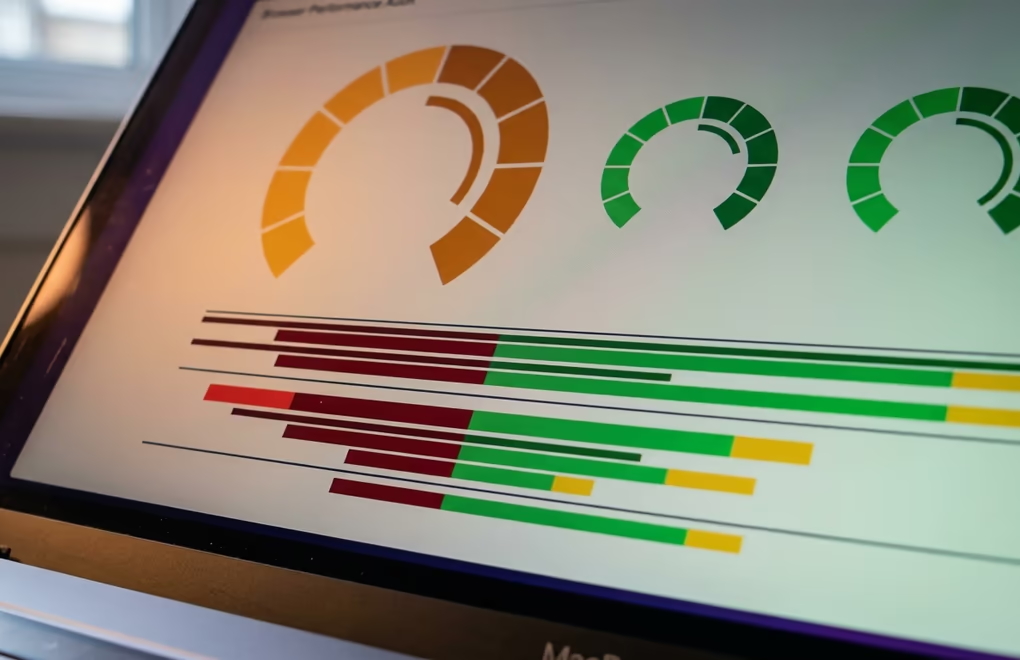
The biggest complaint is performance overhead on every page. Elementor injects its own CSS and JavaScript on every page, even pages that don’t use the builder. A simple five-page business site running Elementor Pro often loads 300-500KB of extra assets that a plain WordPress installation wouldn’t need. That overhead pushes Core Web Vitals scores down, and Google has made it clear that page experience is a ranking signal. Switching to a lighter builder or to native Gutenberg blocks can cut those numbers in half without touching your content.
Pricing frustration is the second driver. Elementor’s Essential plan starts at $49 per year for a single site, but most features people actually want (popup builder, custom CSS, WooCommerce widgets) require the Advanced Solo plan at $99 per year. If you’re running three client sites, you’re looking at $199 per year for the Advanced plan, and agencies with 25 sites pay $399 per year for Expert. Meanwhile, some competitors charge a flat one-time fee, and block-based alternatives often start free.
Vendor lock-in is the third issue that pushes people to look elsewhere. Elementor stores content in a proprietary format rather than standard WordPress blocks. If you decide to switch builders after a year, your pages don’t convert cleanly. You’re left rebuilding layouts from scratch or running a compatibility plugin that adds even more bloat. WordPress itself is moving toward the block editor as its long-term foundation, and content built with native blocks stays portable across any theme or plugin change.
There’s also the complexity factor for sites that don’t need a full page builder. A blog with a contact page doesn’t need 85 widgets, theme override controls, and a popup system. That overhead complicates the admin, confuses clients who just want to edit text, and creates more surface area for conflicts with other plugins. For sites like that, a focused set of blocks does the job faster and cleaner.
Which page builders make a good elementor alternative?
Five standalone page builders can genuinely replace Elementor for visual drag-and-drop design, and each has a different strength worth understanding before you commit to one.
Bricks Builder is the option most developers reach for in 2026. It produces clean HTML output, runs a single-file CSS approach that loads only what each page uses, and includes 110 elements, a WooCommerce builder, a popup system, and conditional logic. Pricing starts at $79 per year for one site, with an unlimited lifetime license at $599. Bricks regularly outperforms Elementor in PageSpeed benchmarks because it doesn’t inject a global framework, and its community has grown fast over the past two years.
Breakdance was built by the team behind Oxygen Builder, and it tries to split the difference between Elementor’s ease of use and Oxygen’s performance focus. It ships with 130 elements, a form builder, popup builder, and WooCommerce integration. The free version covers basic sites, while the Pro version costs $149 per year for unlimited sites. It’s a solid pick if you want visual building without the code-level complexity of Oxygen or Bricks.
Divi by Elegant Themes remains one of the most popular builders after Elementor, with over 800 templates and a visual editor that lets you click directly on any element to edit it. Divi costs $89 per year for unlimited sites, or $249 for a lifetime license, which makes it one of the cheapest per-site options available. The trade-off is that Divi’s code output is heavier than Bricks or Breakdance, and its proprietary shortcode system creates the same lock-in problem you’re trying to escape from Elementor.
Beaver Builder has been around since 2014 and built a reputation for stability and clean code. It’s not flashy, and it doesn’t try to replace your entire theme, but it works reliably across different hosting environments and rarely breaks during WordPress core updates. Pricing starts at $99 per year for unlimited sites. Agencies and developers who value predictability over feature count tend to prefer Beaver Builder, though its element library is smaller than newer competitors.
Oxygen Builder gives you full control over every CSS property and replaces your theme entirely, which makes it powerful for developers but intimidating for beginners. It uses a one-time pricing model at $129 for the base version and $179 with WooCommerce support. Oxygen generates lean code and doesn’t carry the performance overhead of Elementor, but its learning curve is steeper than anything else on this list, and the interface feels less polished than Bricks, which was heavily inspired by it. Development has also slowed since the Breakdance team split its focus between both products, so check the update history before committing to Oxygen long-term.
Can Gutenberg block plugins replace Elementor entirely?
They can, and for most WordPress sites, a Gutenberg block plugin is a smarter elementor alternative than switching to another heavy page builder. The block editor ships with WordPress by default, and it already includes over 100 core blocks for layout, text, media, and embeds. Block plugins add the specialized design elements (tabs, accordions, sliders, advanced columns, icon boxes) that people typically install Elementor to get.
The performance advantage is the main reason to consider this path. Traditional page builders load their own rendering engine alongside WordPress, which means your site processes two systems for every page view. Block plugins work inside WordPress’s own editor and rendering pipeline, so there’s no extra framework, no duplicate CSS, and no JavaScript overhead on the front end. The result is faster page loads, better Core Web Vitals, and less conflict with themes and other plugins. If you’ve read our comparison of Gutenberg and page builders, you’ll recognize this as the core architectural difference.
DigiBlocks is what we build at DigiHold, and it’s designed specifically as a modern page builder replacement for the block editor. It includes heading, text, image, separator, FAQ accordion, and layout blocks with full typography, spacing, and responsive controls built into each one. Every block produces clean, semantic HTML without wrapper divs or inline styles. DigiBlocks Pro is included in the DigiBundle starting at $129 per year, which also gives you DigiCommerce, DigiConsent, DigiFlash, and DigiFusion for the same price.
Spectra (formerly Ultimate Addons for Gutenberg) by Brainstorm Force adds over 30 blocks to the editor, including a marketing-focused set with review boxes, star ratings, countdown timers, and pricing tables. It’s free for the core set and pairs well with the Astra theme from the same company. If you’re looking for a free elementor alternative that covers basic landing page needs, Spectra is a reasonable starting point.
Stackable provides more than 40 custom blocks with its own design system, including column layouts, feature grids, pricing tables, and testimonial blocks. It ships a style library with ready-made section designs you can drop into any page. The free version covers a generous set of blocks, and the Premium version costs $49 per year for unlimited sites, which is significantly cheaper than any traditional page builder.
GenerateBlocks takes a minimalist approach with just a handful of blocks (container, headline, image, button, query loop) that you combine to build any layout. It’s intentionally simple and generates almost no extra CSS. The free version handles most use cases, and Pro costs $39 per year. GenerateBlocks pairs especially well with GeneratePress, though it works with any block theme. Check out our roundup of the best Gutenberg block plugins for a deeper look at each option.
Kadence Blocks sits between Spectra’s marketing focus and GenerateBlocks’ minimalism. It offers over 20 blocks with a visual row/column layout system, an advanced form builder, and a design library with starter templates. The free tier is generous, and Pro costs $79 per year for unlimited sites. Kadence also makes a full block theme that integrates tightly with its blocks, which gives you a complete Elementor replacement without loading anything beyond what WordPress ships.
The WordPress development community has been moving steadily toward blocks since the block editor became the default in 2018. Every major core release since then has added new block capabilities, including full site editing, global styles, and pattern management. Building on blocks today means your pages will gain features automatically with each WordPress update, while page builder content stays frozen in whatever version you installed and has to wait for the builder’s developers to catch up.
How do these elementor alternatives compare on price?
Price is one of the clearest ways to narrow down your options, especially when you’re building for clients and the per-site cost adds up across projects.

Among traditional page builders, Elementor Pro starts at $49 per year for one site but charges $399 per year for 25 sites. Bricks runs $79 per year for one site or $599 for an unlimited lifetime license. Breakdance costs $149 per year for unlimited sites. Divi is $89 per year for unlimited sites, or $249 for lifetime access. Beaver Builder charges $99 per year for unlimited sites. Oxygen uses one-time pricing at $129 for the base version and $179 with WooCommerce support.
Block plugins are consistently cheaper across the board. Spectra and GenerateBlocks are both free for their core feature sets. GenerateBlocks Pro runs $39 per year, Stackable Premium costs $49 per year, and Kadence Blocks Pro charges $79 per year, all for unlimited sites. DigiBlocks is included in the DigiBundle at $129 per year for one site (or $529 for 500 sites), which also covers DigiCommerce, DigiConsent, DigiFlash, and DigiFusion.
The pricing split between these two categories is clear. Traditional page builders range from $79 to $399 per year, and even the cheapest option (Bricks at $79) costs more than any block plugin on the list. Block plugins cluster between free and $79 per year, with most offering unlimited site licenses at those prices.
Divi and Breakdance stand out among traditional builders for including unlimited sites in their base price ($89 and $149 respectively), while Elementor gates unlimited sites behind its Expert plan at $399 per year. If you’re an agency managing a portfolio, that cost difference compounds fast.
Among block plugins, Spectra and GenerateBlocks offer the most functionality for free, while DigiBlocks bundles four additional products (ecommerce, cookie consent, a block theme, and a classic theme) into a single $129 per year subscription, which makes it competitive with standalone page builders that charge the same or more for just the builder itself. If you’re building a WordPress site that also needs to sell digital products, the bundle math works in DigiBlocks’ favor.
What should you consider before switching from Elementor?
Picking the right elementor alternative means being honest about what your site actually needs, rather than defaulting to whichever builder has the longest feature list.
Start with the features you actually use today. If your site relies on Elementor’s popup builder, WooCommerce product page templates, or advanced form logic, you’ll need a replacement that covers those same areas before you can switch. Bricks, Breakdance, and Divi all include popup builders and WooCommerce support. On the block side, DigiBlocks handles ecommerce through DigiCommerce, and Kadence Blocks includes a form builder in its Pro tier. Map out which Elementor features you actually use (most people use less than a third of what’s available), and check whether your shortlisted alternatives cover that specific list.
Then consider what the migration path looks like. Moving from Elementor to another page builder means rebuilding your pages, since Elementor’s proprietary format doesn’t convert to standard blocks or to other builders’ formats. Some builders offer import tools (Bricks can partially convert Elementor layouts), but expect to spend time adjusting layouts after the import. If you move to a block-based solution, you’ll rebuild in the block editor, but the content you create going forward will be standard WordPress blocks that you can carry to any future theme or plugin without conversion.
Performance should weigh heavily in the decision, especially for sites where Google rankings matter. Run a PageSpeed test on your current Elementor site and note your Largest Contentful Paint and Total Blocking Time scores. Then test a staging copy with your shortlisted alternative on the same pages. Block-based solutions typically shave 200-400ms off LCP because they skip the external framework entirely, which can be the difference between a passing and failing Core Web Vitals assessment. We covered more about this in our guide to optimizing WordPress site speed.
Finally, think about who else will edit the site. Clients and non-technical editors often find the native block editor simpler than Elementor’s panel-heavy interface, especially after WordPress added inline editing and design tools to core blocks. If your end users just need to update text, swap images, and publish posts, a block plugin with a clean block theme might reduce support requests compared to handing them the keys to a full page builder.
Your WordPress site doesn’t need a heavy page builder
Elementor did something important for WordPress: it proved that visual page building belonged inside the platform itself, where the CMS already lived. But WordPress has caught up since then. The block editor handles layout, design, and content management natively now, and the block plugins built on top of it deliver the specialized elements that used to require a page builder. You don’t need to load a second framework anymore.
Whether you pick a traditional builder like Bricks for maximum design control, or a block plugin like DigiBlocks for performance and simplicity, the right elementor alternative is the one that matches the site you’re actually building, not the one with the most features you’ll never open. Set up a staging site, install two or three candidates, rebuild one real page with each, and compare your PageSpeed numbers before committing to anything on production.
