
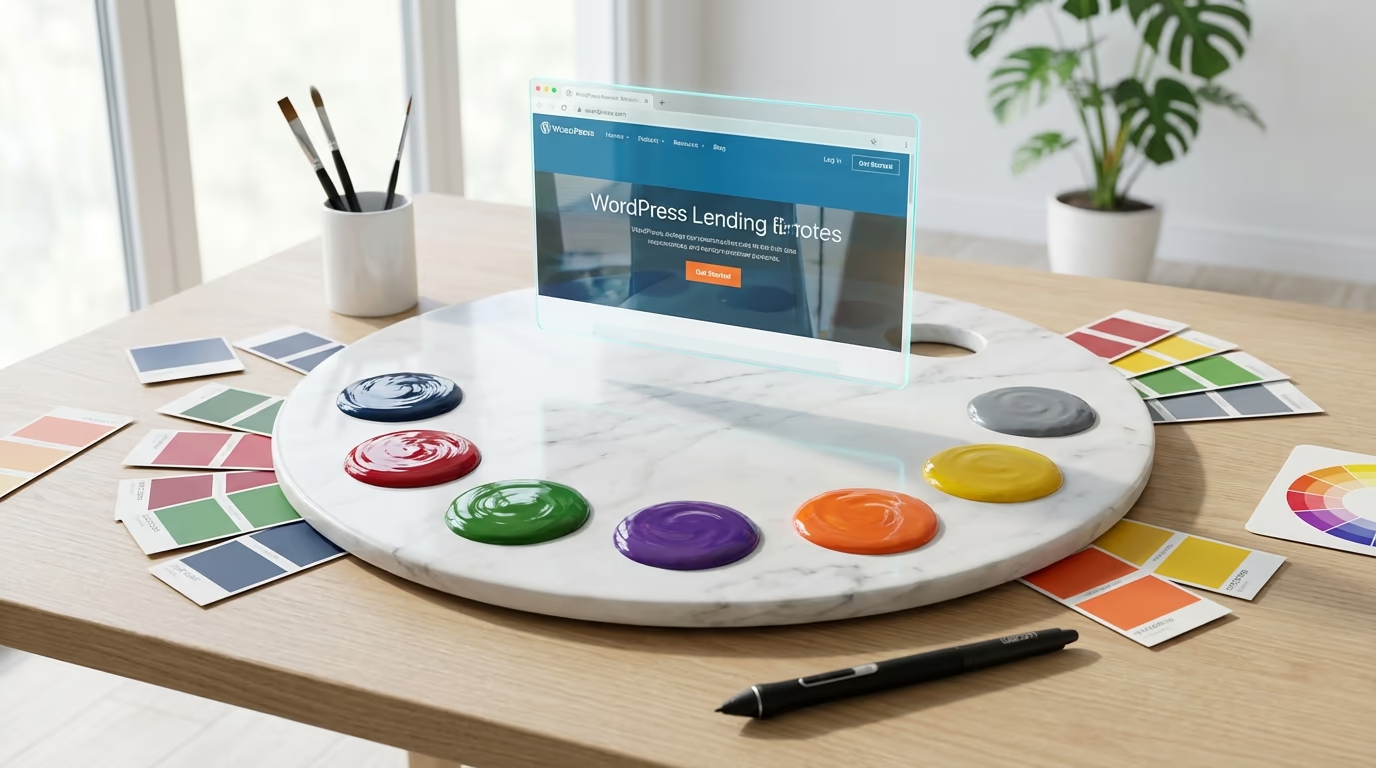
Your visitors make a decision about your WordPress website in less than 50 milliseconds. That’s faster than a single blink. And here’s what makes this statistic even more striking: up to 90% of that snap judgment is based entirely on color. The shades you choose for your headers, buttons, backgrounds, and text aren’t just aesthetic decisions. They’re psychological triggers that determine whether someone stays, explores, and ultimately converts into a customer or subscriber.
Color psychology in WordPress websites design goes far beyond picking your favorite hues or matching your logo. Research shows that websites with strategically planned color schemes hold visitor attention 26% longer than those using arbitrary combinations. When you understand how different colors affect emotions, trust levels, and buying behavior, you gain a powerful tool for shaping user experience. A healthcare site using calming blues achieves 18% higher trust ratings, while e-commerce platforms with consistent color schemes reduce cart abandonment by 12%.
The good news? WordPress makes implementing strategic color choices easier than ever. Modern block themes with Full Site Editing let you manage colors through the Global Styles interface, while theme.json configuration gives developers precise control over color palettes across entire websites. Whether you’re building with Gutenberg blocks, using a visual page builder, or customizing a theme through the WordPress Customizer, you have the tools to apply color psychology principles effectively.
This guide breaks down exactly how to leverage color psychology in your WordPress site. You’ll learn the emotional associations behind primary colors, discover the 60-30-10 rule for balanced palettes, see real conversion data from A/B tests, and get practical instructions for implementing your color strategy in WordPress. By the end, you’ll have a framework for choosing colors that don’t just look good but actively drive your business goals.
Understanding Color Psychology Fundamentals for Web Design
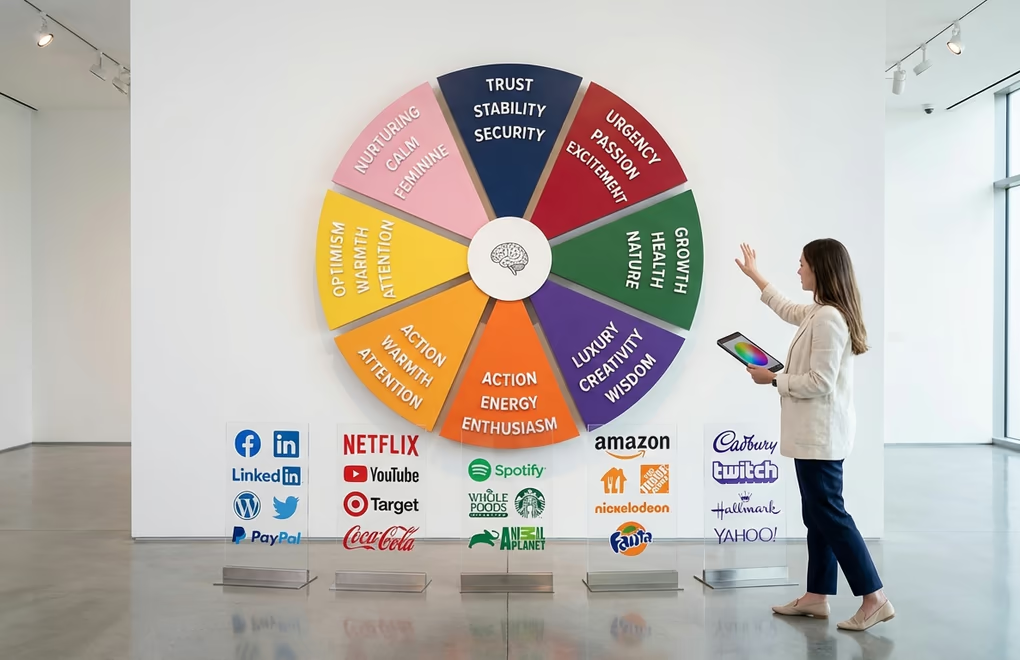
Color psychology is the study of how colors influence human emotions, perceptions, and behaviors. In the context of WordPress websites design, it’s about understanding which colors trigger specific responses from your visitors and using that knowledge to guide their experience on your site. People make subconscious judgments about products within 90 seconds, with up to 90% of that assessment based solely on color.
Each color carries distinct psychological associations.
Blue represents trust, stability, and professionalism, which explains why financial institutions, healthcare providers, and enterprise software companies favor it heavily. Facebook, LinkedIn, and WordPress itself all use blue as their primary brand color. Studies show that 42% of people cite blue as their favorite color, making it the safest choice for broad appeal. Blue websites generate feelings of security and reliability, making visitors more comfortable sharing personal information or making purchases.
Red triggers urgency, passion, and excitement. It’s the color that makes hearts beat faster, literally increasing pulse rates in viewers. E-commerce sites use red strategically for sale notifications, limited-time offers, and add-to-cart buttons. Amazon’s signature orange-red accents on prices and CTA buttons have contributed to a documented 35% boost in click-through rates. However, red demands careful application because overuse creates anxiety and overwhelm. Reserve it for elements that need immediate attention.
Green symbolizes growth, health, nature, and tranquility. Environmental organizations, wellness brands, and organic food companies lean into green palettes to reinforce their values. Green also signals “go” or “safe” in many contexts, making it effective for checkout buttons on sites selling eco-friendly or health-related products. PayPal uses green to convey financial security and successful transactions. For WordPress sites focused on sustainability, fitness, or natural products, green creates immediate thematic alignment.
Purple conveys luxury, creativity, and wisdom. Historically associated with royalty due to the rarity of purple dyes, this color still communicates premium quality and sophistication. Beauty brands, creative agencies, and spiritual or mindfulness-focused businesses often build their visual identity around purple. Cadbury, Hallmark, and Twitch all leverage purple to differentiate themselves and suggest a unique, premium experience.
Orange combines red’s energy with yellow’s friendliness, creating a sense of enthusiasm and affordability. It’s particularly effective for call-to-action buttons because it stands out without the aggressive intensity of pure red. HubSpot found that orange CTAs performed 21% better than alternative colors in their tests. Amazon, Home Depot, and Shopify all incorporate orange into their designs to encourage action while maintaining approachability.
Yellow radiates optimism, warmth, and attention. It’s the most visible color in the spectrum and excellent for highlighting important information. But yellow requires careful handling because it can cause eye strain in large doses and may communicate cheapness if overused. Best practice: use yellow as an accent color for warnings, highlights, or specific attention-grabbing elements rather than as a dominant palette color.
The 60-30-10 Rule for WordPress Color Schemes
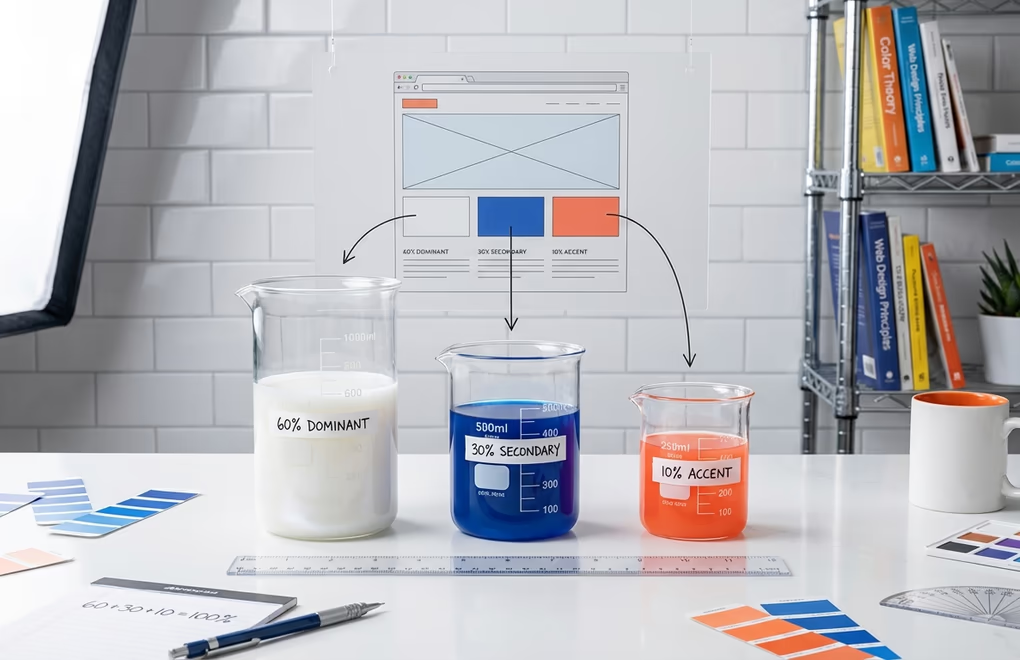
Professional designers don’t randomly distribute colors across a website. They follow the 60-30-10 rule, a time-tested formula borrowed from interior design that creates visual harmony and guides user attention. This principle states that your dominant color should cover approximately 60% of your design, your secondary color about 30%, and your accent color the remaining 10%. When applied to WordPress websites design, this ratio creates balanced, professional-looking sites that feel cohesive rather than chaotic.
Your dominant color (60%) typically serves as the background. For most websites, this means white, off-white, or a very light neutral shade. White backgrounds maximize readability, reduce cognitive load, and make other elements pop. Black text on white backgrounds shows 70% higher readability rates compared to other combinations. Some brands opt for dark mode designs where the dominant color becomes dark gray or black, but this works best for entertainment, gaming, or technology sites where a modern, edgy aesthetic aligns with brand identity.
The secondary color (30%) creates visual structure and supports your brand identity. This color appears in headers, footers, sidebars, navigation menus, and section backgrounds. If your brand color is blue, you’d use it here to establish recognition throughout the site. The secondary color should complement your dominant color while providing enough contrast to define different areas. Many WordPress themes handle this automatically through their color systems, applying your primary brand color to structural elements.
Your accent color (10%) does the heavy lifting for conversions. This is the color reserved for buttons, links, important highlights, and calls-to-action. Because it appears sparingly, it carries maximum visual weight when it does show up. Users instinctively recognize accent-colored elements as clickable or important. Data from A/B tests involving 1.2 million variations shows that high-contrast accent colors generate 32-40% higher click rates on CTAs. If your secondary color is blue, your accent might be orange or coral, creating strong visual contrast that demands attention.
Implementing the 60-30-10 rule in WordPress is straightforward with modern themes. Block themes using the Global Styles interface let you set your color palette once and apply it consistently across all templates. In the Site Editor (Appearance > Editor > Styles), you can define base colors for backgrounds, secondary colors for headers and structural elements, and accent colors for buttons and links. These settings propagate throughout your site automatically, ensuring consistency without manual adjustments on every page.
For developers working with theme.json, the color palette structure follows best practices when using standardized slugs like “base” for backgrounds, “contrast” for text, “primary” and “secondary” for brand colors, and “accent” for CTAs. This naming convention, recommended in WordPress developer documentation, ensures your colors work predictably across different blocks and makes it easier to switch themes without losing your color logic.
How Color Choices Impact Conversion Rates and User Behavior

The relationship between color and conversions isn’t theoretical speculation. Companies running millions of A/B tests have quantified exactly how color changes affect user behavior. These numbers should inform every WordPress websites design decision you make, especially for pages where conversion is the primary goal. Understanding this data transforms color selection from subjective preference into strategic decision-making.
CTA button color represents the most-tested element in conversion optimization. HubSpot’s famous study found that red CTAs outperformed green ones by 21% in their specific context. But here’s the critical nuance: that same study found green performed better for eco-friendly products where it aligned with brand messaging. The lesson isn’t “always use red”, it’s that contrast and context matter more than any single color. Your CTA needs to stand out dramatically from surrounding elements while staying consistent with your brand’s emotional messaging.
Eye-tracking studies reveal that users spend 42% more time looking at colorful designs compared to monochrome ones, and heat mapping data shows high-contrast colored elements receive 23% more clicks than low-contrast alternatives. This explains why sites with vibrant accent colors outperform muted designs for engagement metrics. If you’re running an e-commerce store selling digital products, strategic color placement on your product cards and buy buttons can significantly impact sales without changing anything else about your offering.
Brand recognition receives a substantial boost from consistent color application. Research indicates that consistent color usage increases brand recognition by up to 80%, while companies maintaining cohesive color schemes see 23% higher customer retention. For WordPress site owners, this means every page, post, and template should reflect the same color palette. Tools like DigiBlocks make this easier by providing extensive customization options for every block element, ensuring your colors stay consistent whether you’re building a homepage hero section or a simple blog post.
Color-coded information also improves memory retention by 82%, according to cognitive research. This has direct implications for educational content, tutorials, and documentation sites. Using distinct colors to categorize information helps readers process and remember your content more effectively. Consider how your WordPress categories, tags, or content sections might benefit from color differentiation that aids navigation and recall.
Time-of-day preferences also influence color effectiveness. Studies show users engage 23% more with cool color palettes during morning hours and prefer 31% warmer tones in evening browsing sessions. While implementing dynamic color schemes based on local time is technically possible in WordPress through custom JavaScript, it’s generally overkill for most sites. The more practical takeaway is understanding when your target audience typically visits and considering whether your palette aligns with their likely mood state.
Color Accessibility and Inclusive WordPress Design
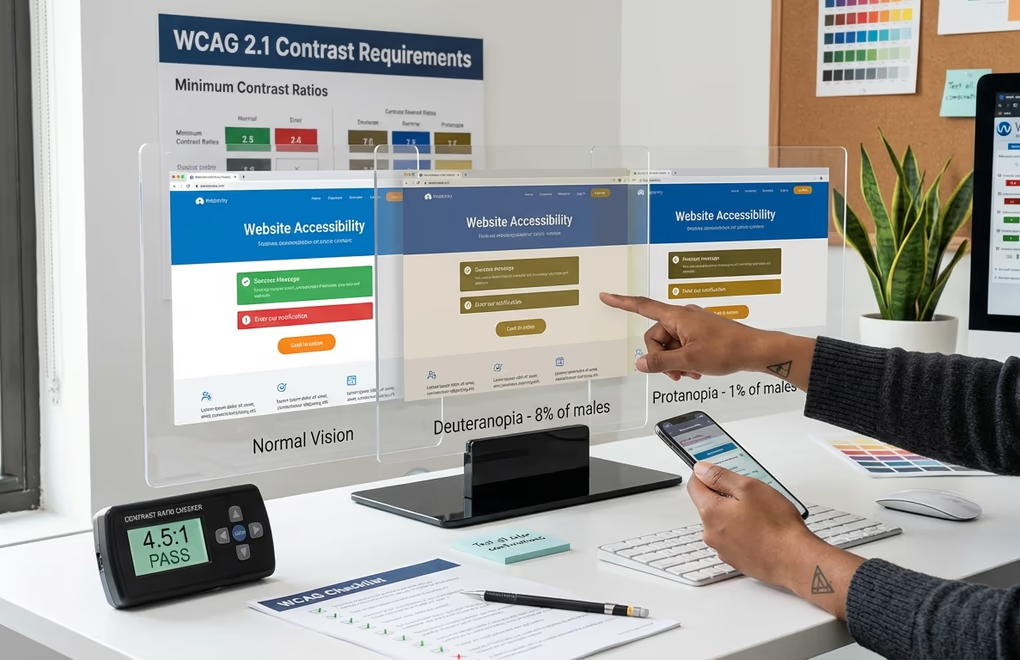
With 15% of the global population living with some form of disability, accessible color design is no longer optional. It’s a legal requirement in many jurisdictions and a best practice that improves usability for everyone. Color blindness alone affects roughly 1 in 12 males and 1 in 200 females, meaning a significant portion of your audience may experience your site’s colors differently than you intend. Websites meeting accessibility contrast standards outperform non-compliant competitors by 42% in user satisfaction metrics.
WCAG 2.1 guidelines specify minimum contrast ratios between text and background colors. For normal-sized text, you need at least a 4.5:1 contrast ratio, while large text (18pt or 14pt bold) requires 3:1 minimum. These aren’t arbitrary numbers; they’re based on extensive research into readable color combinations across different vision capabilities and viewing conditions. Tools like Adobe Color and the Coolors contrast checker let you verify your combinations meet accessibility standards before implementing them.
Never rely solely on color to convey information. If you’re using red to indicate errors and green to indicate success, also include text labels, icons, or other visual cues that work for colorblind users. Similarly, links should be distinguishable from regular text through underlines or other styling, not just color difference. This principle extends to charts, graphs, and data visualizations on your WordPress site, where patterns or labels should supplement color coding.
Dark mode support has become increasingly important, with 62% of mobile users activating dark mode on their devices. Dark mode interfaces reduce eye strain by 87% during extended viewing in low-light conditions. WordPress themes that support dark mode with properly adjusted contrast ratios provide a better experience for these users. Modern block themes can include style variations that offer dark mode alternatives, letting visitors choose their preferred viewing experience. If you’re using a theme like DigiFlash, you’ll find it’s built with performance-first architecture that handles color system variations efficiently.
Testing your WordPress site with accessibility tools should be part of your development workflow. The WAVE Web Accessibility Evaluation Tool can identify color contrast issues throughout your site. WordPress plugins like WP Accessibility provide additional checks and fixes. For a deeper understanding of how design choices affect user experience, our guide on UX/UI design principles covers the broader context of accessible design.
Tools for Creating Effective WordPress Color Palettes
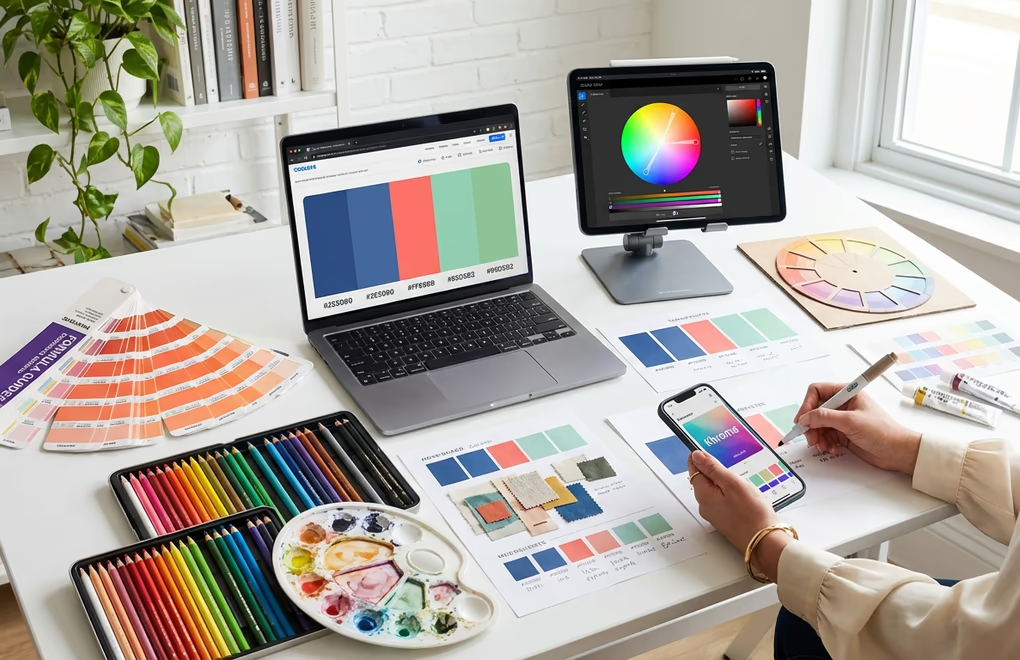
You don’t need formal design training to create effective color palettes. Several powerful tools can generate harmonious color combinations based on color theory principles, giving you professional-quality results in minutes. These tools work particularly well when combined with an understanding of color psychology, letting you create palettes that are both visually appealing and strategically effective.
Coolors is perhaps the most popular palette generator among web designers. Hit the spacebar to instantly generate new five-color palettes, or lock colors you like while randomizing the rest. Coolors also lets you extract color schemes from uploaded images, useful if you’re trying to match your WordPress site to existing brand photography or a logo. The tool exports palettes in multiple formats including CSS variables and hex codes, making implementation in WordPress straightforward.
Adobe Color offers more sophisticated color harmony rules including analogous, monochromatic, triad, complementary, and split-complementary schemes. You can start with a base color and have Adobe Color automatically generate harmonious companion colors following classical color theory. The “Extract Theme” feature pulls dominant colors from any image, and because it integrates with Adobe Creative Cloud, designers can save palettes for use across multiple projects.
Khroma takes an AI-driven approach to color selection. You train the algorithm by selecting colors you like, and it learns your preferences to generate personalized palette suggestions. This is particularly useful if you have a general aesthetic in mind but struggle to articulate it in specific color values. Khroma has learned from thousands of popular palettes across the web, so its suggestions tend toward combinations that have proven successful in real-world applications.
ColorSpace generates entire color palettes from a single input color, showing you gradients and complementary schemes simultaneously. It’s especially useful for creating extended color systems when you have a fixed brand color that must anchor your design. The gradient tool helps create smooth transitions for backgrounds and overlays.
Once you’ve generated your palette, translating it into WordPress requires attention to where each color will be applied. Most block themes provide color options in their Global Styles settings, accessible via Appearance > Editor > Styles. From there, you can set your base, contrast, primary, secondary, and accent colors.
Implementing Color Psychology in WordPress Block Themes
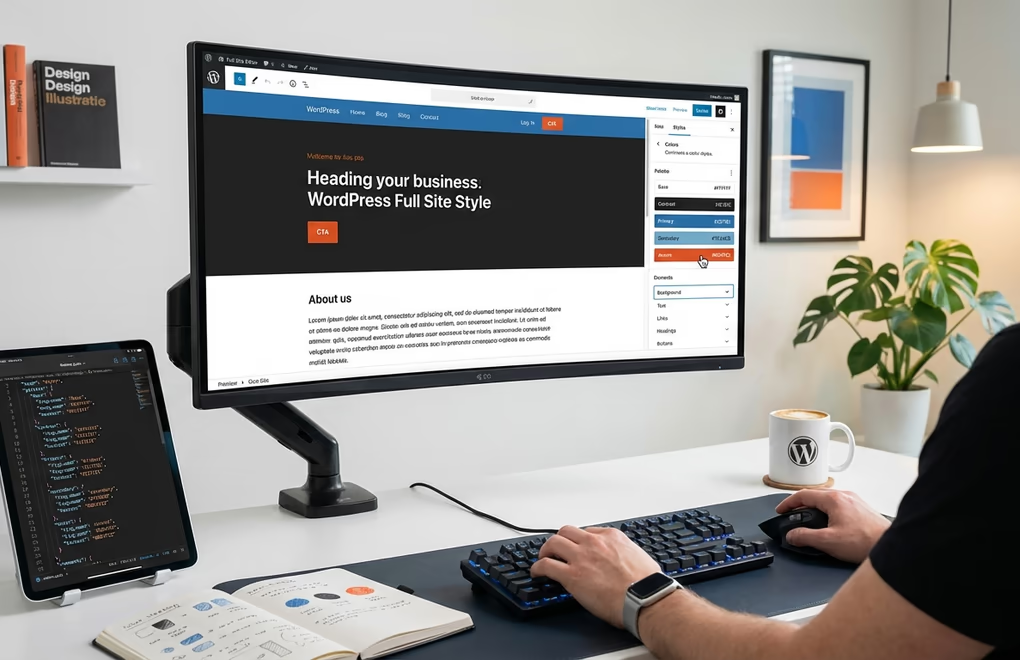
WordPress 6.0 and later versions have transformed how we manage colors across websites. Full Site Editing and the Global Styles system let you define color palettes once and apply them consistently throughout your entire site. This centralized approach to color management aligns perfectly with psychological principles that emphasize consistency for brand recognition and user trust. Understanding how to leverage these tools gives you precise control over your site’s emotional impact.
The Global Styles interface (Appearance > Editor > Styles) provides visual control over your color palette without touching code. Click the “Colors” section to access palette management, where you can define custom colors that become available across all blocks. For psychological impact, create a palette that includes a calming dominant color (typically neutral), a brand-aligned secondary color that reinforces your messaging, and a high-contrast accent color reserved for CTAs and important interactive elements.
For developers and advanced users, theme.json provides granular control over every color aspect. The settings.color section lets you define your palette with semantically meaningful slugs. Following WordPress developer documentation best practices, structure your colors like this: “base” for your dominant background color, “contrast” for primary text, “primary” for your main brand color, “secondary” for supporting brand colors, and “accent” for CTAs and highlights. This structure ensures your colors function predictably across all blocks and templates.
Block-level color styling allows you to override global styles for specific contexts. For instance, you might want your Call to Action blocks to use a more urgent color scheme than your informational content blocks. In the Site Editor, select any block and use the color controls in the sidebar to customize that specific instance. These overrides don’t affect your global palette, giving you flexibility while maintaining overall consistency.
Style variations represent another powerful feature for applying color psychology. Many block themes include pre-designed style variations that change the entire color scheme with one click. You can also create custom style variations by adding JSON files to your theme’s /styles directory. This is particularly useful for creating seasonal variations, campaign-specific themes, or dark mode alternatives. Each variation can apply different psychological principles appropriate to its context, whether that’s a warm, urgent palette for a sale or a calm, trustworthy scheme for standard content.
If you’re working with the native Gutenberg block editor rather than page builders, you’ll appreciate how WordPress automatically generates CSS custom properties from your theme.json colors. These variables (like –wp–preset–color–primary) can be referenced in custom CSS or block styles, ensuring your manually-added styling stays synchronized with your palette changes. When you update a color in Global Styles, every element referencing that variable updates automatically.
Industry-Specific Color Strategies for WordPress Sites

Different industries have established color conventions that audiences expect. While breaking these conventions can differentiate your brand, doing so requires careful consideration of the psychological trade-offs. Understanding industry norms helps you make informed decisions about when to conform and when to stand out. Your WordPress site’s colors should align with visitor expectations while still expressing your unique brand identity.
E-commerce and retail sites benefit from clean, white backgrounds that let products take visual center stage. Trust-building blues or greens work well for headers and navigation, while urgency-inducing reds and oranges perform best on pricing displays, sale badges, and checkout buttons. Research shows e-commerce platforms with consistent color schemes reduce cart abandonment by 12%. Your product categories might use subtle color coding to aid navigation, but avoid letting color compete with product imagery for attention.
Healthcare and medical sites require colors that communicate trustworthiness, calm, and professionalism. Blue remains the dominant choice, often combined with white for cleanliness associations and green for healing and growth symbolism. Healthcare websites using these palettes achieve 18% higher trust ratings in user studies. Avoid red except for genuine emergency content, as it can create unwanted anxiety in health-conscious visitors.
Technology companies increasingly favor minimalist palettes with two-color designs achieving 24% better engagement than complex schemes. Blue remains popular for its trust associations, but tech startups often differentiate with bold accent colors against neutral backgrounds. Dark mode designs feel particularly native to tech audiences accustomed to development environments and modern applications. Consider how your color choices position you relative to competitors in your specific tech niche.
Creative agencies and portfolios have more freedom to experiment with unconventional color schemes that demonstrate creative capability. Vibrant, bold palettes can showcase artistic sensibility, though they still need to follow accessibility guidelines and maintain readability. Purple and pink combinations suggest creativity and innovation. The key is ensuring your portfolio color scheme enhances rather than distracts from the work you’re displaying.
Environmental and sustainability organizations naturally gravitate toward green palettes reinforced with earthy browns, blues, and natural imagery. These colors create immediate thematic alignment with eco-conscious values. The 2025 design trend toward earthy, natural tones resonates well with sustainability-focused audiences who respond to colors reminiscent of earth, sky, and water.
Blogs and content sites prioritize readability above all else. Neutral backgrounds with high-contrast text ensure comfortable extended reading, while brand colors can appear in headers, sidebars, and accent elements without competing with content. If you’re running a content-heavy WordPress site, your choice of block theme should offer excellent typography controls alongside its color options to create the optimal reading experience.
Transform Your WordPress Site With Strategic Color Choices
Color psychology in WordPress websites design is a powerful but often underutilized tool for improving user experience and conversion rates. The statistics are compelling: strategic color schemes hold attention 26% longer, consistent brand colors boost recognition by 80%, and well-tested CTA colors can improve click-through rates by 30-40%. These aren’t marginal gains; they’re significant improvements that compound across every visitor interaction.
Start by auditing your current WordPress site’s color usage against the principles covered in this guide. Are you following the 60-30-10 rule? Does your accent color provide sufficient contrast to draw attention to CTAs? Do your color choices align with your industry’s expectations while still differentiating your brand? Are you meeting accessibility standards for all users? These questions form a practical framework for evaluation and improvement.
What color challenges are you facing with your WordPress site? Whether you’re struggling to establish brand consistency, improve conversion rates, or create a more accessible design, the principles of color psychology provide a research-backed path forward. Your visitors form impressions in milliseconds. Make sure those first 50 milliseconds work in your favor.




0 Comments on "Color Psychology in WordPress Websites Design: How to Choose Colors That Convert in 2026"