
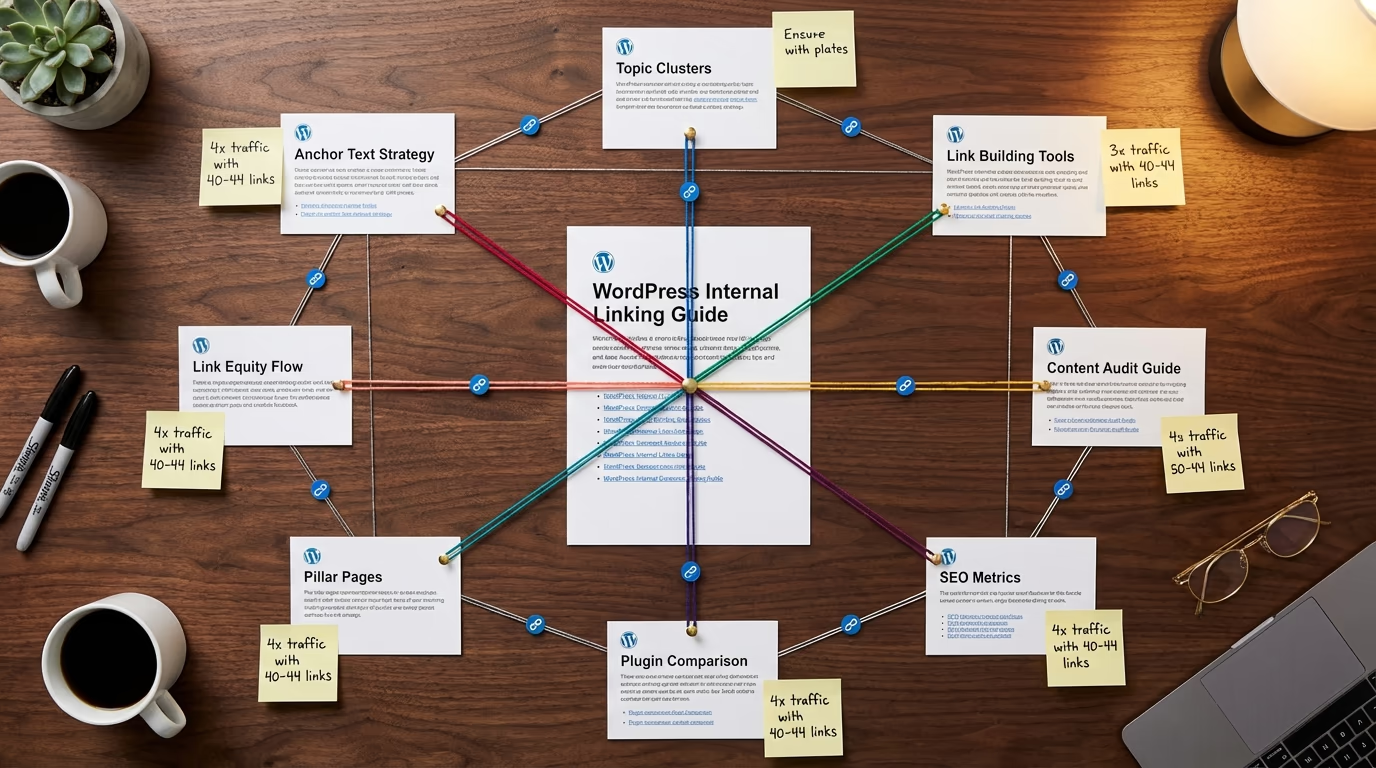
Your WordPress site probably has dozens of blog posts that nobody ever finds. Not because they’re bad, but because they’re isolated. No links pointing to them, no connections to your other content, just sitting there waiting for Google to stumble across them. Internal linking fixes that problem, and it’s one of the easiest SEO wins you can grab without spending a dime.
Here’s what makes this situation both frustrating and exciting: WordPress internal linking isn’t complicated. It doesn’t require expensive tools or technical expertise. You don’t need to hire an agency or spend months learning advanced SEO tactics. What you need is a strategy, specifically one built around topic clusters that establish your site as an authority in your niche.
I’ve watched sites transform their organic traffic simply by going back through existing content and connecting related posts together. The pages that get the most internal links tend to rank better, which makes sense when you think about it. You’re telling Google which pages matter most on your site, and you’re making it easier for visitors to find your best content. It’s a win on both fronts.
This guide walks you through building a WordPress internal linking strategy using topic clusters. You’ll learn why internal links matter more than ever in 2026, how to structure your content around pillar pages, which plugins actually help versus waste your money, and how to measure whether your efforts are paying off. By the end, you’ll have a clear roadmap for turning your scattered content into an interconnected web that Google rewards with higher rankings and more organic traffic.
Why WordPress Internal Linking Matters More Than Ever in 2026
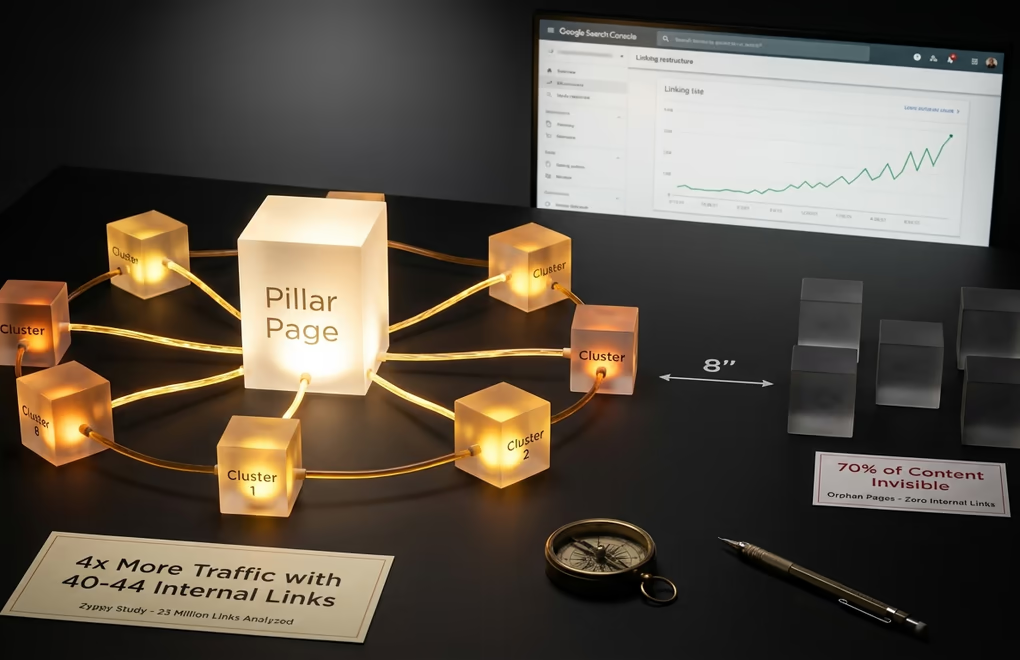
Google’s algorithm keeps getting smarter about understanding topical authority, and the recent Helpful Content updates have made this even more important. Sites that demonstrate deep expertise on subjects, not just individual pages targeting isolated keywords, are the ones climbing the rankings. Internal links serve as the connective tissue that shows search engines how your content relates to itself and proves you actually know what you’re talking about.
When you link from an article about WordPress SEO strategies to a detailed guide on keyword research, you’re showing Google that these pieces belong together. You’re demonstrating that your site covers the topic comprehensively. Without those links, even great content sits isolated, unable to benefit from or contribute to your site’s overall authority. It’s like having a library where none of the books reference each other.
There’s a sweet spot for internal links that you should aim for. Pages that receive a healthy number of internal links from other pages on your site tend to perform significantly better in search results. Go too light on internal linking and you’re leaving traffic on the table. But don’t go overboard either, since excessive internal linking can look spammy and actually hurt your pages. Somewhere in the range of 30-50 internal links pointing to your most important pages seems to work well for most sites.
Internal links also distribute what SEO professionals call link equity throughout your site. When one of your pages earns backlinks from external sources, that authority doesn’t stay locked on a single page. Internal links allow it to flow to other pages on your site, lifting rankings across your entire domain. This is why sites with strong internal linking structures often see rising tide effects where improving one page helps lift many others.
The cost of neglecting internal linking compounds over time. Orphan pages, those with no internal links pointing to them, essentially become invisible to both search engines and users navigating your site. You’ve invested time and resources creating that content, but without proper linking, it generates zero value. I’ve audited sites where more than half the blog posts had no internal links at all, just sitting there collecting dust while the site owner wondered why their traffic wasn’t growing.
Understanding Topic Clusters and Pillar Page Architecture
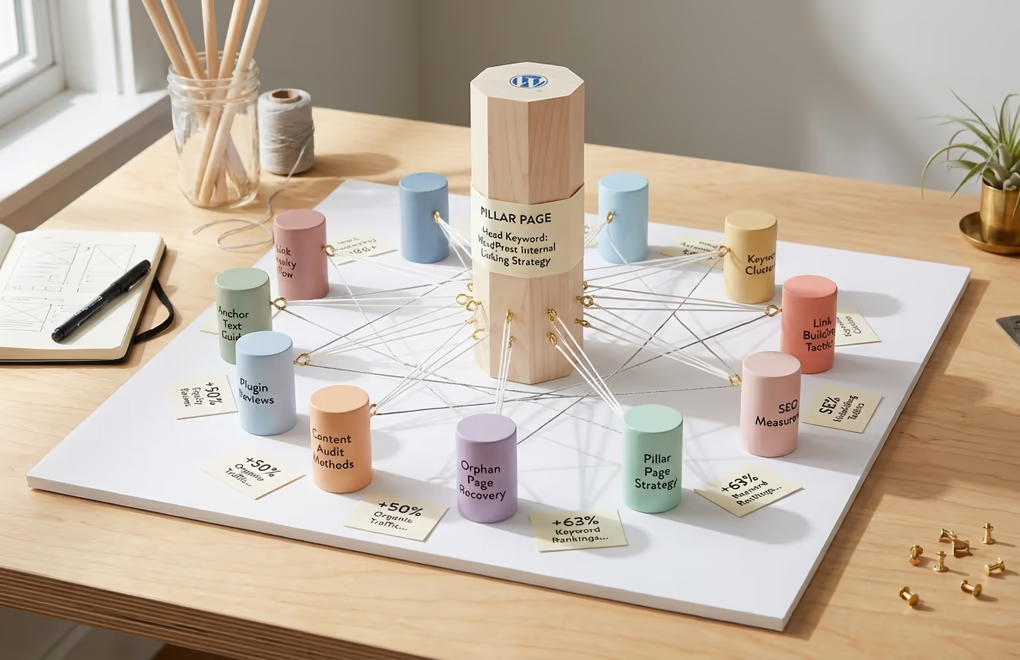
A topic cluster is a content organization method that groups related articles around a central pillar page. The pillar page covers a broad topic thoroughly, typically in 3,000 to 5,000 words, while targeting a competitive head keyword. Surrounding that pillar are cluster pages that dive deep into specific subtopics, each targeting longer-tail keywords related to the main theme. Every cluster page links back to the pillar, and the pillar links out to all its clusters.
Think of it like a hub and spoke model. Your pillar page sits at the center as the hub. Your cluster content radiates outward as spokes. The internal links between them create a web of relevance that search engines can easily understand and reward. This approach has been used by major content sites for years because it works consistently. When you organize content this way, Google can clearly see that you’re not just publishing random articles but building comprehensive resources around topics you genuinely understand.
Sites that implement topic clusters properly tend to see noticeable improvements in organic traffic compared to those publishing standalone posts. The clustered content also tends to maintain rankings longer because it signals genuine topical depth. When Google updates its algorithm, standalone content often gets shuffled around in rankings, but topic clusters demonstrate the kind of authority that stays stable through updates.
A practical example helps illustrate this concept. Suppose you run a WordPress site about selling digital products. Your pillar page might target “how to sell digital products online” and cover the entire process from choosing products to marketing and fulfillment. Your cluster pages would then tackle specific aspects: payment processing options, digital delivery methods, pricing strategies, legal considerations, email marketing for digital products, and so on. Each cluster page links to the pillar with relevant anchor text, and the pillar includes sections that link out to each cluster.
How many cluster pages should surround each pillar? The answer varies, but most successful topic clusters contain 8 to 12 supporting pages. Going below six clusters usually doesn’t provide enough topical depth to establish authority. Going above 15 can dilute focus and make maintaining the cluster difficult. The sweet spot for most WordPress sites falls in that 8-10 range, where you have enough content to demonstrate expertise without overwhelming your content calendar or stretching yourself too thin.
I’ve seen B2B sites implement pillar-cluster architecture and see impressive improvements within just a few months: significant gains in primary topic keyword rankings and noticeable domain authority increases over six months. These aren’t theoretical projections. They’re measured outcomes from real sites using the exact strategy this guide teaches. The key is committing to the structure and maintaining it as you publish new content.
Building Your WordPress Internal Linking Strategy Step by Step
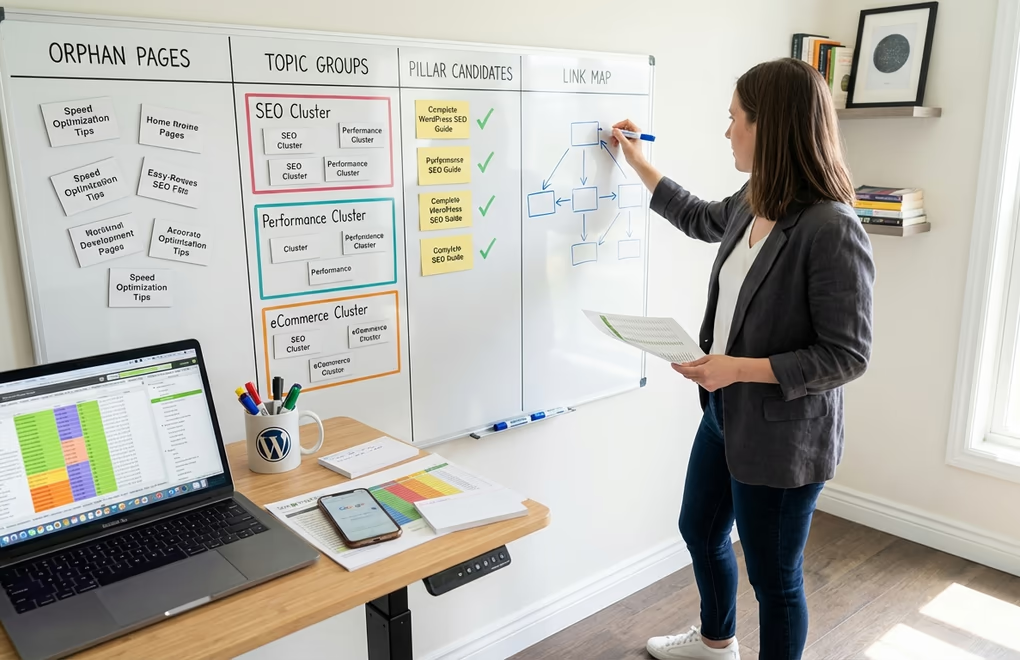
Before adding new links or creating new content, you need to understand what you’re working with. Start by auditing your existing content to identify orphan pages and missed linking opportunities. Export a list of all your published posts and pages from WordPress. Tools like Screaming Frog can crawl your site and identify pages with zero or few internal links pointing to them. If you’re using Rank Math PRO, navigate to your posts section, select Orphan Posts from the dropdown menu, and click Filter to see isolated content instantly.
Once you’ve identified your orphan pages, categorize your existing content by topic. Group related articles together even if you didn’t originally create them with topic clusters in mind. Most WordPress sites have natural groupings hiding in their archives. You might discover you already have five or six articles about email marketing, seven about WordPress speed optimization, or a scattered collection about SEO fundamentals. These groupings become the foundation for your topic clusters.
Next, identify pillar page opportunities within each grouping. Look for either an existing in-depth piece that could serve as the pillar, or a gap where you need to create one. A good pillar page candidate targets a broad, competitive keyword and covers the topic extensively enough to link naturally to all supporting cluster content. If your existing content skews toward specific subtopics without a broader overview, creating that pillar page should be your first content priority.
Create a simple content map for each topic cluster. Nothing fancy required, a spreadsheet works fine. List your pillar page at the top, then list all cluster pages beneath it. For each cluster page, note the primary keyword it targets and the anchor text you’ll use when linking from the pillar. Also note which other cluster pages it should link to besides the pillar, since cluster-to-cluster links strengthen the overall structure. This map becomes your reference document for implementation.
Setting up a sustainable linking workflow prevents the common problem of building a great structure initially and then letting it decay. Whenever you publish new content, immediately identify which existing pages it should link to and which should link back to it. Aim for 5-10 internal links per 2,000 words of content, roughly one link every 200-300 words. Build this into your publishing checklist so internal linking happens automatically rather than as an afterthought.
For sites with extensive archives, retroactive linking requires dedicated effort. Set aside time each week to add internal links to older content. Prioritize your highest-traffic pages first since links from popular pages pass more value. Then work through your orphan pages, adding them into the linking structure. This retroactive work compounds over time, gradually transforming scattered content into a cohesive topic cluster architecture.
Anchor Text Optimization for Maximum SEO Impact
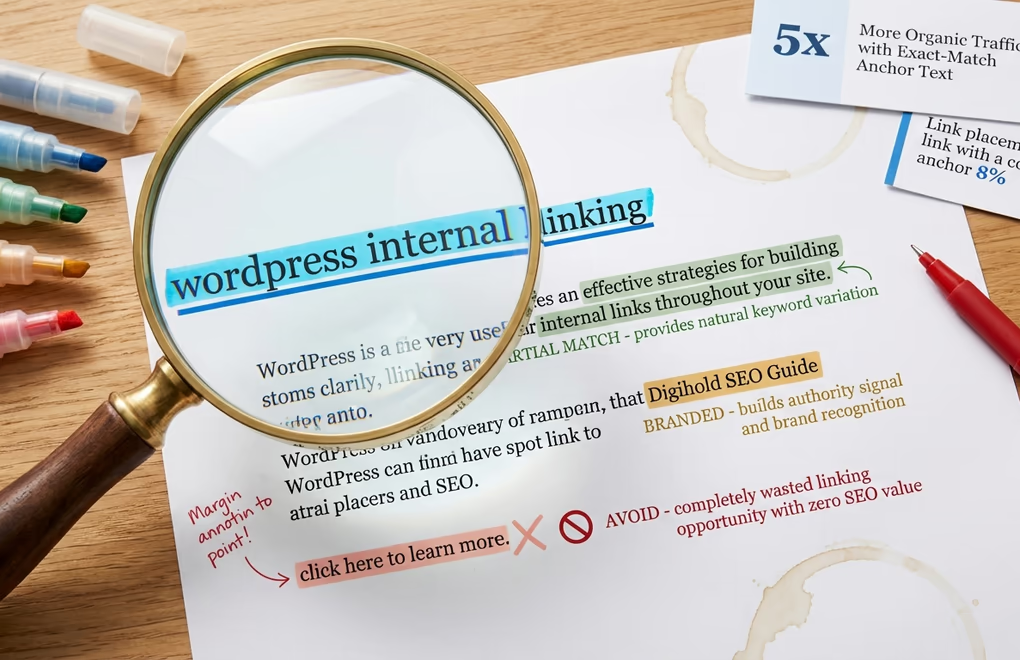
The words you use when creating internal links matter enormously. Anchor text tells search engines what the linked page is about, and using it strategically can dramatically improve rankings. Pages that receive at least one keyword-rich anchor text link tend to perform significantly better than pages with only generic “click here” type links. That’s a meaningful difference from something many site owners treat as an afterthought.
Exact-match anchor text uses the target keyword of the linked page as the clickable text. If you’re linking to a page targeting “WordPress internal linking,” an exact-match anchor would be exactly that phrase. Partial-match anchors include the keyword along with additional words, like “effective WordPress internal linking strategies” or “guide to internal linking.” Branded anchors use your site or company name. Generic anchors use phrases like “click here” or “read more.”
The key to effective anchor text strategy lies in balance. Using 100% exact-match anchors looks unnatural and could trigger over-optimization signals. Using 100% generic anchors wastes the opportunity to signal relevance. A healthy internal anchor text profile mixes exact-match anchors for your most important target keywords, partial-match anchors that include the keyword with natural surrounding context, descriptive anchors that accurately describe the content without explicitly using the keyword, and the occasional branded or generic anchor where it fits naturally.
Common anchor text mistakes can undermine your efforts. Avoid linking with the same exact anchor text from dozens of pages, as this looks manipulative. Don’t use vague phrases like “click here” or “learn more” when you could use descriptive text instead. Never stuff keywords unnaturally into anchor text just to include them. And watch out for broken internal links where the anchor text promises something the destination page no longer delivers.
For WordPress specifically, link placement within your content also matters. Position your most important internal links toward the top of your content where possible. Links placed higher on the page tend to receive more clicks and are given more weight by search engines. This doesn’t mean cramming links into your introduction, but rather being intentional about mentioning and linking to key related content early in articles rather than only in conclusions.
Consider using contextual links within body content rather than relying solely on navigation menus, sidebars, or related post sections. While those structural links have value, in-content links carry more weight because they appear within relevant context. A link to your SEO plugin comparison embedded in a paragraph discussing on-page optimization signals relevance more clearly than the same link sitting in a sidebar widget.
Best Internal Linking Plugins for WordPress in 2026
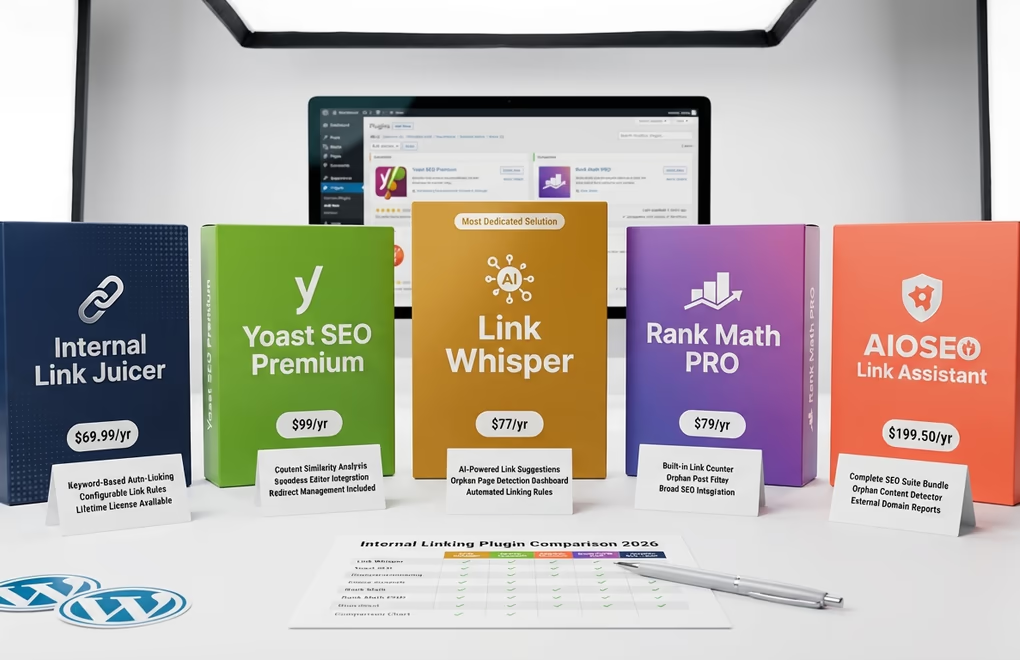
Manual internal linking works well for small sites. If you have fewer than 50 posts, you can handle it yourself without any tools. But once your content library grows past that point, manually tracking linking opportunities across hundreds of articles becomes impractical. The right plugin saves significant time while ensuring no opportunities get missed, and many SEO professionals now rely on automation tools for this exact reason.
Link Whisper stands out as the most dedicated internal linking solution for WordPress. Starting at $97 per year for a single site, it uses AI to analyze your content and suggest relevant internal links as you write. The plugin scans your entire site to identify orphan pages and shows exactly which posts could link to them. You can set up auto-linking rules to automatically insert links throughout your content based on keywords. For sites with 10 or more URLs, multi-site licenses bring the cost down significantly per site. A free version exists on WordPress.org with limited functionality for testing.
AIOSEO’s Link Assistant comes bundled with their Pro plan at $199.50 per year, making it a smart choice if you need full-featured SEO tools alongside internal linking features. The Link Assistant automatically crawls your content, identifies linking opportunities, and suggests connections between related posts. It includes an orphaned content detector that finds isolated pages and recommends where to add links. A domains report shows which external sites you’re linking to most frequently. If you’re already using or considering AIOSEO for general SEO management, the built-in linking tools add significant value.
Rank Math PRO includes orphan page detection as part of its internal linking toolkit. The Pro version lets you filter posts directly in your WordPress dashboard to see which ones have no internal links pointing to them. While not as feature-rich for linking specifically as dedicated tools, Rank Math provides solid internal linking suggestions alongside its broader SEO capabilities. The integrated link counter shows incoming and outgoing links for each post. Pricing starts at $79 per year for personal use.
Internal Link Juicer takes a keyword-based approach to automated linking. You configure keywords for each post, and the plugin automatically creates links to that post whenever those keywords appear elsewhere on your site. Pricing runs $69.99 per year for a single site, with lifetime licenses available at $249.99. The free version on WordPress.org includes most core features. This approach works well for sites with consistent terminology where you want specific phrases to always link to specific destinations.
Yoast SEO Premium at $119 per year (excluding VAT) includes internal linking suggestions that appear while you’re editing content. The tool analyzes your post and suggests relevant articles to link to based on content similarity. It’s not as powerful as dedicated linking plugins, but the suggestions integrate seamlessly into the writing workflow. If you’re already a Yoast user, the premium upgrade brings meaningful linking functionality alongside other features like redirect management.
When should you use plugins versus manual linking? For sites under 50 posts, manual linking typically suffices. You can maintain a mental map of your content and add links as you write without automation. Between 50 and 100 posts, plugins become helpful for identifying missed opportunities but aren’t strictly necessary. Beyond 100 posts, automation tools save significant time and catch connections you’d otherwise miss. Sites with 500+ posts essentially require plugin assistance to maintain any coherent linking structure.
Measuring and Improving Your Internal Linking Performance
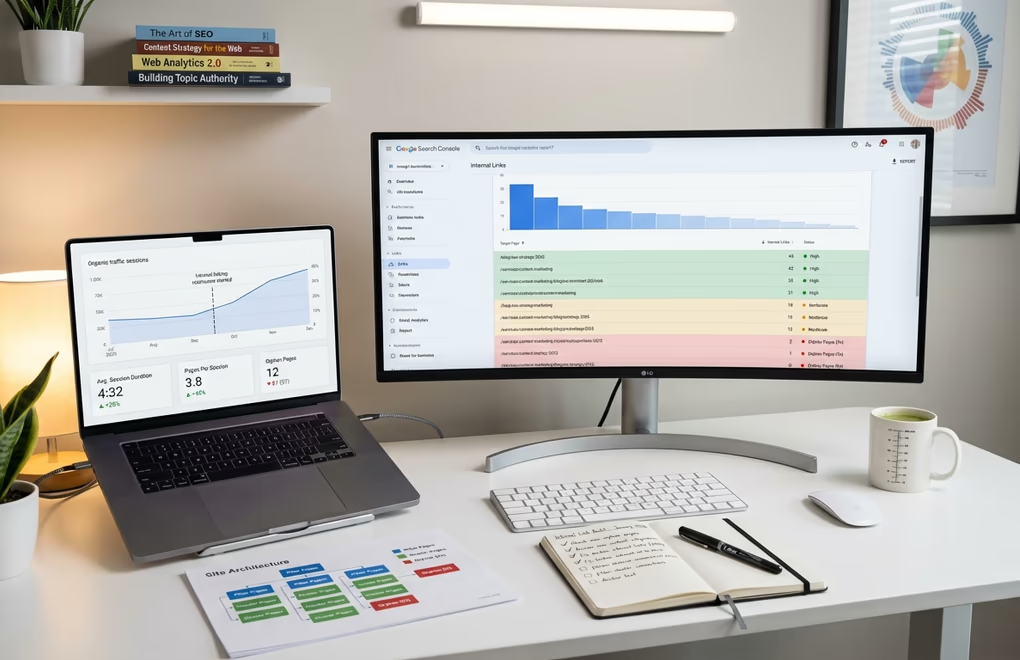
You can’t improve what you don’t measure, and internal linking is no exception. Google Search Console provides free data about your internal link structure, and it comes directly from the source that matters most. Navigate to the Links section in your GSC sidebar, then look at the Internal Links report. This shows which pages on your site receive the most internal links and which receive the fewest.
Key metrics to track include your orphan page count, average internal links per page, link distribution across your site hierarchy, and the ratio of internal to external links. Your most important pages, like pillar content, key product pages, and high-converting landing pages, should have the most internal links pointing to them. If your GSC report shows random archive pages receiving more links than your cornerstone content, your linking structure needs adjustment.
Establish a monthly audit routine to catch problems before they compound. Check for new orphan pages created since your last audit. Review recently published content to ensure it’s properly linked into existing topic clusters. Look for broken internal links that return 404 errors. Verify that your pillar pages still link to all their cluster content, especially if you’ve added new cluster pages. High-volume content sites should perform these checks monthly, while smaller sites can audit quarterly.
Signs your internal linking needs work extend beyond raw numbers. If your site architecture looks flat with most pages only one or two clicks from the homepage, you’re probably missing deeper linking opportunities. If your navigation menu carries most of your internal links while body content contains few, you’re underutilizing contextual linking. If certain topic areas have solid content but those articles don’t link to each other, you have unconnected clusters that need integration.
Track the SEO impact of your internal linking improvements over time. Monitor organic traffic to pages after you add internal links pointing to them. Watch for ranking improvements on target keywords within your topic clusters. Note changes in average session duration and pages per session, since better internal linking typically keeps visitors on your site longer. These metrics take weeks or months to show clear trends, so patience matters alongside consistent effort.
Tools like fast WordPress themes and optimized hosting help your internal links get crawled efficiently. Search engine bots have limited crawl budgets, and slow-loading pages or technical issues can prevent them from following all your internal links. A technically sound site ensures your carefully crafted linking structure actually gets indexed and counted, and a properly configured WordPress robots.txt helps search engines focus their crawl budget on the pages that matter.
Turn Your WordPress Site Into a Topic Authority
WordPress internal linking transforms scattered content into a coherent authority signal that Google rewards with higher rankings and more organic traffic. Topic clusters built around pillar pages and connected with thoughtful internal links outperform isolated content on every meaningful metric. They generate more traffic, maintain rankings longer, and compound in value as you add more connected content over time.
Start by auditing your existing content to find orphan pages and natural topic groupings. Identify or create pillar pages for each cluster. Map out the connections between cluster pages and their pillar. Implement those links using varied, descriptive anchor text with strategic keyword placement. Then establish a workflow that ensures every new piece of content gets linked into the structure from day one.
The effort compounds over time, and this is the key insight. Each new article you add to a topic cluster strengthens the entire cluster. Each internal link you add helps distribute authority more effectively across your site. Sites that commit to this approach for six months or longer consistently report measurable improvements in organic traffic, keyword rankings, and topical authority. What internal linking challenge is holding your WordPress site back from reaching its ranking potential?



0 Comments on "WordPress Internal Linking Strategy: Build Topic Clusters That Dominate Google in 2026"