
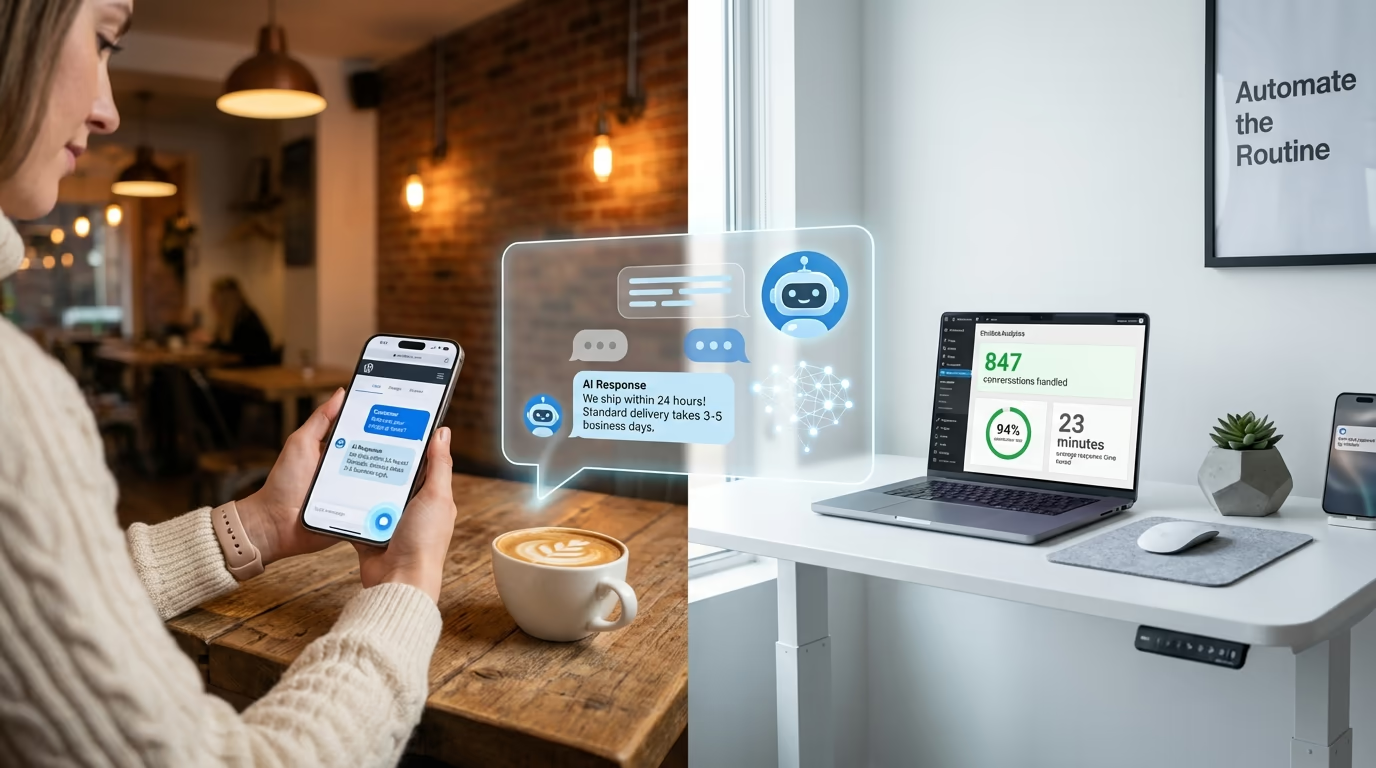
Adding a WordPress AI chatbot to your website is no longer optional for businesses serious about customer support. According to Zendesk’s 2026 research, 51% of consumers now prefer interacting with chatbots over waiting for a human agent. That number climbs even higher when people want immediate answers to simple questions. The message is clear: visitors landing on your site expect instant responses, and they’re willing to talk to a bot to get them.
If you’re running a small business or managing a WordPress site solo, you know the pain. Customers email at 2 AM expecting replies by morning. Support tickets pile up while you’re actually doing the work that pays the bills. Hiring a dedicated support person costs thousands per month, and that’s before you factor in training, benefits, and the inevitable turnover. The math simply doesn’t work for most WordPress site owners.
A WordPress AI chatbot changes that equation entirely. Modern chatbot plugins powered by GPT-5 and Claude can handle up to 80% of routine customer inquiries without any human intervention. They work around the clock, never call in sick, and cost a fraction of what you’d pay a part-time employee. Better yet, the latest generation of these tools requires absolutely zero coding knowledge to set up and customize.
This guide walks you through everything you need to know about adding AI-powered customer support to your WordPress site. You’ll learn how these chatbots actually work under the hood, compare the seven best plugins available right now, and follow a step-by-step process to get one running on your site today. Whether you’re selling products through WooCommerce, offering services, or just trying to answer the same questions you get asked every single day, there’s a solution here that fits your needs and budget.
Why Your WordPress Site Needs an AI Chatbot in 2026
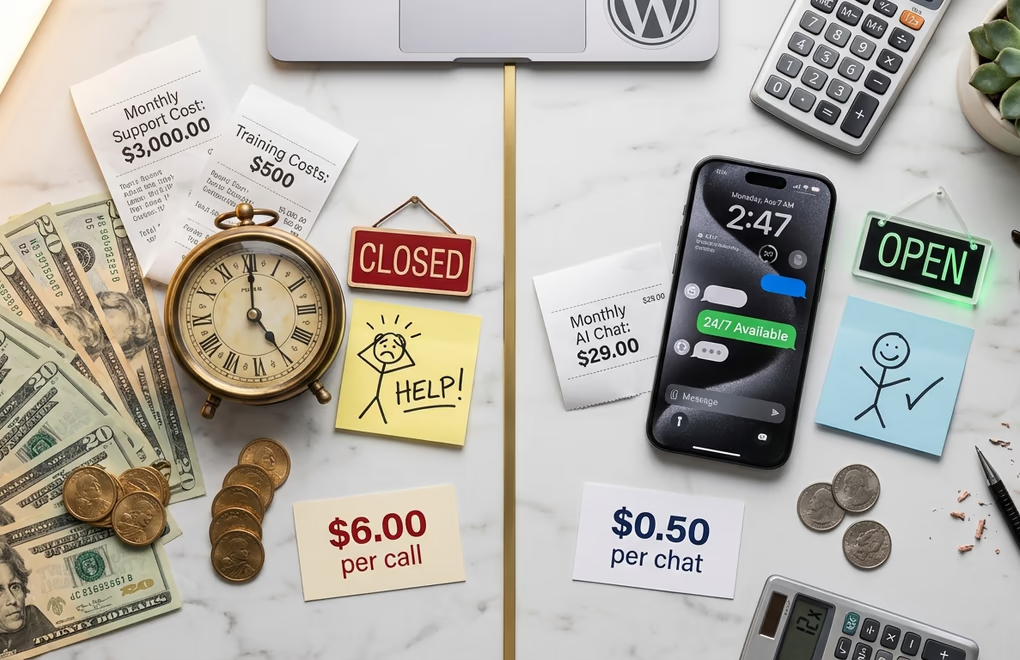
The chatbot market has exploded over the past few years, and for good reason. Businesses of all sizes are investing heavily in this technology because chatbots deliver measurable returns. Companies aren’t throwing money at chatbots for fun; they’re doing it because the ROI is undeniable.
Consider the cost breakdown. A chatbot interaction costs a tiny fraction of what you’d pay for human customer service. When you multiply that savings across hundreds of monthly support inquiries, the difference becomes substantial. And those numbers don’t even account for the time you personally spend answering repetitive questions instead of growing your business.
The availability factor matters just as much as the cost savings. Your WordPress site doesn’t close at 5 PM. Visitors browse at midnight, on weekends, during holidays. Chatbots answer routine questions significantly faster than live agents, and they do it at any hour. That instant gratification keeps potential customers engaged instead of bouncing to a competitor who happens to be online.
Small businesses are catching on quickly. The barrier to entry has dropped significantly. Five years ago, implementing a capable chatbot required developers, custom integrations, and significant technical knowledge. Today’s WordPress AI chatbot plugins install in minutes and configure through visual interfaces that anyone can understand.
Beyond pure support, chatbots excel at lead generation and sales assistance. They can qualify visitors, collect contact information, recommend products based on conversation context, and even recover abandoned carts by reaching out proactively. For WordPress ecommerce sites, that functionality translates directly into revenue that would otherwise walk out the digital door.
How WordPress AI Chatbots Actually Work
Modern WordPress chatbots aren’t the frustrating decision-tree bots from five years ago. They’re powered by large language models like GPT-5.2 and Claude that actually understand context, nuance, and intent. When a visitor types a question, the AI doesn’t just match keywords to pre-written responses. It comprehends what the person is asking and generates a relevant, conversational answer.
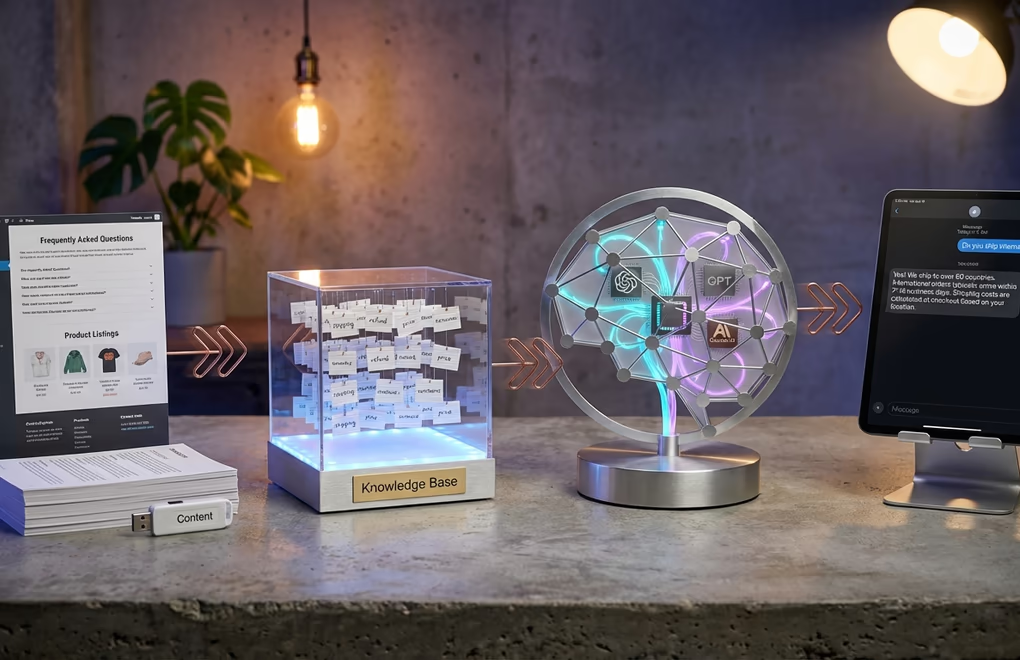
The magic happens through something called retrieval-augmented generation, or RAG. Here’s how it works in plain terms: you feed the chatbot your website content, FAQs, product descriptions, and policies. The system indexes all of that information and stores it in a knowledge base. When someone asks a question, the AI retrieves the most relevant pieces of your content and uses them to craft an accurate response specific to your business.
This training process is surprisingly simple with current plugins. Most allow you to point the chatbot at your existing pages and let it automatically crawl and learn your content. Some plugins like Boei can train on up to 1,000 pages of your website automatically. Others let you upload documents, paste FAQ content, or manually add knowledge base entries. The more quality content you provide, the smarter and more helpful your chatbot becomes.
A typical conversation flow looks like this: visitor arrives on your site and sees a chat widget. They click it and receive a friendly greeting. They type their question, something like “Do you offer refunds?” The AI analyzes the query, searches your knowledge base for refund policy information, and generates a response that accurately reflects your actual policy. If the question falls outside what the chatbot can answer confidently, it offers to connect the visitor with a human.
That human handoff feature is critical. Even the best AI can’t handle every situation, and trying to force it creates frustrated customers. Quality WordPress AI chatbot plugins include seamless escalation to live chat, email, or support tickets. The conversation context transfers with the handoff, so the human agent sees exactly what was discussed and can pick up without making the customer repeat themselves.
Integration with WordPress and WooCommerce opens up additional capabilities. Chatbots can pull real-time order status, check product availability, apply discount codes, and even process simple transactions. If you’re using AI tools for other aspects of your WordPress site, adding a chatbot fits naturally into that ecosystem. The technology stack is mature enough now that these integrations work reliably out of the box.
7 Best WordPress AI Chatbot Plugins for 2026
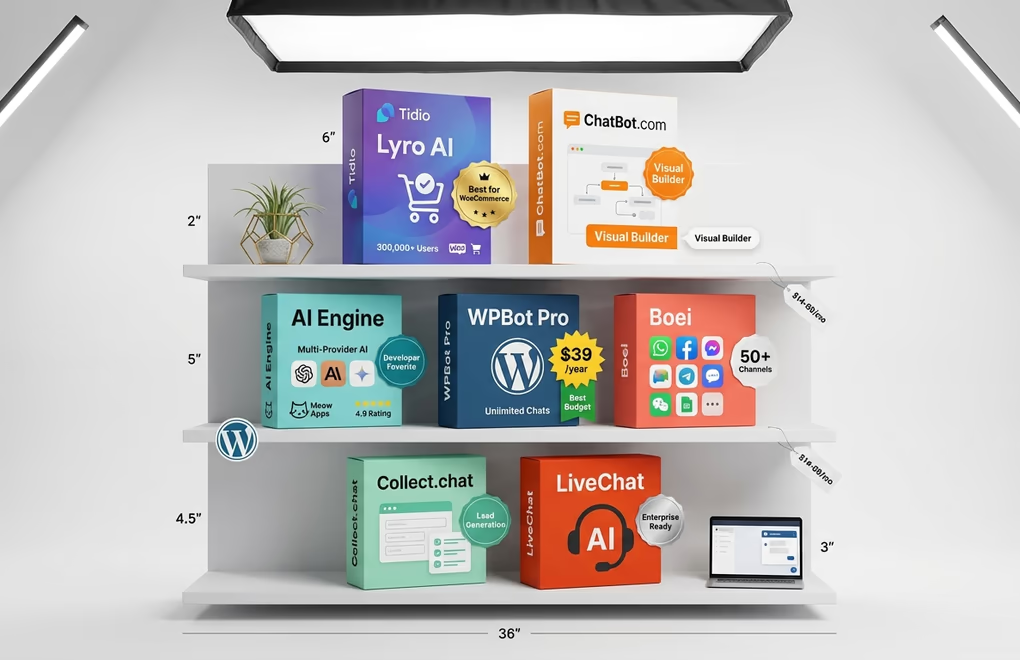
I’ve tested dozens of chatbot solutions over the past year. These seven consistently deliver the best combination of features, ease of use, and value for WordPress site owners. Each serves a slightly different use case, so pay attention to the “best for” designation to find your match.
Tidio with Lyro AI
Best for: WooCommerce stores needing sales and support automation
Tidio has earned its reputation as a go-to WordPress chat solution. Their Lyro AI feature automatically resolves up to 67% of repetitive support queries. The WooCommerce integration stands out particularly well, letting the chatbot preview customer carts, recommend products, and handle order-related questions without human involvement.
Pricing requires understanding their modular structure. The Starter plan costs $29/month for basic live chat, but Lyro AI is a separate add-on starting at $39/month for 50 AI conversations. Expect to pay $68-150/month if you need both human chat and meaningful AI capabilities. A free plan exists with 50 one-time Lyro conversations to test the AI before committing.
AI Engine by Meow Apps
Best for: WordPress users wanting native AI integration with multiple providers
AI Engine has built an impressive following with over 100,000 active installations and a near-perfect 4.9/5 rating on WordPress.org. The plugin connects WordPress to multiple AI providers including OpenAI, Anthropic Claude, Google Gemini, and Hugging Face models. This flexibility means you’re not locked into a single AI vendor and can switch based on performance or pricing.
The bring-your-own-API-key model keeps costs predictable. You pay only for actual AI usage through your chosen provider rather than expensive monthly subscriptions. The Pro license costs $59/year and unlocks advanced features like embeddings, AI forms, and function calling. The chatbot feature includes customizable appearance, conversation memory, and content-aware responses based on your WordPress content.
WPBot Pro
Best for: Budget-conscious WordPress developers and agencies
WPBot stands out for its WordPress-native approach and affordable pricing. Starting at just $39/year for a single site license, it offers unlimited AI-powered conversations when you provide your own API key. The plugin supports multiple AI backends including OpenAI, DialogFlow, and OpenRouter, which gives access to GPT, Claude, Gemini, and other models through a single interface.
Features include chat session histories, conversational forms for lead capture, Facebook Messenger integration, and webhook support for connecting to external services. The Master Lifetime License at $199 covers 50 site activations, making it exceptionally cost-effective for agencies managing multiple client sites. Setup takes about 15 minutes, slightly longer than simpler alternatives but worthwhile for the flexibility.
Boei
Best for: Multi-channel support with modern AI models
Boei earned top marks in independent testing for its comprehensive feature set. The platform offers both GPT-4 and Claude AI models, automatic website training on up to 1,000 pages, and live chat escalation with full context preservation. What sets Boei apart is the 50+ integrated contact channels, letting visitors reach you through their preferred method whether that’s chat, WhatsApp, Facebook, or dozens of other options.
Pricing starts at €14/month (roughly $15) for 2,000 AI messages, which undercuts most competitors significantly. Setup takes about 5 minutes, the fastest among full-featured options. A 7-day trial with 250 messages lets you test before committing. The main limitation is that message counts can deplete quickly on busy sites, requiring an upgrade sooner than expected.
Collect.chat
Best for: Beginners focused on lead generation and surveys
Collect.chat takes a different approach by focusing on interactive conversations for data collection rather than open-ended AI chat. The drag-and-drop builder makes creating chat flows incredibly simple, and the platform powers over 15,000 websites including notable names like Airbnb and Techstars. Templates for feedback collection, appointment booking, and lead qualification help you get started quickly.
A free forever plan offers unlimited bots with up to 50 responses monthly. Paid plans start at $24/month for additional responses and features. Integrations with Slack, Google Sheets, Zapier, and email ensure collected data flows where you need it. The chatbot widget works with WordPress, Gutenberg, Elementor, Divi, and most other builders without compatibility issues.
ChatBot.com
Best for: Visual bot building with pre-made templates
ChatBot.com has positioned itself as the user-friendly option for people who want powerful automation without complexity. The visual drag-and-drop builder lets you create sophisticated conversation flows by connecting blocks rather than writing logic. Pre-built templates for ecommerce, lead generation, customer support, and appointment scheduling mean you’re not starting from scratch.
At $50/month billed annually, it’s pricier than some alternatives but includes 1 active chatbot and 1,000 chats monthly. Facebook Messenger integration expands your reach beyond your website. The WordPress plugin installs cleanly and the widget customization options let you match your site’s branding precisely.
LiveChat with ChatBot Integration
Best for: Teams already using LiveChat who want AI automation
LiveChat combined with ChatBot creates a powerful hybrid solution where AI handles initial interactions and seamlessly hands off to human agents when needed. The platform includes visitor analytics, contact history tracking, and custom forms for lead qualification. The AI component can automatically assign sales requests to the right team members based on conversation content.
The catch is pricing. You need both subscriptions: LiveChat starts at $20/month per agent when billed annually, and ChatBot adds $52/month on top. That means a minimum of $72/month for one agent with AI capabilities. For a team of five agents, expect around $152/month on annual billing. It’s expensive but delivers enterprise-grade functionality that smaller standalone solutions can’t match.
How to Set Up an AI Chatbot on WordPress

Getting a chatbot running on your WordPress site takes less time than you might expect. Most plugins can be operational within 15-30 minutes. Here’s a walkthrough of the general process that applies to nearly all the options mentioned above.
Start by clarifying your primary goal. Do you want to handle support inquiries, generate leads, assist with sales, or all three? This decision guides which plugin to choose and how to configure it. A digital product store has different chatbot needs than a service business, and setting the right priorities upfront saves reconfiguration later.
Installation follows the standard WordPress plugin process. Navigate to Plugins, click Add New, search for your chosen chatbot, and click Install followed by Activate. Some services like Boei and ChatBot.com use a lightweight connector plugin that links to their cloud platform, while others like AI Engine and WPBot run entirely within WordPress.
For plugins using external AI models, you’ll need to connect your API keys. OpenAI keys come from platform.openai.com, Anthropic keys from console.anthropic.com. Both services offer free credits for new accounts, enough to test your chatbot thoroughly before spending money. Enter these keys in the plugin settings where prompted.
Training your chatbot is where the real work happens. Point the AI at your FAQ pages, product descriptions, policy pages, and any other content that answers common questions. Some plugins crawl these pages automatically while others require you to paste content or upload documents. The investment in good training content pays dividends in answer accuracy. Poor training leads to confident but wrong answers that frustrate visitors.
Customize the appearance to match your brand. Change colors to fit your site’s palette, upload your logo, adjust the widget position, and write a greeting message that feels authentic to your voice. Visitors should feel like they’re talking to an extension of your business, not a generic bot template. Most plugins offer extensive styling options through visual editors.
Configure human handoff rules before going live. Decide what triggers a transfer to a real person: certain keywords, expressed frustration, requests for manager, or the chatbot admitting uncertainty. Set up the destination, whether that’s live chat, email, or a support ticket system. Test this flow thoroughly. A seamless handoff impresses visitors while a broken one destroys their confidence in your support.
Finally, test extensively before launching publicly. Ask the chatbot questions you know visitors will ask. Try to confuse it. Ask about topics not in your training data. See how it handles edge cases. Invite a few trusted customers or colleagues to try it and gather feedback. Iron out issues in this testing phase rather than discovering them through angry customer complaints.
Common WordPress AI Chatbot Mistakes to Avoid
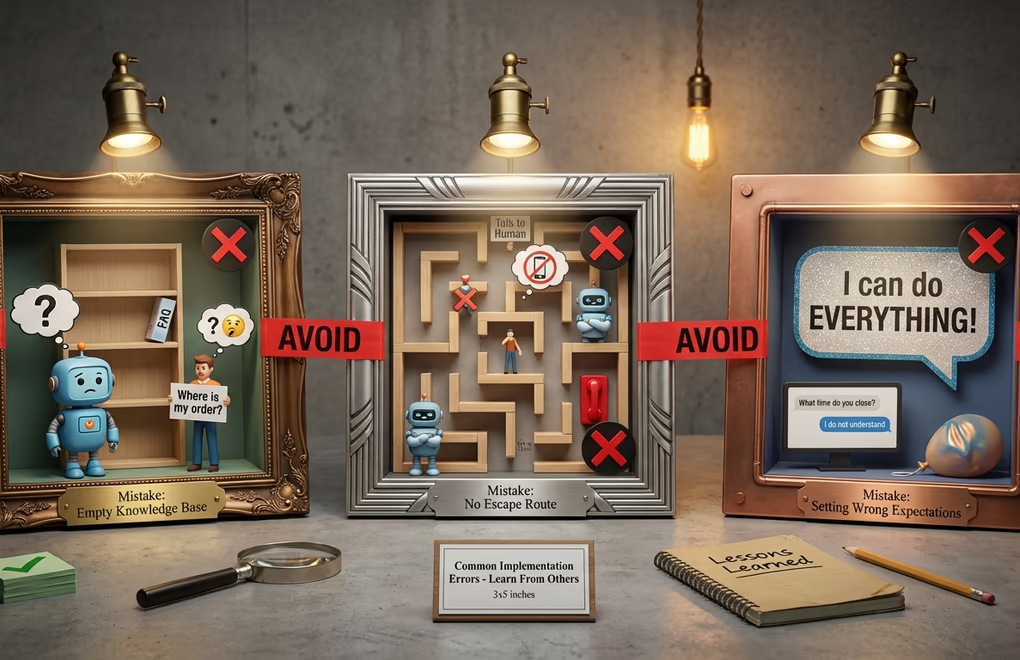
Watching businesses implement chatbots over the years reveals patterns in what goes wrong. Avoid these pitfalls and you’ll have a much smoother experience with your WordPress AI chatbot deployment.
Insufficient training content ranks as the number one issue. People install a chatbot, feed it a single FAQ page, and wonder why it gives unhelpful answers. The AI can only know what you teach it. If your training data lacks depth, so will the responses. Spend time building a comprehensive knowledge base before expecting great results. Update it regularly as your business evolves and new questions emerge.
Hiding the human option creates massive frustration. Despite consumer preference for chatbots in many situations, Zendesk research shows 68% of customers still expect access to human agents for complex issues. Burying or eliminating the option to speak with a person makes visitors feel trapped. Always provide a clear, easy path to human support and don’t make people jump through hoops to access it.
Overpromising in the chatbot greeting sets visitors up for disappointment. If your bot says “I can help with anything!” but then fails on basic questions, trust evaporates instantly. Be honest about capabilities. Something like “I can answer questions about our products, shipping, and returns. For complex issues, I’ll connect you with our team” sets appropriate expectations.
Ignoring analytics wastes valuable improvement opportunities. Every chatbot platform includes conversation logs and performance metrics. Review them weekly. Identify questions your bot handles poorly and improve the training. Find patterns in what leads to human escalation and address root causes. The chatbots that perform best months after launch are the ones whose owners actively iterate based on real data.
Forgetting mobile responsiveness leaves a huge portion of visitors with a poor experience. More than half of web traffic comes from mobile devices, and many chatbot widgets perform terribly on small screens. Test your chatbot on actual phones, not just browser resize. Check that the widget doesn’t block critical content, that typing works smoothly, and that conversations remain readable. If using Gutenberg blocks to build your pages, verify the chat widget doesn’t interfere with your responsive layouts.
Overcomplicating conversation flows confuses visitors and reduces effectiveness. Some bot builders get carried away with branching logic, multiple choice menus nested five levels deep, and complex qualification sequences. Simple works better. Get to the answer or action as quickly as possible. If your bot requires more than three exchanges to handle a basic question, simplify the flow.
Choosing the Right Chatbot for Your WordPress Site
The right WordPress AI chatbot depends entirely on your specific situation. Budget constraints, technical comfort level, expected conversation volume, and primary use case all factor into the decision. Rather than declaring one solution best for everyone, match your circumstances to the right tool.
For tight budgets, WPBot at $39/year or AI Engine with pay-as-you-go API costs offer tremendous value. You sacrifice some polish for significant savings. If you’re running a membership site or a WooCommerce store and want deep ecommerce integration, Tidio’s product recommendation and cart preview features justify the higher monthly cost. Need multi-channel support across WhatsApp, Facebook, and other platforms? Boei’s 50+ channel integrations handle that elegantly.
Start with a free option to validate the concept before committing budget. Tidio, WPBot, Collect.chat, and AI Engine all offer free tiers or trials. Install one, train it on your most common questions, and monitor the results for a few weeks. You’ll quickly learn whether chatbot technology fits your business model and which features matter most for your specific visitors.
Before deploying any chatbot, make sure your site handles cookie consent properly, since chat widgets often set tracking cookies. The support automation landscape has matured significantly. Five years ago, adding a useful chatbot to WordPress required significant technical effort and produced mediocre results. Today’s options install in minutes, configure through visual interfaces, and leverage AI models capable of genuinely helpful conversations. The tools exist. The barrier to entry has dropped. The question now is simply whether you’ll adopt this technology before your competitors do.



0 Comments on "WordPress AI Chatbots 2026: Add Customer Support Without Writing Code"