
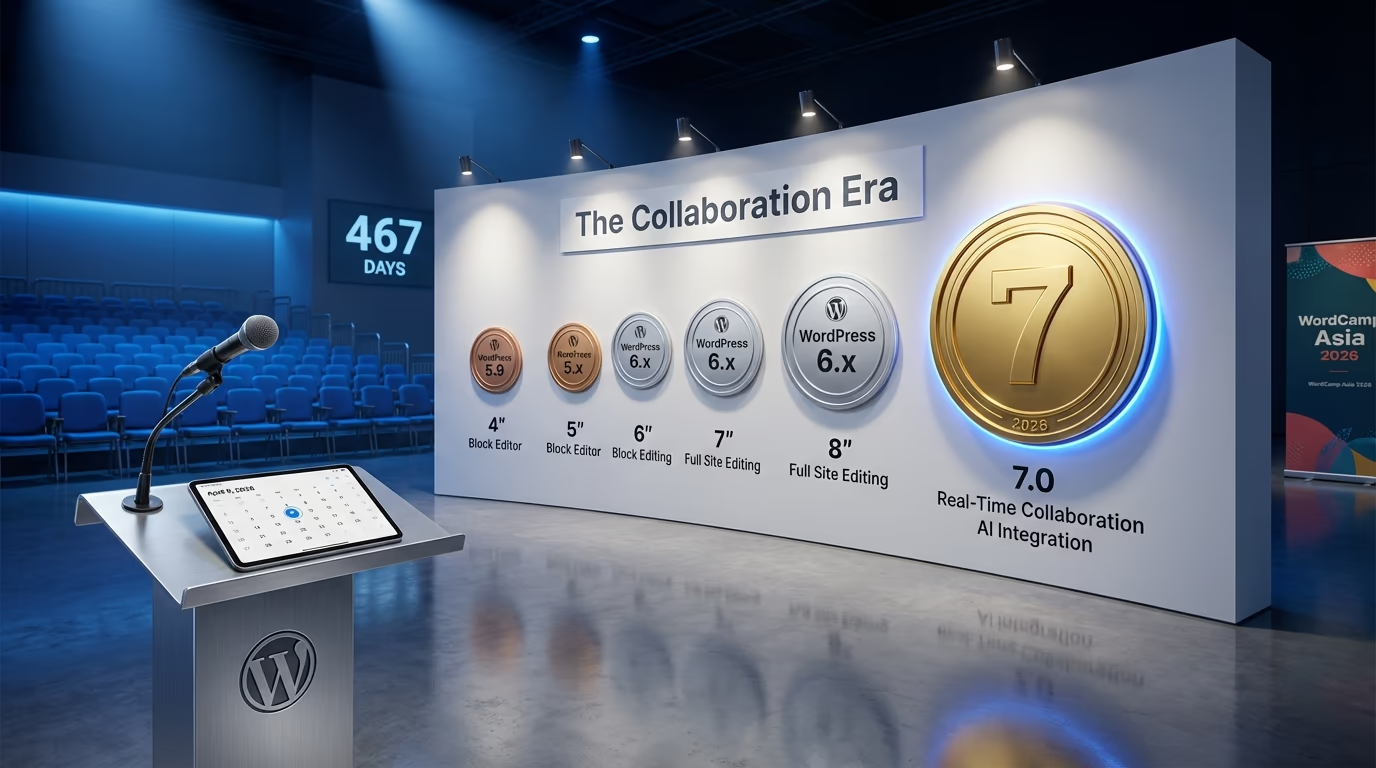
WordPress 7.0 is officially coming in 2026, and it represents the biggest update to the platform since Full Site Editing arrived in WordPress 5.9 back in 2022. After a turbulent 2025 that saw major releases delayed and the WordPress community rocked by unprecedented legal battles, the development team is ready to deliver something substantial.
The release marks WordPress’s entry into Phase 3 of the Gutenberg roadmap, which focuses on collaboration and workflows. For years, teams working in WordPress have relied on third-party plugins or clunky workarounds to collaborate on content. Google Docs became the default draft environment for many publishing workflows simply because WordPress couldn’t match its real-time editing capabilities. That changes with WordPress 7.0.
Beyond collaboration, WordPress 7.0 introduces native AI capabilities directly into core, a refreshed admin experience built on the DataViews component system, and significant technical changes like the fully iframed post editor.
This guide covers everything confirmed about WordPress 7.0 so far, including the exact release timeline, what’s explicitly not coming, and what you should do now to prepare your sites. Whether you’re a developer building themes and plugins, an agency managing client sites, or a site owner wondering if you should wait to update, you’ll find the answers here.
WordPress 7.0 Release Date: The Official Timeline
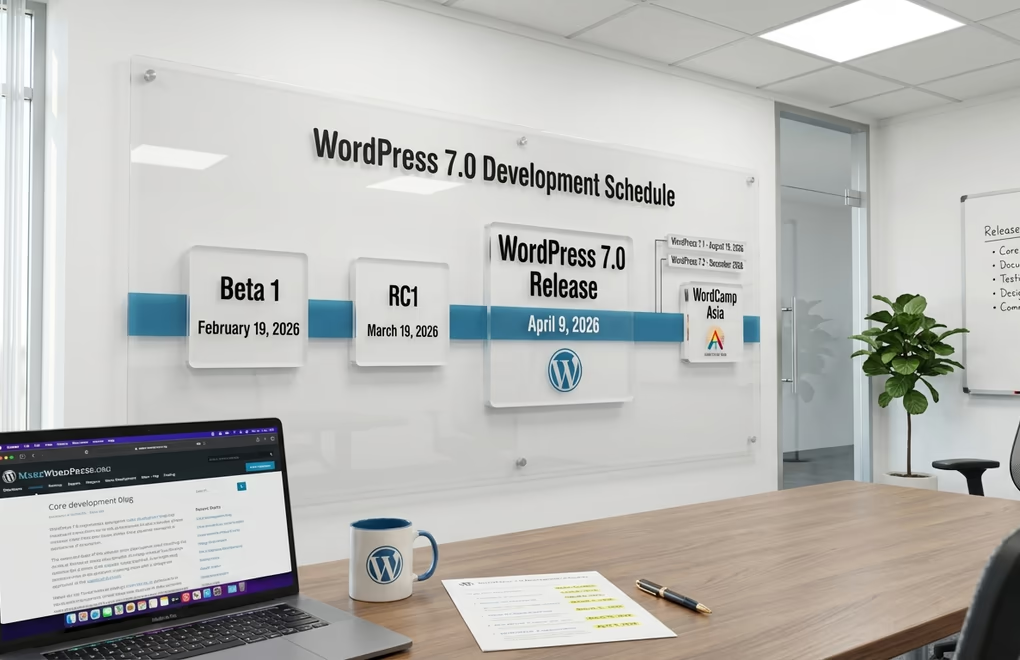
WordPress 7.0 is targeted for release on April 9, 2026, coinciding with Contributor Day at WordCamp Asia. This date comes from the official 2026 Major Release Schedule proposal published on make.wordpress.org in December 2025. The schedule ties all three planned 2026 releases to major WordPress events, giving the community natural milestones to work toward.
The development cycle follows WordPress’s standard release process. Beta 1 is scheduled for February 19, 2026, which is when the feature set gets locked and testing begins in earnest. Release Candidate 1 arrives on March 19, 2026, marking the point where only critical bug fixes can be merged. The final release then ships roughly three weeks later. Keep in mind that the 2026 release schedule isn’t fully finalized yet, so these dates could shift slightly.
After WordPress 7.0, the project plans to maintain its traditional three-release-per-year cadence. WordPress 7.1 is scheduled for August 19, 2026, timed to coincide with the final day of WordCamp US. WordPress 7.2 would then land in early December 2026, likely December 8-10 alongside Matt Mullenweg’s annual State of the Word address. This represents a return to normalcy after the disrupted 2025 schedule.
A call for contributors to join the WordPress 7.0 release squad went out in the first week of January 2026. These release squads typically include leads for core development, documentation, testing, design, and communications. If you’ve been looking for an opportunity to contribute to WordPress core development, this major release offers plenty of entry points.
Why WordPress 7.0 Was Delayed: The 2025 Backstory
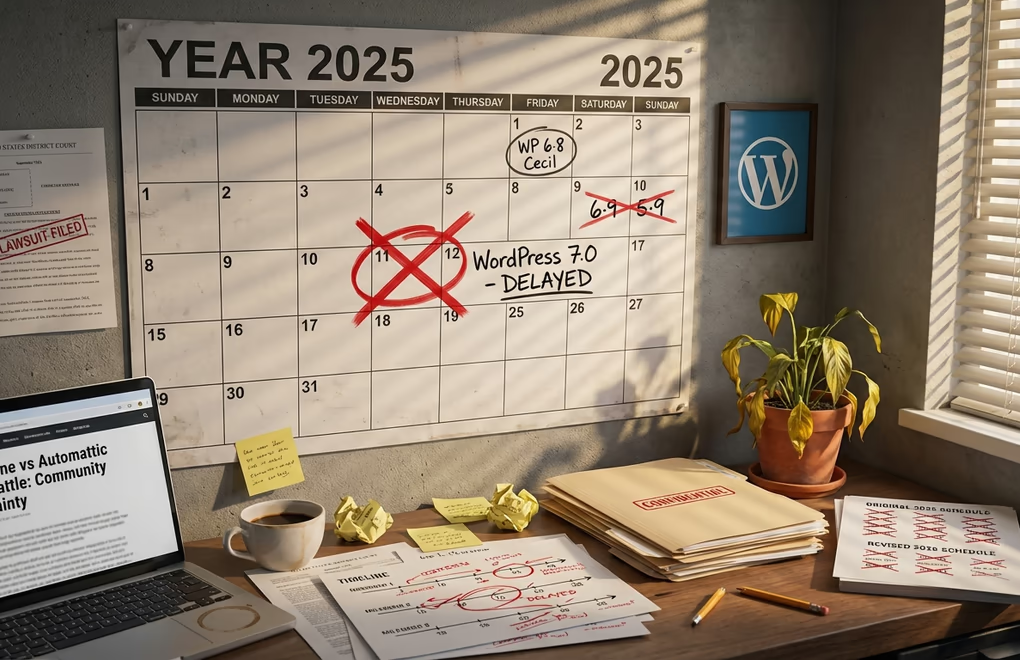
The original roadmap from November 2024 painted a very different picture. WordPress 6.8 was scheduled for April 15, 2025. WordPress 6.9 would follow on August 5, 2025. And WordPress 7.0 was targeted for November 11, 2025, with Beta 1 planned for September 30. That November date came and went without a release, leaving many in the community wondering what happened.
The answer involves one of the most contentious episodes in WordPress history. In September 2024, a dispute between Automattic and WP Engine exploded into public view. WordPress co-founder Matt Mullenweg accused WP Engine of trademark infringement and called them “a cancer to WordPress” during his WordCamp US keynote. WP Engine responded with a lawsuit alleging extortion, abuse of power, and interference with their business operations.
The fallout was significant. WP Engine’s access to WordPress.org was blocked, affecting their ability to provide plugin and theme updates to customers. Automattic also paused contributions to WordPress core development. By April 2025, WordPress Executive Director Mary Hubbard announced the project would move to a single major release per year, citing “ongoing legal matters” as the reason. WordPress 6.8 “Cecil” shipped on April 15, 2025, and was initially expected to be the only major release of the year.
In December 2025, a California federal judge granted WP Engine a preliminary injunction, ordering Automattic to restore WordPress.org access within 72 hours. The legal battle continues, with a jury trial scheduled for February 2027. But the WordPress project itself has moved forward. WordPress 6.9 “Gene” shipped on December 2, 2025, serving as a stabilizing release that restored some rhythm to the development cycle and introduced the first Phase 3 collaboration features.
Understanding Gutenberg Phase 3: The Collaboration Era
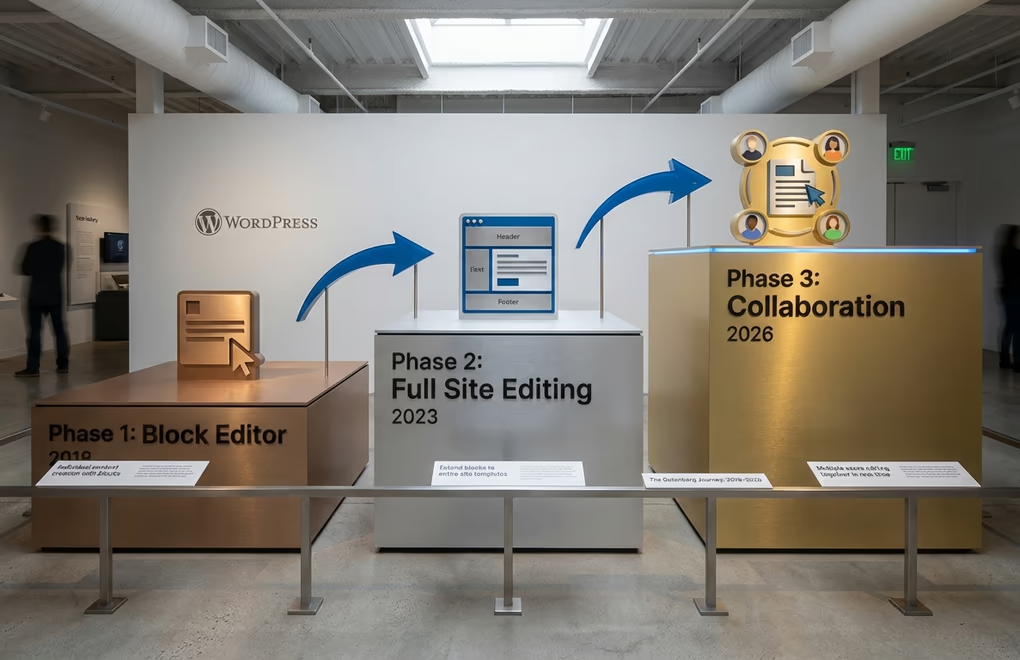
WordPress 7.0 represents a major milestone in the Gutenberg project’s long-term roadmap. To understand why this release matters, you need to understand the three phases that have shaped WordPress development since 2018.
Phase 1: The Block Editor launched with WordPress 5.0 in December 2018. This replaced the classic TinyMCE editor with a block-based approach to content creation. Instead of writing in a single text field, users could compose posts using individual blocks for paragraphs, images, headings, and more. Phase 1 is complete and has fundamentally changed how millions of people create content in WordPress.
Phase 2: Full Site Editing reached completion with WordPress 6.3 in August 2023. This extended the block editor beyond post content to encompass entire site templates, headers, footers, and navigation. Users gained the ability to customize every aspect of their site visually without touching code. If you’ve used the Site Editor to modify your theme’s templates, you’ve experienced Phase 2. For more on this evolution, check out our guide on Gutenberg vs page builders.
Phase 3: Collaboration and Workflows is what WordPress 7.0 focuses on. This phase shifts from individual content creation to team-based publishing. The goal is enabling multiple people to work together on content within WordPress itself, rather than relying on external tools like Google Docs or Notion for collaborative drafting. WordPress 6.9 introduced the first Phase 3 feature with Notes, and 7.0 aims to deliver the full vision with real-time collaboration.
Real-Time Collaboration: The Headline Feature
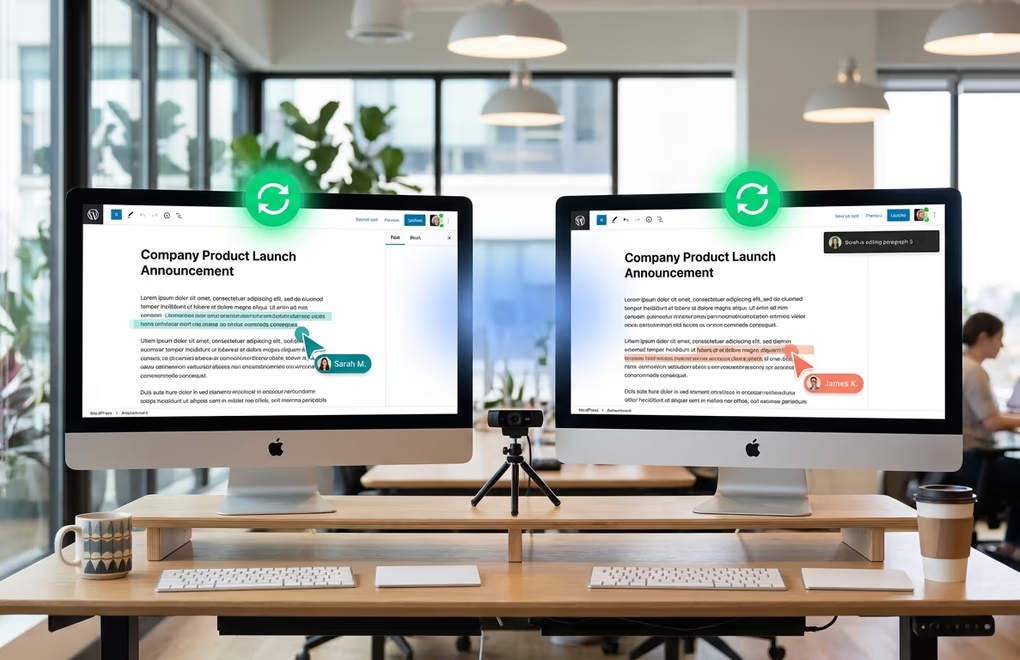
Real-time collaboration is the headline feature being developed for WordPress 7.0. The goal is Google Docs-style simultaneous editing: multiple users working on the same post at the same time with live cursors, presence avatars showing who’s online, and instant updates as changes happen. Cursor positions, text selections, and edits sync across all connected sessions in real time.
The technical foundation uses Yjs, a popular conflict-free replicated data type (CRDT) library that handles the complex problem of merging concurrent edits. According to Gutenberg lead architect Matias Ventura, the work on the editor side is “in very good shape” with defined UI and diffing mechanics. The feature is already in beta testing with 45 WordPress VIP customers, providing real-world feedback on how it performs at scale.
The challenge isn’t the editor, though. Real-time collaboration has “stronger dependency on server support and infrastructure than usual WordPress features,” as Ventura noted. Most shared hosting environments weren’t designed for the persistent connections that real-time sync requires. The development team is exploring three technical approaches: WebSockets for true real-time updates, HTTP long polling as a fallback for hosts that don’t support WebSockets, and a hybrid approach that uses whichever method works best for each environment.
Because of these infrastructure challenges, real-time collaboration may ship in limited form or be deferred to a later release. Ventura has flagged it as “aspirational” rather than guaranteed for 7.0. You can test an early version right now by enabling the “Collaboration: add real-time editing” experiment in the Gutenberg plugin settings.
Notes Enhancements for Team Workflows
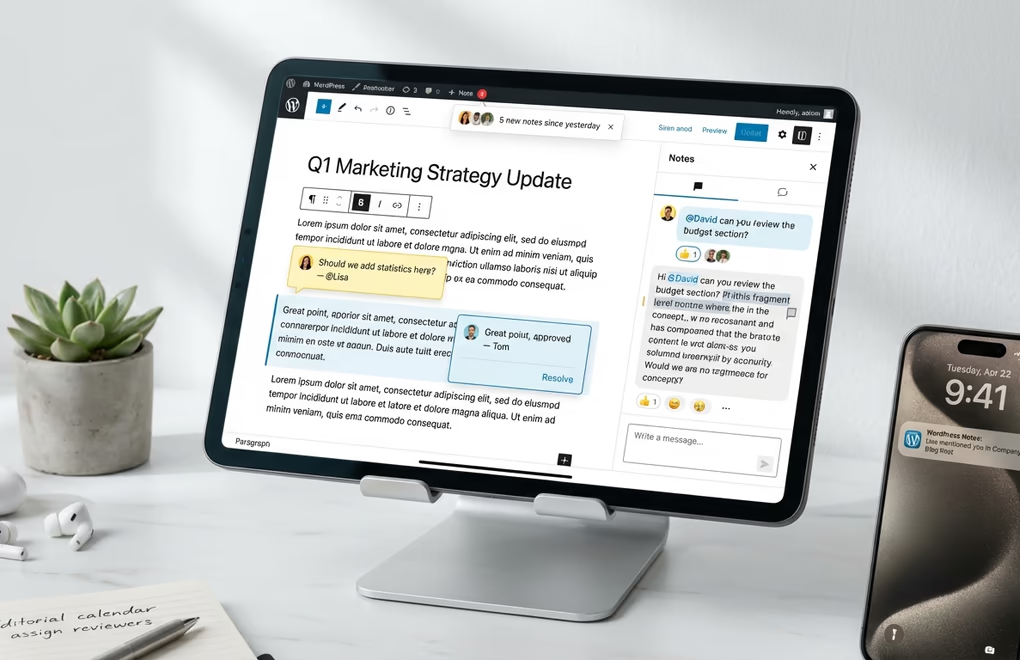
While real-time collaboration grabs headlines, the Notes feature introduced in WordPress 6.9 is getting significant enhancements in 7.0. Notes provide asynchronous collaboration, allowing team members to leave feedback directly on blocks within the editor. You don’t need everyone online at the same time, and the comments never appear on the live site.
Current limitations in 6.9 include notes only attaching to entire blocks rather than specific text selections. The WordPress 7.0 roadmap addresses this with several confirmed improvements:
- Fragment-level notes for targeting specific text within blocks, not just entire blocks
- @mentions for notifying specific team members when you need their input
- Digest notifications summarizing note activity so you don’t miss important feedback
- Multi-block notes spanning multiple blocks for broader feedback
- Better layouts for large screens with improved sidebar organization
- Wider support across the editor extending Notes beyond just post content
For publishing teams, these collaboration features eliminate a frustrating gap in WordPress workflows. Editors no longer need to copy content into Google Docs for collaborative review, then copy it back to WordPress for publishing. The entire editorial workflow can happen within WordPress itself.
AI Integration: The Abilities API and WP AI Client
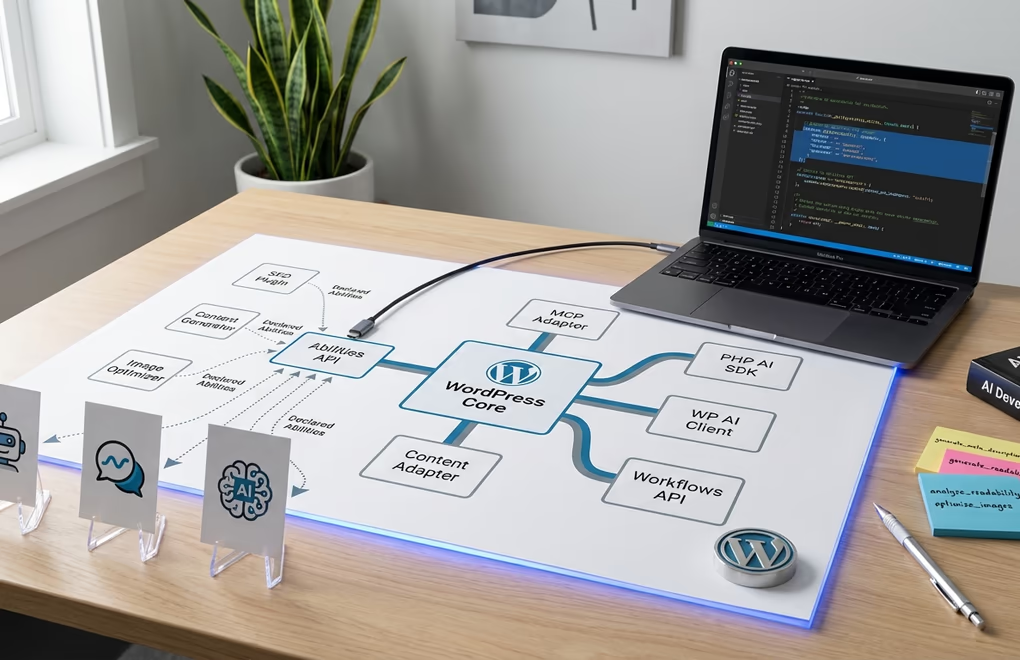
WordPress is approaching AI differently than most platforms. Rather than shipping a specific AI model or requiring users to sign up for a particular service, the development team is building standardized infrastructure that lets any AI assistant integrate with WordPress. This approach aligns with WordPress’s open-source philosophy and avoids locking users into vendor relationships.
The Abilities API, introduced in WordPress 6.9, provides a standardized way for plugins and themes to declare what they can do. It’s essentially a menu of capabilities that AI assistants can read and act upon. An SEO plugin might declare abilities like “analyze content for keyword density” or “generate meta descriptions,” and any compatible AI assistant can invoke those abilities. WordPress 7.0 expands this API significantly.
The MCP Adapter implements the Model Context Protocol, which is emerging as an industry standard for connecting AI assistants to external tools. This means Claude, ChatGPT, or any other assistant that supports MCP can interact with your WordPress site based on natural language instructions.
WordPress 7.0 will also include a PHP AI SDK and a WP AI Client that plugin developers can use to add AI capabilities without building their own integrations. The Workflows API will make it possible to chain multiple abilities into automated sequences. Imagine telling an AI assistant to “draft a blog post about our new product, optimize it for SEO, generate a featured image, and schedule it for next Tuesday.” Each step invokes different plugin abilities in sequence.
There’s also an official AI Experiments plugin available now for testing, where the AI team tests new capabilities before they’re ready for core. Current experiments include automated content generation, AI-based layout recommendations, and personalized content suggestions. If you’re interested in how AI can streamline your WordPress content creation workflow, several plugins already offer native AI integration while we wait for core capabilities.
Admin Redesign and Post Editor Changes
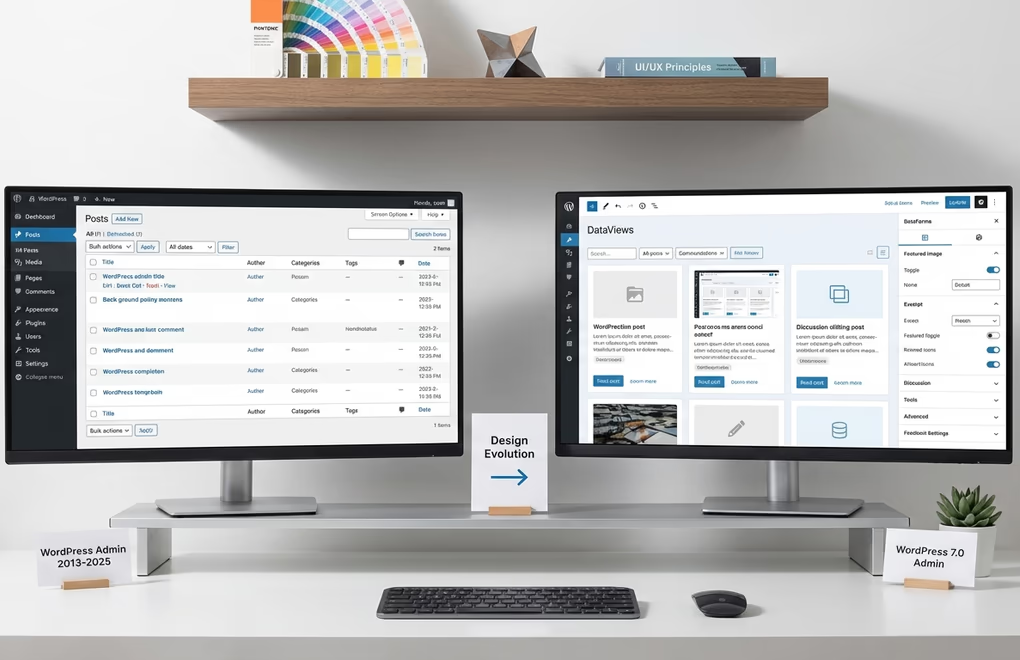
The WordPress admin hasn’t had a major visual refresh since WordPress 3.8 introduced the MP6 design in December 2013. That’s over a decade of the same basic interface, and it shows. While the block editor transformed how we create content, the surrounding administrative experience remained stuck in another era with visible inconsistencies between legacy screens and the modern block/site editors.
WordPress 7.0 addresses this with a visual refresh built on the WordPress Design System. The redesign isn’t a complete overhaul. Ventura described it as applying “a new coat of paint and refreshing what is already there” rather than starting from scratch. The focus is reducing inconsistencies and modernizing wp-admin’s appearance while keeping it familiar to existing users.
The DataViews component handles list displays with consistent table, grid, or list layouts for posts, pages, patterns, and templates. DataForms standardizes edit screens with a declarative approach where developers describe their data structure and WordPress generates an appropriate editing interface. Testing may happen through the Gutenberg plugin or a separate “MP7” plugin, named after the MP6 project that shaped WordPress 3.8’s design.
A significant technical change: the post editor will be fully iframed in WordPress 7.0. This isolates the editor from admin styles and third-party scripts, creating a cleaner editing environment that more accurately reflects what content will look like on the front end. However, this change may cause issues with older or unmaintained blocks that rely on admin CSS or scripts bleeding into the editor. Plugin and theme developers should test their blocks with the iframed editor in the Gutenberg plugin before 7.0 ships.
PHP Requirements and What’s NOT Coming
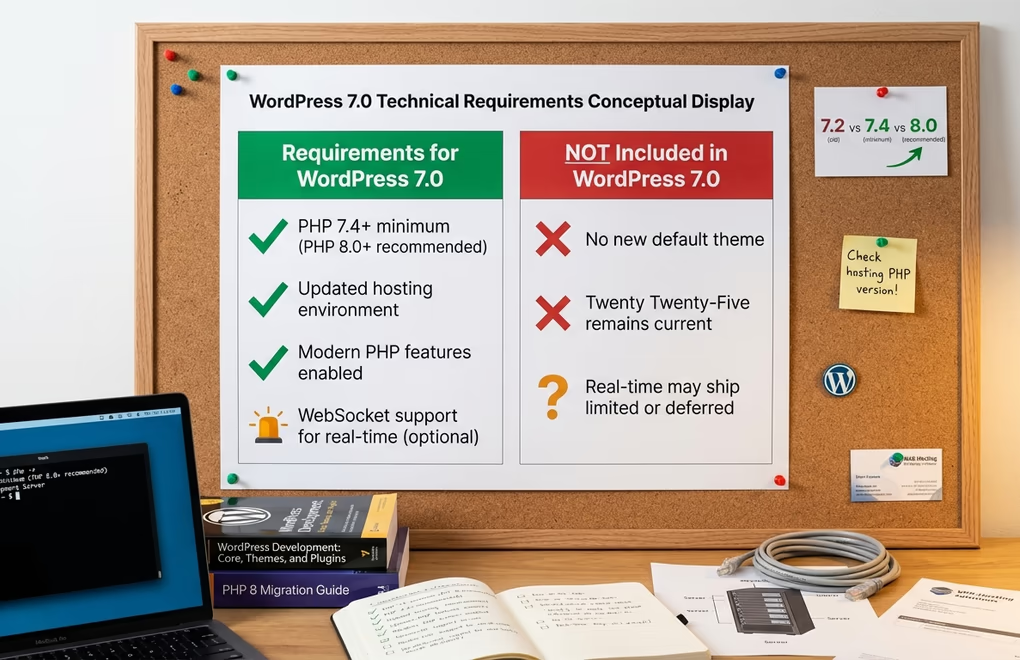
There’s active discussion about raising the minimum PHP version to PHP 7.4 or higher for WordPress 7.0. Currently, WordPress supports PHP 7.2+, but many modern features, including better AI SDK support, typed properties, and arrow functions, require newer PHP versions. PHP 7.4 reached end of life in November 2022, and PHP 8.0+ is increasingly standard on quality hosting.
Raising the minimum PHP version would enable modern PHP features in core, provide better support for the new AI SDK, improve performance through newer runtime optimizations, and reduce the maintenance burden of supporting ancient PHP versions. If your site is still running PHP 7.2 or 7.3, now is the time to talk to your host about upgrading.
It’s equally important to know what’s NOT coming in WordPress 7.0. There will be no new default theme with this release. After Twenty Twenty-Five shipped with WordPress 6.7, the team is focusing development resources elsewhere. Some features currently on the aspirational list may be pushed to WordPress 7.1 or later if they’re not ready in time, including potentially real-time collaboration if the server infrastructure challenges aren’t resolved.
How to Prepare Your Site for WordPress 7.0
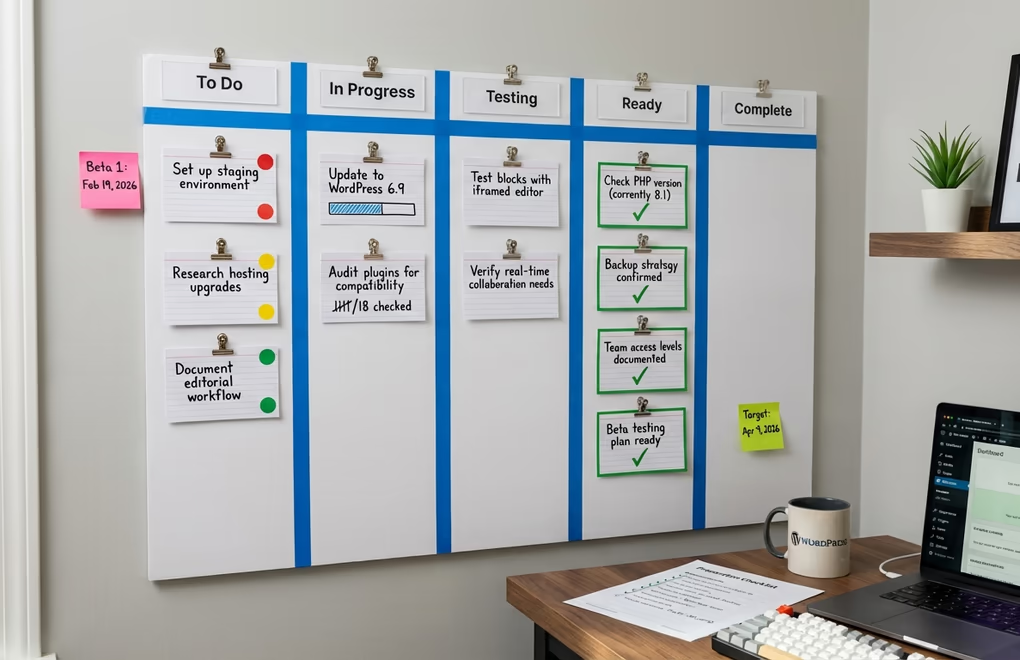
WordPress 7.0 arrives in April 2026, giving you several months to prepare. Start with these steps:
Update to WordPress 6.9 now if you haven’t already. It includes foundational features like Notes and the Abilities API that 7.0 builds upon. Running the latest version ensures you’re not making a two-version jump when 7.0 ships.
Check your PHP version by going to Dashboard → Tools → Site Health → Info → Server. If you’re running anything below PHP 8.0, contact your host about upgrading. This ensures you’re ready for any minimum version bump and gives you better performance today.
Audit your plugins and themes for compatibility. Pay special attention to any that haven’t been updated in over a year. These are most likely to break with the iframed editor or other changes. Check if the developers have announced WordPress 7.0 compatibility plans.
Set up a staging environment for testing. When the 7.0 beta ships in February 2026, test your site there first. Don’t upgrade production until you’ve verified everything works. If you don’t have staging, most managed hosts offer one-click staging creation.
Budget for potential hosting upgrades. If you want real-time collaboration and your current shared hosting doesn’t support WebSockets, you may need to upgrade to a VPS or managed WordPress host. Research your options now so you’re not scrambling later.
Rethink your editorial workflows for collaboration. If your team currently drafts in Google Docs or Notion, start planning how you’ll transition to WordPress-native collaboration. Consider which team members need access, what permission levels they should have, and how your review process will change. If security is a concern for your site, adding more editor accounts means reviewing your security practices too.
What WordPress 7.0 Means for Different Users
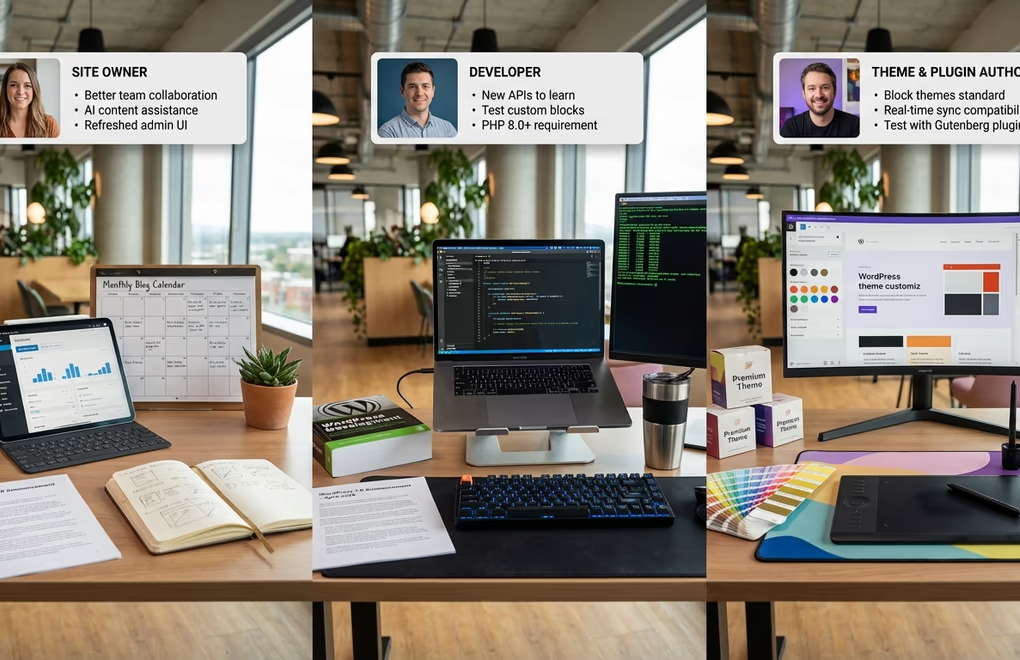
WordPress 7.0’s impact varies significantly depending on how you use the platform. Each user type should focus on different priorities:
For Site Owners: You’ll get better team collaboration without needing external tools, AI assistance for content creation through compatible plugins, and a modernized admin experience that’s easier to navigate. The core functionality you rely on daily should work as expected, and you may not even notice most changes beyond the visual refresh. Consider exploring modern block themes to get the most from the new features.
For Developers: You’ll need to learn new APIs including the expanded Abilities API and Workflows API. The iframed editor may break old blocks that rely on admin styles, so test your custom blocks early. Watch for PHP version requirement changes, and start familiarizing yourself with DataViews and DataForms if you build admin interfaces.
For Theme and Plugin Authors: Block themes are becoming the standard, so if you’re still building classic themes, consider your long-term strategy. For plugin compatibility with real-time collaboration, you’ll need to register any post meta with show_in_rest set to true. Without this, your custom fields won’t sync between collaborating users. Test your products against the Gutenberg plugin’s experimental features to catch issues before they affect customers.
Official Resources for WordPress 7.0
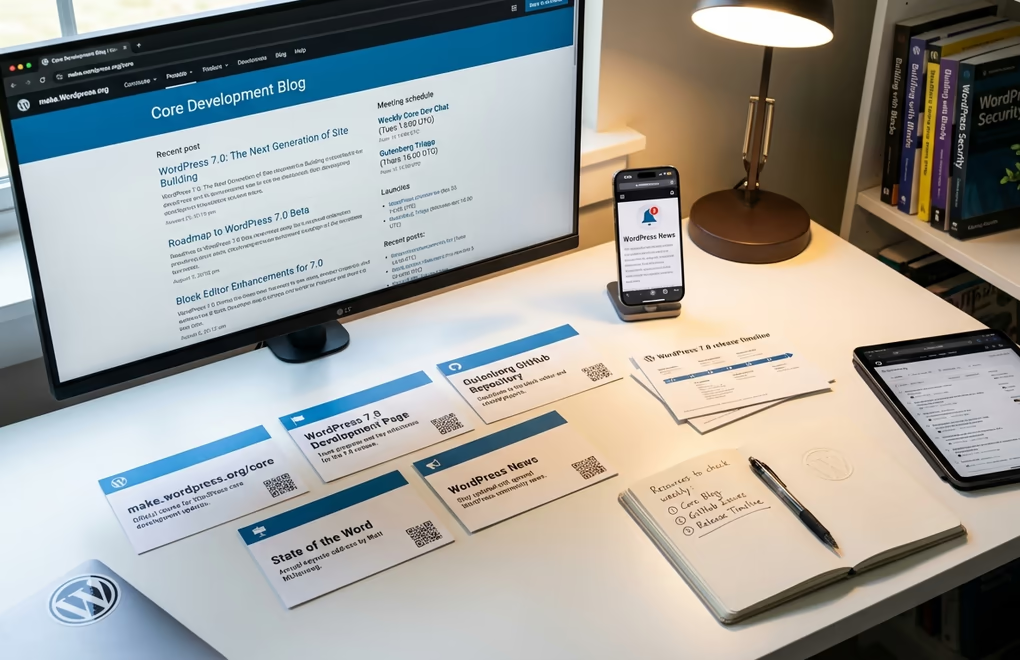
Stay up to date with WordPress 7.0 development through these official channels:
- make.wordpress.org/core – The official core development blog with weekly updates, meeting notes, and feature announcements
- WordPress 7.0 Development Page – Centralized hub for 7.0-specific information, release leads, and milestone tracking
- Gutenberg GitHub Repository – Track issues, test experimental features, and contribute code directly
- State of the Word keynotes – Matt Mullenweg’s annual December presentation outlining WordPress’s direction
- WordPress News – Official announcements including release dates and security updates



0 Comments on "WordPress 7.0 Release Date & Features: The Complete 2026 Guide"