

Most WordPress courses do a great job teaching you how to pick a theme, install plugins, and get a store running. What they almost never cover is what happens after the store is live and customers start filling up their carts without ever hitting the checkout button. That silence between “Add to Cart” and an actual sale is where most WordPress store owners lose the bulk of their revenue, and they don’t even realize it’s happening.
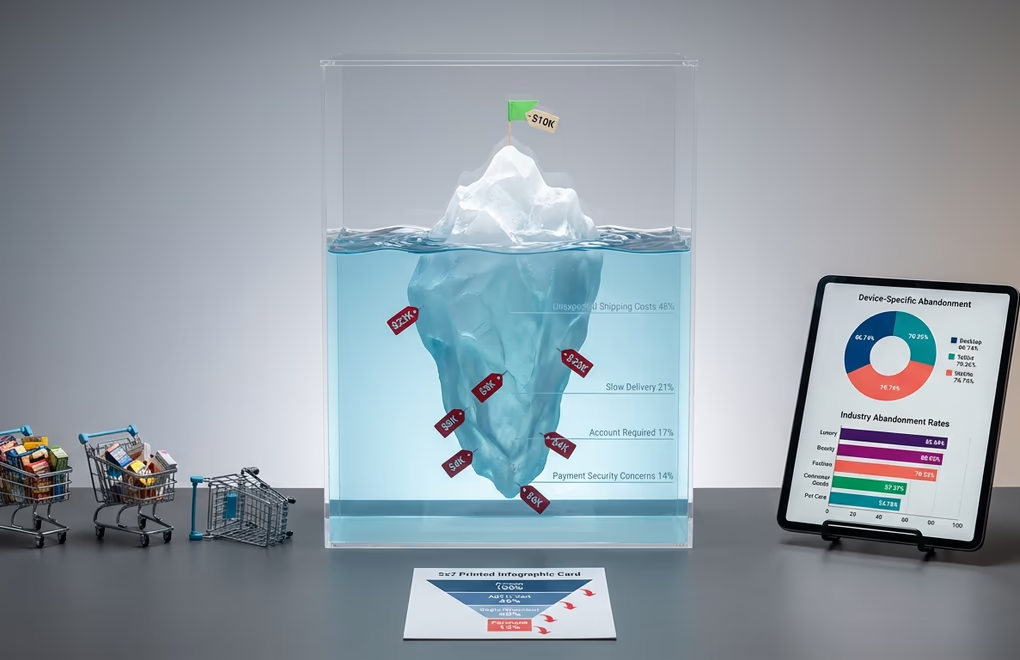
The numbers paint a brutal picture. About seven out of every ten shoppers who put something in their cart walk away without completing the purchase. On mobile, it’s even worse. If your WordPress store generates $10,000 in monthly sales, you’re potentially leaving another $20,000 or more on the table every single month from abandoned carts alone.
Here’s the thing that frustrates me about the WordPress education space: you can find hundreds of WordPress courses covering theme customization, SEO basics, and plugin setup, but finding one that walks you through recovering those lost sales? That’s surprisingly rare. Abandoned cart recovery isn’t some niche marketing trick reserved for enterprise retailers. It’s a fundamental revenue skill that every WordPress store owner needs, whether you’re selling physical products through WooCommerce or digital downloads through a plugin like DigiCommerce.
This guide covers exactly what those gaps in typical WordPress courses leave out. You’ll learn why carts get abandoned in the first place, how to set up automated recovery sequences that run while you sleep, which plugins actually deliver results, and advanced strategies that separate profitable stores from ones that bleed money quietly. By the end, you’ll have a complete playbook for turning abandoned carts into your most reliable revenue channel.
Why Most WordPress Courses Skip Cart Abandonment (And Why That’s a Problem)
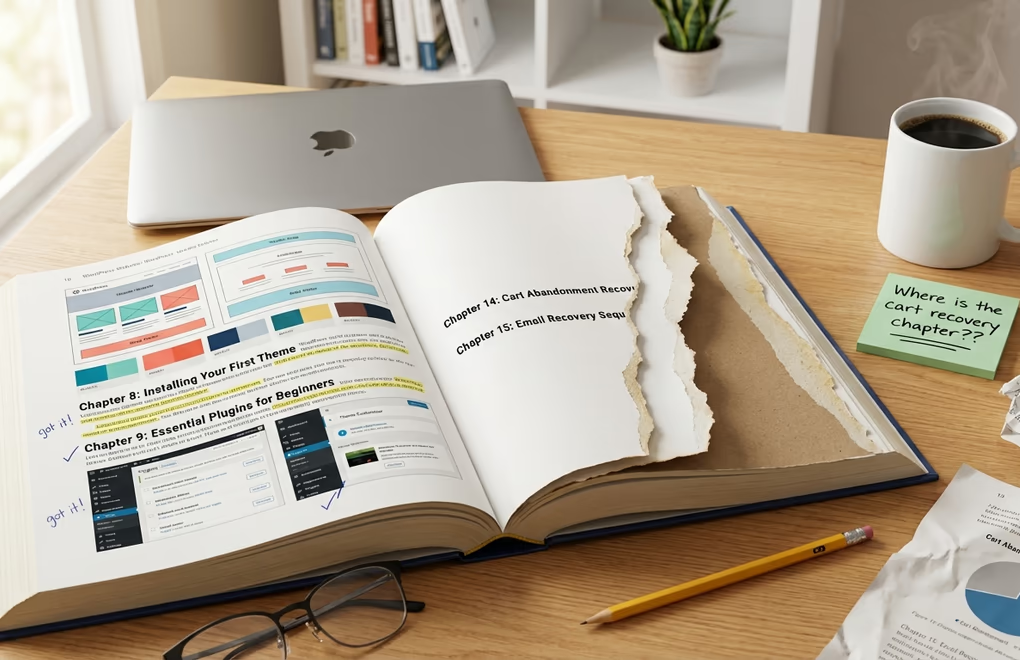
Browse through Udemy, Coursera, or even the official Learn WordPress platform and you’ll notice a pattern. WordPress courses are heavily weighted toward the building phase: installing WordPress, choosing hosting, configuring themes, adding products, and maybe sprinkling in some SEO basics. It makes sense from a curriculum standpoint because beginners need to get their sites running before anything else. But the problem is that most students never progress beyond that initial setup knowledge.
The real money in ecommerce isn’t in building the store. It’s in optimizing what happens after visitors arrive. And abandoned cart recovery sits right at the top of that optimization stack because it targets people who’ve already shown purchase intent. These aren’t random visitors bouncing off your homepage; they’ve browsed your products, chosen specific items, and started the buying process. They’re the warmest leads you’ll ever get, and without a recovery system in place, you’re just watching them disappear.
The gap in WordPress courses isn’t just an oversight, it’s a costly one. Store owners who complete even the best-reviewed WordPress courses on platforms like WP101 or Class Central walk away knowing how to build, but not how to recover. They launch their stores, drive traffic through SEO and paid ads, and then wonder why their conversion rates feel so low. The answer, more often than not, is that they’re losing customers at the finish line and don’t have any system to bring them back.
Understanding Cart Abandonment on WordPress Stores
Before you can fix cart abandonment, you need to understand what’s actually driving it. Not every abandoned cart represents a lost sale, and some of the reasons are completely out of your control. But a surprising number of them come down to preventable friction points that WordPress store owners can address directly.
The biggest culprit is unexpected costs that appear at checkout. Shipping fees, taxes, and handling charges that weren’t visible earlier in the shopping experience create a jarring price jump that makes customers second-guess the purchase. Slow delivery times are the second biggest killer. And here’s something important to keep in mind: roughly half of the people who add items to a cart were never planning to buy in the first place. They’re comparing prices, saving items for later, or just browsing. That means your recovery strategy should focus on the other half, the shoppers who actually intended to buy but got tripped up along the way.
Device type plays a significant role too. Desktop shoppers abandon the least, tablet users sit in the middle, and mobile users abandon the most by a wide margin. Given that mobile commerce continues to grow as a share of total ecommerce traffic, WordPress store owners who haven’t optimized their mobile checkout experience are bleeding the most revenue. If you’re running a WooCommerce store with a theme that isn’t fully responsive or has a clunky mobile checkout flow, that’s your first priority before you even think about recovery emails.
Industry benchmarks vary dramatically, and knowing where your niche falls helps set realistic expectations. Luxury and jewelry stores see the highest abandonment rates, followed by beauty and personal care, then home and furniture. Fashion and apparel isn’t far behind. On the lower end, consumer goods and pet care see considerably less abandonment. If you’re selling in a high-abandonment category, don’t panic when your rates look ugly. They’re supposed to look ugly. What matters is that you have systems in place to claw back whatever percentage you can.
WordPress stores face a unique challenge here compared to hosted platforms like Shopify. With WooCommerce, you have more control over your checkout experience, but that also means more responsibility for optimizing it. Shopify provides a standardized checkout that’s been A/B tested across millions of stores. With WordPress, your checkout experience depends entirely on your theme, your plugins, and how you’ve configured them. That freedom is a double-edged sword, and it’s exactly why dedicated WordPress ecommerce knowledge matters so much more than generic store-building advice.
Setting Up Abandoned Cart Recovery on WordPress (Step-by-Step)
This is the practical section that most WordPress courses never get to, and it’s arguably the most valuable thing you’ll learn for your store’s bottom line. Setting up abandoned cart recovery on WordPress isn’t technically difficult, but getting the details right makes the difference between a system that barely moves the needle and one that becomes a serious revenue driver.
Choosing the Right Recovery Plugin
Your plugin choice depends on your budget, your ecommerce platform, and how sophisticated you want your recovery flows to be. For WooCommerce stores, CartFlows Cart Abandonment Recovery is a solid free option that you can install and configure in under five minutes. It captures email addresses when customers begin checkout and sends automated follow-up emails on a schedule you define. The free version handles the basics well enough for most small stores.
FunnelKit Automations (formerly Autonami) is the more powerful option if you want granular control over your recovery sequences. It functions as a full marketing automation CRM for WordPress and WooCommerce, so your cart recovery emails sit alongside your welcome sequences, post-purchase flows, and win-back campaigns in one unified system. Retainful takes a similar all-in-one approach, combining cart recovery with email marketing automation, newsletters, and signup forms. Both are worth considering once your store hits consistent daily sales.
If you’re selling digital products specifically, DigiCommerce includes built-in abandoned cart recovery in its Pro version, which means you don’t need a separate plugin cluttering your WordPress install. For stores focused on digital downloads, courses, or software licenses, that integrated approach avoids the compatibility headaches that come with stacking multiple plugins from different developers. The right ecommerce plugin can make or break your recovery setup, so choose carefully based on what you’re actually selling.
Configuring Your First Recovery Email Sequence
Timing is everything with recovery emails, and the data strongly supports a multi-email approach. Sending just one recovery email leaves most of the recoverable revenue on the table. A well-structured three-email sequence consistently outperforms single emails by a massive margin, often generating several times more revenue. If you’re only sending one follow-up, you’re barely scratching the surface of what’s possible.
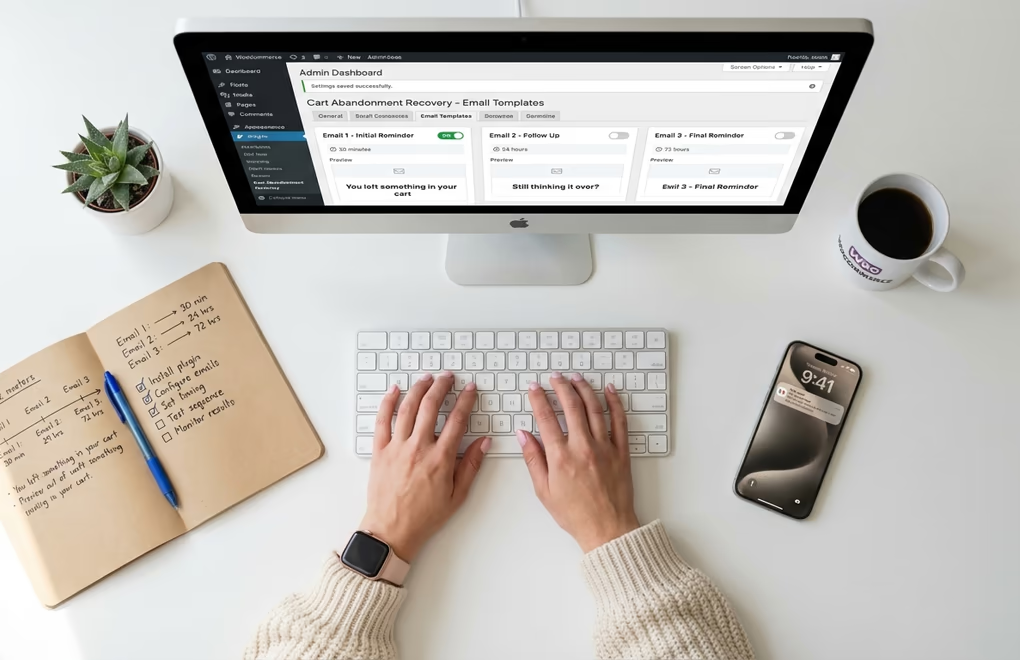
A proven sequence structure looks like this. Your first email goes out within 30-60 minutes of abandonment. This one catches the high-intent shoppers who got distracted by a phone call, lost their internet connection, or simply got pulled away from their computer. Keep it simple: remind them what’s in their cart, include a direct link back, and don’t offer any discount yet. This first email tends to get the highest open rates because the purchase intent is still fresh.
The second email fires 24 hours later. By now, the shopper has had time to think about the purchase, compare alternatives, or simply forget. This email should address common objections: highlight your return policy, showcase a customer review, or emphasize free shipping if you offer it. You’re providing reassurance, not applying pressure. The third email goes out 48-72 hours after abandonment and this is where you can introduce urgency or a small incentive. A 5-10% discount, free shipping, or a limited-time offer can push fence-sitters over the edge. Don’t lead with discounts in your first email because you’ll train customers to abandon on purpose knowing a coupon is coming.
For subject lines, directness beats cleverness. “You left something behind” and “Your cart is waiting” consistently outperform creative puns or vague teasers. Including the product name in the subject line can boost open rates further because it triggers instant recognition. And if you’re using a WordPress email marketing automation tool, you can personalize these subject lines dynamically based on what’s actually in the cart.
Adding Exit-Intent Popups and Pre-Submit Capture
Recovery emails only work if you have the customer’s email address, and many shoppers abandon before they ever enter one. That’s where pre-submit data capture comes in. Plugins like ShopMagic and FunnelKit can capture email addresses as soon as a customer types them into the checkout form, even if they never click the submit button. This dramatically increases the pool of abandoned carts you can actually follow up on.
Exit-intent popups serve a different but complementary purpose. When a shopper’s mouse moves toward the browser’s close button or back arrow, a popup can trigger with a targeted message. On cart and checkout pages, this might be a reminder of what they’re about to leave behind, a quick survey asking why they’re leaving, or a small discount to seal the deal. The key is restraint: one well-timed popup on the cart page is useful, but popups on every page of your site will annoy visitors and hurt your bounce rate. Only trigger exit-intent on high-value pages where purchase intent is already established.
Advanced Recovery Strategies That WordPress Courses Rarely Cover
Once you’ve got the basics running, there’s a whole layer of optimization that separates stores recovering a small fraction of abandoned carts from those recovering three or four times as much. These strategies go beyond what you’ll find in standard WordPress courses, and they’re where the real revenue gains live.
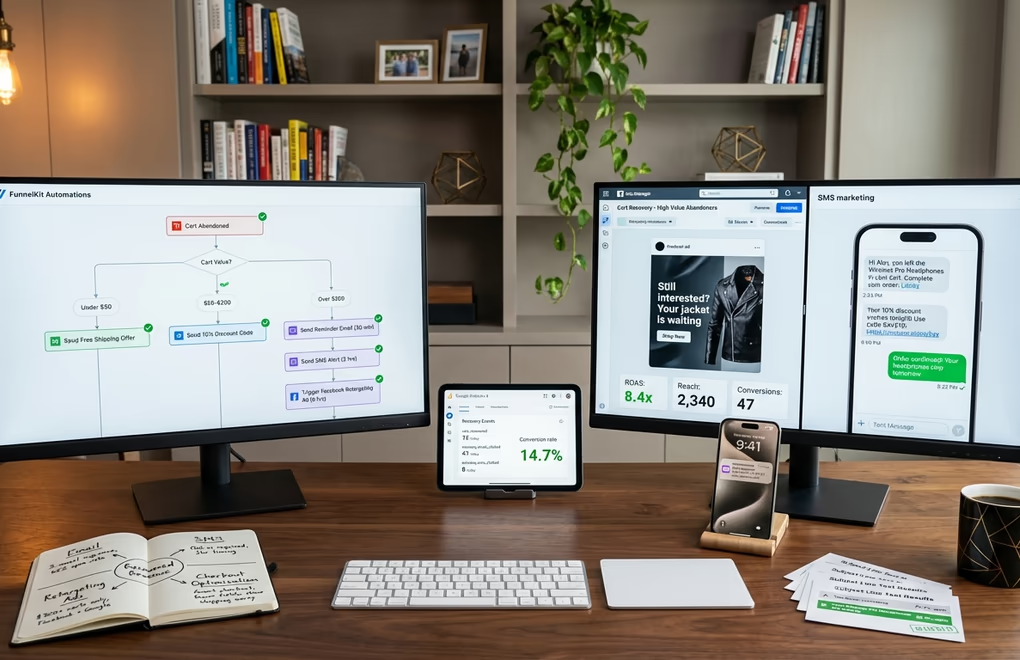
Personalized discount ladders are one of the most effective tactics. Instead of offering the same flat discount to everyone, you segment based on cart value. A $30 cart might get free shipping as the incentive, while a $200 cart gets a 10% discount code. The idea is to match the incentive to the perceived risk of losing the sale. You can set this up with FunnelKit’s conditional logic or through custom WooCommerce hooks if you’re comfortable with PHP. And critically, your first email should never include a discount. Let the simple reminder do its work before you start cutting into margins.
SMS recovery is another channel worth testing, especially for stores with younger demographics. While email remains the primary recovery method with strong open rates, SMS messages get read within minutes and can complement your email sequence rather than replace it. A well-timed text 2 hours after abandonment, sitting between your first and second email, can catch shoppers who don’t check email frequently. Just make sure you have explicit opt-in consent before sending SMS, and keep the messages short and direct with a clear link back to the cart.
Retargeting ads through Facebook and Google offer a third recovery channel for high-value carts. When someone abandons a $300+ cart, a few dollars in retargeting ad spend to show them the exact products they left behind can deliver strong returns. You’ll need the Facebook Pixel or Google Ads remarketing tag installed on your WordPress site, both of which are straightforward to add through plugins or your theme’s custom code section. The beauty of retargeting is that it reaches customers even if you never captured their email address, though you should always make sure your cookie consent setup properly handles these tracking scripts for GDPR and CCPA compliance.
Checkout optimization deserves its own mention because it prevents abandonment before it happens, which is even better than recovering it after the fact. Reducing form fields to the absolute minimum, enabling guest checkout instead of forcing account creation, offering multiple payment methods including PayPal and Apple Pay alongside credit cards, and displaying security badges prominently near the payment form all reduce checkout friction. Since unexpected costs are the top reason people bail, consider showing estimated shipping and tax earlier in the shopping experience, ideally on the product page itself or in the cart summary before checkout begins.
Finally, A/B testing your recovery emails is something that separates data-driven store owners from everyone else. Test different subject lines against each other, try sending your first email at 30 minutes versus 1 hour, experiment with including product images versus text-only emails, and see whether a percentage discount or a fixed dollar amount drives more completions. Most WordPress cart recovery plugins include basic analytics, but pairing them with a tool like Google Analytics 4 event tracking gives you a clearer picture of what’s actually working.
Measuring Your Cart Recovery Success
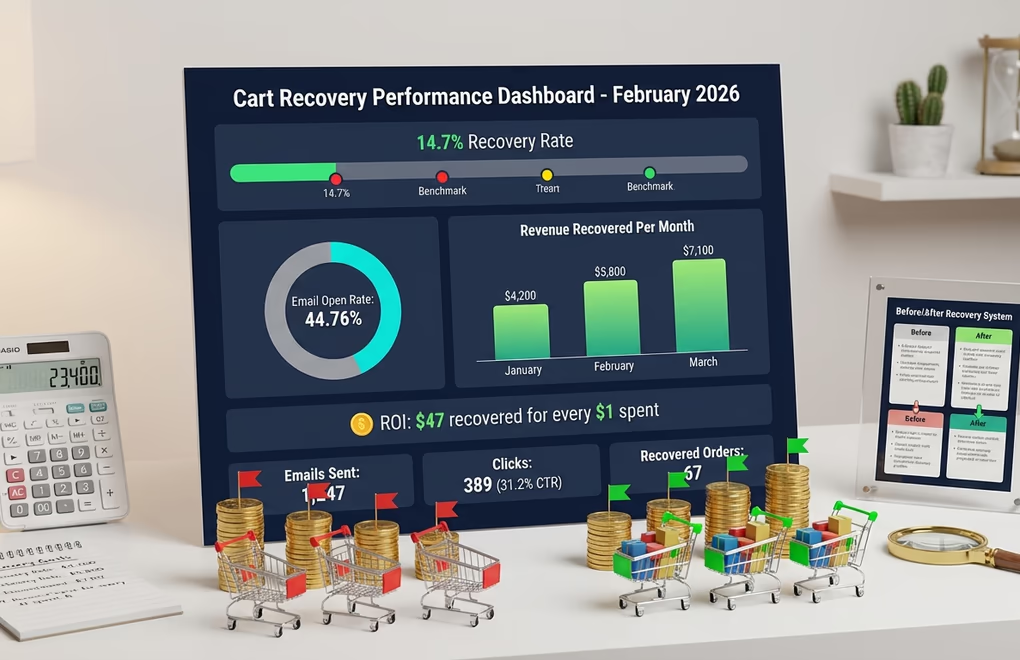
You can’t improve what you don’t measure, and cart recovery is no exception. The good news is that the key metrics are straightforward to track, and most WordPress recovery plugins provide built-in dashboards with the numbers you need. But knowing which metrics actually matter, and what benchmarks to aim for, is what transforms a “set and forget” recovery system into one that consistently improves over time.
Your recovery rate is the headline number: what percentage of abandoned carts end up converting into completed purchases after receiving your recovery sequence. A well-implemented email recovery system typically recovers somewhere between 10-15% of abandoned carts. If you’re below 5%, something in your sequence needs attention. If you’re consistently above 15%, you’re outperforming most stores and should focus on scaling your traffic rather than optimizing further.
Email open rate tells you whether your subject lines are working. Abandoned cart emails tend to perform significantly better than standard marketing emails because the recipient already has a relationship with the purchase. If your recovery emails are getting opened less than a third of the time, test different subject lines before touching anything else. The best-performing stores see open rates well above 50%, so there’s usually plenty of room to improve. Food and beverage businesses tend to see the strongest engagement, while other industries may sit lower.
Revenue recovered per email is arguably the most important metric because it connects your recovery efforts directly to your bottom line. Calculate this by dividing total revenue recovered through your sequence by the number of recovery emails sent. Track this monthly to spot trends. If you notice recovered revenue dropping despite stable traffic, it could indicate email fatigue among repeat customers or a shift in the type of products being abandoned. A well-optimized cart recovery program is easily one of the highest-ROI activities available to WordPress store owners, often returning tens of dollars for every dollar you put into it.
Beyond plugin dashboards, connecting your recovery flows to Google Analytics 4 gives you deeper insights. Set up custom events for “cart_recovered” and “recovery_email_clicked” so you can see how recovered customers behave after they return. Do they buy only the items in their original cart, or do they add more? What’s their average order value compared to customers who completed checkout on the first try? These insights feed back into your overall WordPress SEO and marketing strategy by helping you understand which products and traffic sources produce the most recoverable revenue.
Turn Abandoned Carts Into Your Biggest Revenue Channel
Abandoned cart recovery is the skill that most WordPress courses skip entirely, and it happens to be the one with the fastest, most measurable return on your time investment. While most store owners obsess over driving new traffic through SEO and paid ads, the customers who’ve already added products to their cart represent the lowest-hanging fruit you’ll ever find. With roughly seven out of ten carts being abandoned and billions in recoverable revenue sitting on the table across the US and EU, even a modest recovery rate translates into real money.
The practical next step is simple: install a free cart recovery plugin on your WordPress store today and set up your first three-email sequence. You don’t need to buy a premium tool right away. CartFlows’ free version or DigiCommerce’s built-in recovery feature will get you started, and you can upgrade once you see the revenue numbers that justify it. Optimize your checkout experience alongside your recovery emails, track your metrics monthly, and iterate based on what the data tells you.
What’s your current cart abandonment rate, and have you tried any recovery strategies yet? Drop your experience in the comments, whether you’ve had success with a specific plugin, discovered a winning email sequence, or are just getting started with your first setup.





0 Comments on "WordPress Courses for Store Owners: Master Abandoned Cart Recovery and Recover Lost Sales in 2026"