
Podia charges between $49 and $179 per month depending on your plan, and the entry-level Mover tier takes a 5% cut from every sale on top of that subscription. If you’re looking for a Podia alternative that doesn’t charge the same fees, you aren’t stuck choosing between equally expensive hosted platforms. WordPress with DigiCommerce costs $129 per year (not per month), and hosted alternatives like Teachable, Thinkific, and Kajabi each bring their own set of tradeoffs in pricing, features, and data ownership.
This page compares six Podia alternatives side by side, including the self-hosted WordPress option that every other comparison article leaves out entirely. Each alternative is broken down by real cost, transaction fees, and the type of digital product business it fits best. Whether you sell online courses, downloadable templates, coaching sessions, or membership subscriptions, the right Podia alternative depends on your monthly revenue, your comfort with technology, and how much control you want over your storefront and customer data.
The biggest difference between these options isn’t interface design or the number of features in a comparison table. It’s whether you want to rent someone else’s platform and play by their rules, or own your store outright on WordPress. Both approaches work, and both come with real downsides that matter when you’re building a business around digital products. The pricing data below was verified from each platform’s public pricing page in July 2026, so you can check every number yourself.
Why do creators switch away from Podia?
The most common reason is money, and the math is straightforward. Podia’s Mover plan costs $49 per month (billed monthly) or $42 per month on annual billing, and it charges a 5% transaction fee on every sale you make. If you sell $2,000 worth of digital products in a month, that’s $100 in platform fees on top of the $49 subscription, plus Stripe’s standard processing fees of 2.9% + $0.30 per transaction. The 5% disappears on the Shaker plan at $99 per month, but that works out to $1,008 per year just for the right to sell without Podia taking a cut of your revenue.
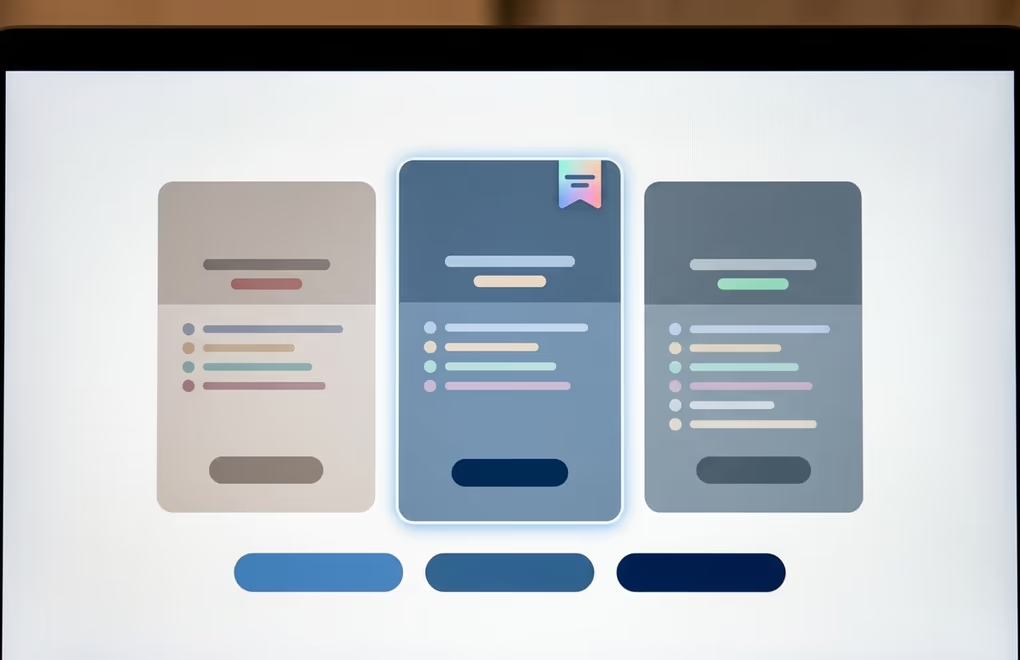
Transaction fees aren’t the only friction point for growing creators. Podia caps the Mover plan at 50 products and 100 email subscribers, which sounds generous until you actually start building a catalog. Creators who started small and grew find themselves pushed toward pricier tiers because their subscriber list crossed a threshold, not because they needed additional features or tools. The Shaker plan raises those limits to 150 products and 500 subscribers, which still feels restrictive for anyone running a catalog of courses, templates, and downloadable bundles alongside an active email list.
Course-specific features are another gap that shows up once you move past simple file downloads. Podia doesn’t offer graded quizzes, certificates of completion, or conditional drip scheduling out of the box. If you’re selling a multi-week course and want students to unlock lessons based on their progress or assignment completion, you’ll need a platform that was built for structured learning from the ground up. Teachable and Thinkific both handle those workflows natively because course delivery is their primary focus, not an add-on feature.
Then there’s the lock-in question that applies to every hosted platform, not just Podia. Your content, your customer list, your course structure, and your payment history all live on Podia’s servers under their terms of service. Moving to another platform means exporting what you can (often just CSVs and raw media files) and rebuilding your product pages, email sequences, and checkout flows from scratch on the new system. That migration cost doesn’t show up in any pricing table, but it’s real, and it grows with every product you add and every customer who enrolls.
How does WordPress with DigiCommerce compare to Podia?
WordPress is the one alternative category that doesn’t appear in any competing comparison article, and that blind spot means creators never see the option that gives them the most control for the lowest annual cost. A self-hosted WordPress site with DigiCommerce gives you a complete digital product store for $129 per year as part of the DigiBundle, which includes DigiCommerce alongside DigiBlocks, DigiFlash, DigiFusion, and DigiConsent. There are no platform transaction fees beyond what Stripe or PayPal charges for payment processing.

DigiCommerce handles automatic file delivery, subscription management, a booking system, an affiliate program, and built-in sales analytics. You set up your products on your own WordPress installation, connect Stripe or PayPal, and start accepting payments the same day. The storefront lives on your domain, on your hosting account, under your full administrative control. If you want to change your theme, install a caching plugin, connect an email marketing service, or add any functionality from the WordPress plugin ecosystem, nothing prevents you from doing so.
The tradeoff is real, and it’s worth stating without sugarcoating it. WordPress means you’re responsible for your own hosting (typically $5 to $30 per month for a shared or VPS plan), plugin updates, database backups, and basic security measures. Podia and other hosted platforms take care of all that infrastructure work behind the scenes, which is genuinely valuable if you don’t want to think about server configuration. If you’re comfortable managing a WordPress site or already run one for your blog, portfolio, or business website, adding DigiCommerce is a natural extension that takes an afternoon to configure.
Where DigiCommerce pulls clearly ahead is total cost of ownership over time. At $129 per year plus roughly $10 per month for solid shared hosting, your total annual cost sits around $250. Podia’s Shaker plan (the cheapest tier that doesn’t charge its own transaction fee) runs $1,008 per year on annual billing. Over two years, that’s a difference of more than $1,500, and the gap only widens as your sales volume grows because DigiCommerce never takes a percentage of your revenue regardless of how much you sell.
The self-hosted model also wins on flexibility and long-term data ownership. WordPress powers a large share of the web, and DigiCommerce runs on top of that mature ecosystem. You can pair it with any SEO plugin, any analytics platform, and any theme you prefer. If you’re new to selling digital products on WordPress, the setup process with DigiCommerce is straightforward enough that most creators finish it in a single sitting without touching any code.
Which hosted platforms work as Podia replacements?
If you prefer a hosted platform where someone else manages the servers, handles updates, and keeps the infrastructure running, five alternatives stand out depending on the type of digital product business you’re building and your monthly budget.

Teachable is the strongest pick for creators who sell structured online courses with lessons, modules, and student tracking. Their course builder includes graded quizzes, certificates of completion, and progress tracking that Podia lacks entirely. The Starter plan costs $59 per month ($29 per month billed annually) with a 7.5% transaction fee on each sale, and the Builder plan at $119 per month ($69 per month annually) drops that transaction fee to zero. Teachable also offers a native mobile app for students, which matters for course creators whose audience expects to learn on their phone during a commute or workout. The main downside is that the affordable Starter plan’s 7.5% fee adds up quickly once your monthly sales exceed a few hundred dollars.
Thinkific starts at $49 per month for its Basic plan ($36 per month billed annually) with no transaction fees in the US. That’s a better entry point than Teachable if you’re watching your budget closely and don’t need a mobile app right away. Thinkific’s course tools are comparable to Teachable’s core offering, including drip content scheduling, quizzes, and completion certificates. Their higher Start plan at $99 per month adds payment plans and membership features for creators who want recurring revenue beyond one-time course purchases.
Kajabi costs more than everything else on this list, starting at $179 per month ($143 per month billed annually), but it bundles email marketing, sales funnels, a website builder, and a course platform into a single subscription. If that bundle is more than you need, our Kajabi alternatives comparison breaks down the cheaper options. If you’re currently paying for Podia plus a separate email tool plus a landing page builder, Kajabi’s bundled approach might actually reduce your total monthly spend. It’s built for creators who’ve already validated their product and need to scale their marketing operations, not for someone testing whether their first course will find an audience.
Gumroad is the simplest option on this list by a wide margin. There’s no monthly fee at all, and Gumroad takes 10% plus $0.50 per direct sale on top of standard Stripe processing. That pay-as-you-go model works well if you sell sporadically or maintain a small catalog of ebooks, templates, or design assets. The moment your monthly revenue crosses a few hundred dollars, though, that 10% fee becomes more expensive than a flat monthly subscription on any other platform listed here. Gumroad works best as a starting point for creators who want to validate a product idea before committing to a monthly platform fee.
Skool takes a different approach from everything else on this list because it’s built around community with courses attached, rather than the other way around. The Hobby plan costs $9 per month with a 10% transaction fee, and the Pro plan at $99 per month drops that to 2.9%. Skool works especially well for coaches and group program leaders who want gamification features like leaderboards, point systems, and engagement tracking to keep their community active. It’s less suited for selling standalone digital downloads or structured courses without a community component, because the platform’s entire design assumes you’re building a group experience rather than running a product storefront.
What does each Podia alternative actually cost over two years?
Monthly pricing can be misleading when you’re comparing platforms for the long term, because the real cost includes both the subscription and any transaction fees applied to your actual sales volume. The breakdown below assumes $2,000 in monthly revenue (a realistic milestone for a growing digital product business) and uses each platform’s most cost-effective plan that either charges no platform transaction fee or the lowest one available.

DigiCommerce on WordPress comes in at roughly $500 over two years when you add $10 per month for hosting to the $129 annual license fee. That’s the lowest total cost on this list by a significant margin, provided you’re comfortable setting up and maintaining a WordPress site. Thinkific Basic follows at $864 over two years ($36 per month billed annually with no transaction fee in the US), making it the most affordable hosted platform for creators based in the United States.
Teachable’s Builder plan totals $1,656 over two years ($69 per month on annual billing with no transaction fee), which is nearly double Thinkific’s cost but includes a native mobile app and polished marketing tools that Thinkific’s Basic plan lacks. Podia’s Shaker plan comes to $2,016 over the same period ($84 per month on annual billing), putting it in the upper middle of this group despite being the platform most people reading this page are trying to move away from.
Kajabi Basic totals $3,432 over two years ($143 per month billed annually), though some creators offset that premium by canceling separate email marketing and funnel-building subscriptions they no longer need once Kajabi handles those functions. At the extreme end, Gumroad’s 10% fee on $2,000 in monthly sales works out to roughly $200 per month in platform fees alone, totaling about $4,800 over two years with no monthly subscription at all. The platform that looks cheapest on paper becomes the most expensive one in practice at this revenue level.
Payment processor fees from Stripe (typically 2.9% + $0.30 per transaction) apply on top of every platform in this comparison and are roughly equal across the board, so they don’t change the relative ranking between alternatives. The DigiCommerce hosting estimate of $10 per month covers a solid shared or entry-level VPS plan, and you can reduce that further with annual hosting deals from providers like Hostinger, SiteGround, or Cloudways.
When should you stick with Podia instead of switching?
Not every creator needs to leave Podia, and switching platforms always costs more than the price difference suggests. You’ll spend time rebuilding your product pages, re-uploading course content, updating payment links across your website and email sequences, and notifying existing customers about the change. If your business generates consistent revenue and Podia’s limits aren’t actively blocking your growth, staying put avoids all of that disruption for a cost savings that might not materialize until several months after the migration.

Podia is still a reasonable choice if you sell a small catalog of fewer than 50 products, don’t need advanced course features like graded quizzes or certificates, and value having everything (email marketing, digital products, community tools) inside one simple interface without managing any infrastructure yourself. The Shaker plan at $99 per month removes transaction fees and raises the product and subscriber limits enough for most solo creators who aren’t running a massive catalog or a subscriber list in the thousands.
The decision comes down to whether Podia’s monthly cost and feature limitations are genuinely costing you more than the effort required to migrate to a platform better suited to your business model. If you’re selling $500 per month in downloads and Podia works without friction, switching to save $30 per month probably isn’t worth the hours of migration work and the risk of disrupting active customer subscriptions. If you’re doing $5,000 per month and hitting the subscriber cap every quarter while paying transaction fees that add up to hundreds of dollars, the two-year cost comparison above shows exactly how much you’d save with each alternative, and the math changes very quickly at that revenue level.
How to pick the right Podia replacement for your store
Start with the kind of digital product you sell, because that narrows the field more than any feature comparison table can. If you sell online courses with structured lessons, student progress tracking, and certification requirements, Teachable or Thinkific are purpose-built for that exact workflow and both outperform Podia’s course tools significantly. If you sell ebooks, design templates, fonts, or other downloadable files without a course component, Gumroad’s simplicity or DigiCommerce’s ownership model both work depending on your sales volume and how much you value controlling your storefront.
If you already run a WordPress site for your blog, portfolio, or business, adding DigiCommerce is the most cost-effective path because you aren’t starting from zero on an unfamiliar platform. You get full control over your store and customer data, your digital products are served from your own domain, and the annual cost stays under $150 even as your catalog and revenue grow well beyond what you’d be comfortable paying Podia for. The best ecommerce plugins for WordPress handle everything from simple downloads to subscriptions and affiliate programs, and DigiCommerce covers all of those use cases in a single annual license.
For creators who want a hosted, all-in-one platform without touching any server configuration or plugin management, the choice comes down to budget and business stage. Thinkific gives you the best starting price with no transaction fees in the US, Teachable adds the mobile app and more polished course tools at a mid-range price, and Kajabi only makes financial sense once you’ve outgrown the need for separate email, funnel, and course hosting subscriptions. Run the two-year cost breakdown above with your actual monthly revenue plugged in, and the right answer usually becomes clear before you finish the math.
