
Kajabi charges $179 per month on its cheapest plan, and that price climbs to $499 per month if you need more than five products or 2,500 contacts. For course creators and digital product sellers who aren’t ready to spend $2,148 a year before they’ve made their first sale, that’s a real problem.
A strong Kajabi alternative gives you the same core tools (course hosting, digital product delivery, payment processing, email marketing) without locking you into a monthly fee that grows faster than your revenue. Some options are hosted platforms with lower pricing, while others put you in full control of your site and your customer data through WordPress.
This comparison covers six Kajabi alternatives with verified 2026 pricing, real feature trade-offs, and an honest look at which creators should actually switch and which should stay put. The biggest gap in every other “Kajabi alternative” list is that none of them include a self-hosted WordPress option, even though it’s the cheapest path for most solo creators selling courses, templates, or ebooks.
If you’re paying Kajabi $199 per month and only using it to sell two or three digital products, you’re almost certainly overspending. But switching to the wrong platform creates its own headaches, so the details matter more than the marketing promises.
Why are creators looking for a Kajabi alternative?

The most common reason is pricing, and it isn’t close. Kajabi’s Basic plan costs $179 per month (or $143 per month billed annually), which gives you five products and 2,500 contacts. That sounds reasonable until you realize that Kajabi also charges a 2% transaction fee on every sale if you use your own Stripe account on the Basic plan. Creators who process $5,000 per month in sales lose an extra $100 per month on top of their subscription.
The second issue is contact limits. Kajabi caps your contact list at 2,500 on the Basic plan, and upgrading to Growth ($249 per month) is the only way to get more room. For comparison, most WordPress-based solutions don’t charge per contact at all because your email list lives in your own database or a separate email tool you already pay for.
Feature gating is the third concern. Affiliate programs, advanced automations, and custom code access are locked behind the Growth or Pro tiers on Kajabi. If you need an affiliate program to launch your first course, you’re looking at $199 per month minimum (annual billing) before you’ve enrolled a single student.
Platform lock-in rounds out the list. Your courses, landing pages, funnels, and customer data all live on Kajabi’s servers. If Kajabi raises prices again (they restructured their pricing in January 2026 for the first time in nearly a decade), your only options are to pay more or migrate everything to a different platform. Creators who’ve built 50 lessons and 20 landing pages on Kajabi don’t switch easily, and Kajabi knows it.
None of these issues mean Kajabi is a bad product. It does a lot well, particularly for creators who want a single dashboard for everything. But the price-to-value ratio breaks down quickly when you’re early in your business or when you only need a subset of its features.
How does WordPress with DigiCommerce replace Kajabi?
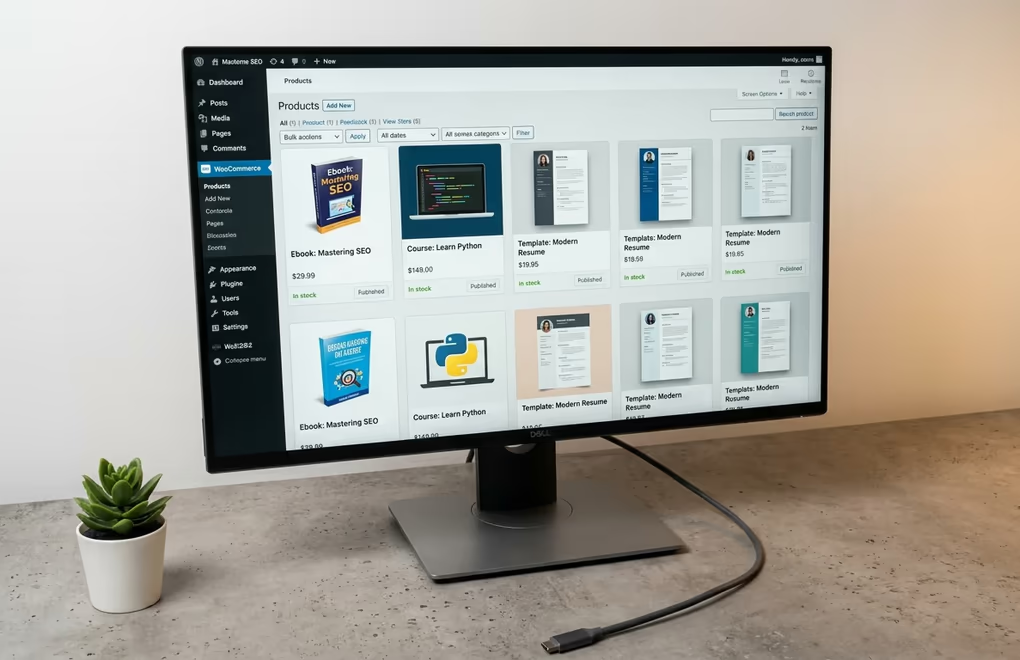
WordPress powers more than 40% of all websites on the internet, and it handles digital product sales just as well as course hosting when paired with the right plugin. DigiCommerce is a WordPress plugin built specifically for selling digital products, services, and online courses, with automatic file delivery, subscription management, an affiliate program, abandoned cart recovery, and built-in analytics.
The pricing difference is where things get interesting. DigiCommerce is included in the DigiBundle, which costs $129 per year for a single site. That bundle also includes DigiBlocks (60+ Gutenberg blocks), DigiFlash (a performance-focused block theme), DigiFusion (a classic theme), and DigiConsent (cookie compliance). You get the equivalent of Kajabi’s page builder, course delivery, checkout, and consent tools in a single annual license instead of a monthly subscription.
Over two years, Kajabi’s Basic plan costs $3,432 (at the annual rate of $143 per month). DigiCommerce through the DigiBundle costs $258 for the same period. Add $60 to $120 per year for WordPress hosting from a provider like Cloudways or SiteGround, and you’re still looking at a total cost under $500 for two full years, compared to $3,432 on Kajabi.
WordPress also gives you something Kajabi can’t match: full ownership. Your course content, customer emails, payment records, and landing pages live on your own server. You can switch hosting providers, swap themes, add any plugin you want, and export your entire database whenever you choose. You won’t hit contact limits or product caps, and the only transaction fee is what Stripe or PayPal charges directly (typically 2.9% + $0.30 per transaction).
The trade-off is that WordPress requires more setup. You’ll need to pick a host, install WordPress, configure DigiCommerce, and manage your own updates and backups. That takes a few hours upfront and maybe 30 minutes per month for maintenance. For creators who are comfortable with a WordPress dashboard, that’s a small price for saving $1,500 or more per year. For creators who’ve never touched WordPress, the learning curve is real but not steep, especially with a step-by-step guide to selling digital products on WordPress.
Which hosted platforms work as Kajabi replacements?
If self-hosting on WordPress isn’t your style, several hosted platforms offer a simpler setup at a lower price than Kajabi. Each one handles the infrastructure for you, so there’s no server to manage, but you’re still paying a monthly fee and giving up some control over your data.
Systeme.io has the lowest entry price among hosted platforms. Its free plan includes one online course, three sales funnels, and 2,000 contacts. Paid plans start at $17 per month (Startup, with five courses and 5,000 contacts) and go up to $97 per month for unlimited everything. Systeme.io charges zero transaction fees on all plans, which makes it the cheapest hosted option for creators who want an all-in-one platform. The downside is that its course builder and community features aren’t as polished as Kajabi’s, and you can’t use your own Stripe account on the free tier.
Teachable charges $39 per month (annual billing) on its Starter plan, which includes five products and a 7.5% transaction fee. The Builder plan at $89 per month (annual) drops the transaction fee to 0% and adds an affiliate program, real-time support, and ten products. Teachable’s course builder is one of the strongest available, with native iOS and Android apps for students, certificates, and cart recovery built in. It doesn’t include email marketing or funnel building, so you’ll need a separate tool like ConvertKit or Mailchimp.
Podia starts at $49 per month (or $42 per month billed annually) on the Mover plan, with courses, digital downloads, and email marketing built in, plus a 5% transaction fee. Its Shaker plan at $99 per month ($84 annual) removes the transaction fee and adds an affiliate program. Podia is the simplest option here, with a clean interface that takes minutes to learn, though it doesn’t support advanced funnels or landing page customization.
ThriveCart uses a different model entirely: a one-time payment of $495 for lifetime access. It handles checkout pages, upsells, affiliate management, and basic course delivery through its Learn feature. ThriveCart doesn’t host your course content in the same way Kajabi does (it’s more of a cart-first tool), but for creators whose main need is selling and delivering digital files, the one-time cost makes it attractive.
Thinkific starts at $49 per month (annual billing) on its Basic plan, with unlimited students and zero transaction fees in primary markets like the United States. It’s strong on course building and student management, with a drag-and-drop curriculum builder that handles video, quizzes, assignments, and certificates. Thinkific dropped its free plan in March 2026, though it still offers a free trial. Like Teachable, it doesn’t include email marketing or advanced funnel tools, so you’ll need to pair it with external software.
What does each Kajabi alternative actually cost over two years?

Marketing pages are full of “starting at” prices that hide the real number. The figures below show what each option actually costs over 24 months, using the annual billing rate where available, plus transaction fees calculated on $3,000 per month in sales (a reasonable benchmark for an active course creator).
| Platform | Cheapest paid plan* | Transaction fee | ~2-year cost | Best for |
|---|---|---|---|---|
| Systeme.io | $17/mo (Startup) | 0% | ~$408 | Budget all-in-one |
| WordPress + DigiCommerce | $129/yr (DigiBundle) | None (Stripe direct) | ~$438 | Full ownership, lowest cost |
| ThriveCart | $495 once | 0% | $495 | Pay once, cart-first |
| Thinkific | $49/mo (Basic) | 0% | ~$1,176 | Course management |
| Podia | $84/mo (Shaker) | 0% | ~$2,016 | Simple, built-in email |
| Teachable | $89/mo (Builder) | 0% | ~$2,136 | Strongest course builder |
| Kajabi | $143/mo (Basic) | 2% on your own Stripe | $3,432+ | Established all-in-one |
Kajabi Basic comes to $3,432 in subscription fees over two years ($143 per month, annual billing). If you use your own Stripe account, Kajabi adds a 2% surcharge on every transaction, which adds $1,440 on $3,000 per month in sales over 24 months. Your real two-year cost is closer to $4,872.
DigiCommerce through the DigiBundle costs $258 over two years ($129 per year). Add $180 for quality WordPress hosting (roughly $7.50 per month), and your total is around $438. There’s no platform transaction fee, so Stripe’s standard 2.9% + $0.30 is all you pay on sales.
Systeme.io on the Startup plan ($17 per month) totals $408 over two years, with zero transaction fees. The free plan costs nothing but limits you to 2,000 contacts and one course.
Teachable Builder ($89 per month, annual billing) runs $2,136 over two years with 0% transaction fees. The cheaper Starter plan at $39 per month totals $936, but the 7.5% transaction fee on $3,000 per month adds $5,400, bringing the real cost to $6,336, which is significantly more than Kajabi.
Podia Shaker ($84 per month, annual billing) costs $2,016 over two years with no transaction fees. The cheaper Mover plan at $42 per month (annual) runs $1,008 plus a 5% fee that adds $3,600, for a total of $4,608.
ThriveCart’s one-time $495 payment is the total cost for two years (and beyond), though you’ll need separate course hosting or a WordPress site to deliver your content.
The numbers show that WordPress with DigiCommerce is the cheapest option by a wide margin for creators who are comfortable managing their own site. Among hosted platforms, Systeme.io and ThriveCart offer the lowest ongoing costs, as our digital-product platform pricing comparison breaks down in more detail. Kajabi only makes financial sense if you’re using every feature it offers and your revenue is high enough to absorb the monthly fee without noticing it.
When should you stay with Kajabi instead of switching?

Kajabi isn’t overpriced for everyone, and some creators genuinely benefit from having courses, emails, landing pages, funnels, a community, and analytics inside a single tool. If you’re running a six-figure course business and your time is worth more than the $150 per month difference between Kajabi and a cheaper option, the convenience of Kajabi’s all-in-one dashboard pays for itself.
Kajabi’s built-in community feature is another reason to stay. It’s integrated directly with your courses, so students can discuss lessons, ask questions, and interact without leaving the platform. WordPress can replicate this with plugins like BuddyBoss or bbPress, but it takes more configuration, and the experience isn’t as tightly connected to the course content.
Creators who rely heavily on Kajabi’s pipeline builder (their name for sales funnels) will also find it hard to switch. The pipeline builder connects landing pages, email sequences, checkout pages, and post-purchase upsells in a visual workflow that’s genuinely useful. Recreating that exact flow in WordPress requires combining DigiCommerce with an email tool and a page builder, which works well but takes more effort to set up.
The honest answer is that Kajabi is the better choice if you value simplicity over savings, if your business generates enough revenue to cover the subscription comfortably, and if you’re already using most of its features. Switching away from Kajabi to save money only makes sense if the money you save is meaningful relative to what you earn.
If you’re a creator just starting out, spending $179 per month on a platform before you’ve made your first sale is hard to justify. And if you’re an established creator who only uses Kajabi for course delivery and checkout, you’re paying for email marketing, funnels, and community tools you don’t touch. In either case, a WordPress ecommerce plugin or a cheaper hosted platform will do the job.
How to pick the right Kajabi replacement for your goals
Start by listing the Kajabi features you actually use every week. Most creators use course hosting, a checkout page, and maybe email marketing. If that’s your list, you don’t need an all-in-one platform at all, and a focused tool like DigiCommerce on WordPress will handle everything at a fraction of the cost.
If you need built-in email marketing and don’t want to manage a separate tool, look at Systeme.io or Podia. Both include email as part of their core package, and both cost less than half of what Kajabi charges on comparable plans.
If course building quality is your top priority, Teachable and Thinkific have the strongest dedicated course builders, with native mobile apps, quizzes, certificates, and student progress tracking that goes deeper than Kajabi’s course tools.
If you want to pay once and be done with monthly fees entirely, ThriveCart’s $495 lifetime deal is the obvious choice, though you’ll need WordPress or another host for your actual course content.
And if you want full control over your platform, your data, and your costs, WordPress with DigiCommerce is the path that keeps giving back as your business grows. You’re not paying more for adding contacts, creating new products, or running an affiliate program with abandoned cart recovery. The platform scales with you instead of billing you more for the privilege.
