
Thinkific’s cheapest annual plan costs $74 per month, and the price climbs to $374 per month if you want to remove Thinkific branding or run more than one community. For course creators who haven’t hit consistent revenue yet, or who already have a WordPress site they’d rather build on, that pricing structure creates a real barrier.
A good Thinkific alternative gives you course hosting, digital product delivery, and payment processing without charging a monthly fee that grows faster than your student count. Some options are hosted platforms with lower pricing, while others let you self-host on WordPress and skip the monthly platform fee entirely.
This comparison covers the strongest Thinkific alternatives for 2026, including both hosted SaaS options and a self-hosted WordPress approach that no other alternative guide mentions. Every price listed here was verified in July 2026, and the three-year cost math at the end shows exactly how much you’d save with each option.
If you’re already running a WordPress site and paying Thinkific separately to host your courses, you’re running two platforms when one would handle the job, and paying a premium for the overlap.
Why are course creators switching from Thinkific?

The most common reason is pricing that scales against you. Thinkific’s Start plan costs $99 per month ($74 billed annually), and it includes the basics: unlimited students, unlimited courses, certificates, and payment plans. But the Thinkific logo stays on your site at that tier, and removing it requires the Grow plan at $199 per month ($149 annually). Running a branded mobile app adds another $199 per month on top of whichever plan you’re already paying for.
Thinkific dropped its permanent free plan in March 2026 and replaced it with a 30-day trial. Creators who were testing the platform on the free tier got pushed to Start or lost access entirely. That’s a reasonable business decision from Thinkific’s side, but it means there’s no longer a way to test the platform without a ticking clock pushing you toward a paid commitment.
The second issue is per-brand billing. Each school or brand on Thinkific requires its own subscription. If you teach two subjects under separate names, you’re paying for two separate accounts at full price. WordPress-based alternatives don’t impose per-brand limits because you control the installation and can run multiple storefronts from a single license.
Community tools on Thinkific exist but feel added after the fact rather than woven into the course experience. The Start plan allows one community with limited spaces, and expanding that requires the Grow plan or layering in a third-party community tool. Either way, the cost goes up for a feature that many competing platforms include at lower price points.
Data portability becomes the real problem when you actually try to leave. Thinkific holds your course content, student records, and revenue history on its servers. Exporting everything and rebuilding elsewhere takes weeks of manual work. Self-hosted solutions keep that data in your own database from day one, which means there’s nothing to migrate if you switch tools or hosting providers later on.
What should you look for in a Thinkific alternative?

Price per month matters less than total annual cost when transaction fees are included. Teachable charges a 7.5% transaction fee on its $39 per month Starter plan, which means a creator selling $3,000 per month in courses pays $225 in transaction fees on top of the subscription. By the time you add both numbers together, the “cheaper” plan costs more than a mid-tier competitor with zero transaction fees. Always calculate the real annual cost at your expected sales volume before comparing plans.
Course delivery flexibility separates the serious platforms from the basic ones. You want drip scheduling (releasing lessons over weeks rather than all at once), file protection that prevents buyers from sharing download links, and automatic delivery after purchase without manual intervention. Some platforms require add-ons or higher tiers for these features, which pushes the real cost above the advertised price you see on the marketing page.
Data ownership is the factor that most comparison guides skip entirely because every guide is written by a hosted platform promoting itself. On a hosted platform, your course files, student emails, and purchase history sit on someone else’s infrastructure. If the platform raises prices, changes its terms, or discontinues a feature you depend on, your only option is to export what you can and rebuild somewhere else. A WordPress-based setup keeps everything in your own database and your own hosting account, so you’re never locked into a single vendor’s roadmap or pricing decisions.
Payment processing flexibility varies widely between alternatives. Thinkific uses its own payment system (Thinkific Payments) or Stripe directly. Some platforms restrict you to their built-in checkout and take a cut of every sale on lower tiers. WordPress-based solutions typically support Stripe, PayPal, and any other gateway your payment plugin handles, which gives you more control over checkout flows and regional payment methods your students actually use.
Consider whether you need community features, a membership area, or an affiliate program built into the same platform. Adding those capabilities through third-party integrations is possible, but each integration creates another moving part to maintain and another monthly bill to track. Platforms that include these features natively are simpler to operate long-term, though they tend to charge more for that convenience in their subscription price.
Can you run courses on WordPress instead of Thinkific?
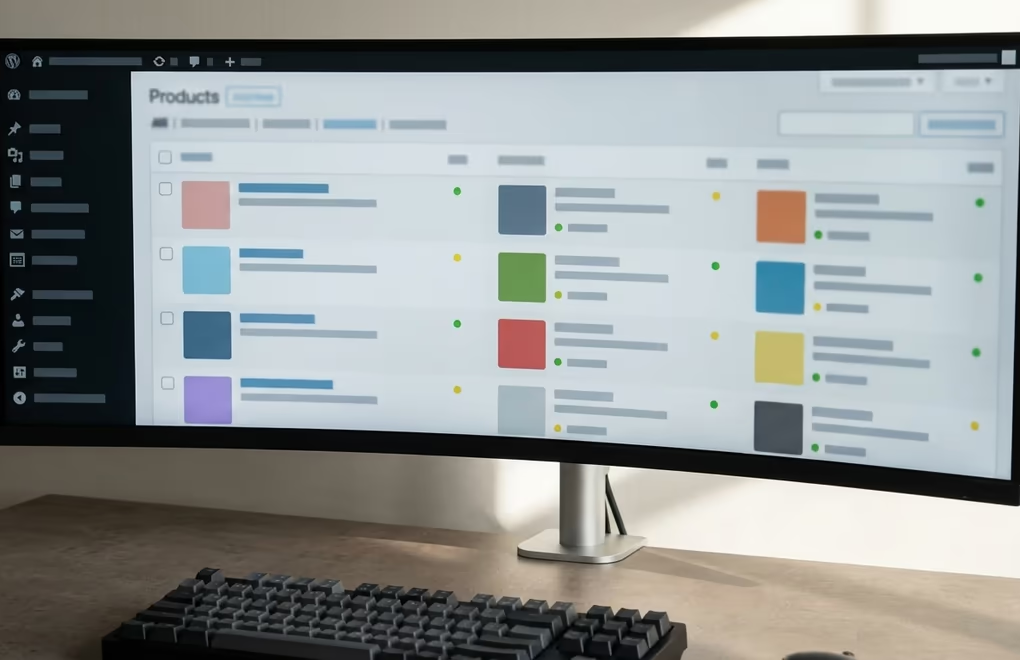
Yes, and for WordPress site owners it’s the option that every other Thinkific alternative guide leaves out entirely. DigiCommerce is a WordPress plugin built for selling digital products, courses, and services directly from your own site. It costs $129 per year for one site (or $229 per year for up to ten sites), with no monthly platform fee and no transaction fee beyond what Stripe or PayPal charges on their end for payment processing.
The difference in annual cost is hard to ignore. Thinkific’s Start plan runs $888 per year billed annually. DigiCommerce costs $129 per year for the same core job: hosting courses, delivering files automatically after purchase, processing payments, and managing subscribers. Over three years, that’s $2,664 on Thinkific versus $387 on DigiCommerce, a gap of $2,277 that only gets wider if you’d need Thinkific’s Grow plan to remove branding from your course pages.
DigiCommerce includes subscriptions, an affiliate program, abandoned cart recovery, coupons, and detailed analytics on every plan. Those features are standard across all license tiers, not gated behind higher-priced subscriptions. You don’t pay extra to remove someone else’s logo from your checkout page because the checkout page is yours, running on your own domain, styled with your own theme and your own colors.
The trade-off is that you’re responsible for your own hosting environment, your own backups, and your own SSL certificate. WordPress hosting costs roughly $5 to $30 per month depending on your traffic level and hosting provider. That still keeps the total well under Thinkific’s annual price even on the higher end. And if you already run a WordPress blog, a portfolio site, or a business website, you don’t need new hosting at all because DigiCommerce installs as a plugin on the site you already have.
Course delivery on WordPress works through protected download links tied to purchase records in your database. Buyers access their files through their account page on your site, and you can schedule content releases through the WordPress publishing system. The experience isn’t identical to Thinkific’s polished course player with its progress tracking sidebar, but for creators selling downloadable courses, templates, ebooks, or other digital products, it handles the same job at a fraction of the cost while keeping you in full control of the platform.
Which hosted platforms also work as Thinkific alternatives?

Not every course creator wants to manage a WordPress installation, and that’s a valid preference worth respecting. These hosted platforms handle the infrastructure for you, with trade-offs in pricing and flexibility compared to both Thinkific and a self-hosted WordPress setup.
Teachable starts at $39 per month on its Starter plan, but that plan carries a 7.5% transaction fee on every sale you make through the platform. The Pro plan at $119 per month drops the fee to 0% and adds graded quizzes, course completion certificates, and an affiliate program. Teachable’s course builder is straightforward to use, and its mobile app gives students offline access to course materials. The main drawback is that lower-tier plans extract revenue through transaction fees, so your actual cost depends heavily on how much you sell each month rather than a flat subscription rate.
Kajabi positions itself as an all-in-one platform and prices accordingly at $179 per month ($143 billed annually) for its Basic plan. That includes courses, email marketing, a website builder, and a basic funnel system in one subscription. If you need affiliate tracking or want to sell more than five products, the Growth plan at $249 per month is the next step up. DigiHold has a detailed Kajabi comparison with verified pricing and a feature-by-feature breakdown if you’re weighing that specific option.
Podia starts at $33 per month on its Mover plan, which includes courses, digital downloads, webinars, and a basic community feature all in one package. The Mover plan charges a 5% transaction fee on every sale, while the Shaker plan at $75 per month removes that fee entirely. Podia’s interface is clean and easy to use, which makes it a decent choice for solo creators who want to set things up quickly without spending days learning a new platform.
Skool charges a flat $9 per month with no transaction fees at all, which makes it the cheapest hosted option on this list by a wide margin. It combines courses with community features in a forum-style layout that encourages discussion between students. The limitation is that Skool’s course creation tools are basic compared to dedicated LMS platforms, so it works better for community-led cohort learning than for structured, video-heavy, self-paced course programs with certificates and quizzes.
LearnWorlds starts at $24 per month on its Starter plan, but that plan charges a $5 flat fee per enrollment that adds up quickly with volume. The Pro Trainer plan at $79 per month removes the per-enrollment fee and adds interactive video tools, assignments, and a certificate builder with customizable templates. LearnWorlds has stronger assessment and quiz features than most alternatives on this list, which makes it a better fit for educators who need to test student knowledge formally or issue verifiable completion certificates.
How do the real costs compare over three years?

Monthly pricing only tells part of the story because transaction fees, required upgrades, and add-on costs change the number you actually pay over time. The comparison below uses verified 2026 annual pricing and assumes $3,000 per month in course sales, which is a realistic mid-range figure for a solo creator with one or two established courses generating consistent revenue.
Thinkific Start costs $888 per year with no transaction fee in primary markets like the United States, giving a three-year total of $2,664. Thinkific Grow, which removes platform branding and allows multiple communities, costs $1,788 per year or $5,364 over three years. If you add the branded mobile app at $199 per month, that’s another $7,164 over three years on top of the plan subscription.
Teachable Pro costs $1,428 per year with no transaction fee, totaling $4,284 over three years. The Starter plan at $468 per year looks cheaper on the surface, but the 7.5% fee on $36,000 in annual sales adds $2,700 per year in transaction costs, pushing the real three-year total to $9,504, which is more than any other option on this list.
Kajabi Basic costs $1,716 per year ($143 per month billed annually), totaling $5,148 over three years. That’s the most expensive option here, though Kajabi includes email marketing and funnel tools that the others charge separately for or don’t offer at all.
Podia Shaker at $900 per year comes to $2,700 over three years. Skool at $108 per year totals just $324 over the same period, though its course features are more limited than the other platforms on this list and you’d likely need a separate tool for structured course delivery.
DigiCommerce on WordPress costs $129 per year for the plugin license, plus roughly $120 to $360 per year for hosting depending on your provider and traffic needs. Taking the midpoint of $240 per year for decent managed WordPress hosting, the three-year total is $1,107. For creators who already have WordPress hosting in place, the three-year cost drops to $387, which is the plugin license alone with nothing else to pay.
Which option fits your situation best?
If you already have a WordPress site and sell downloadable courses, templates, or ebooks, adding DigiCommerce to your existing setup is the cheapest path by a wide margin, and it keeps every piece of your business on one platform you control entirely. The annual cost stays under $130 for the plugin alone, and you keep full ownership of your student data, course files, and payment processing relationships without depending on any third-party platform’s pricing decisions.
If you don’t want to manage WordPress hosting and prefer a polished, hosted course player with a dedicated mobile app, Teachable Pro or Podia Shaker give you that experience at a lower price than Thinkific Grow charges. Skool is the budget pick for community-led learning where discussion matters more than structured video content, and Kajabi fits creators who want email marketing, funnels, and courses bundled into one subscription payment.
And if Thinkific’s Start plan at $74 per month already works for you and your revenue comfortably covers the subscription, switching platforms purely to save money may not be worth the migration effort. The best time to evaluate alternatives is before your business outgrows a platform’s pricing structure, not after you’ve spent years building course content and student relationships inside it.
There’s no completely free alternative with the same feature set as Thinkific, but Skool at $9 per month with no transaction fees comes close to free for the basics. If you already have WordPress hosting, DigiCommerce at $129 per year ($10.75 per month) is another low-cost option that includes course delivery, subscriptions, and an affiliate program without any per-sale fees on top of the license price.
You can export your course content and student data from Thinkific, though the process involves manual work because there’s no one-click migration tool between the two platforms. Export your course files (videos, PDFs, documents), download your student list as a CSV, and rebuild your course structure in WordPress using DigiCommerce or another digital product plugin. The content transfers cleanly, but the course layout and progress tracking data won’t carry over automatically and will need to be recreated on the new platform.
For hosted platforms, Skool at $9 per month charges no transaction fees at all, making it the cheapest flat-rate option available. For self-hosted setups, DigiCommerce at $129 per year has no platform transaction fees beyond what your payment processor (Stripe or PayPal) charges on its own, which is typically 2.9% plus $0.30 per transaction regardless of which course platform you use.
It depends on what you’re selling and how you deliver it. For downloadable digital products like course PDFs, video bundles, templates, and ebooks, WordPress with DigiCommerce handles the job well: automatic file delivery, payment processing, subscriber management, and analytics are all included. You can also build a membership area for gated course access if your content needs ongoing subscriber access rather than one-time downloads. If you need a polished interactive course player with lesson-by-lesson progress bars, completion certificates, and a branded mobile app, a hosted platform like Teachable or LearnWorlds is a better fit because those features are built into their core product rather than added through plugins.
Only if the subscription cost is eating into your margins or if you need features that Thinkific gates behind higher-priced tiers. Switching platforms always involves some disruption, including rebuilding your course pages, redirecting URLs, and notifying existing students about the change. If Thinkific works and the $74 to $149 per month doesn’t hurt your bottom line, staying put avoids that disruption entirely. But if you’re paying $149 or more per month and only selling two or three products, DigiCommerce at $129 per year would save you over $1,600 annually while giving you more control over your business platform.
