

Selling digital products on WordPress has become one of the most accessible paths to building passive income online. Whether you’re a designer selling templates, a photographer licensing stock images, a developer distributing software, or an educator offering courses, WordPress provides the foundation for a complete digital storefront that you control entirely.
The digital products market continues to grow at an impressive pace. Industry analysts project that the global digital goods sector will surpass $100 billion by 2026, driven by rising demand for downloadable content, online courses, and software subscriptions. This growth isn’t slowing down, and WordPress site owners are uniquely positioned to capitalize on it.
WordPress stands out for digital sellers because you own everything. Unlike marketplaces such as Etsy, Gumroad, or Shopify that take commission fees ranging from 5% to 15% on every sale, a WordPress-based store lets you keep nearly all your revenue. The only fees you’ll pay are payment processor charges, typically around 3% per transaction through services like Stripe or PayPal.
This guide walks you through everything needed to start selling digital products on WordPress successfully using DigiCommerce, a WordPress plugin built specifically for digital commerce. You’ll learn how to set up your store in minutes, configure secure payment processing, protect your files from unauthorized sharing, and implement marketing strategies that actually drive sales.
What Types of Digital Products Can You Sell on WordPress?

WordPress supports virtually any type of digital product you can imagine. The platform’s flexibility means you’re not limited to specific file formats or product categories. That said, some digital products sell better than others, and understanding what works helps you focus your efforts where they’ll have the greatest impact.
Ebooks and written content remain consistently popular. Authors, bloggers, and industry experts package their knowledge into PDF guides, comprehensive reports, or fiction works that readers download instantly after purchase. The beauty of ebooks lies in their simplicity: create once, sell indefinitely, with zero inventory management or shipping logistics to worry about.
Templates and design assets represent another lucrative category. Designers sell everything from Canva templates and Photoshop files to website themes, social media kits, and presentation decks. If you’ve created something that saves other people time, there’s likely a market for it. A good digital commerce plugin handles multiple file formats seamlessly, letting you bundle assets together or sell them individually.
Software and plugins appeal to technically-minded creators. WordPress plugin developers, script authors, and app builders distribute their products directly to customers. This category often involves license key management to control how many sites or users can access each purchase. DigiCommerce includes a complete license management system that handles key generation, activation limits, and subscription-tied renewals automatically.
Online courses and educational content have exploded in popularity since 2020. Instructors build complete learning experiences with video lessons, quizzes, downloadable resources, and completion certificates. A built-in programs addon can transform your site into a full learning management system, allowing you to drip content over time or provide immediate access to entire course catalogs.
Services and bookings round out the digital product ecosystem. Consultants, coaches, and service providers sell appointment slots, coaching sessions, and consultation packages. An integrated booking system handles scheduling, timezone management, and automated reminders, turning your WordPress site into a complete business management platform.
Setting Up Your Digital Store with DigiCommerce

Getting started takes about 15 minutes from installation to your first product listing. The plugin was designed specifically for digital commerce, which means you won’t waste time configuring shipping options, weight calculations, or inventory tracking for physical products that don’t apply to your business.
Installation is straightforward. Go to Plugins → Add New in your WordPress dashboard and search for DigiCommerce. Click Install Now, then Activate. After activation, navigate to DigiCommerce → Settings to configure your store.
Configure your business details in the General tab. Enter your Business Name, VAT Number (if applicable), Country, Address, City, and Postal Code. These details appear on customer invoices and help with tax compliance. You can also upload your business logo, set your preferred currency, and configure currency formatting options like thousand separators and decimal places.
Creating your first product happens through Products → Add New Product. The block editor opens with a dedicated Product Details sidebar on the right. Click the DigiCommerce icon at top right corner to access panels for Pricing, Downloadable Files, Description, Gallery, Features, and Download Instructions. The Pricing panel lets you choose between Single Price mode or Price Variations for offering multiple licensing tiers from one product listing.
Product variations let you offer different pricing tiers from a single listing. Many digital sellers create personal, commercial, and extended license options with different usage rights and prices. You might also offer basic and premium versions of your product, or bundle multiple items together at a discounted rate. All these scenarios work without requiring separate product listings for each variation.
Product images matter even for digital goods. Show mockups of your templates in use, preview pages from your ebook, screenshots of your software in action, or sample frames from your video courses. Customers can’t physically examine digital products before purchase, so visual previews reduce uncertainty and build confidence. The product gallery supports multiple images so you can showcase your offerings from every angle.
Configuring Payment Methods for Maximum Conversions
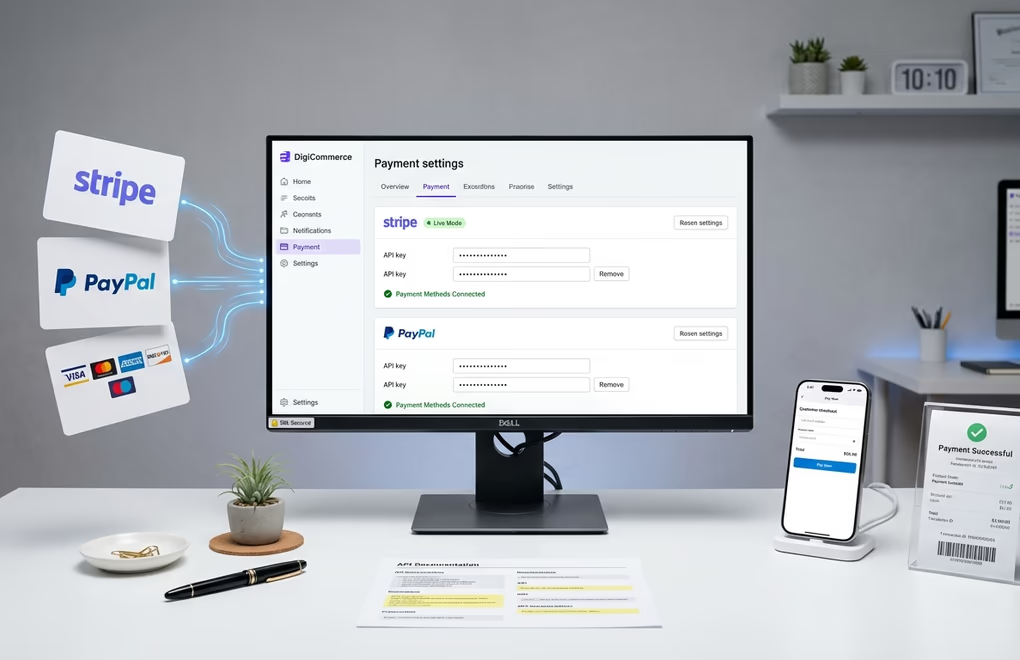
Payment processing is where many new digital sellers feel overwhelmed. DigiCommerce simplifies this dramatically with native Stripe and PayPal integration that connects in just a few clicks. You never touch sensitive card data directly since the payment processors handle all security requirements behind the scenes.
Stripe integration requires your API keys from the Stripe dashboard. Go to DigiCommerce → Settings → Payment tab. You’ll see options for Test Mode or Live Mode. For testing, enter your Test Publishable Key and Test Secret Key from Stripe. When you’re ready for real transactions, switch to Live Mode and enter your live credentials. You’ll also need to add the Webhook Signing Secret after configuring webhooks in Stripe to handle subscription renewals and payment confirmations.
PayPal configuration works similarly. Enable Sandbox Mode for testing, then enter your PayPal Client ID and PayPal Secret from the PayPal Developer dashboard. The Webhook ID field is required for processing subscription payments and refunds. Your webhook URLs display directly in the settings, making it easy to copy and paste them into your Stripe and PayPal dashboards. Many customers prefer PayPal because they don’t need to enter card details on unfamiliar sites, so offering both payment methods typically increases conversion rates.
Subscription billing unlocks recurring revenue for products that warrant ongoing payments. The Subscriptions addon handles everything automatically: initial charges, recurring billing cycles, failed payment retries, renewal reminders, and cancellation processing. You can offer monthly or annual billing, include free trial periods, and set up optional signup fees. Customers manage their subscriptions through their account dashboard without requiring your intervention.
SSL certificates are mandatory for payment processing, but virtually all reputable web hosts now include free SSL through Let’s Encrypt. Ensure your entire site loads over HTTPS before accepting payments.
If you’re comparing the real costs of different eCommerce solutions, DigiCommerce stands out because it includes subscription billing, license management, and affiliate marketing for $59/year. Other platforms charge hundreds of dollars annually for each of these capabilities separately.
Secure Delivery and File Protection

Digital products face unique security challenges that physical goods simply don’t encounter. Once someone downloads your file, they could potentially share it with thousands of people who never paid. While you can’t prevent piracy entirely, multiple security layers significantly reduce unauthorized distribution and protect your revenue.
Secure file storage forms the foundation of download protection. Product files should be stored outside the publicly accessible web directory, preventing anyone from guessing URLs and downloading files directly. Only authenticated customers who have completed purchases receive temporary download links that the system generates on demand.
Expiring download links add another security layer. Instead of sending customers permanent URLs to their files, unique tokens are generated that expire after a set period or number of uses. Even if a customer shares their download link, it stops working within hours or days. Legitimate buyers can always access their purchases through their account dashboard, where fresh links are generated on request.
License key management provides ongoing protection for software products. The License addon generates unique keys for each purchase that customers must activate to use the software. You control how many sites or installations each license permits, whether development environments count against limits, and whether licenses expire with subscriptions. The system handles key generation, activation validation, and automatic deactivation for refunded purchases.
Amazon S3 integration offloads file delivery from your web server while adding security benefits. The Amazon S3 addon generates signed URLs that leverage Amazon’s global infrastructure for faster, more reliable downloads. This approach protects your server resources since large file downloads don’t consume your hosting bandwidth. For stores with larger files or higher traffic, S3 integration often pays for itself through improved performance.
Automatic delivery happens instantly after purchase confirmation. Customers receive their download links both on the purchase confirmation page and in their confirmation email. The entire fulfillment process works without requiring any manual intervention from you. This automation runs around the clock, meaning customers on the other side of the world receive their purchases immediately even while you’re sleeping.
Remember that overall WordPress security matters just as much as file-specific protections. Keep WordPress core, themes, and plugins updated. Use strong passwords and consider two-factor authentication for admin accounts. A compromised WordPress installation gives attackers access to everything, including your product files and customer data.
Optimizing the Checkout Experience

Your checkout page is where sales either happen or fall apart. Industry studies consistently show that cart abandonment rates hover around 70% for eCommerce sites, meaning roughly seven out of ten shoppers who add items to their cart leave without completing the purchase. A well-designed checkout experience reduces this abandonment dramatically.
Minimal form fields reduce friction dramatically. A digital commerce checkout should only ask for what’s absolutely necessary: name, email, and payment information. Digital products don’t require shipping addresses, so don’t waste your customers’ time requesting information you’ll never use. Every unnecessary field increases the chance that visitors abandon checkout before completing their purchase.
Guest checkout should be available by default. Customer emails are captured during checkout and accounts created automatically, but customers don’t need to set passwords or remember login credentials before purchasing. Some buyers will leave rather than create yet another account they need to manage. Removing this barrier improves conversion rates significantly.
Trust signals should appear prominently throughout the checkout process. Payment method icons, secure checkout messaging, and clear refund policy displays reduce anxiety about purchasing from unfamiliar sites. A Side Cart feature lets customers review and modify their cart without leaving the current page, keeping them engaged with your products while making purchasing effortless.
Mobile optimization is essential. More than half of web traffic now comes from mobile devices, and a checkout that works poorly on phones directly impacts revenue. Responsive design should adapt automatically to any screen size, ensuring buttons are large enough to tap accurately and forms use appropriate keyboard types for each field.
Abandoned cart recovery helps recapture some of those visitors who leave without buying. The Abandoned Cart addon tracks when visitors start checkout but don’t complete it, then sends automated email sequences reminding them about the items in their cart. You can configure reminder timing, customize email content, and even offer automatic discount codes to incentivize completion. This single feature typically recovers 10-15% of otherwise lost sales.
Marketing Strategies to Drive Traffic and Sales

Building a great digital store means nothing if no one visits it. Marketing deserves as much attention as product creation, yet many new sellers underestimate this reality. The right tools help you attract customers and maximize the value of every visitor.
Affiliate marketing lets you leverage other people’s audiences to sell your products. An Affiliation addon provides a complete affiliate management system where partners sign up, receive unique tracking links, and earn commissions when their referrals purchase. You control commission rates, typically 20% to 40% for digital products, and the system handles all tracking, attribution, and payout calculations. This performance-based marketing costs you nothing unless it generates sales.
Email marketing integration connects your store with major email platforms. A Mailing Lists addon supports MailChimp, ActiveCampaign, ConvertKit, Brevo, and other popular services. Customers can opt into your email list during checkout, automatically syncing to your email platform with their purchase data. Building an email list from day one gives you a direct communication channel that doesn’t depend on social media algorithms or paid advertising.
Discount codes and promotions create urgency that drives immediate action. A coupon addon lets you create percentage or fixed-amount discounts with usage limits, expiration dates, and minimum purchase thresholds. Offer launch discounts for new products, holiday sales, or exclusive deals for email subscribers. The system tracks coupon usage and automatically deactivates codes when they reach their limits.
Customer reviews provide powerful social proof. A reviews addon collects and displays verified customer feedback on your product pages. After purchase, customers receive automated emails requesting their feedback. Positive reviews build trust with potential buyers who are considering your products. Display star ratings prominently to help visitors make quick purchasing decisions.
Content marketing attracts organic search traffic over time. Write articles that solve problems your target customers face, naturally mentioning your products where relevant. This content builds authority in your niche while generating free, ongoing traffic from Google. WordPress is inherently built for content marketing, making it easy to publish blog posts that support your digital product business.
Scaling Your Digital Product Business

Once your digital store is generating consistent sales, you’ll naturally want to grow. The beauty of digital products is that scaling doesn’t require proportional increases in production costs. Selling 1,000 copies costs essentially the same as selling 100 copies since the product already exists. The right platform provides the tools you need to expand without hitting limitations.
Subscription models transform one-time purchases into predictable recurring revenue. Subscription functionality supports access to regularly updated template libraries, ongoing software licenses with automatic updates, membership sites with exclusive content, or all-access passes to growing course catalogs. Monthly or annual billing smooths cash flow and builds customer relationships over time.
Online courses represent a powerful expansion path for knowledge-based businesses. A programs addon transforms your site into a complete learning management system. Create structured courses with modules and lessons, add quizzes to test comprehension, issue certificates upon completion, and track student progress through comprehensive analytics. Course creators often see higher revenue per customer compared to simple digital downloads.
Service bookings add high-value revenue streams alongside products. A Booking addon lets you sell consultation sessions, coaching packages, or any appointment-based service. The integrated calendar manages availability, handles timezone conversions for international clients, and sends automated reminders. Consultants and coaches use this to monetize their expertise at premium rates while products generate passive income.
Analytics and reporting help you make data-driven decisions as you scale. Your dashboard shows your best-selling products, revenue trends, customer behavior patterns, and marketing channel performance. Understanding where your traffic comes from and which products convert best lets you double down on what’s working while improving underperforming areas.
Social login reduces friction for returning customers. A social login addon lets customers register and sign in using their existing Google, Facebook, or other social accounts. This convenience improves conversion rates and reduces password reset requests. Customers appreciate not having to manage another set of credentials, and you benefit from higher engagement.
To learn more about why DigiCommerce excels for digital products, services, and courses, explore how the platform’s integrated approach saves both time and money compared to piecing together multiple separate solutions.
Your Digital Product Journey Starts Today
Selling digital products on WordPress puts you in control of your revenue in ways that marketplace platforms simply can’t match. You own your customer relationships, keep most of your earnings, and build an asset that grows in value over time. With the right plugin, the initial setup takes minutes rather than days, and you get access to features that other platforms charge hundreds of dollars annually to unlock.
Start with one product, connect Stripe or PayPal, and prove that people will pay for what you’ve created. Then expand with subscriptions, courses, affiliate marketing, and other powerful features as your business grows. The most successful digital sellers started exactly where you are now, then improved continuously over months and years.
What digital product will you create first? An ebook capturing your expertise, templates from designs you’ve already made, software solving a problem you’ve personally experienced, or a course teaching skills you’ve mastered? Whatever you choose, DigiCommerce provides everything you need to turn that creation into a thriving online business.



0 Comments on "How to Sell Digital Products on WordPress: The Complete Guide for 2026"